WK4DS Amateur Radio Blog
Search Posts
My 17 meter band pass filter and POTA…
Today I met up with some other hams that routinely go out together and activate POTA parks and was able to fellowship with them for a while before and after I made some contacts. There was (Jonathan Frye AA6H, Allen Padgett KN4FKS and Danny Wooten AG4DW) and they were running what appeared to be FT8 and SSB stations today. Allen and Jonathan were operating SSB the whole time and made quite a few contacts themselves. It was kind of neat to plug in the nanoVNA and see one of the other stations transmitting and messing with my antenna reading and when they stopped I could see the graph again! HAHA!
I built this band pass filter after having a couple of activations with my friend in Florida, Chas (NA2B). We were is such close proximity that if I didn’t have a bandpass filter for the band I was working, I simply couldn’t hear. The sBitx is notorious for front end overload and when the antennas are just a few yards apart, you are going to get front end overload! Well, on the bands that I had bandpass filters for, I had no issues, it was only the bands I lacked filters that I had a problem. It is pretty easy to find bandpass filters for the non-WARC bands, but WARC bandpass filters are kinda rare.
Well, I never let that stop me before…haha. A while back I went down the rabbit hole of wanting to make my own bandpass filters and I figured I would start with the 17 meter band since it is harder to find. I now own a spectrum analyzer with a tracking generator so I can sweep the filter in real time to see what tuning does to the filter shape. That is kinda awesome in its own right, but you could easily do the same thing with a nanoVNA too.

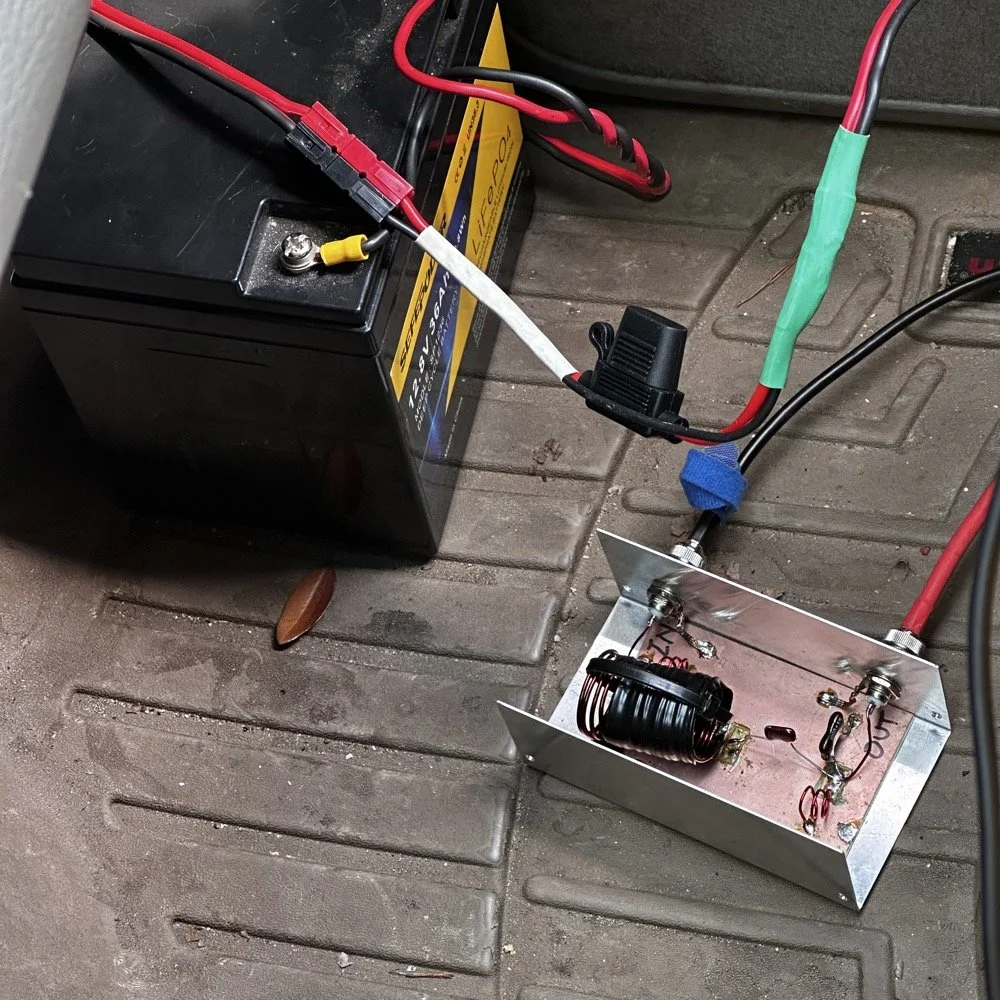
So here is the current iteration of the 17m bandpass module I built. IT sure looks like I home-brewed it, doesn’t it? HAHA! That big inductor It is a classic Pi design with an inductor and capacitor in parallel to ground at the front and back and a series inductor and capacitor in the middle. The input capacitor is underneath that massive 5.31uH inductor in the middle.. I taped it to keep the coils from moving around while I tuned it and then put the ziptie on it to hold the coils in place once I got it like I wanted it. I pulled the values for this filter from the internet off of one of the many website calculators that are out there…I don’t remember which one though… It has been a minute…haha.
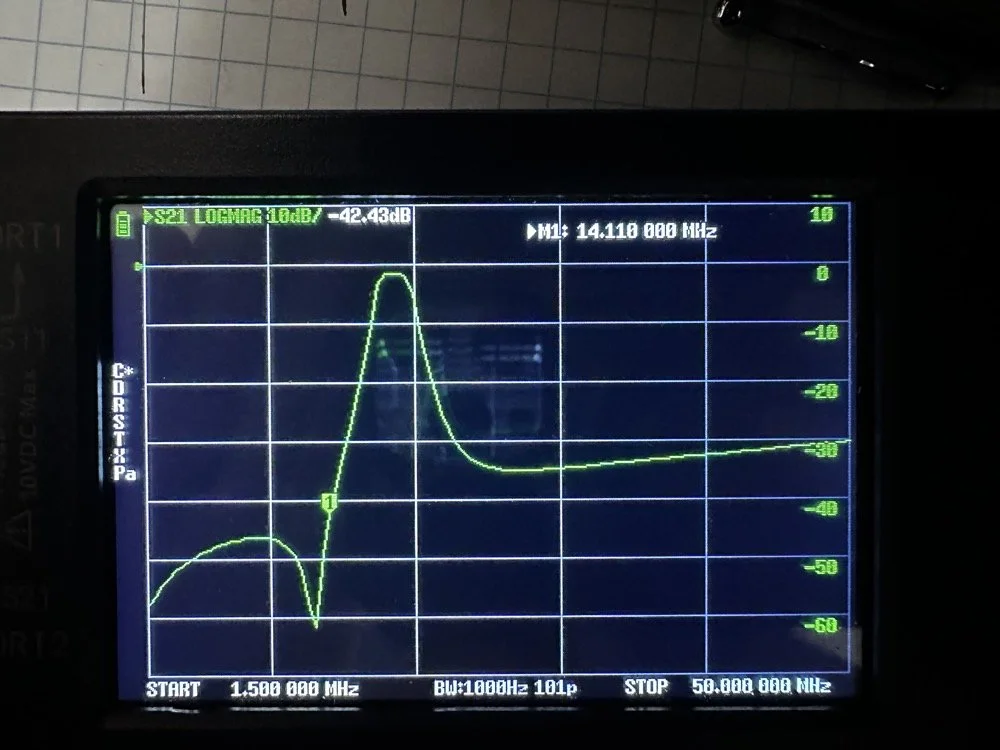
Adding this filter literally stopped all the 20 and 40 meter signals that I had from my neighbors today. It isn’t even all that great of a filter, it does have decent rolloff, but it isnt some knife edge vertical skirt filter. I grabbed a quick photo of the plot on my nanoVNA with the marker on the 20 meter band. I have a little more insertion loss (mine is 1.3dB as compared to a commercial unit at about .65dB), but it works almost as good as one that would cost 200$ and I have about 10$ in it. The filter was even better on the passband before I put it in the chassis. Since I used open air coils, they are interacting capacitivly with the aluminium body to ground. This added capacitance increased the passband insertion loss about .6dB, but it is so clean, I chose to just leave it as is and use it for now. The 20 meter band being over 40dB down compared to the 17 meter band, I was able to setup right next to Danny, who was on 20 meters at the time, without him coming into my radio at all from what I could tell. All the lower bands past 20 meters are lower than that too, so all of them are pushed out of the way so to speak. The higher bands are interesting to me. Before I mounted the unit in the aluminium chassis, it fell off on the high end too. Once mounted it looks like it is about 35dB on 10 meters and about 20dB on 15 meters, which is still good. Another problem that I encountered wtih the added capacitance is that it moved the passband up some. I had it to where the high side of the passband was right at the end of the 17m band before I mounted it. This gave me more attenuation on 15 meters, by probably 6dB or so, but you use what you have and move on with life… This would have also raised the 20 meter rejection some as well, by probably about 6dB or so.
This band pass filter project looks really simple.. The aluminum box, the two BNC connectors, some 16ga magnet wire, three capacitors and a piece of pc board material for a build plane and I am good to go. I lost the lid to the aluminum box hence no cover, but it appears to work just fine like this so I used it. It turns out that if you use toroid inductor cores, that this is a lot easeier to build as the toroids are LESS affected by the chassis ground plane. Notice I said less… they will still change values, just not as much as air wound inductors like I used here. I deliberately chose air wound inductors due to their high Q, which is what gives me the sharpness to the skirts you see in the plot below. I have it marked with “IN” and “OUT” but I honestly think it doesn’t matter which way it is inserted into the feedline as long as it is there. Another benefit of adding a passband filter is that is works both ways, it keeps out stray signals from strong nearby sources and it also only lets the part of your signal LEAVE that will fit through the passband. This makes a huge difference in your signal purity as you are adding a filter to the output of your radio.
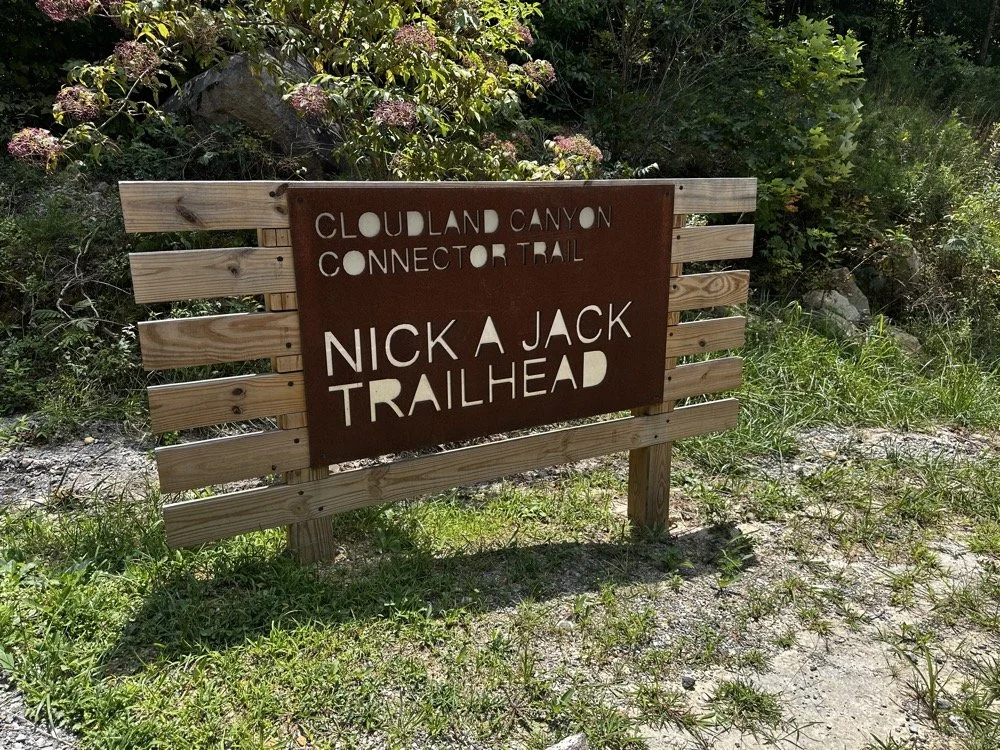
Today I met up with some other hams that routinely go out together and activate POTA parks and was able to fellowship with them for a while before and after I made some contacts. There was (Jonathan Frye AA6H, Allen Padgett KN4FKS and Danny Wooten AG4DW) and they were running what appeared to be FT8 and SSB stations today. Allen and Jonathan were operating SSB the whole time and made quite a few contacts themselves. It was kind of neat to plug in the nanoVNA and see one of the other stations transmitting and messing with my antenna reading and when they stopped I could see the graph again! HAHA!
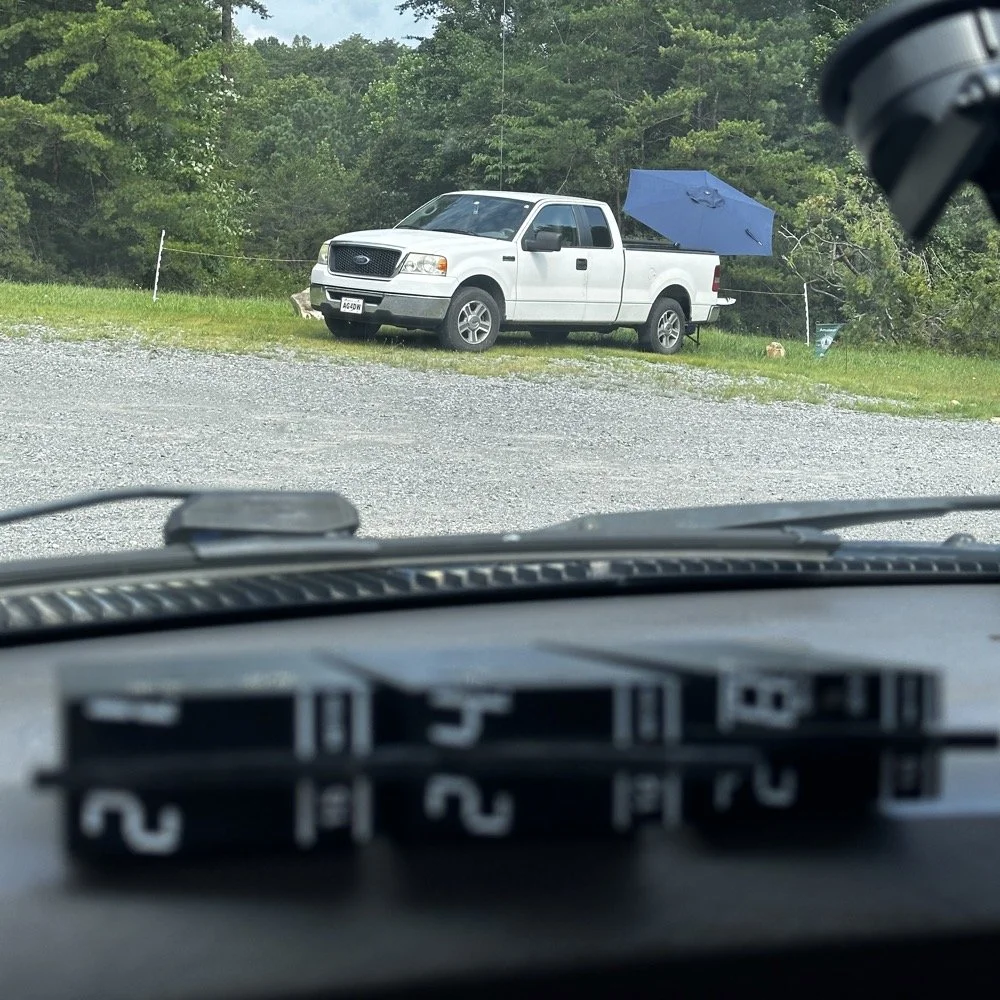
You can see the antenna right behind Danny’s (AG4DW) truck looking out the windshield of my truck today and I moved as far away from the other people as I could muster without driving in the yard… This area is really small to be fair. It just doesnt have a lot of room to setup too many stations. In reality I was probaby the last one that could fit without too much trouble being caused by other radios. Now that doesnt mean this park is overloaded with three stations. Not at all! There are 5 other locations to set up radios that I can think of right off hand with out even trying hard so we could setup several sites at this park very easily. Now, that turns it into something else thoguh, that might be enough activity to trigger the need for a permitted activity, but I dont know. I normally just hand out wtih these guys or go by myself for the most part so it is pretty low key like that.
Those band modules in the above photo are a precursor to what I did today. I opted to stay on the higher bands no matter what. I knew I could land the activation with FT8 and CW, but I had no idea just how hard it would be…haha. This poses a good challenge though as I know I can easily land the minimum ten QSOs to get the activation if I just start on 20 meters but lately the bands have been up and down and have been real inconsistent on the higher bands so to get my ten would take a bit more work on my part. Challenge accepted!
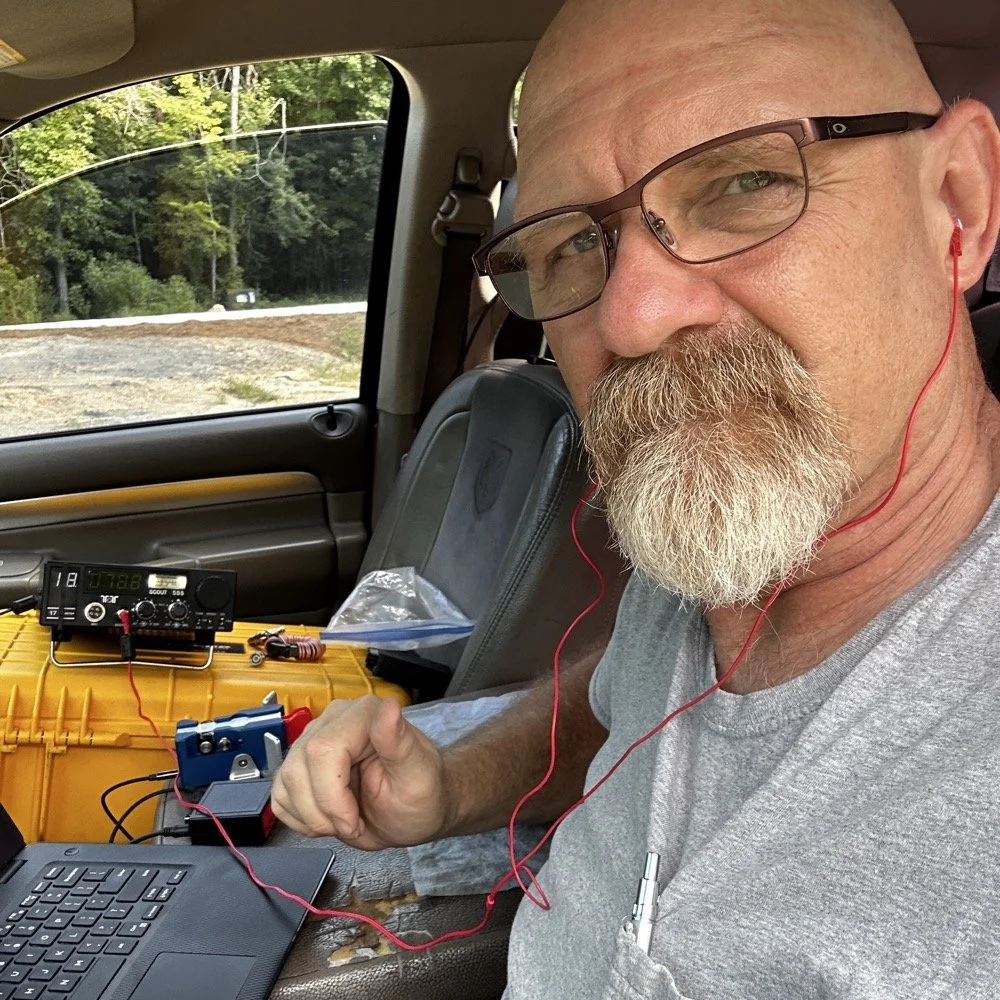
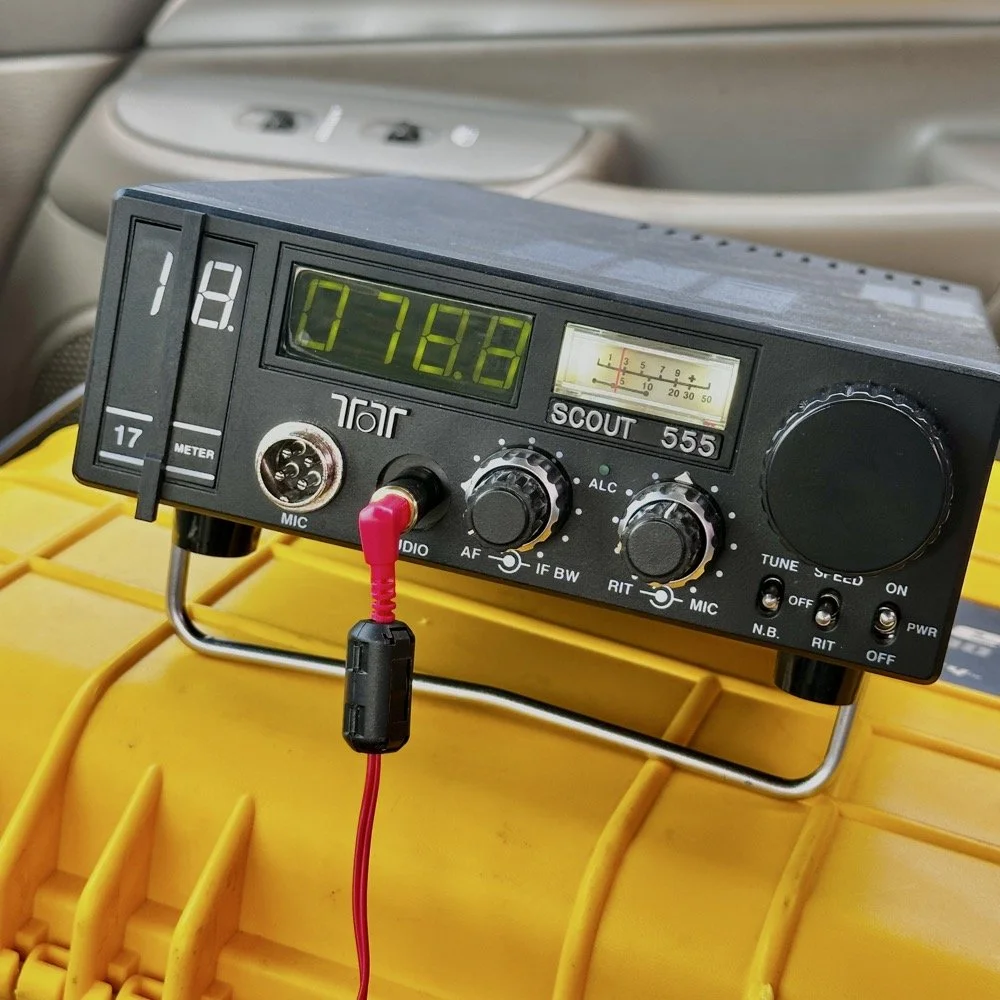
So, natuarally I started on 17 meters…haha. I actually planned to work my way up to ten meters, hence all those band modules you saw earlier. I found W1AW operating CW on 17 meters and busted his pileup to get in their log! That was my first QSO of the day too, I knew right then that it was going to be a good day. As you can see in the photo above, the station was setup in the truck cab to keep me out of the sun as much as possible. I also was using the Begali Traveler key and the HamGadgets Pico keyer as well. Also if you will notice, I dont have the common mode choke installed today. I was testing to see if getting the SWR below 2:1 made using it irrelevant or not. I had really good SWR all day at the radio so I dont think I need this thing adding losses to the system when I was having a good showing on the radio. (It is the thing laying next to the radio in the background.) Do you use one every time you go out or is it something you dont worry too much about? I ran this one through the nanoVNA and it said it had from -.06dB to -.19dB of loss just inserting it in the line. Look at the chart below to see what it looked like across the HF bands for this common mode choke on the nanoVNA.
160m: -.06dB
80m: -.09dB
60m: -.10dB
40m: -.12dB
30m: -.13dB
20m: -.15dB
17m: -.16dB
15m: -.16dB
12m: -.17dB
10m: -.19dB
While this might not sound like much loss (all of them being less than 2/10ths of a single dB), if the bands are in bad shape and you are trying to hear stations near the noise floor, this can make a difference. I routinely listen along the noise floor with headphones for stations that are really weak. Today was one of those days. The bands were really bad for the most part. CW was not being used much because of this. I did get a good run on FT8 on 17 and then 15 meters, but the CW portions were all in the tank.
I started on 17 meters as mentioned earlier, I started by hunting a little and found W1AW was making contacts so I worked them first thing. It only took me three or four trys to get them in the log so I was pretty stoked about the day at that. But then it took me 50 minutes to land the 5th QSO in the log! That is super slow for my normal operations. So I opted to switch to FT8 so I could get the activation locked in before I went off on the higher bands playing…
I worked five FT8 contacts in a little under 20 minutes just using hunt and pounce. This had my ten in the log so now the rest are “gravy” at this point. Next thing I did was re-tune the antenna to 15 meters and since the sBitx was already running, I hunted on FT8 there for a while. I netted 6 QSOs in something like 14 minutes. This is actually a pretty good rate for me on this radio so I was happy with that. After landing those in the log, I set the Scout 555 back up and called CQ on 15m CW for a while… I had zero replies… It was like the CW portion was simply turned off. Seriously, where did all the CW ops go? FT8 was booming! I saw a ton of DX on FT8, even though I couldn’t work them, but they were there. Anyway, after calling CQ for like 15 minutes with no replies I figured I would hop on 10 meters and listen for my beacon and then see if I could get at least one QSO there before calling it quits for the day.
It took me about 50 minutes of calling CQ into the void to finally land a contact between 15 and 10 meters. The last FT8 QSO in the log and the one on 10 meters CW are literally 50 minutes apart! That is a lot of calling CQ with no responses. I actually was listening to the radio while talking to Jonathan and just letting the keyer do its thing. When suddenly there was a reply out of the ether! KE2FUA up in New York heard my pitiful pleas for a call and felt sorry for me. Giving me the QSO on 10 meters I desperately wanted. With that in the log, I called QRT and broke down the station. Afterwards I was able to spend some time with the other operators on site and chat with them a little. This is the main reason I love activating with these guys, the camaraderie is incredible.
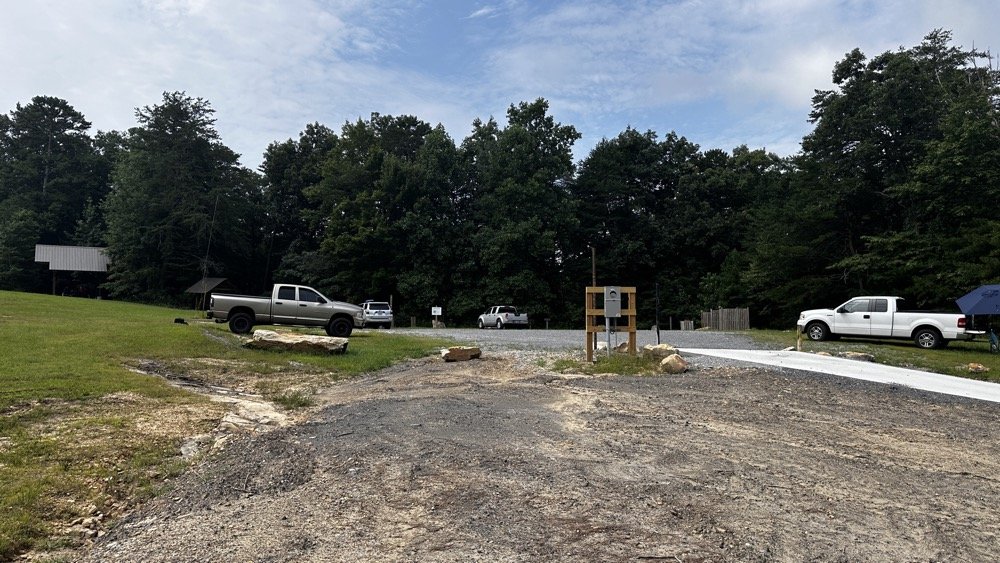
This view shows the tight conditions pretty good. The pavilion in the back has the SSB setup and the white truck had the other station with me kinda in the middle. As long as we used band pass filters or there was enough band space between us, I didnt have a problem. While I was on 10 meters I didn’t have a filter for that band, so I was open to interference and didn’t hear anything from the other stations. I know that at this time, one was on 17 meters and the other was on 20 meters. Band pass filters are a life saver as well as a little coordination between stations. When I arrived, the others were already setup and operating so I went over to each one and gathered some intel about how it was going for them and their current band so I could pick one that they were not currently on. They were both running band pass filters so I was able to start literally anywhere I wanted except 20 and 40 meters. I love the higher bands so that was when I cooked up the idea to do just the higher bands to see what I could net with that sort of restriction. It also allowed me to use my newly minted 17m band pass filter too…
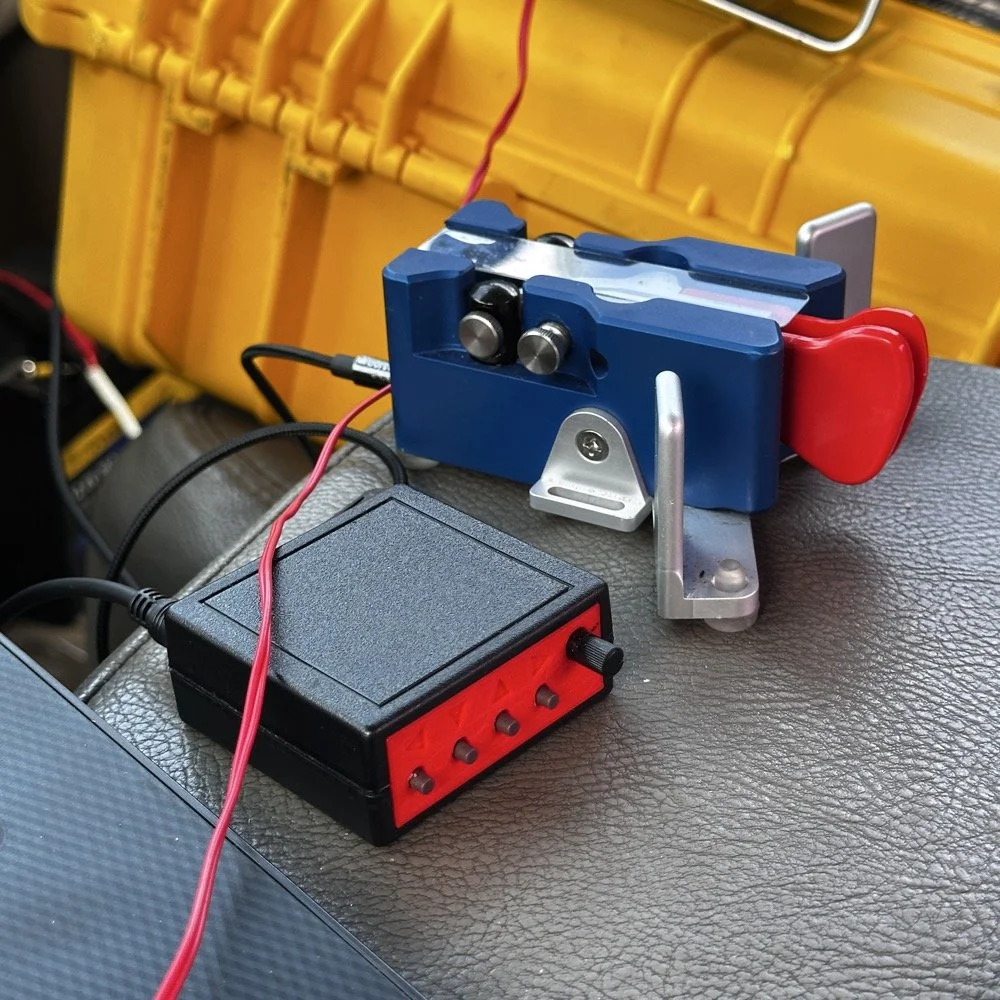
I cant say enough good things about this little keyer. The stark contrast between the cost of each item is not lost on me… I like things the work well and serve me without too much fuss. Both of these tools have done that well. I have finally used the keyer long enough to need to replace the battery in it. Which is a simple task, but does require a screw driver… I thought I would hate having a battery powered keyer, but to be honest, it is kinda nice being able to put it literally anywhere and it just works. I printed the operation manual and keep it in the case with the Scout 555 so if I need to do something in the menu that I dont remember how to do, I can just look it up right quick.
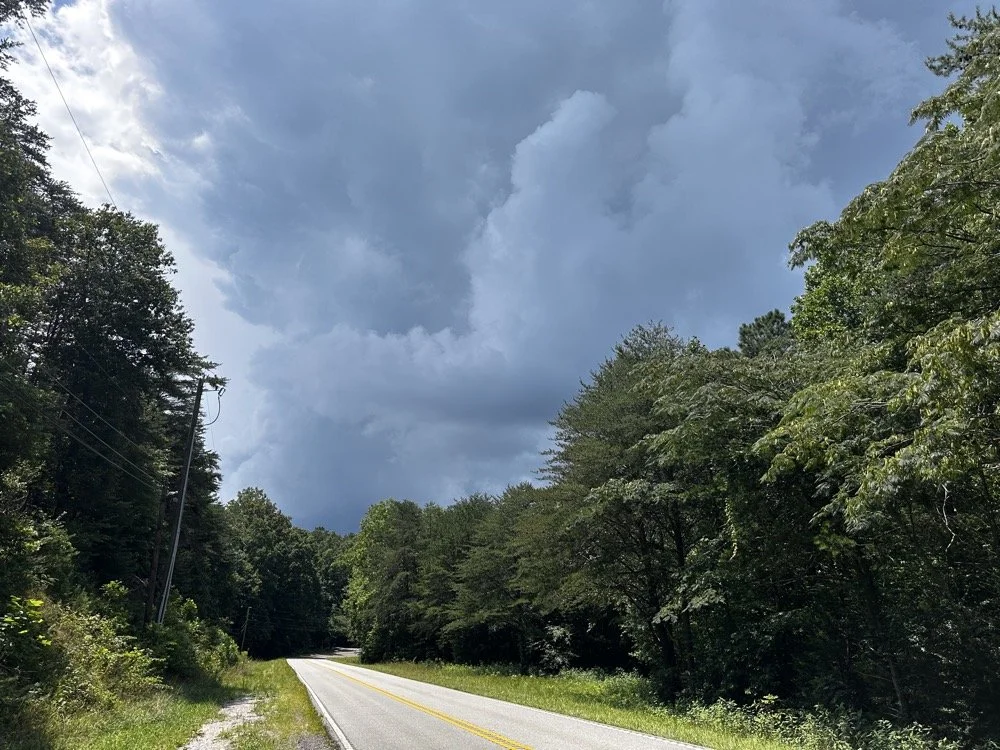
At the end of the activation, I had to break down early and go run some errands and I did itjust in time too as this was what greeted me when I pulled out of the parking lot onto the main road. Sometimes you just get the right amount of things to happen in the right order I guess…
You can help support this channel by using these Amazon Affiliate Links as well:
QRP/Portable Radios:
Antennas & Tuning:
CW Equipment:
Power & Accessories:
Organization & Transport:
BONUS ITEMS (Optional 16-20):
73
WK4DS - David
POTA tip for a CW op…
Just scroll down a couple of posts to see my thoughts on this new release. I setup on 15 meters first as it looked like it was doing well. I only got one CW and one FT8 contact on that band! Well, deflated by this reailty check, I went to 20 meters to get the activation locked in before I wandered off to the higher bands to play. Well, even 20 meters was not that great, I finally got the ten I needed to lock n the activation while there, but it took a while. A lot longer than it normally takes me to land 10 contacts from Georgia, that is for sure.
Today I activated US-2169 with my trusty TenTec Scout 555 using CW and realized I needed to share a “trick” I use every time I go out…almost. But first I wanted to share an update with the shack…
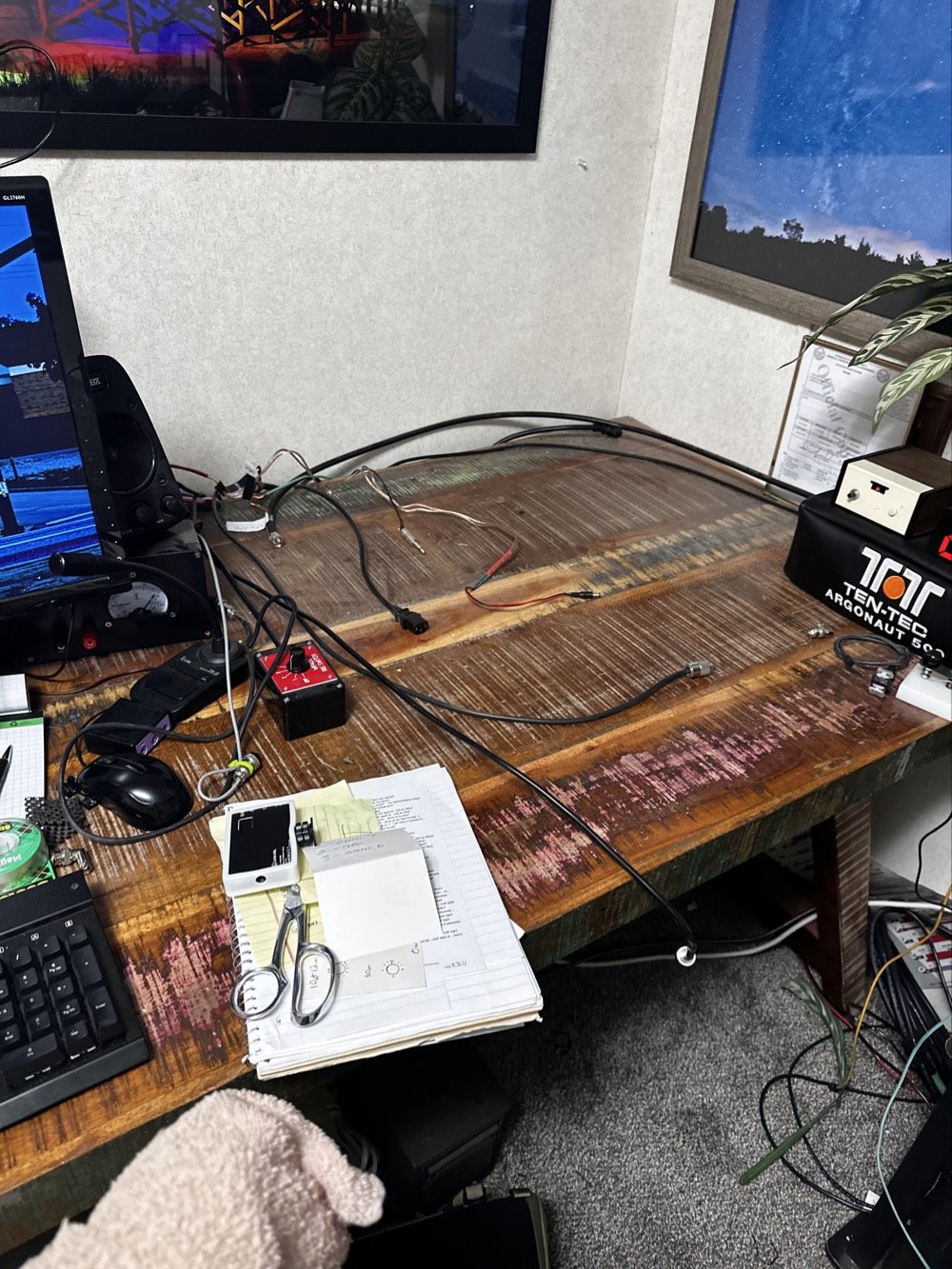
So, to lead off, my “hunter” station finally went through an update. I tore out the entire system to get the TenTec Omni 6+ station out as it needs some service.
This took three days to get it broken down, sorted and separated and finally reassembled without the Omni 6+ station so it can goto the Radiosmith for repairs. I was going to just sell it for parts, but since posting about it I have had several Hams email me about what is probably the problem. This isnt near as bad as I first thought so I will hopefully be able to use it soon.
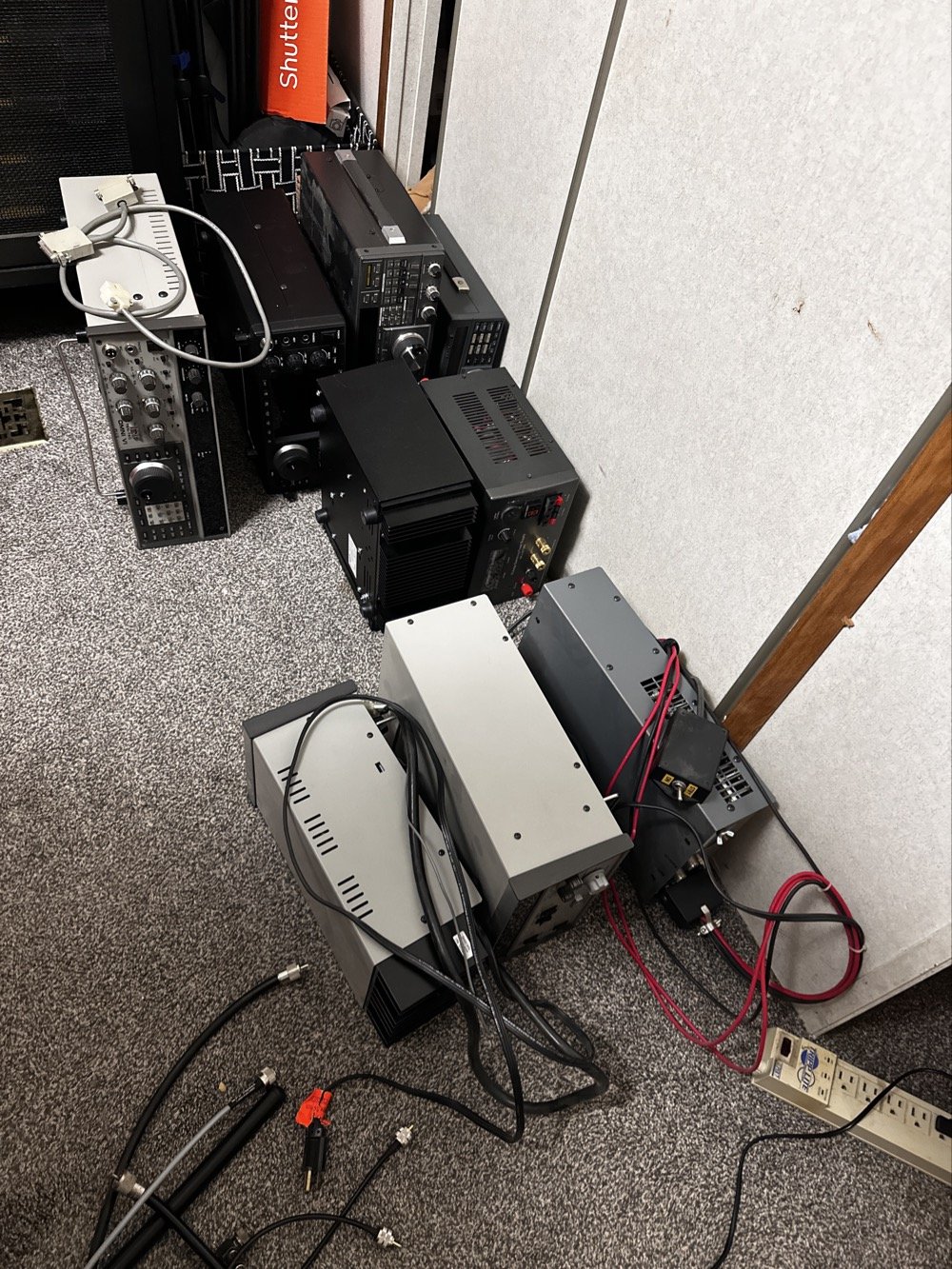
This is what it looks like to break down a normal ham shack so you can remove a part THAT IS ON THE BOTTOM! Haha. It figures that the bottom radio would be the one to fail on me first. It was during this transition that I had the Yaesu FT-736 go down too. Coincidentally at this exact time…. Hmmm.
Here is a link to a short video about what I found, Link to video: https://youtube.com/shorts/pQbP4yRiXAg?is=4TWSAL9qMet0UAhd
The long and short of it is that I did some troubleshooting with my oscilloscope and found that I had audio coming into the audio processing board at a low level but the board was essentially dead. The audio amplifier IC only had .556 volts instead of 13.8vdc which is what it was supposed to be… So I tore the radio apart and had trouble with the connectors on the board. The connectors were really tight and I was chewing them up to get them to release. Instead of destroying it in the attempt to get it apart, I started looking at the power delivery and found that it was probably a bad solder joint or something like that. I decided to run a fresh power wire and solder it directly to the audio amp IC. I added a 1 ohm resistor as that was in the original print so it would work properly and POOF! It came back to life!
Once this repair was done, I was able to reassemble the stack and get the radios back on the air.
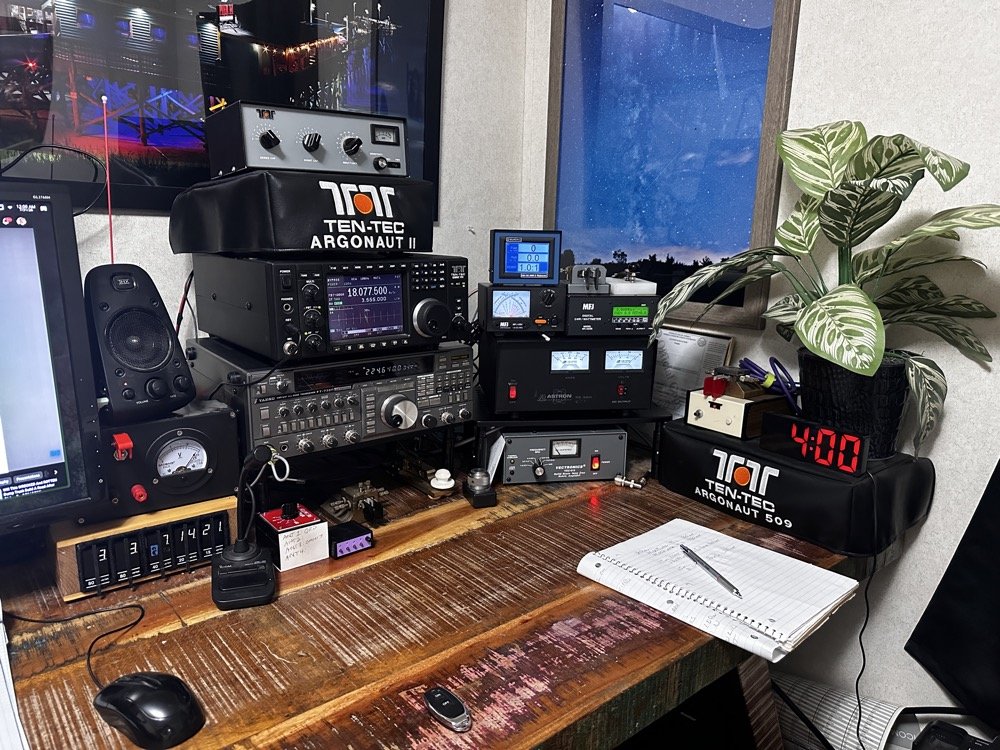
This is what the station looks like right now. Once the Omni 6+ is out of the shop and back in operation, I plan to sell the Omni 7 as I really want an Elecraft rig in the shack. I am thinking a K3 or K3S, but I am without an Elecraft radio at this time and that bothers me a little. I like the Omni 7 but it just doesnt scratch the itch for me like the Omni 6+ does. You can also see the Scout 555 band modules in this photo, I finally got the holder out an added to the shack for those too. Look at all that space that I have now, thanks to a tip from KG4WBI about some adjustable stands, I was able to elevate the radios and that allowed me to store the CW gear underneath them…
On to the park activation!
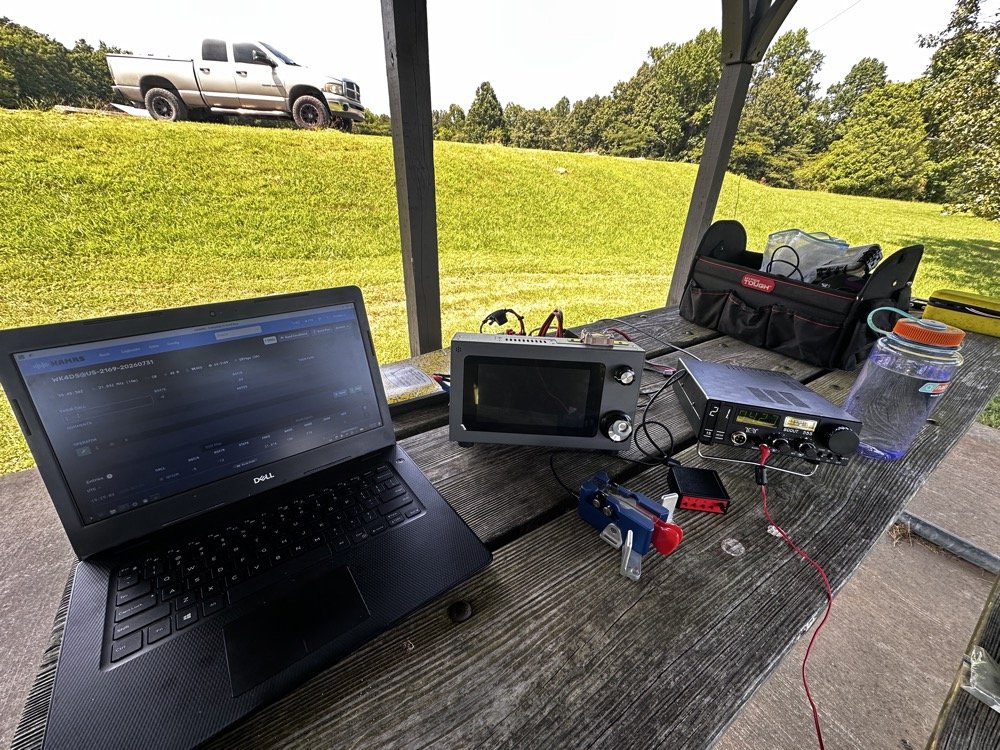
Today, I chose to operate on just two modes, but. I wanted to run 5 bands. this can be accomplished with just one of the radios I used, the sBitx, but I love using my TenTec Scout 555 for CW so I brought it out for that mode. The sBitx is a joy to use on FT8 now and JJ’s crew has it working even better on the current release of the software package.
Just scroll down a couple of posts to see my thoughts on this new release. I setup on 15 meters first as it looked like it was doing well. I only got one CW and one FT8 contact on that band! Well, deflated by this reailty check, I went to 20 meters to get the activation locked in before I wandered off to the higher bands to play. Well, even 20 meters was not that great, I finally got the ten I needed to lock n the activation while there, but it took a while. A lot longer than it normally takes me to land 10 contacts from Georgia, that is for sure.
After that I moved up to 12 meters where I worked quite a few DX stations as well as several US ops on FT8. I dont remember if I worked anyone on CW, I really dont think I did, maybe one… The bulk of the QSOs was on FT8, I finally decided to give 10 meters a shot… this went really bad. I think I made one contact on 10 meters before I gave up and went to 17 meters to see what I could do. I worked a few stations there and finally called it quits after about 2 hours with 23 calls in the log.
I have absolutely fallen in love with these silly little radios. They make such great CW machines! They also work pretty good for SSB too but I dont use that very often. I think this was a great idea from TenTec and I for one am glad to be able to have a few of these radios.
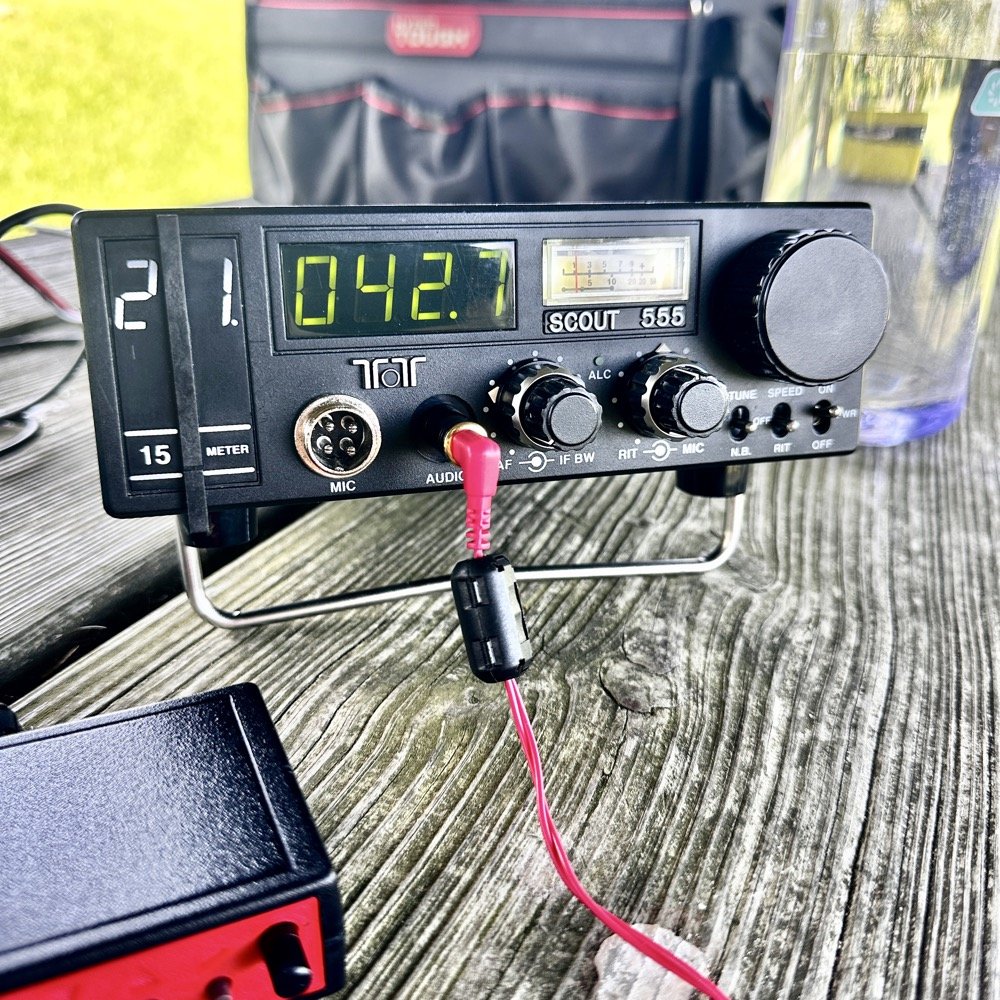
They do have a fault at this age though. The audio from the speaker is not great for weak signals. All of my Scouts exhibit the same issue. There is a low level “whine” on the audio. Something inside the radio is adding this noise. The answer for this is simple…ear buds and minimum volume. That is my trick. Use earbuds and turn the volume way down… This is an old trick I was taught years ago to be able to hear weak signal CW…….
Could I tear into the radio and find the problem in the radio audio chain? Yeah…is the juice worth the squeeze? Not really when I can use this trick instead. Ear buds work better than headphones as they require a much lower level of power. What happens is the internal radio noise is not amplified in the later audio chain when you do this. It is really neat how the signal will just float to the surface as you get the volume just right. It acts almost like a rf gain of sorts. There is a sweet spot as minimum volume will just show you the audio noise in the radio. But it you look at the volume knob in the above photo, you can see where I was running it at. I also find that if you open up the Jones filter a little, weak signals will get louder too. You can see where I run this adjustment as well in the photo above.
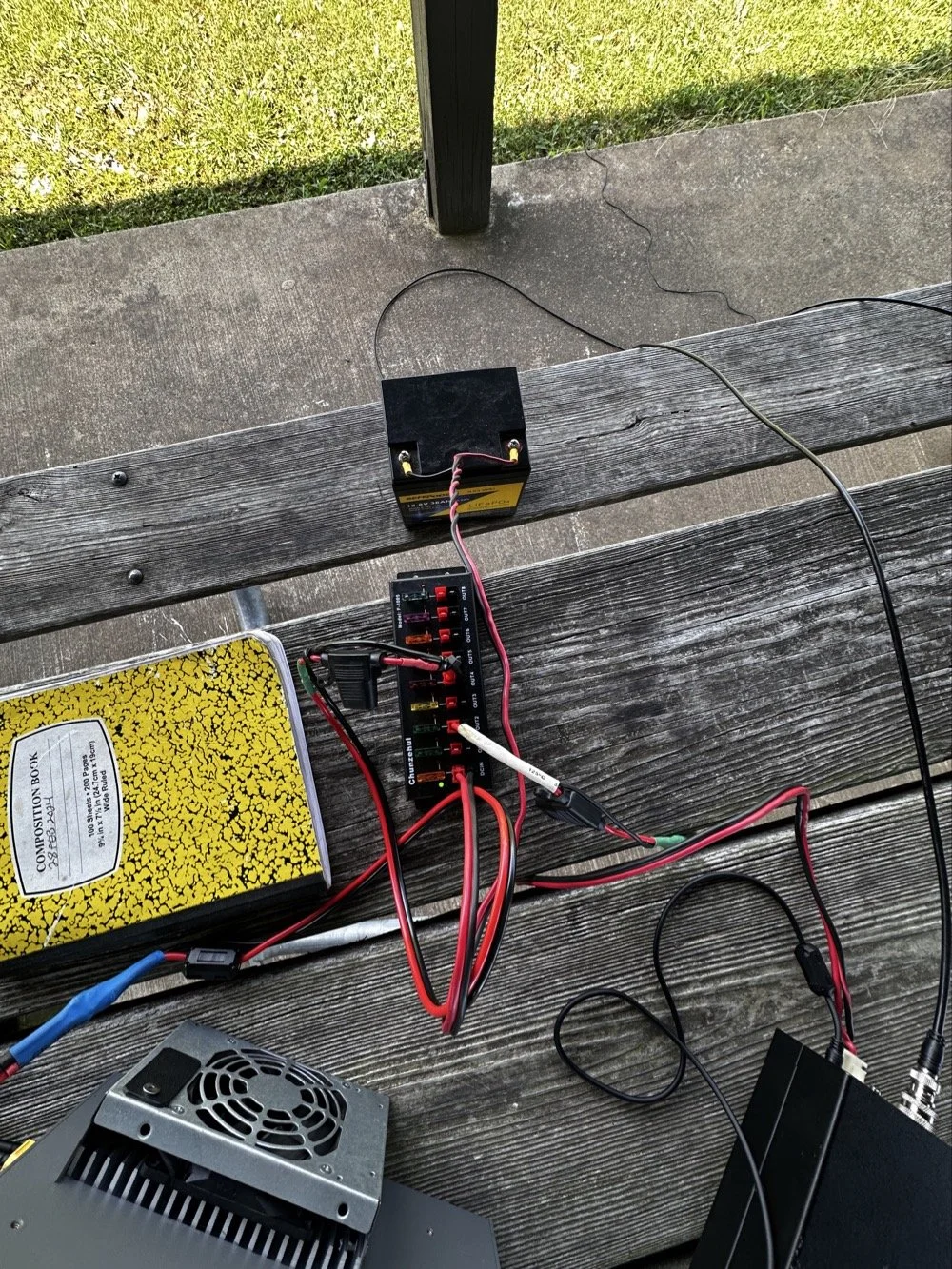
These two photos show the power system and the antenna matching system. The power was delivered via a 36aH LiFeP battery from Amazon, which is plenty of power for a radio running 40 watts. Like 4 hours of constant transmit levels of energy. All day for normal operation…
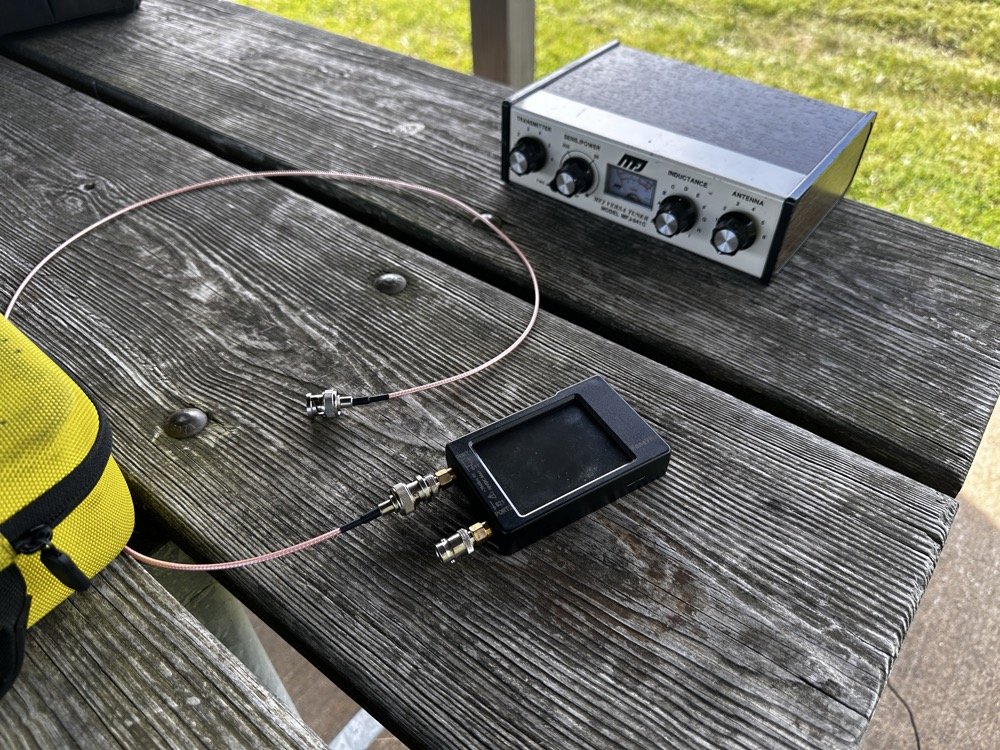
The antenna tuner is the MFJ941 as it has connections for a wire antenna built into it. I like this tuner as it will match a pretty bad antenna to your radio pretty easily. I use the nanoVNA to set the tuner and just plug the radio back into it when I get the trace happy on the VNA. These things are the best antenna analyzers on the market in my opinion. I can buy litearlly a half a dozen of these instruments for the cost of one commercial antenna analyzer. Not to mention they willl do many more things that a analyzer will not do…lots of things.
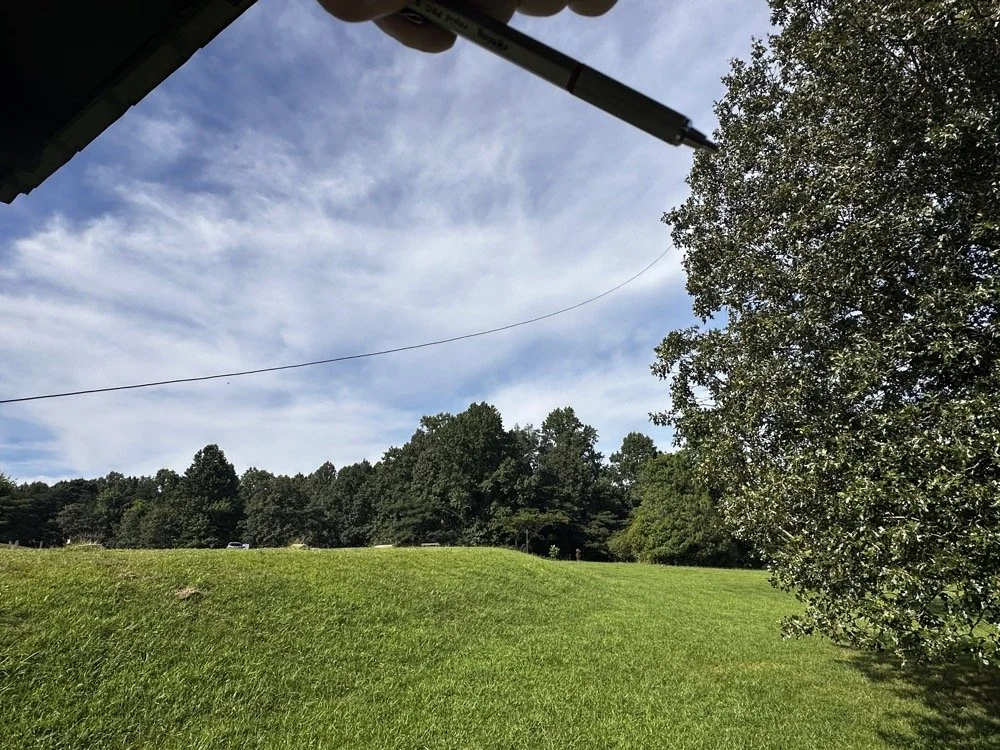
Below shows the antenna and I am pointing out where it is attached to the tree. The top of the wire is probably 25’ off the ground and comes down to the corner of the pavilion at about 7’ above grade. This worked well today but I have no idea what the radiation lobes look like. Since the wire is 41’ long, it has to be crazy on 12 and 10 meters but I was able to make some contacts so it was good enough. I like running wire antennas when I can, they seem to pull in weak signals better than my telescoping vertical.
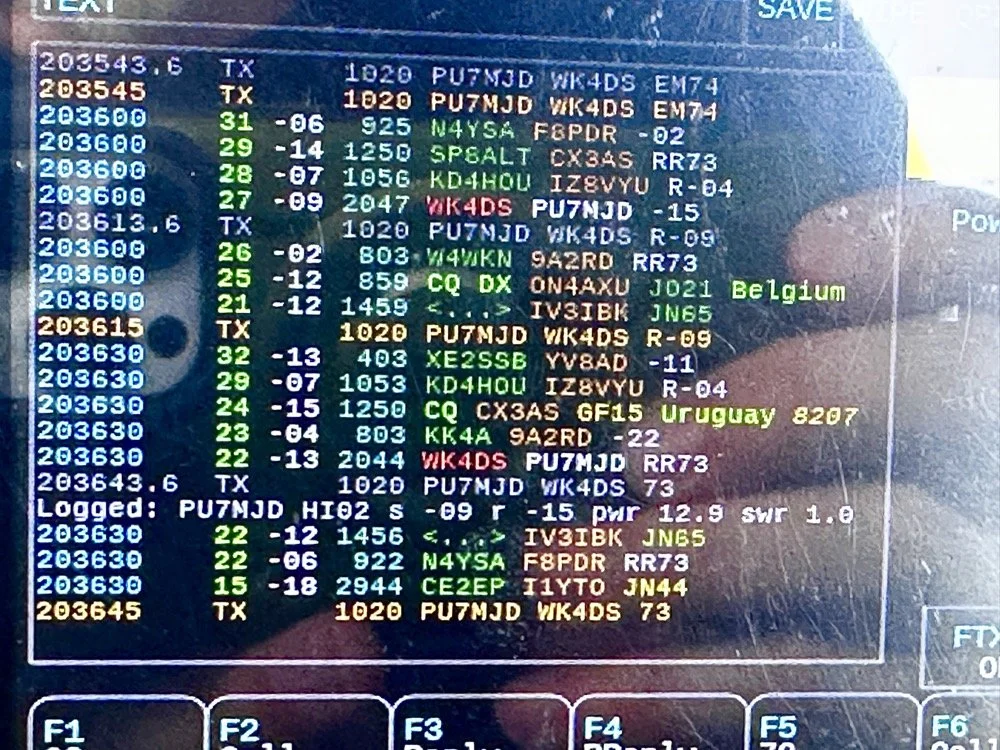
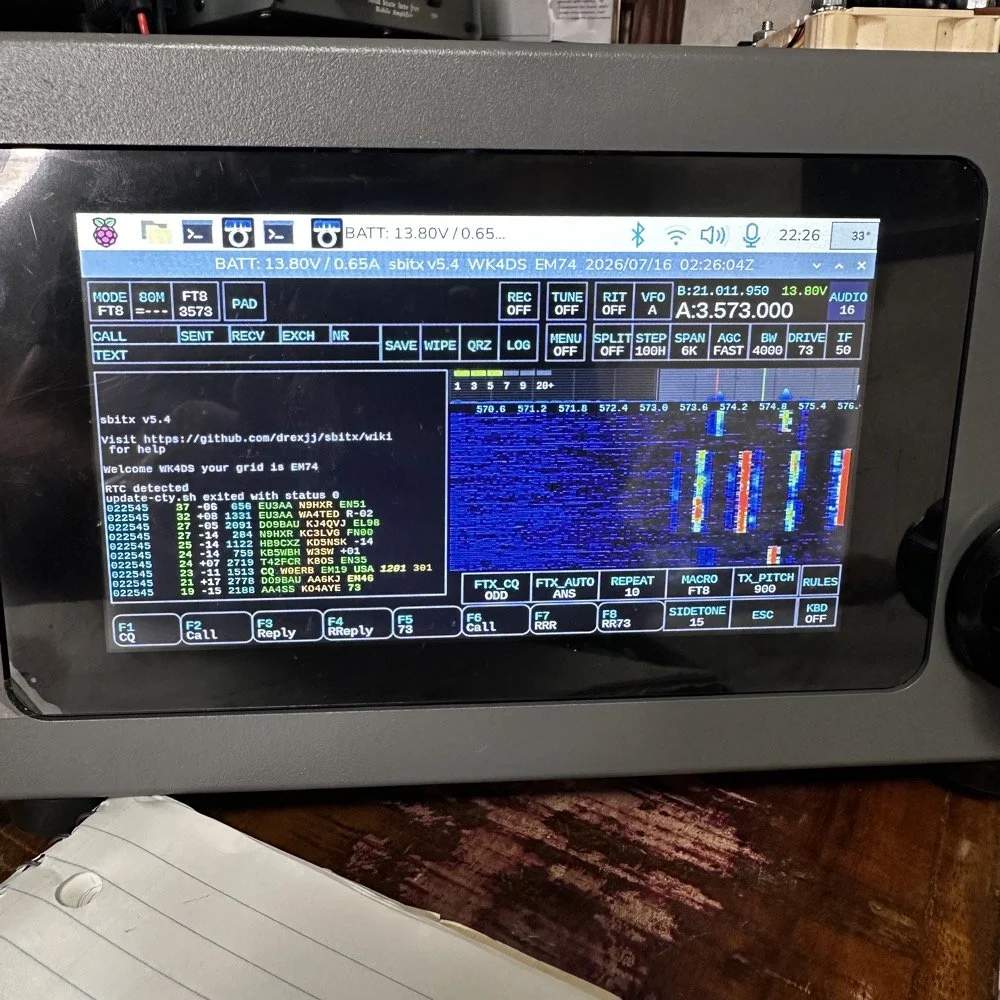
The next two photos show the display of the sBitx running version 5.4 software. There is alot of data, but it isnt too much. I am running the native FT8 application here and the bottom photo shows me working PU7MJD in Brazil on 12 meters. This is why I wanted this radio. When the other modes are dead (no one was running CW on 12 meters) then I can still work someone.
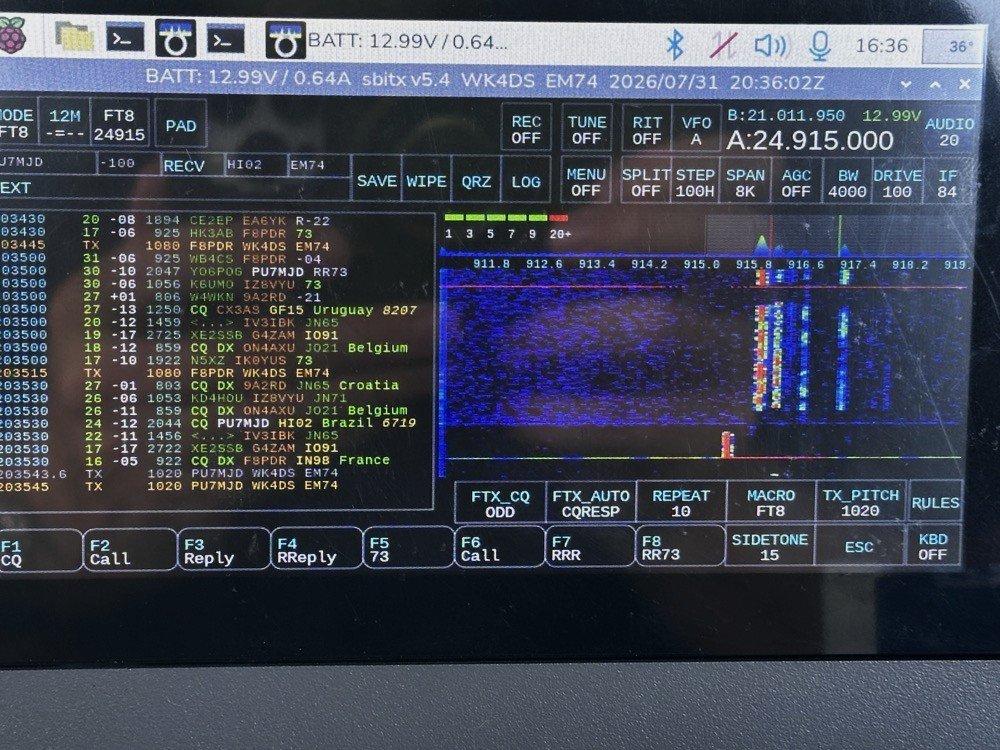
The color coding of the display is great and easy to use!
After a couple of hours of operating, I called it quits for the day and packed up. These are the kinds of activations that I actually enjoy. There was no pile ups today and I made over 20 QSOs too. FT8 is an easy mode to use on the sBitx and allows me to do things like get photos for my blog while it sends CQ and such. I still like to drive the radio though so I dont just let it run free. I need to test the CW keying on my next outing to see how much it also improved.
You can help support this channel by using these Amazon Affiliate Links as well:
QRP/Portable Radios:
Antennas & Tuning:
CW Equipment:
Power & Accessories:
Organization & Transport:
BONUS ITEMS (Optional 16-20):
Until next time…73,
David
WK4DS
UPDATE - sBitx V3 with Firmware version 5.4
So the dev team working on the sBitx software suite (unpaid I might add so I suggest you drop in on them and give them a donation for all this time and enegry they have put into this for the community) has dropped ther latest version of the sBitx SDR firmware and it is version 5.4 and let me tell you, this is incredible!
Highlights of the new firmware for the sBitx Software Defined Radio
This is taken directly from the drexjj GitHub repo page so I dont get something wrong. Goto this link to see more about this project and to help support the team.
Here is the list for JUST THIS RELEASE!
v5.4
New Features:
sBitx IQ improvements
enhanced VFO, complex mixing and down-converting
improved processing of I and Q data in the sBitx receiving pipeline
AGC function and AM detector changes to work in updated pipeline
FM Mode and Squelch
Added FM mode and squelch control for use on 10M and transnverters
Text console can scroll back to view and work with up to 500 lines of history, in all modes
Added support for Touch Display 2 and larger displays
Makes it easier to touch and see the buttons on a Touch Display 2 or external display
New file is read upon sbitx startup called display_settings.ini where you can set the display type or resolution
display_type=1 is for the original, older 7 inch touch display
display_type=2 is for the newer 7 inch touch display
ui_scale can be changed for use with a larger display
Added styles option to customize the sBitx application.
Text size, font, color, and types are now supported.
Styles templates are stored in the data folder as tpl files.
If there is a file named user_style.tpl in the sbitx data folder, then it will load it on sbitx startup.
If the user_style.tpl file is not found then it will load default_style.tpl if it is present.
If none of these files are located, then it will load the factory style we are all used to.
There are sample styles in the data folder that can be loaded. Just have to rename one of them to user_style.tpl
Added mode_bal to hw_settings.ini to balance LSB and CWR to USB and CW.
0.8 is a reasonable value.
Also harmonized filter band edges.
removed old ssb_val
Controlled Envelope Single Sideband (CESSB)
enable via the button in menu 1 or the 'cessb on' command
Added Tune function to FTx modes
Added NBFM mode with CTCSS and Squelch
Added squelch control to AM mode
Added option to use USB audio devices for sound routing (speaker/phones and mic input)
The options are in the Set dialog box in Menu 1
Added Out-Of-Band and license class indicators
Shows color strips or shading for bands edges and US license class
Each file can be customized outside the USA
More details and instructions in the oob_limits files in the data folder
Added ALC power limits by band, if RF power exceeds limit it is folded back to limit
Default is off until a limit is set in hw_settings.ini by adding line max_watts=nn to band data after f_stop
When activated message is given in spectrum between Power and VSWR
Power reduction is released when RF power drops below bamd limit
Added swrsweep
usage: select a band then either
enter cmd swrsweep n, n where n is the number of sample frequencies or
in menu 1 set SWRSTEP to the number of samples and click on SWRSWP
uses TNPWR to sample vswr at the n sample points evenly spaced between band limits
displays results in console
esc key cancels sweep
Added time out feature to SWR alert
SWR alert ends after 10 seconds without needing to first transmit with SWR less than max_vswr
Added HPSDR 'Protocol 1' support to provide sbitx I and Q data to external SDR apps over WiFi or ethernet
Starts when sbitx starts, console will show "hpsdr: streaming STARTED" when SDR app discovers and connects
Good support for SDR app receiver functions
XMIT not yet supported, will require CAT/Hamlib connection
Changes:
GUI
Moved Direct Frequency Keypad to a new button called PAD and added quick buttons
Swapped button placement on main display
Moved eptt & vfolock to menu 2
Menu 1 is reserved for mostly audio related controls
CW Decoder
Fixed colors of sent and received text on console, use new lines when doing T/R switch
Only displays cw stats (WPM, dot/dash ratio) when they are meaningful
Less garbage ouput when only noise is present
Replace sliding window in denoise function with EMA filter
Improved accuracy with better weak signal performance
Replaced viterbi with simpler classifier
Simplified code of own TX decode process
Set BW to 50 when using decoder is recommended
Web interface
Added more controls
Gridmap new options: Square or round Grid dots; Seen Grids; Unlogged Grids;
Power and VSWR readings updated more often, from every second to every 1/2 second
Updates are now as fast as bridge reads allow
Minimum power for VSWR calculation increased to help eliminate invalid reads at very low powers
Fixes:
APF init Bug
Fixed a bug where APF would not initialize properly
Audio Cleanup
Made a small change to cleanup the static between TX to RX
APM sampling improved for better regularity
VSWR initialization when user disabled fixed
max_vswr=0 now restored as no max vswr protection at startup
Fixed scope intensity where it now loads and restores previous setting
Fixed Macro loading and F1-F8 buttons when changing modes
Web Gridmap red Grid dots now shown when QSO is logged
Fixed expansion of SENTRSTCUT in macros
Downloading and burning an image to your microSD card
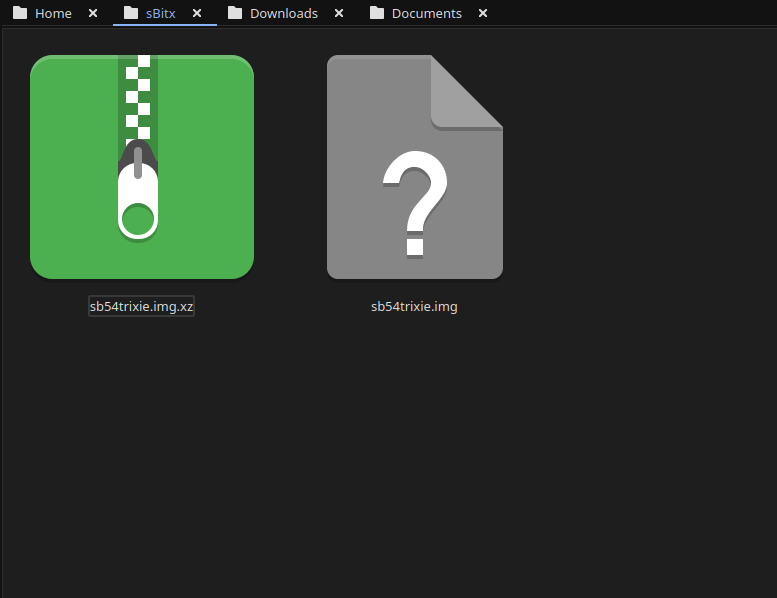
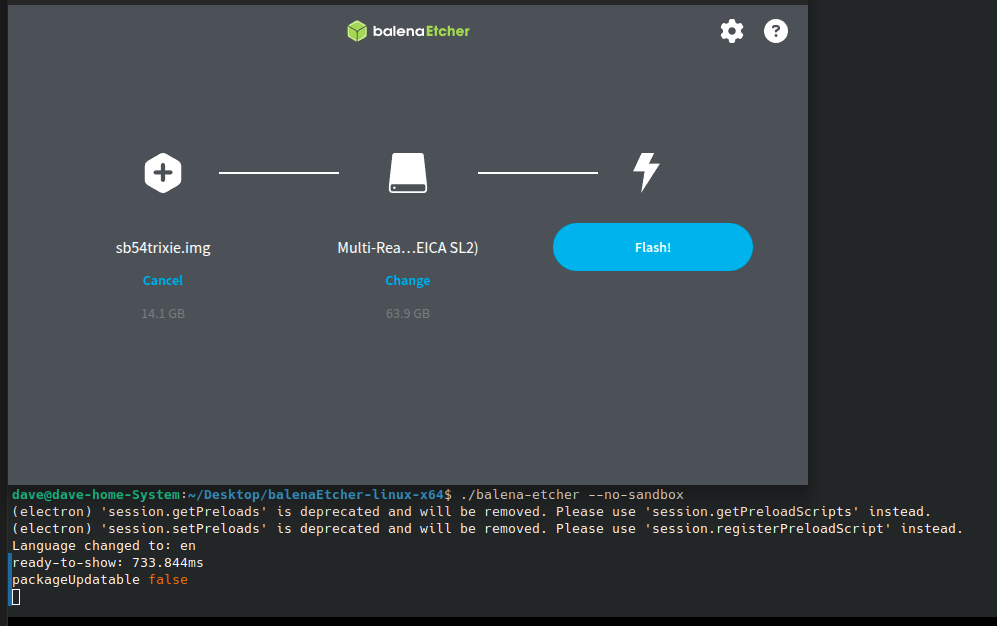
Firs thing you need to do is go download the new image. The new image is a zip file so you have to extract it and then you can move on to step 2… This is where you use a tool like Balena Etcher to write the disk image to a micro SD card. I use 32GB cards since it is what the radio started out with. They seem to work just fine to be honest. I did have to write the image twice for some reason. The first time the image would not boot past the splash screen so I re-burned it and then it worked fine. Balena Etcher is an easy to learn tool that makes this process pretty simple to be honest. If your using Linux it might take a little to get it running, but google will tell you what to do here as well. I ended up running it in my terminal so I could shutoff the sand box feature. I know this is probably a bad idea to remove the sandbox but I have confidence in Etcher so I am good with it. Launching it from the terminal, you are presented with this panel. The first one is where you choose the disk image you want to burn, the second one chooses the media (hard drive, memory card or the like) and then you click flash and wait… It will take a few minutes and you are presented with a ready to use version of the sBitx software ver. 5.4. You still need to copy a couple of files from your existing version of the sBitx you are using. It is not a big deal to do this as you just need to copy them to a USB memory stick so you can later put the back when you swap micro SD cards in the radio.
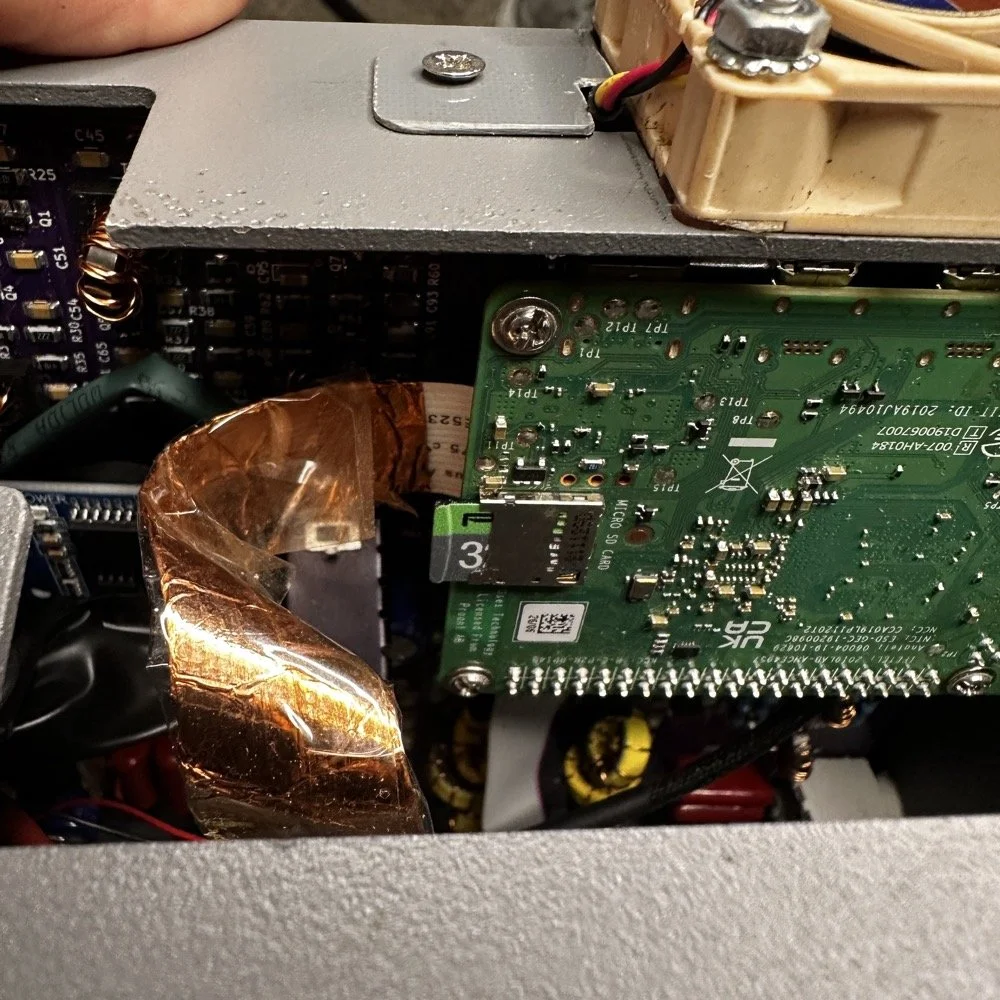
The next step for me, involved me taking my radio apart some what. I use the on board Raspberry Pi micro SD card slot on the Pi. This means I have to take the front of the radio loose from the chassis and open the radio enough to be able to swap out the two sd cards. Dont make my mistake and use the same card for both images. Make sure you use a new card for the new image and save the old one in case something goes wrong so you can go back to the working version while you solve the problem. This is pretty easy and only requires you to remove 4 screws to succeed. Once the new card is installed, you are off to the races! Just power up the radio as normal, being sure to have either a dummy load or a tuned antenna attached as it will auto launch the radio app and if it is on FT8 it just might start answering a CQ if your not ready! HaHa! The card really is easy to reach, just be careful to not unplug anything like the video cable you see right next to the card. I have my cable wrapped in copper tape and grounded to help reduce RF hash from the Pi, this is a hack that actually works really well. This cable is one of the prime culprits of rf hash in this radio so just doing this one mod will improve your experience a lot.
This is the new splash screen that you are greeted with while the software package loads everything. I really like this new look the dev team brought to this release. Once the software loads, it will auto launch the sBitx radio app and you will have the view below. It is in FT8 mode here since I was last using this mode and band. There are some things you need to do before you start using the radio, such as entering into Menu 1, then touching the “Set” button and in here you will enter your callsign and grid locator you are currently operating in. This is used for logging and digital modes. But it helps to do this first thing so you dont forget. I also keep a note about this in my case so I dont forget to do this step when I am out traveling and activating POTA parks with this radio.
Personal thoughts about the HF Signals sBitx SDR radio
I only use my sBitx for a couple of modes. FT8, FT4 and CW. I rarely use SSB or any other voice mode for that matter. I just prefer CW to be honest. That being said, I tested out the keying on the current release and it works perfectly for me. I normally dont run over about 22WPM though so if you work faster than me, just know I wont be speeding up with this radio…lol. I can get decent code out of it at 25WPM, but now we are getting into the realm of my skills not being up to the task too… sooooooo. I dont know which is to blame past this point.. HAHA!
I like FT8 as it will work when the bands seem to be closed for even CW. That is nice if you are activating a POTA park and the band closes on CW with 8 calls in your log. This way I can hop over on to FT8 and more often than not, I will get those needed calls in the log and probably more, in spite of the fact that the output power on a band like 15 meters will only be about 12 to 15 watts depending on battery level. I can get a lot more output power on the low bands but on the higher bands I will not get a lot of power out. This just further solidifies my stance on using FT8 in poor band conditions and the ability to make contacts with it natively in the radio. I would like to say something else about this radio. I really like the community around it. Sure there will be the occasional disagreement here and there. It is a group of humans after all… But for the most part, it is a group of experimenters and coders and general operators that love to tinker with their machines as much as operate them.
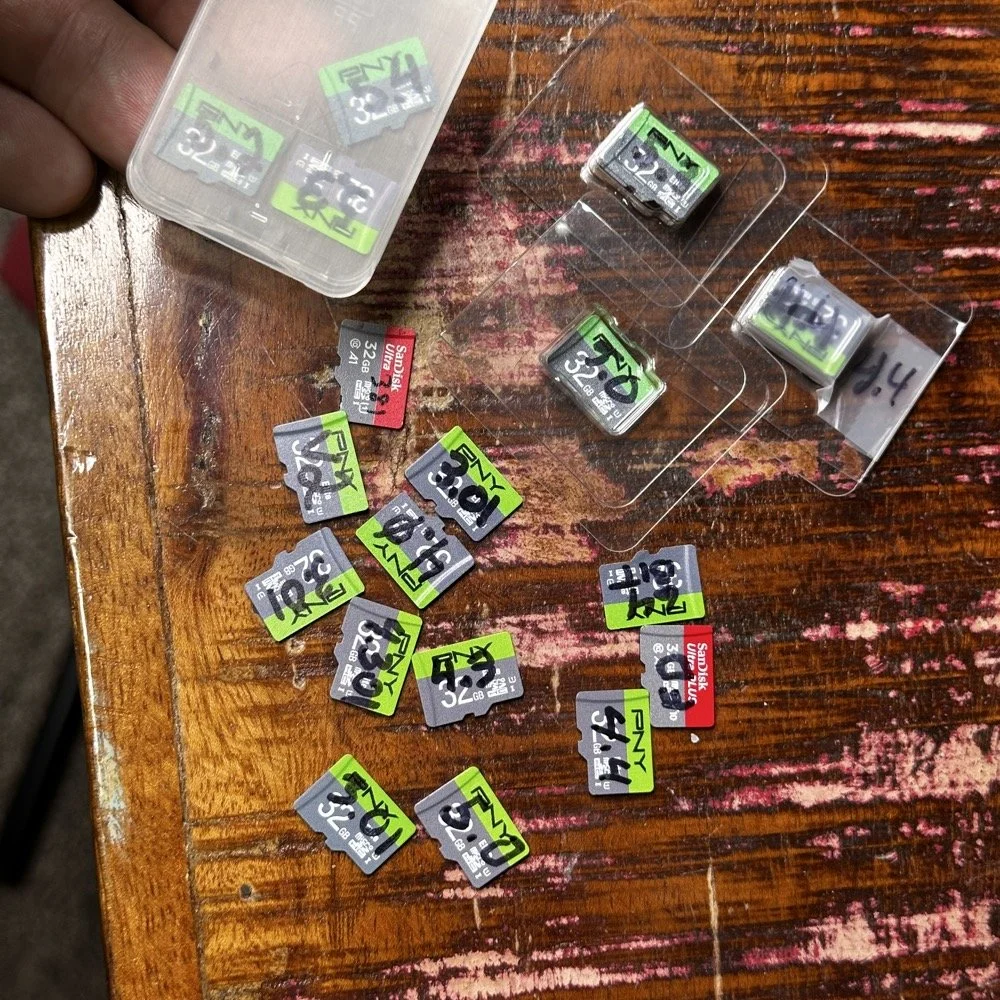
Speaking of images on disks. Over the last few years I have amassed a small collection of different images. You might think this is silly, but there is a method to this madness. You see, for one, I have a full collection of images starting with the factory shipped version that came with the radio. The factory version is the one with 381 written on it, as this is the serial number of my radio. I have a copy of the Field Day release and the first 64 bit release. As time passed and new versions were released, I get them and burn them to a new card and save the old one. I can install any one of these cards and it will instantly become that version radio again. That is pretty cool. Honestly though, the other reason I keep them all is that there is logbook data stored on them as well as the later versions all have my config files on them that I can get to should the card in the radio die for some odd reason.
Another really good idea for a person getting one of these radios is to use the disk copier app and make a backup of your image on a new micro SD card. This way should the one in the radio die, you can simply replace it and keep going…right after you make a new back up. The reason I keep circling back to this is that these card are not the most reliable on earth. All of mine have worked well, but there has been some people that have had their card get corrupted and dont have a backup. That is tough spot to be in to be honest. Anyway, I thought I would share a little about one of my favorite radios and what is going on with it.
You can help support this channel by using these Amazon Affiliate Links as well:
QRP/Portable Radios:
Antennas & Tuning:
CW Equipment:
Power & Accessories:
Organization & Transport:
BONUS ITEMS (Optional 16-20):
73
WK4DS - David
Back on the Air for a POTA Activation
Today saw me back at US-2169 for the first time in a while…
Today saw me take the old Dodge over to my local park (US-2169) for a short activation. I have been busy in the machineshop these last few weeks so there has not been much time for POTA. I have actually not been to a park in several weeks and was starting to miss it.
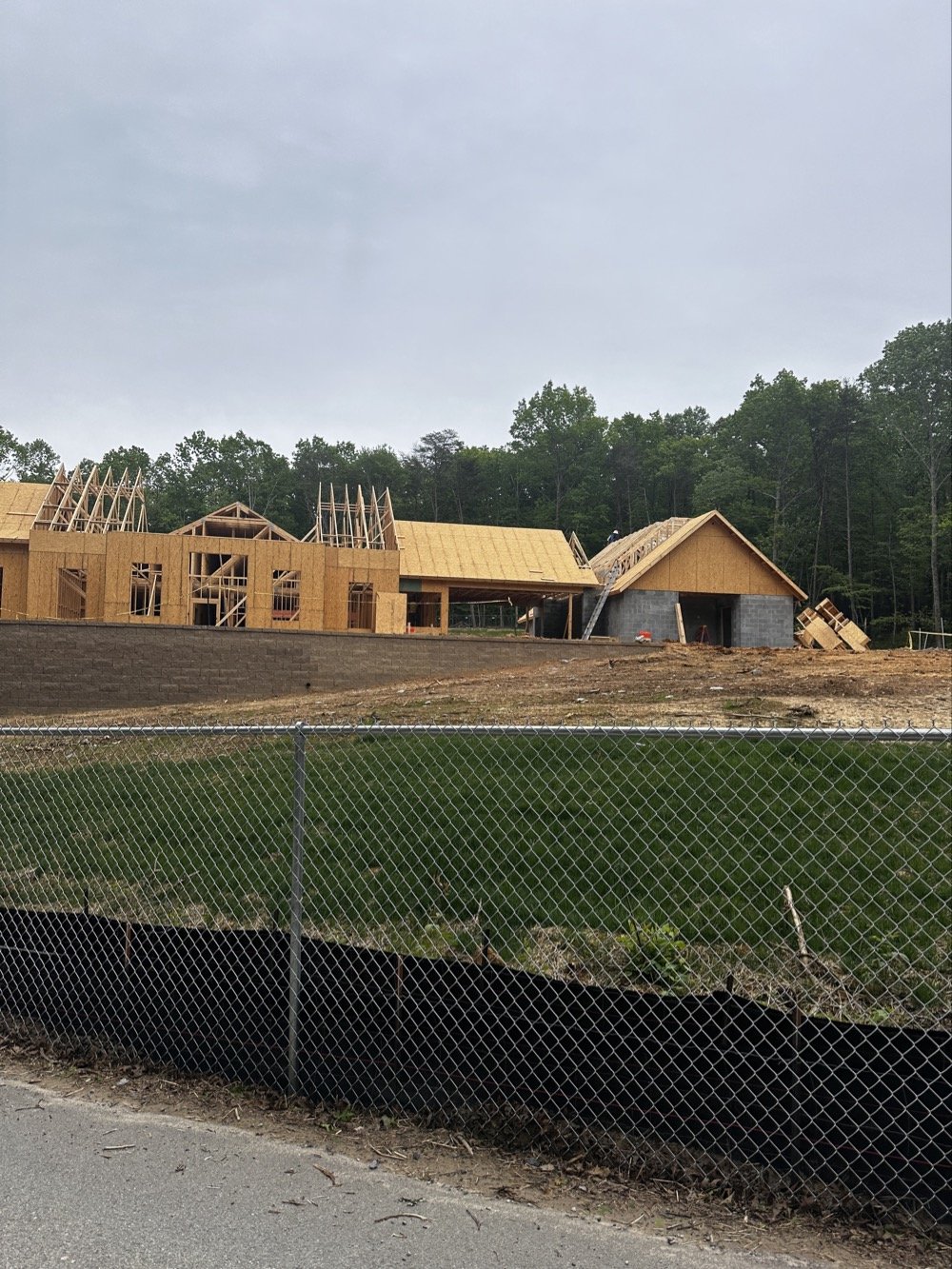
Update on the park visitor center upgrade in progress. The grade work is done and they are framing the new building at this point. It is coming along nicely too.
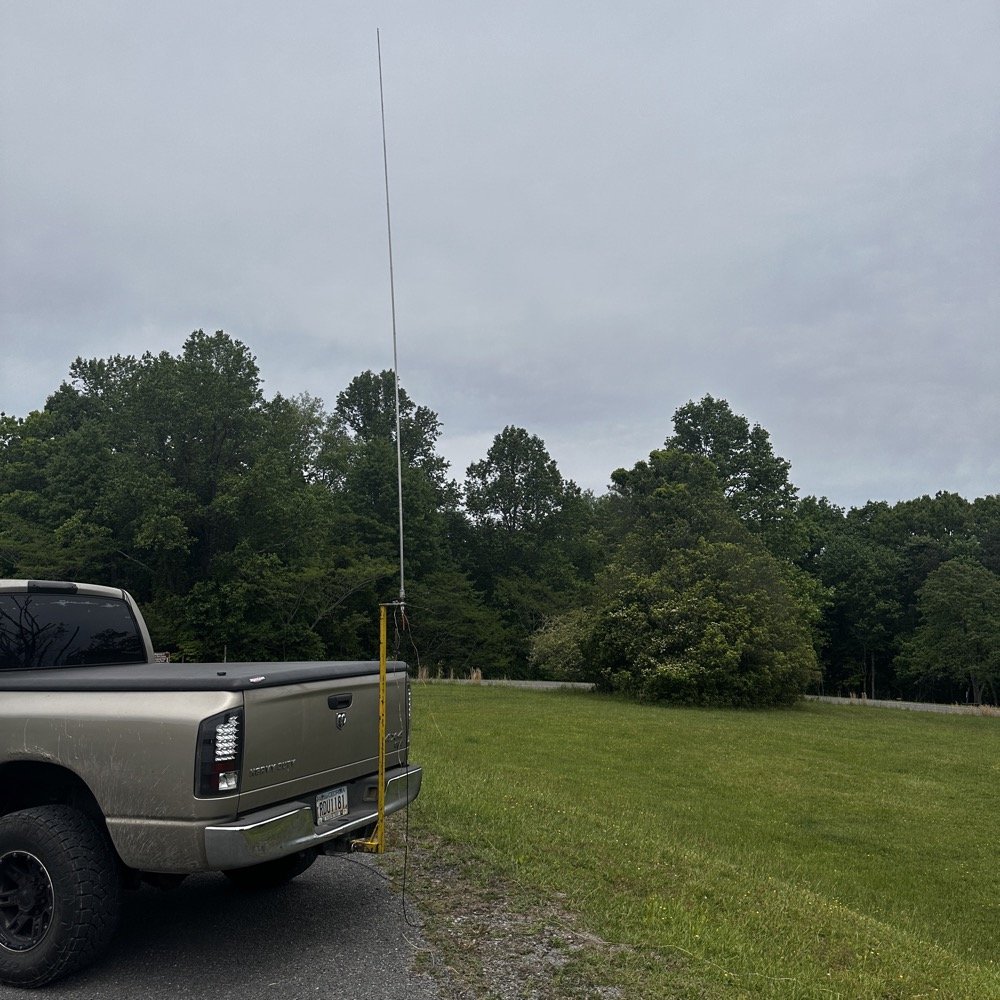
Setup of my POTA rig for HF operation
I went up to the frisbee golf course again as this is a great place to setup for POTA. A lot of people will use the nearby pavilion when they setup, but my antenna mount, being attached to the truck, makes it alot easier to operate from the truck. This is an amazon 18’4” whip that I bought, you can get one too at this link: Link to 18’4” whip on amazon Now, to just let you know, this is an affiliate link, but it doesn’t change the price from what I can tell… At the time of this writing, they were on sale for 27$, which is incredible!
Today I used the 18’ 4” foot vertical telescoping antenna and two radials attached to the base. Then ran a coax into the cab of the truck to the front seat where I normally set up the radio in the front passenger seat. Something I noticed today was that no matter what band I was on, the SWR plot would never get better than 1.5:1 (which is perfectly fine BTW) but I can normally get way better matches with different radials, which tells me that the radial length is more important that people let on…
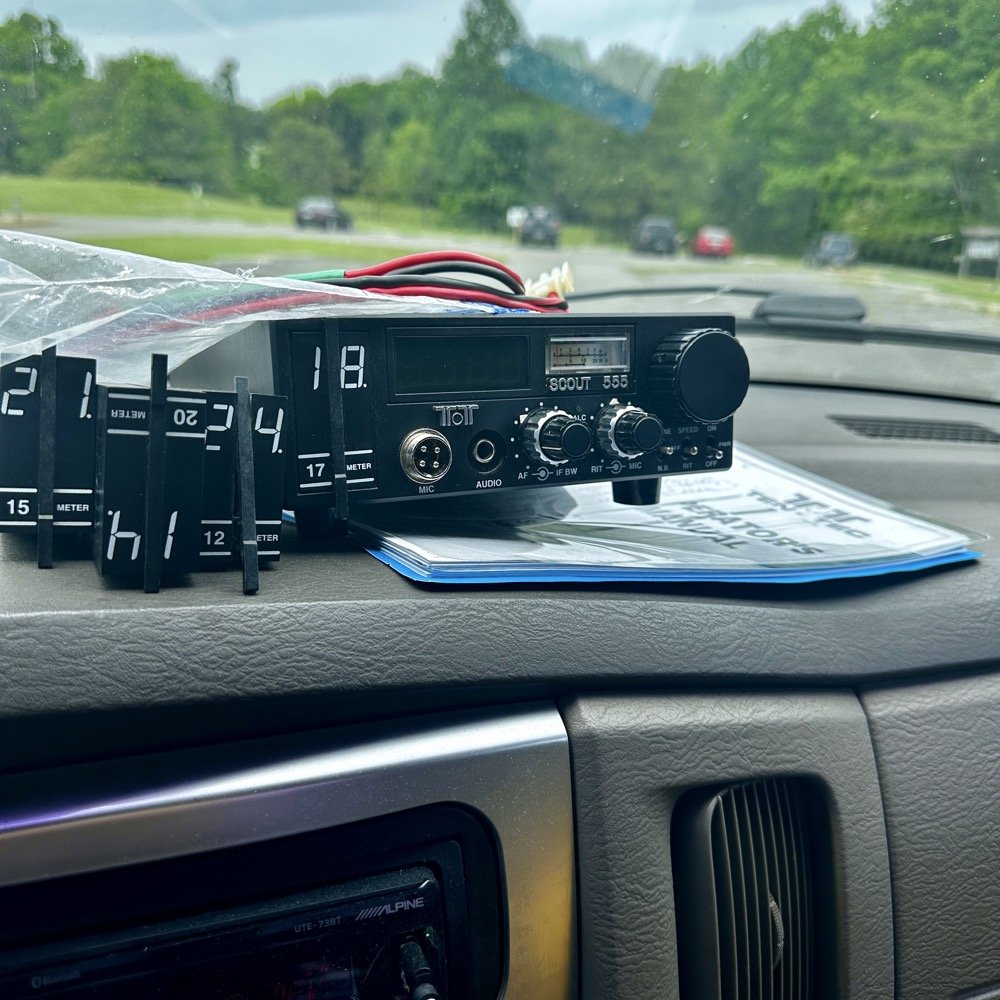
Next, I chose the TenTec Scout 555 as it is a wonderful CW machine. It does have a little bit of drift in the VFO, while it warms up, but it is not enough for me to worry about. I started on 20 m in the CW portion of the band and hunted stations to start with. I worked another POTA site for a park to park contact before finding my own space and setting up there. I made 19 CW contacts on 20 m before I decided to move to 15 m to see what I could find there next.
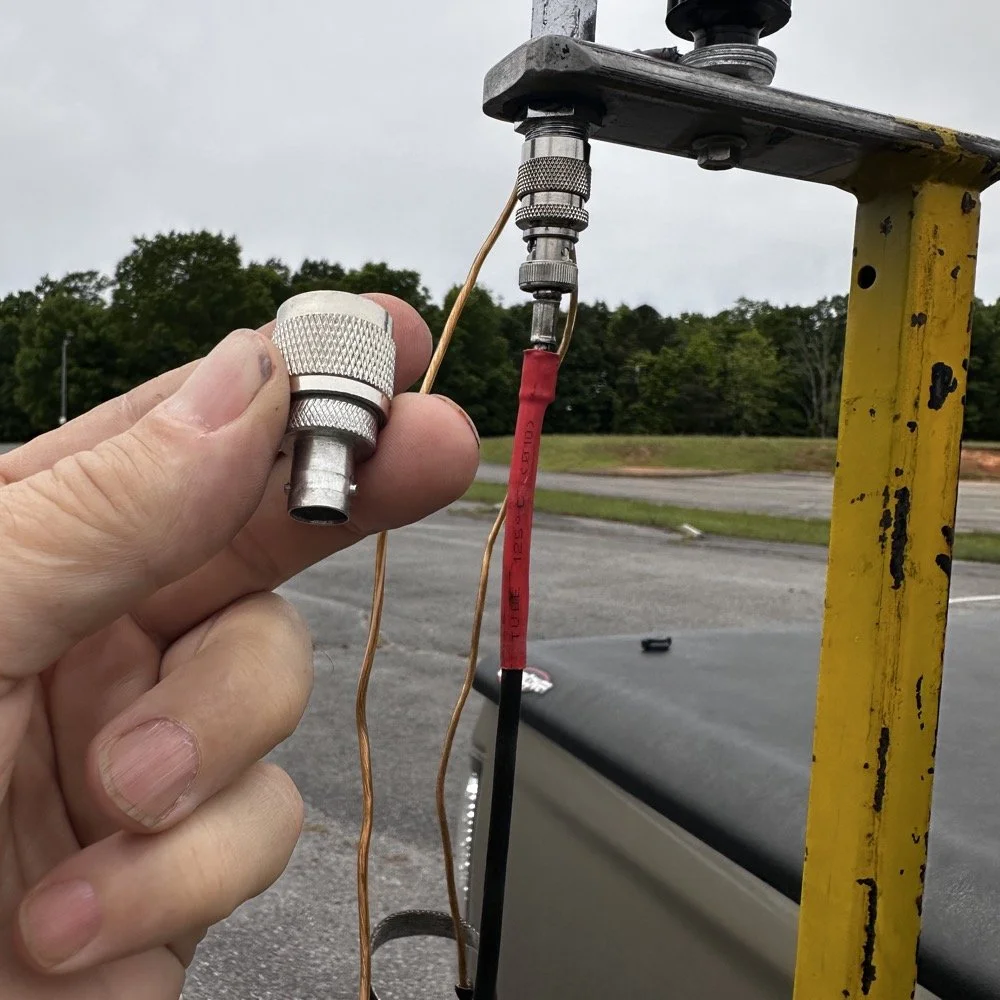
Pay attention to bad antenna connectors…
When connecting the antenna today, I had trouble getting the BNC to attach, upon closer inspection I had found that it was crushed from impacting something in the truck… Probably when it was in the red Chevy as there is less protection in the back of that truck as compared to how I store it in the Dodge. Oh, and yes, my heat shrink tubing on the coax has slipped back for some reason. I noticed it when I was breaking down and simply slid it back into place…haha. I did not notice this until I attempted to use it today to operate this activation.
I attempted to straighten the damaged BNC connector with my Leatherman as best as I could, but it didn’t work really all that well so I got in my adapters for my nano VNA and robbed the one that was in that pack and used it instead.
This is a great example of why you always carry spare parts for all of your connections so that you don’t get shut down because of something getting broken unintentionally that you are not aware of.
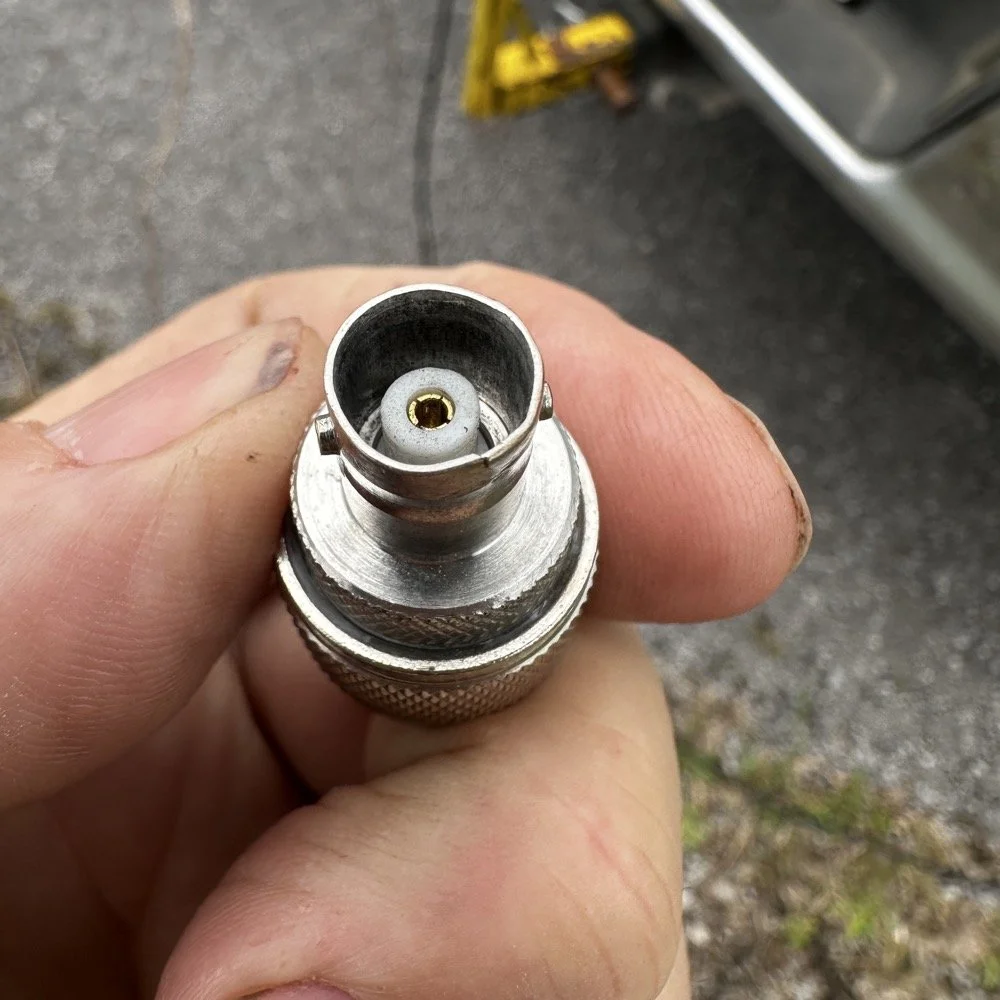
The HF Signals sBitx V3 and native internal FT8
Once I finished working CW on the Scout 555, I decided to get the sBitx out for a while to work some FT8. I really love using this radio for FT8 and CW in parks, it works so well and with the version 5.3 software, it has a metric ton of great features. The waterfall works well and the automatic modes in FT8 are really handy too. This radio is 25 watts on the lower bands and trails off to about 12 watts on 10 meters. This is plenty for me as I work a lot of QRP anyway so little to no power output is fine for the most part. Would it be nice to work with more, yes, but I can manage without it just fine.
Today I only used it for FT8, but I also will use it for CW from time to time. It is a little temperamental in CW since it is a Raspberry Pi 4 running in the background, but once you learn the keying, it works fine up to about 23WPM for me without too much issue. Using something like the Begali Traveler CW Key in the photo below also makes it more fun too. A really nice key is always a good thing to have with you.
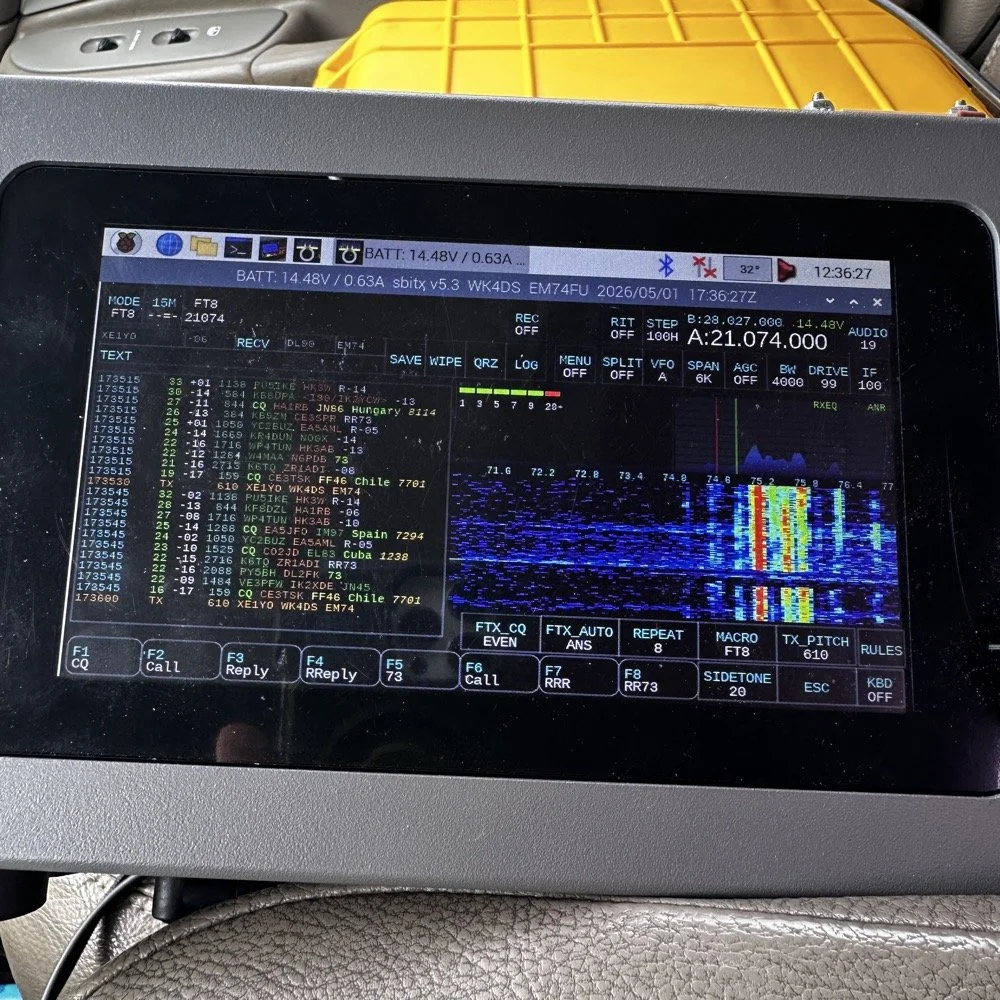
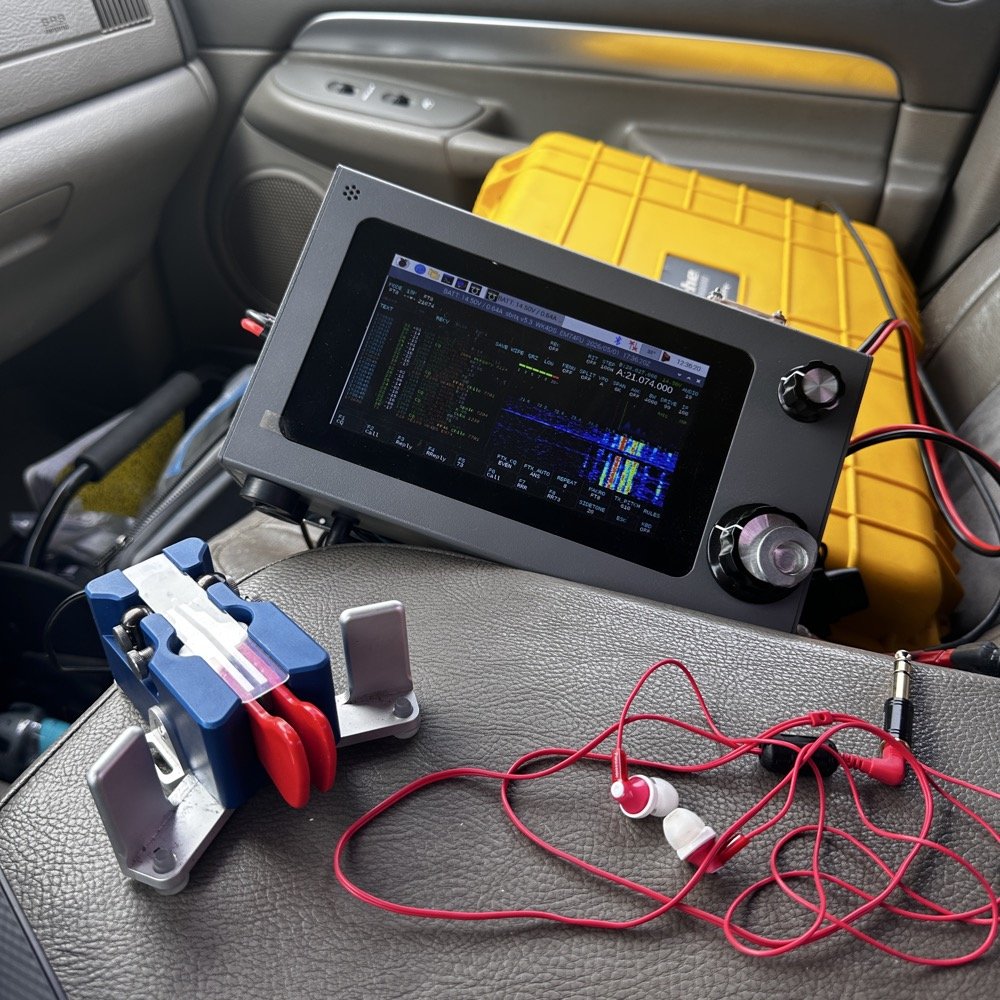
Once I worked a few FT8 contacts on 15 meters, I dropped down to 17 meters and worked a few more there before shutting down for the day and heading home.
I noticed when I was getting ready to leave that the truck motor was “squeaking” when it was idling and when I investigated further, I found that it was a pulley on my fan belt had a bad bearing in it. So I went to the auto-part store and got a new one to replace it with. Once home I was able to replace it in short order so that I would be ready for the next POTA outing that I wanted to go on. Sometimes things just come up and you have to take action…haha.
Thank you for following along and I look forward to sharing something with you again soon, till then 73!
You can help support this website by using these Amazon Affiliate Links:
QRP/Portable Radios:
Antennas & Tuning:
CW Equipment:
Power & Accessories:
Organization & Transport:
BONUS ITEMS

Ten watts to Spain. Ten watts to Germany. Ten watts to Austria. The EFHW at 35 feet made all the difference.
Activating Hillsborough River State Park (US-1878) with a friend is one thing—making over 100 contacts in a single afternoon using QRP power and a homemade wire antenna is another. That's exactly what Chas and I accomplished using a 65-foot EFHW antenna strung 35 feet up in the Florida pines, a ground mounted vertical, his FT891, a Penntek TR-35, and my sBitx v3 running just 10 watts (Chas was running 50 watts today though). This wasn't just a Parks on the Air activation—it was a field test of how well minimalist gear performs in a multi-operator setup, complete with lessons learned about antenna placement, front-end overload, and working around the Florida sun.
Activating Hillsborough River State Park (US-1878) with a friend is one thing, making over 100 contacts in a single afternoon using QRP power and a homemade wire antenna is another. That's exactly what Chas (NA2B) and I accomplished using a 65-foot EFHW antenna strung 35 feet up in the Florida pines, a ground mounted vertical, his FT891, a Penntek TR-35, and my sBitx v3 running just 10 watts (Chas was running 50 watts today though). This wasn't just a Parks on the Air activation, it was a field test of how well minimalist gear performs in a multi-operator setup, complete with lessons learned about antenna placement, front-end overload, and working around the Florida sun.
Hillsborough River State Park entrance designated K-1488 for Parks on the Air activations.
Hillsborough River State Park: Location and Access
Hillsborough River State Park sits about 12 miles north of Tampa and makes for an excellent POTA location. When you arrive at the entrance, the first thing you're greeted with is a ranger station where you pay your four dollar entrance fee. Yes, you read that right—four dollars for the whole day. This is a really nice park with extensive hiking trails, a large loop perfect for biking, and the Hillsborough River running through it where visitors can enjoy boating and fishing.
There's plenty of infrastructure here for families… playgrounds, picnic areas with covered pavilions, and well-maintained facilities. For POTA activators, the key feature is the abundance of tall trees throughout the park, making it ideal for wire antennas. The main loop road has several pull-off areas with picnic tables that work perfectly as operating positions. Cell phone coverage is good throughout the park, which helps for spotting yourself on the POTA network and coordinating with other operators.
After paying the entrance fee, I drove around the loop a couple of times while talking to Chas on the phone, trying to figure out where he'd set up. Here's the kicker, though, he decided to drive over to my location so we could operate together from adjacent tables. This gave us the multi-operator experience but also taught us some valuable lessons about antenna placement and RF interference, which I'll get into later.
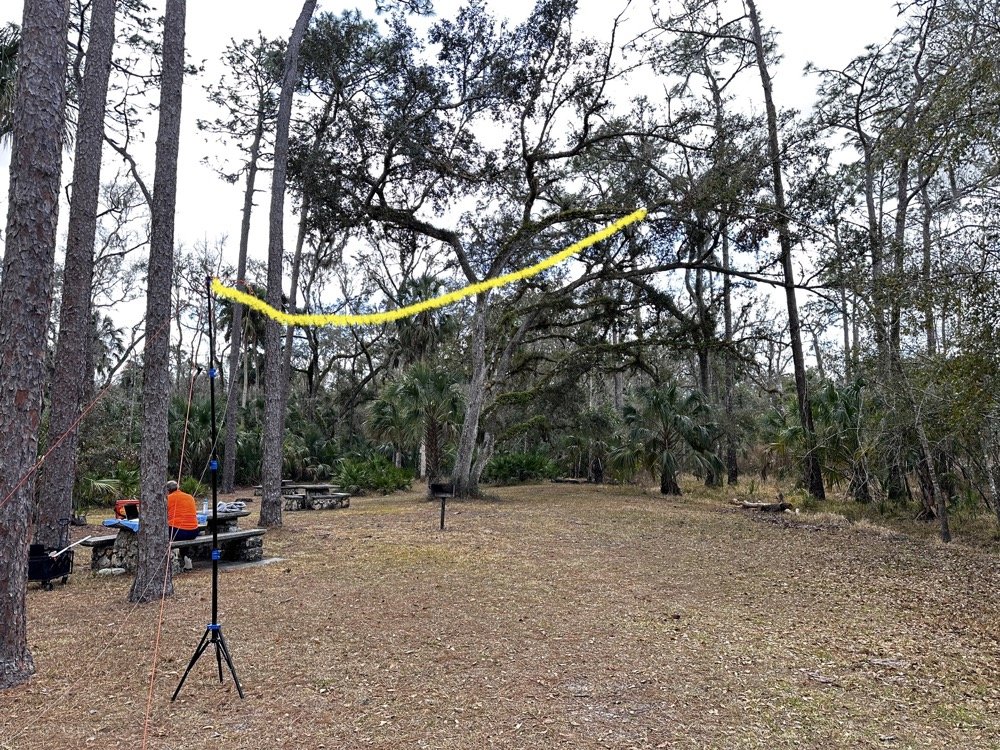
The 65-foot EFHW antenna strung into the tree canopy (highlighted in yellow) getting the wire 35 feet high made a dramatic difference in propagation. The wire itself is nearly invisible against the tree background.
The Antenna Setup: 65-Foot EFHW in the Trees
Today saw the use of a 65-foot long wire antenna, an End-Fed Half-Wave from Reliance Antennas. This antenna isn't rated for high power, so I held all of my transmit power to 10 watts or less throughout the day to prevent potential damage to the matching transformer. We deployed it using throw lines to get it about 35 feet up into a large oak tree, then Chas loaned me his 10-foot push-up pole and stand to support the feed point end of the antenna and get it a little higher off the ground as well.
I believe this additional height aided propagation dramatically. Getting the whole 40-meter EFHW that high off the ground, with the far end even higher in the tree, made a noticeable difference compared to previous activations where I'd run antennas lower. I made many contacts all over the United States, into Mexico, and even worked some European stations on the higher bands with just 10 watts. That's the magic of getting a wire antenna up high… height matters more than power in many cases.
The EFHW is resonant on 40m, 20m, 15m, and 10m without needing an antenna tuner, which keeps the station setup simple. I specifically avoided the WARC bands (30m, 17m, 12m) during this activation because the antenna isn't cut for those frequencies and I didn't want to deploy a tuner. Sometimes keeping things simple is the better approach, especially when you're testing equipment and learning how gear performs in the field.
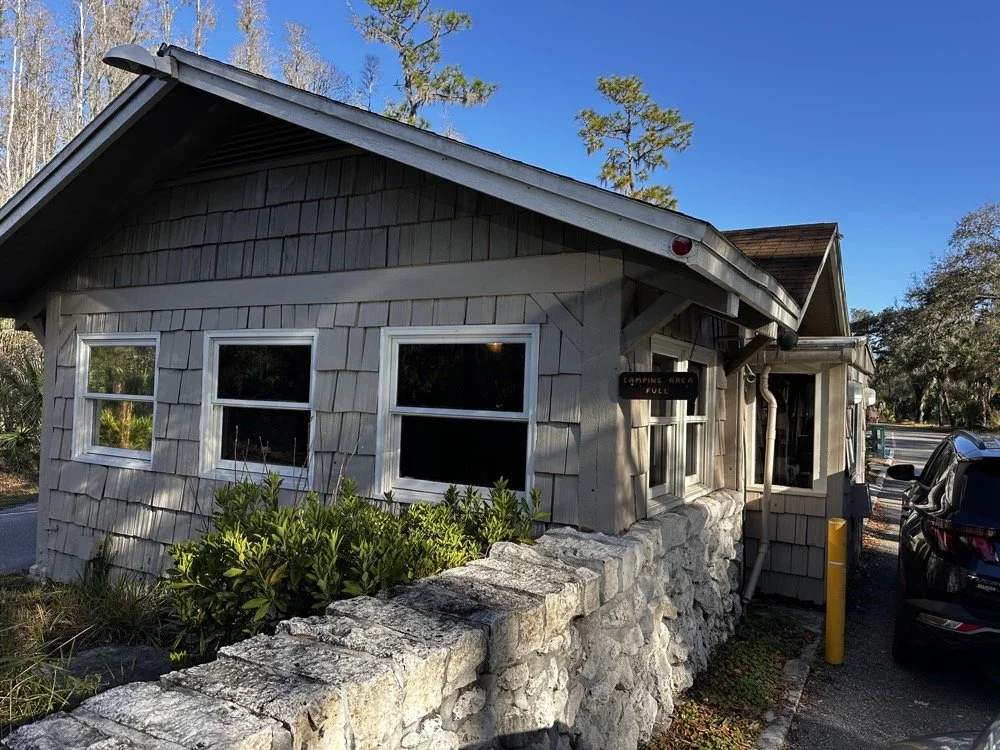
The ranger station where you pay the $4 entrance fee to access the park for POTA activations.
Radio Gear: Penntek TR-35 and sBitx v3 Performance
Once I had the antenna set up and tested, I decided to use the Penntek TR-35 transceiver first. I really enjoy using this tiny little radio, the CW break-in is phenomenal, and the keying from the internal keyer circuit works flawlessly. It's a true QRP radio putting out 5 watts maximum, and I've made some additional accessories for it to turn it into a more complete field station. But even as it sits stock, it's a wonderful little radio that's almost impossible to damage from bad antennas or other field mishaps. Plus, it just works really well at making contacts.
I started on 40 meters and after working through a good run of stations, I decided to move up to 20 meters where activity was heating up. Chas started on 30 meters and worked his way through the WARC bands, eventually ending up on 10 meters where we made a park-to-park contact with each other from 30 feet apart. That was pretty funny, logging a P2P (park-to-park) contact when we could literally see each other across the operating area. I turned my output power all the way down, it showed literally zero output and I was still booming into Chas’ radio!!! Haha!
After finishing my run on 20 meters with the Penntek TR-35, I swapped it out for my sBitx v3. I throttled the output power on the sBitx for two reasons: first, to prevent damage to the antenna which isn't rated for high power, and second, to keep from running down my battery too quickly. I'd brought an 8 amp-hour LiFePO4 battery, and if I'd run the sBitx at full output power I could have easily depleted that battery in an hour or so, especially running FT8 on the lower bands which requires more transmit time. As it turned out, limiting power to 10 watts kept the battery happy all day and I still had plenty of capacity left when we packed up.
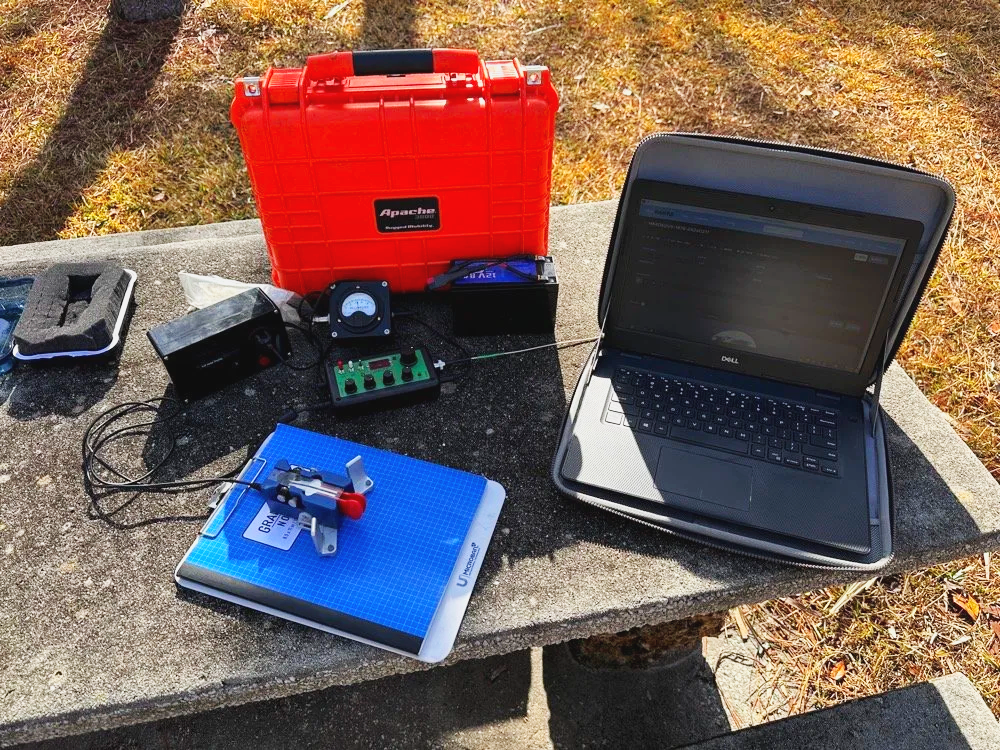
Initial station setup with the Penntek TR-35, Dell laptop for logging, clipboard with paper log, and CW paddle ready to make contacts.
The first thing I did with the sBitx was get on 15 m and attempt to make contacts there on FT8. This went pretty well and I made several contacts on 15 m before moving to 10 m to see what I could make on that band. The reason I skipped the WARC bands today was because this antenna is not resonant on any bands other than 40, 20, 15, and 10 m. So I stayed on those bands as I did not want to try and deploy an antenna tuner as well.

The sBitx v3 with improvised sunshade, Florida sun glare was a constant challenge throughout the activation. Notice the notebook to keep my arm off that rough concrete!
Contact Statistics:
Between Chas and me, we logged 118 total QSOs during the activation! 66 in my log and 52 in Chas's log(I did operate a little longer than him and we were not in a race either). Here's my detailed breakdown:
David's Stats (WK4DS):
40 meters: 5 QSOs (all CW)
20 meters: 50 QSOs (all CW)
15 meters: 1 QSO (CW)
10 meters: 10 QSOs (8 FT8, 2 CW)
Total: 66 QSOs
CW: 58 contacts
FT8: 8 contacts
Geographic Breakdown:
Domestic (USA): 56 QSOs across the continental United States
DX (International): 10 QSOs reaching six countries:
Spain: 2 contacts (EA4T, EA5BCO)
Germany: 2 contacts (DL4JCP, DJ9HX)
Mexico: 2 contacts (XE2BCS, XE2IF)
Austria: 1 contact (OE2IGP)
Canada: 1 contact (VE1ZZ)
Poland: 1 contact (SQ9JS)
Czech Republic: 1 contact (OL26WRTC - special event station)
NA2B Chas's Stats: Chas logged 52 QSOs throughout the day, primarily working 30m, 17m, and 10m (he might have done more but that is all I know of) while I focused on 40m, 20m, 15m & 10m. This band coordination helped us avoid stepping on each other while maximizing total contacts for the activation.
Combined Performance: For QRP power (my 10 watts maximum and Chas running 50 watts) and simple antennas, 118 total contacts in one afternoon represents excellent POTA performance. The 10 DX contacts on 10 meters with just 10 watts and the EFHW antenna particularly stand out, working Spain and Germany on FT8, then switching to CW for additional European contacts, demonstrates what's possible when propagation cooperates and you get your antenna up high.
Twenty meters was the workhorse band, delivering 50 contacts in my log alone. The concentration of activity on 20m CW (14.061 MHz) is typical for POTA activations, as this is where most hunters are listening for parks. The handful of 40m contacts at the start of the activation caught the tail end of daytime propagation before that band shifted to primarily short-skip domestic contacts.
Operating Challenges - Sun and Glare
Both Chas and I learned pretty quickly that the Florida sun was not our friend today, even though the temperature was pleasant. The glare from the sun continuously made us struggle to see our displays and adjust settings. I think Chas literally just toughed it out and lived with squinting at his screen. I, on the other hand, kept deploying improvised sunshades and repositioning my station to create shade for my equipment as the day wore on, as you can see in the photos. This is something to think about when planning a POTA activation, a simple popup canopy or umbrella can make the difference between comfortable operating and constantly fighting the sun. Add that to my growing list of field operation lessons learned.
sBitx v3 CW Keying: Improvements and Remaining Issues
The CW keying in the sBitx has been dramatically improved as the software revisions continue. The developers keep optimizing the scan time of the Raspberry Pi processor and how the program executes, making the keyer more responsive with each update. It's almost like using a regular radio now, though there are still quirks you need to work around.
I've learned that I have to pay very close attention to my sending cadence when working CW with the sBitx. The keyer isn't as forgiving as a traditional Curtis-style keyer circuit, and it will send errors if you're not careful with your timing. Knowing this limitation, I work much harder to stay at one speed setting throughout a contact when possible. It's easier to develop muscle memory and consistent sending rhythm at one speed rather than constantly adjusting the keyer speed up and down as I might do with other radios.
With a traditional Curtis keyer, minor variations in your paddle timing get smoothed out by the keyer circuitry and everything sends cleanly. The sBitx will occasionally miss characters if you vary your speed too much, if you slow down suddenly, you can actually outrun the radio's keyer circuit and it won't register that you asked for a "dit," so it leaves it out. This isn't a deal breaker, but it does mean the sBitx requires more disciplined sending technique than most modern transceivers.
I do tend to make more mistakes with the sBitx than I do with other more traditional Morse code radios, and I think all of this traces back to the timing limitations from the Raspberry Pi's scan cycle. But it's getting better with each software update, and for a radio that does CW, SSB, and all digital modes in a package this small and affordable, I'm willing to work around the keyer quirks.
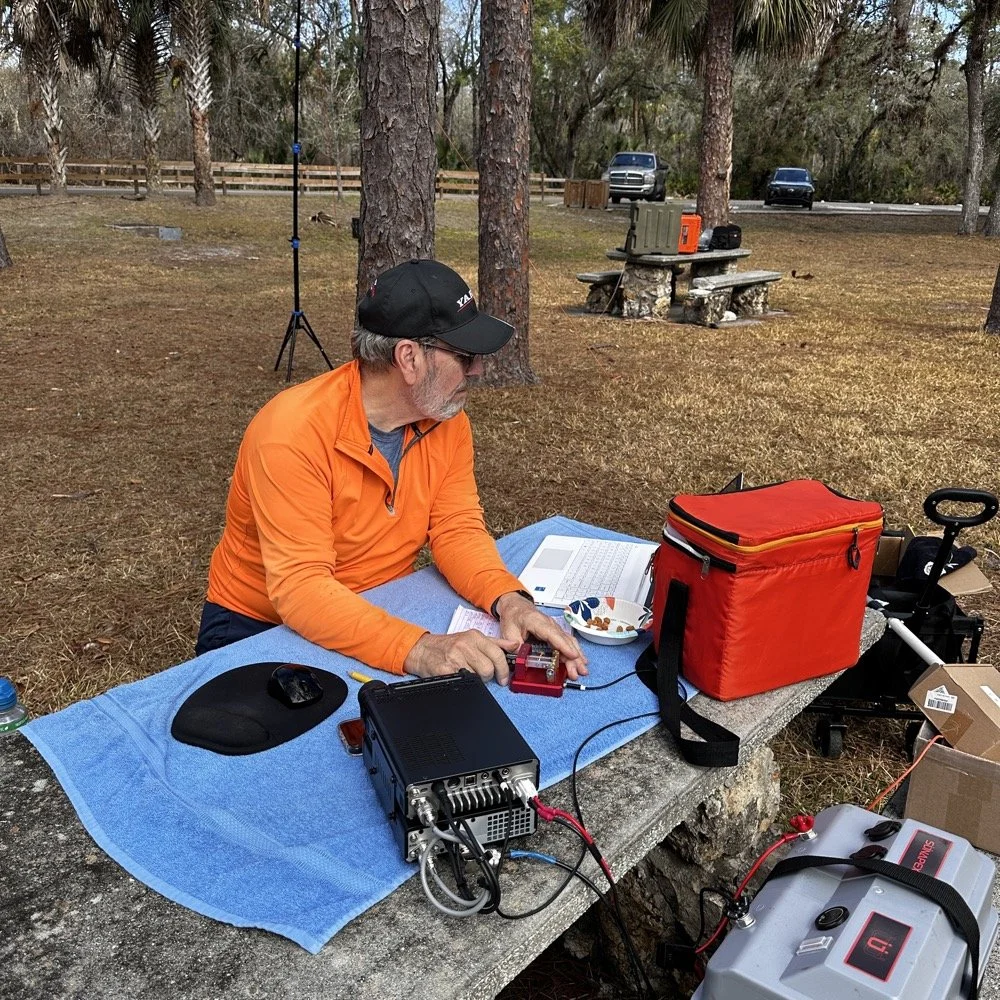
Chas operating his Yaesu rig from the adjacent picnic table. His vertical antenna is behind me and to my right. My wire antenna is behind him.
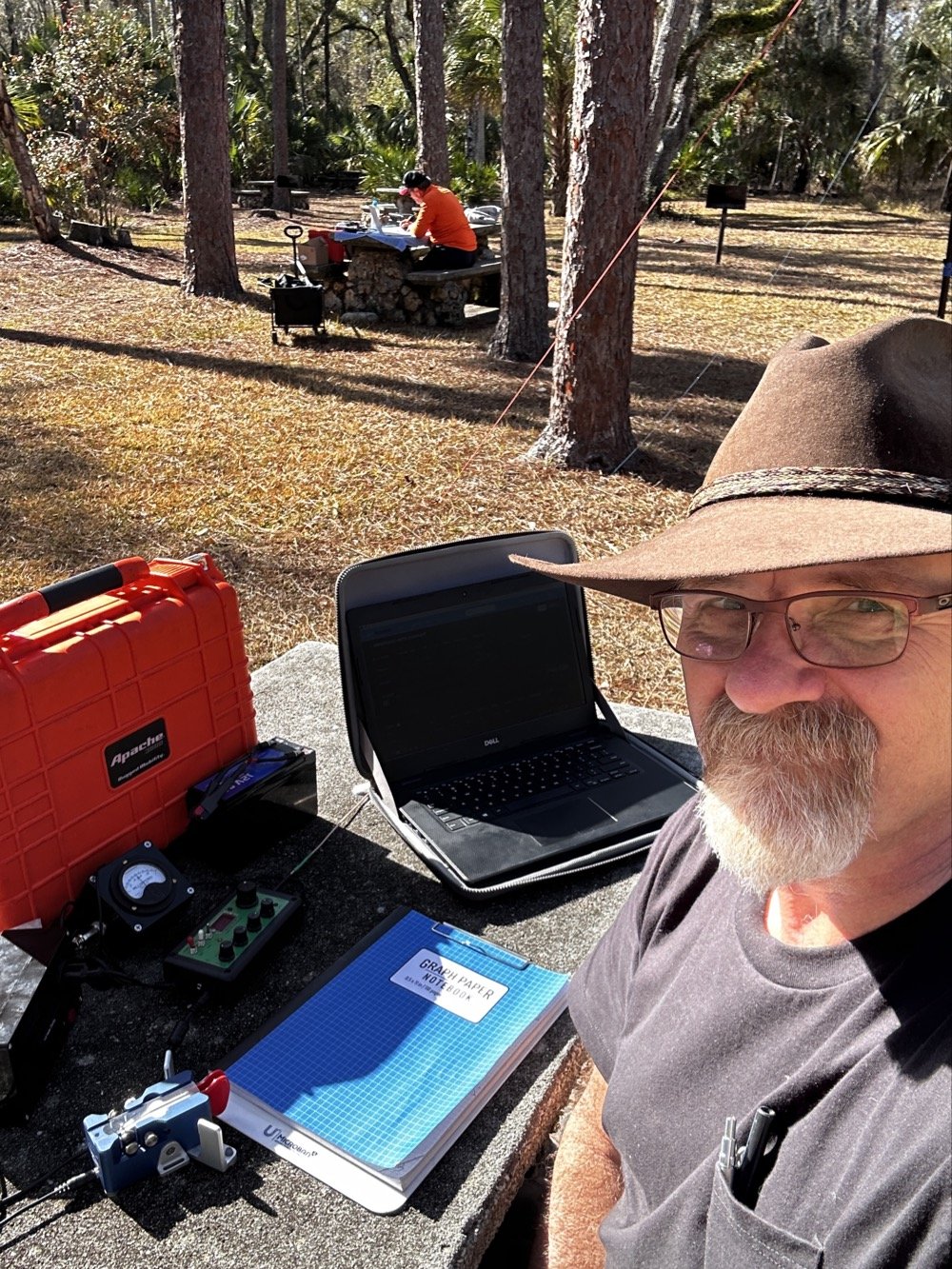
My operating position in the foreground with Chas visible about 30 feet away in the background—close enough for a park-to-park contact but creating some RF interference challenges.
20-Meter Band Issues: IRF520 vs IRF510 Amplifier Problems and Receiver Front End Overload"
The final two photos show a couple issues I've been wrestling with on my sBitx. The first image shows my sBitx operating on 10 meters with lots of noise lines visible in the waterfall display. These noise lines are coming from Chas transmitting Morse code on a different band, his signal is getting into my receiver and creating visible interference. I don't remember exactly what band he was on, but the important lesson here is that antenna placement matters tremendously when you're running multi-station setups like this one.
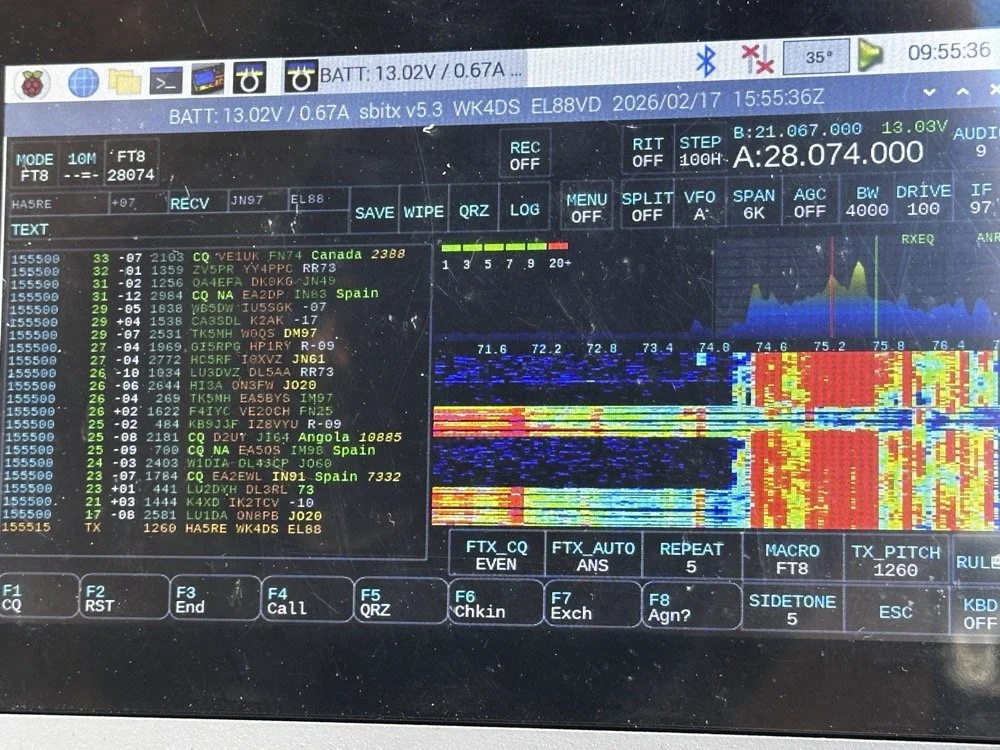
sBitx running FT8 on 10 meters (28.074 MHz) showing the noise spikes from Chas transmitting on a different band nearby 9in the waterfall) this is what front-end overload looks like in a multi-op field setup. The vertical lines in the waterfall are RF bleed-through from his station 30 feet away.
Be mindful of where you place antennas if you're operating a multi-operator event. We were only 30 feet apart, which is far too close for optimal isolation. I was still able to work many contacts even with this persistent noise coming through, though. This is something you learn to work around if you're going to be an amateur radio operator in a multi-operator event of any kind…think Field Day here. It's just part of the game, so you expect it and adapt. We could have used bandpass filters to eliminate most of this interference, but I didn't bring mine to the park.
The next photo shows my sBitx on 20 meters, and on 20 meters my radio has a persistent issue that I'm still troubleshooting. I'm beginning to believe it has to do with the IRF520 MOSFET transistors that I used in the power amplifier section when I built this radio. These IRF520 transistors have significantly more internal capacitance than the IRF510 transistors that Farhan originally specified in the revised amplifier design. I think this extra capacitance is causing the amplifier to oscillate, and that oscillation is what you're seeing as the noise signal in the photo.

sBitx on 20 meters CW mode (14.061 MHz) showing the noise from what I am suspecting is from oscillating mosfets.
Here's the interesting part: as the radio warms up during operation, this spurious noise signal moves down in frequency within the 20-meter band. If I want to push it out of the way temporarily, I'll switch to 40 meters or 80 meters and run FT8 for a few minutes. You generate more output power on those lower bands, which heats up the amplifier section faster. Usually, if I just run FT8 first thing when setting up, it warms up the transmitter enough to push the oscillation down to below where I normally work CW on 20 meters anyway, giving me a temporary workaround.
This isn't a permanent solution, obviously. I'm convinced I'm going to have to address this capacitance issue when I get back home, probably by swapping out the IRF520s for the specified IRF510s or adding additional filtering to the amplifier circuit. But for now, knowing the workaround lets me keep the sBitx operational in the field for POTA activations, which is what matters most.
Multi-Operator Challenges: RF Interference and Antenna Placement
Operating two stations in close proximity taught us several valuable lessons about multi-operator setups. The biggest challenge was RF interference between our stations. With antennas only 30 feet apart, we experienced significant front-end overload, when Chas was transmitting on his station, I could see his signal bleeding through into my receiver on completely different bands.
The sBitx has a somewhat easy-to-overload front end compared to more expensive commercial receivers, which made this problem more pronounced. But even with a better radio, operating this close together without bandpass filters or careful band coordination is asking for trouble. The solution for future multi-op activations is simple: either space antennas much farther apart (100+ feet minimum if possible), or operate on bands that are far enough apart in frequency that filter roll-off provides natural isolation.
The position of your antennas matters just as much as the distance between them. If we'd oriented our antennas at right angles to each other instead of parallel, we might have achieved better isolation through pattern nulls. These are the kinds of things you learn by doing, and they apply equally to Field Day operations where you might have multiple stations running simultaneously.
Despite the interference challenges, we still made excellent contact numbers. Multi-operator POTA activations are worthwhile because you can cover more bands simultaneously, operate different modes at the same time, and keep the activation going continuously while one operator takes a break. Just be prepared to work around the RF challenges that come with the territory.
Who Should Activate This Park?
Hillsborough River State Park is an excellent choice for both first-time and experienced POTA activators. Here's why:
For beginners: The $4 entrance fee is minimal, facilities are excellent with clean restrooms and covered picnic areas, and the tree coverage makes wire antenna deployment easy. You don't need to hike to reach good operating locations…everything is accessible by car right off the main loop road.
For experienced activators: The park's location north of Tampa puts you in a good spot for both domestic and DX contacts. The tall pines support wire antennas at significant heights, and there's plenty of space to spread out if you're running a multi-operator activation.
Best practices for K-1488:
Arrive early morning (8-10 AM) or late afternoon (3-5 PM) to avoid midday heat and sun glare
Bring sunshade or canopy, there's limited natural shade at the picnic tables
Plan for 2-3 hours of operating to get a good contact count
Cell coverage is good for self-spotting on the POTA network
Spring and fall offer the best weather conditions
If you're in the Tampa Bay area and looking for an easy, productive POTA park with good facilities, Hillsborough River State Park should be on your list.
Activating Hillsborough River State Park proved to be a highly productive POTA outing. Between Chas and me, we logged well over 100 contacts using QRP power and simple wire antennas…proof that you don't need high power or expensive gear to have success in Parks on the Air. The 65-foot EFHW at 35 feet worked exceptionally well, the Penntek TR-35 remains one of my favorite field radios for CW, and the sBitx v3 continues to impress despite some remaining amplifier quirks on 20 meters.
Key lessons learned: antenna height matters more than output power, multi-operator setups require thoughtful antenna placement to avoid interference, and limiting transmit power to 10 watts keeps your batteries happy all day. If you're looking for a beginner-friendly POTA park in Florida with good tree support and easy access, Hillsborough River State Park (K-1488) is an excellent choice.
Have you activated K-1488 or other Florida state parks? Share your experiences in the comments below, I'd love to hear about your favorite POTA locations and antenna setups.
Want more POTA activation reports and technical amateur radio content? Check out my other WK4DS blog posts for detailed equipment reviews, antenna builds, and field operation tips.
Frequently Asked Questions About POTA Activations
What is Parks on the Air (POTA)?
Parks on the Air is an amateur radio operating activity where hams set up portable stations in state and national parks to make contacts. Activators (operators in parks) try to make at least 10 contacts to qualify the activation, while hunters (operators at home) try to contact as many parks as possible. It's similar to Field Day but focused on public parks and conservation areas. POTA encourages hams to get outdoors, test portable equipment, and promote amateur radio to park visitors. The program started in 2016 and has grown to include thousands of parks across the United States and internationally.
How do you activate Hillsborough River State Park for POTA?
To activate Hillsborough River State Park (K-1488), you need to set up your amateur radio station within the park boundaries and make at least 10 contacts. Pay the $4 entrance fee at the ranger station when you arrive, then find a suitable operating location with trees for antenna support. Most activators set up at picnic tables near the main loop. Operate from battery power or a generator, no AC mains allowed for POTA activations. Log your contacts using a smartphone app like HAMRS or POTA Logger, then upload your log to the POTA website within a few days. The park has excellent tree coverage for wire antennas and is open from 8 AM to sundown year-round.
What is an EFHW antenna and why use it for POTA?
An End-Fed Half-Wave (EFHW) antenna is a wire antenna that's fed at one end through a matching transformer (typically a 49:1 unun), making it incredibly easy to deploy in the field. For POTA activations, EFHWs are popular because they require no ground radials, work on multiple bands without a tuner if cut for harmonically-related bands, and can be thrown into trees using a throw line and weight. My 65-foot EFHW works on 40m, 20m, 15m, and 10m, covering the most productive POTA bands. Getting it 35 feet high significantly improved propagation compared to running the same antenna closer to the ground. A properly deployed EFHW antenna at height will often outperform a vertical antenna at ground level for DX contacts.
Can you run two stations at the same POTA activation?
Yes! Running multiple operators at the same park location is allowed and encouraged in POTA. Each operator logs their own contacts and submits their own activation log. Chas and I each operated our own stations about 30 feet apart, which let us cover different bands simultaneously and maximize the total contact count. However, you need to be mindful of RF interference between stations. With our antennas so close together, I experienced front-end overload on my sBitx when Chas was transmitting on nearby bands. Solutions include better antenna separation (100+ feet apart if possible), using bandpass filters on receivers, or coordinating to operate on widely separated bands like 40m and 10m simultaneously.
What's the best QRP radio for POTA activations?
For CW-only POTA activations, the Penntek TR-35 is exceptional. It's lightweight (under a pound), battery-efficient, has outstanding CW break-in, and is nearly indestructible, perfect for field operations. For multi-mode operation covering CW, SSB, and digital modes, the sBitx v3 offers incredible value and capability in a portable package, though the CW keying requires careful technique and practice. Other popular POTA QRP rigs include the Elecraft KX2/KX3 (premium price but premium performance and battery efficiency), QRP Labs QCX-mini (CW-only, ultra-portable and inexpensive), and the Xiegu G90 (good SSB performance, acceptable CW, built-in tuner). Choose based on your preferred modes, budget, and how much weight you want to carry into the field.
How many contacts should you expect from a POTA activation?
Contact numbers vary widely based on propagation conditions, time of day, your operating skill, and whether you're spotted on the POTA network. A successful activation requires at least 10 contacts to count, but most activations yield 20-40 QSOs in an hour or two of operating. Our 100+ contacts in one afternoon between two operators was excellent, partly because we covered multiple bands and modes (CW, FT8) and had good propagation to Europe on the higher bands. If you're new to POTA, expect 15-30 contacts on your first few activations. Using CW typically yields more contacts than SSB due to pile-ups from hunters chasing parks, and FT8 can be productive when propagation is marginal or when SSB isn't getting through.
My 66 contacts plus Chas's 52 gave us 118 total QSOs from K-1488 on February 17, 2026. Ten of mine reached six countries across two continents, all at 10 watts or less.
You can help support this channel by using these Amazon Affiliate Links as well:
QRP/Portable Radios:
Antennas & Tuning:
CW Equipment:
Power & Accessories:
Organization & Transport:
BONUS ITEMS
73
David / WK4DS
Overall, today we had a wonderful day and made many contacts and was able to test antennas and enjoy ourselves in the warm Florida sun far from home where all the cold weather and dreariness is at. So until next time, get your radio out and go power it up and make a contact on it. That’s why you bought it after all.
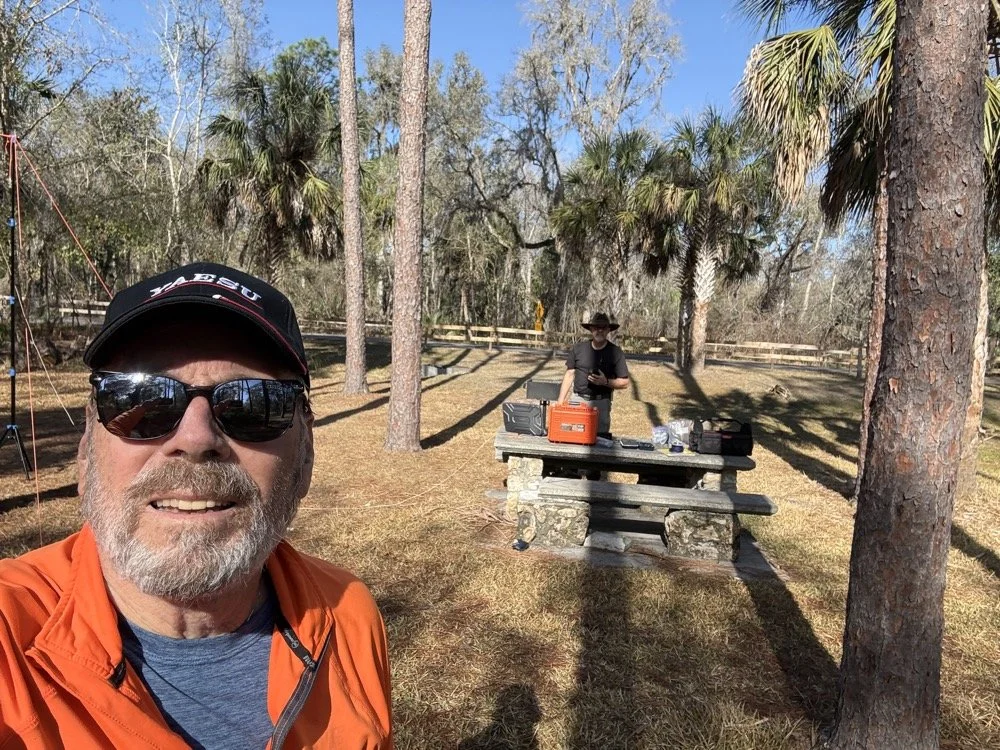
Chas grabbing a photo from his perspective for posterity! HaHa! Look at all that stuff I brought!
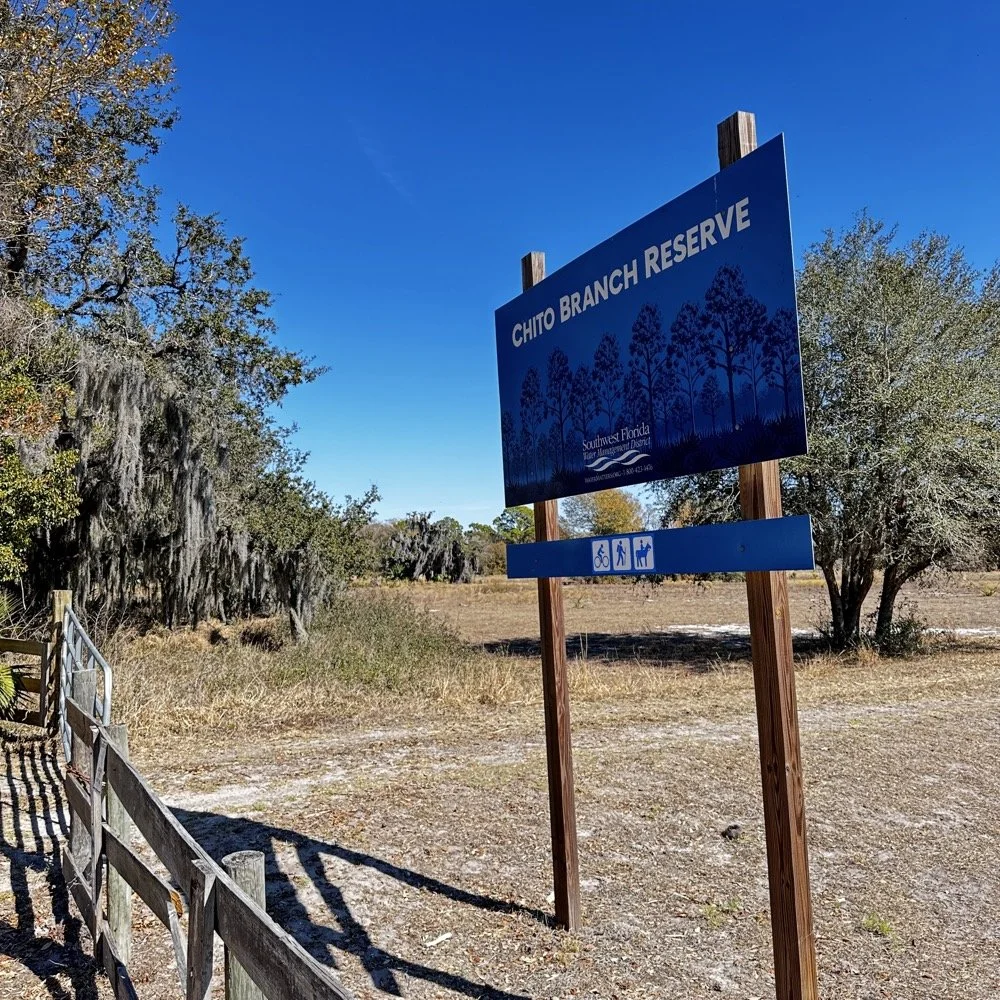
Chito Branch Reserve: First FT4 Contacts, Meeting a Fellow Park Hunter, and the Quest for 1000
Doug's been activating Chito Branch quite a bit lately, and if I'm being honest, we seem to be in a friendly race to see who hits 1000 contacts from this park first. Spoiler alert: he's winning. But it was great to finally shake hands with someone who understands the appeal of spending beautiful Florida mornings in a park with Spanish moss hanging from the trees, headphones on, working the world.
February 10, 2026 • US-5524
Sometimes the best part of a POTA activation isn't the DX you work or the pile-ups you run! it's meeting another operator face-to-face who's been chasing the same goals you have. Today at Chito Branch Reserve, I finally got to meet Doug, KQ4SXW, in person.
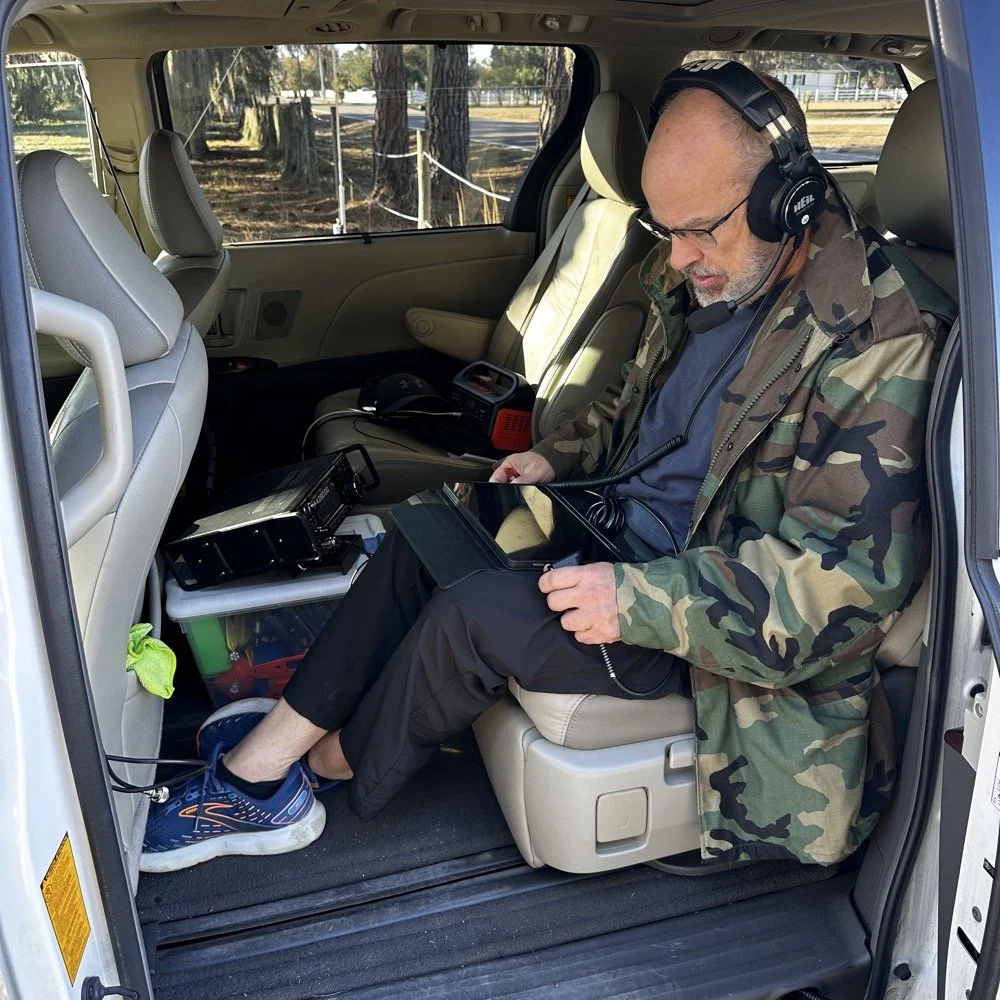
I finally got to meet Doug, KQ4SXW
Doug's been activating Chito Branch quite a bit lately, and if I'm being honest, we seem to be in a friendly race to see who hits 1000 contacts from this park first (well, between us at least). Spoiler alert: he's winning. But it was great to finally shake hands with someone who understands the appeal of spending beautiful Florida mornings in a park with Spanish moss hanging from the trees, headphones on, working the world.
The Setup
I rolled into Chito Branch mid-morning with my usual portable arsenal. The park is close to where I'm staying in Tampa, which makes it an easy choice for activations, and I've been systematically building toward that 1000-contact milestone. As of today, I'm sitting at 769 QSOs logged from US-5524, so I'm getting close.
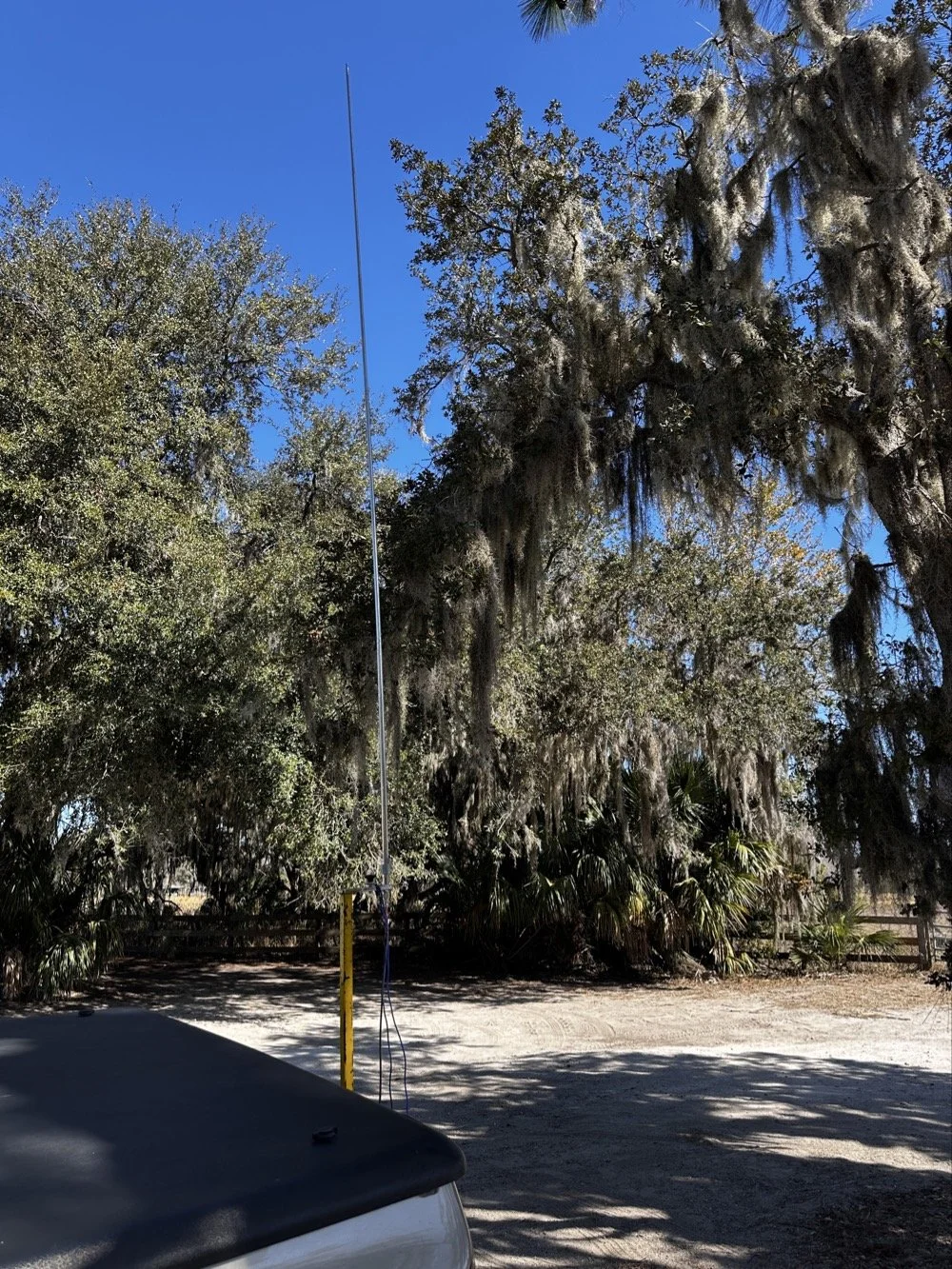
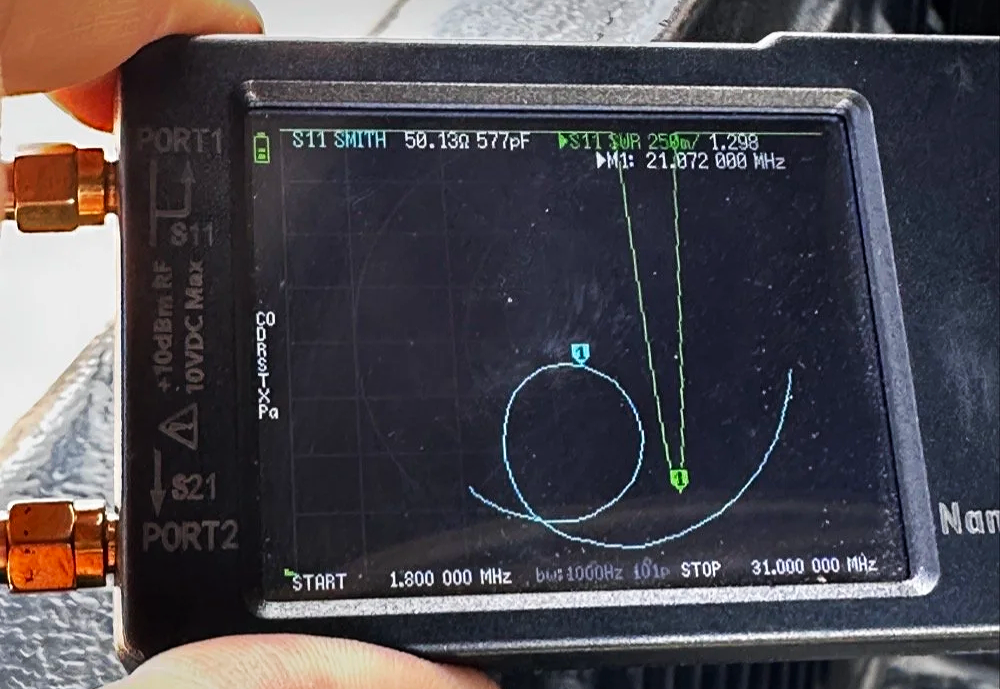
For antennas, I ran my 1/4-wave vertical with two counterpoise wires, tuned for each band. Simple, effective, and quick to deploy. I use the nanoVNA to utne the antenna with. As you can see in the plot above, I get it to something less than 1.5:1 SWR and call it good, I have found that if I get it to that level that I dont have any trouble making contacts at all. I have done OK with the SWR higher in the past…much higher actually, but it is a lot tougher to make contacts like that.
The main rig was the sBitx V3 from HF Signals for digital modes, and I brought along the Ten-Tec Scout 555 for some 15-meter CW work since the bands were looking promising.
Speaking of which… let me tell you about my grid square insurance policy.
A Sticky-Note Solution to a Real Problem
If you operate FT8 or FT4, you know that your grid square locator needs to be correct. It matters for awards, for logging accuracy, and frankly, for not looking like you don't know what you're doing. Recently, I completed an entire activation with the wrong grid square set in the software.
Not ideal.
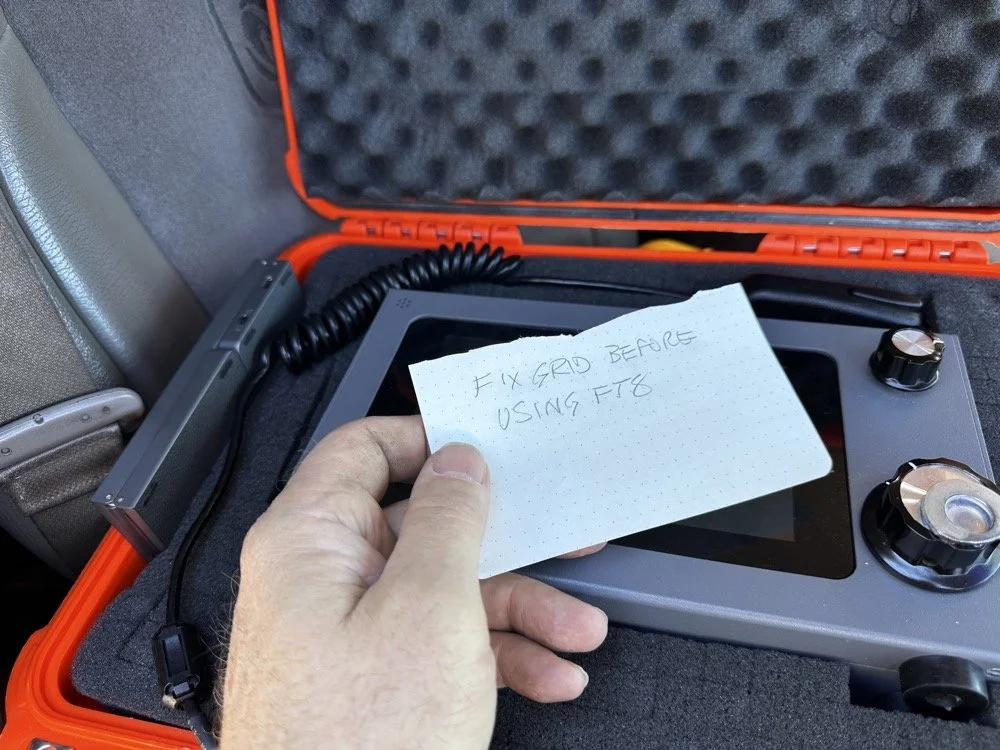
Sometimes the best solutions require the simplest answers…
So I came up with a foolproof solution: I now keep a note in my radio case that says "FIX GRID BEFORE USING FT8." It sits right on top of the sBitx when I open the case, impossible to miss. I also store the Bluetooth keyboard in the case with the radio so I can easily update the grid square in the field without fumbling around with the tiny on-screen controls.
Is it a high-tech solution? No. Does it work? Absolutely. Sometimes the best fixes are the simplest ones.
Starting with FT8 on 20 Meters
After getting the sBitx fired up…with the correct grid square, thank you very much… I started the activation with FT8 on 20 meters. I spotted myself on POTA and the responses started rolling in. There's something satisfying about watching those waterfalls fill up with decodes and seeing callsigns appear in the queue.
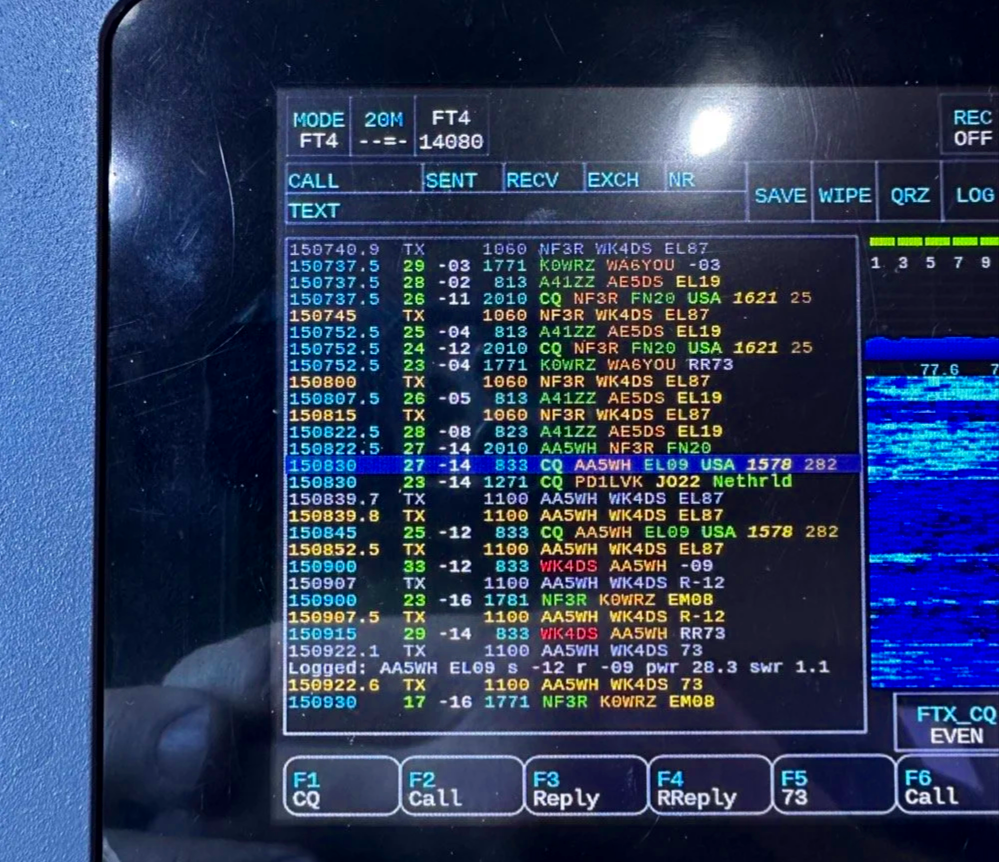
My very 1st FT4 QSO with the sBitx!
I worked through a solid session and logged about 18 contacts on 20-meter FT8. The band was cooperative, signals were good, and the activation was off to a strong start. Something to note about my sBitx V3 is that it has developed a sort of internal noise on 20 meters that lingers in the CW portion of the band. It goes down in frequency as the radio warms up so I have to figure out what is causing this problem when I get home the next time. I have it on the list right next to fixing my microphone pre-amp circuit for proper operation as well.
First FT4 Contacts at a POTA Park
After the FT8 run, I decided to try something new: FT4. I've run plenty of FT8 from parks, but FT4 was uncharted territory for me in the field.
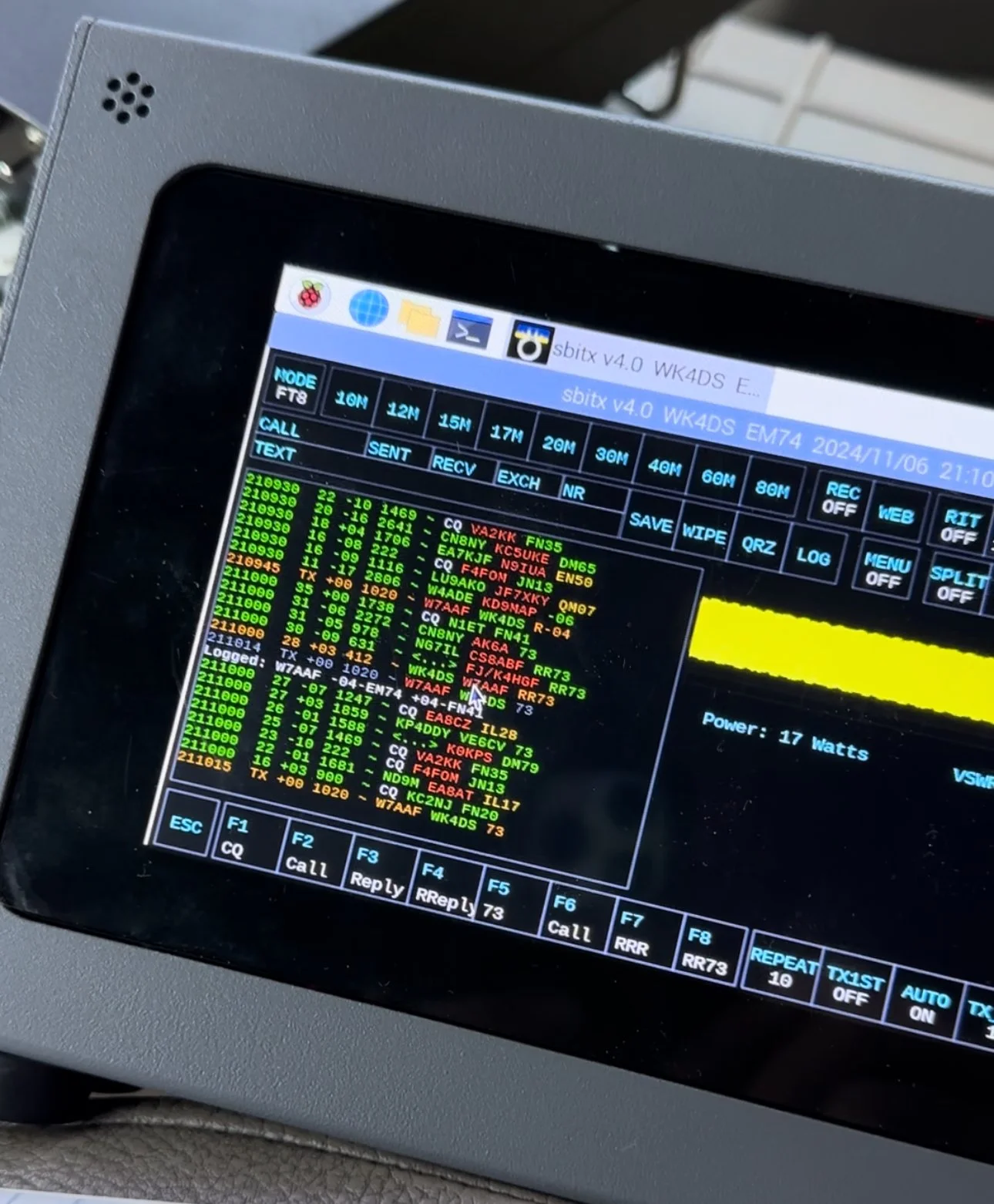
FT4 is faster than FT8, cycling every 7.5 seconds instead of 15, which makes it great for contesting or when you just want to move quickly through a pile-up. I updated my spot on POTA again and started calling CQ. To be honest, I had used it a little in the shack before with no luck so I didn’t hold my breath today, To me utter surprise, I saw a QSO forming in the call feed on the left! Then it finished and logged it! I hurriedly got out my phone and snapped a quick photo to share with you guys…
First contact: AA5WH on 20 meters. Clean decode, solid signal, contact in the log. Then I switched to 15 meters and worked N1KLF. Two FT4 contacts, my first ever from a park, and honestly? I was pretty stoked. There's something satisfying about trying a new mode and having it just work.
15 Meters CW Was Alive
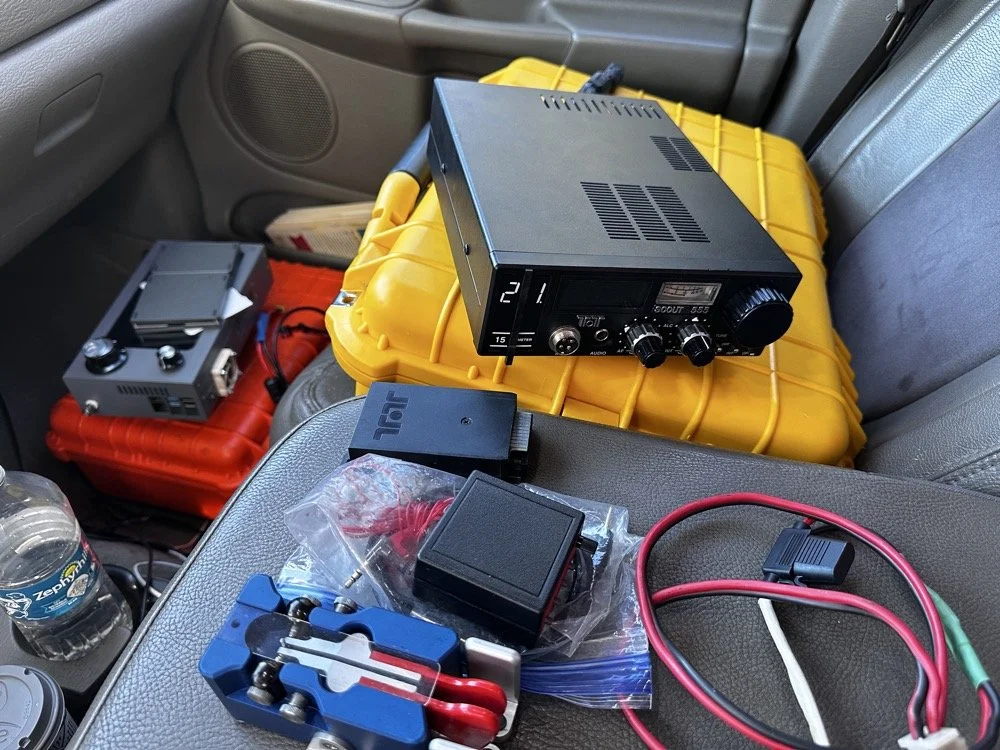
The TenTec Scout 55 is pictured with the HF Signals sBitx V3 where I was changing over to CW after working 2 digital modes today.
After the FT4 session, I switched gears completely. I packed up the sBitx and pulled out the Ten-Tec Scout 555 for some CW on 15 meters. The band was in great shape, though there was a bit of QSB rolling through. I got the radio all connected up to the keyer and then plugged in the Travler. My Begali Traveler key has become one of my favorites—smooth action, compact enough for portable ops, and it just feels good. It is sensitive, but that is how I use my keys, I prefer a light action myself and that is why I made my own paddles back in the day. N3ZN (Tony) and I2RTF(Pietro) make some of the nicest keys around at the moment and I am glad I have one from each.
DX Contacts That Made It Worthwhile
Right out of the gate, I snagged some DX that made the whole activation worthwhile:
EA4MZ in Spain
DD1LD in Germany
YV1GIY in Venezuela
PY5XT in Brazil
Four different countries, all on 15-meter CW with 40 watts and a telescoping 1/4 wave vertical, what more can you ask for? Days like this remind me why I love this hobby. Some of them were a little on the weak side but the Jones filter in the Scout actually helps if you open it up instead of closing it down. This seems counter intuitive, but opening the filter up just ever so slightly will let a lot more of the other operators signal though and just a little of the background noise, it is almost like having them turn their power up 50% or something, if you have not tried it with your Scout 555, I suggest you find a signal you can barely hear and give it a shot.
43 QSOs and Counting
By the time I packed up, I had 44 contacts in the log, though one turned out to be a duplicate, so 43 that counted. Not a huge number, but solid for a few hours of casual operating across three modes (FT8, FT4, and CW) and two bands.
Meeting Doug in person was the cherry on top. It's always good to connect with like-minded people in the hobby, especially when you're both chasing the same quirky goals. A thousand contacts from one park? Yeah, it's a bit obsessive. But things like that are what makes it fun.
SIDE QUEST TIME:
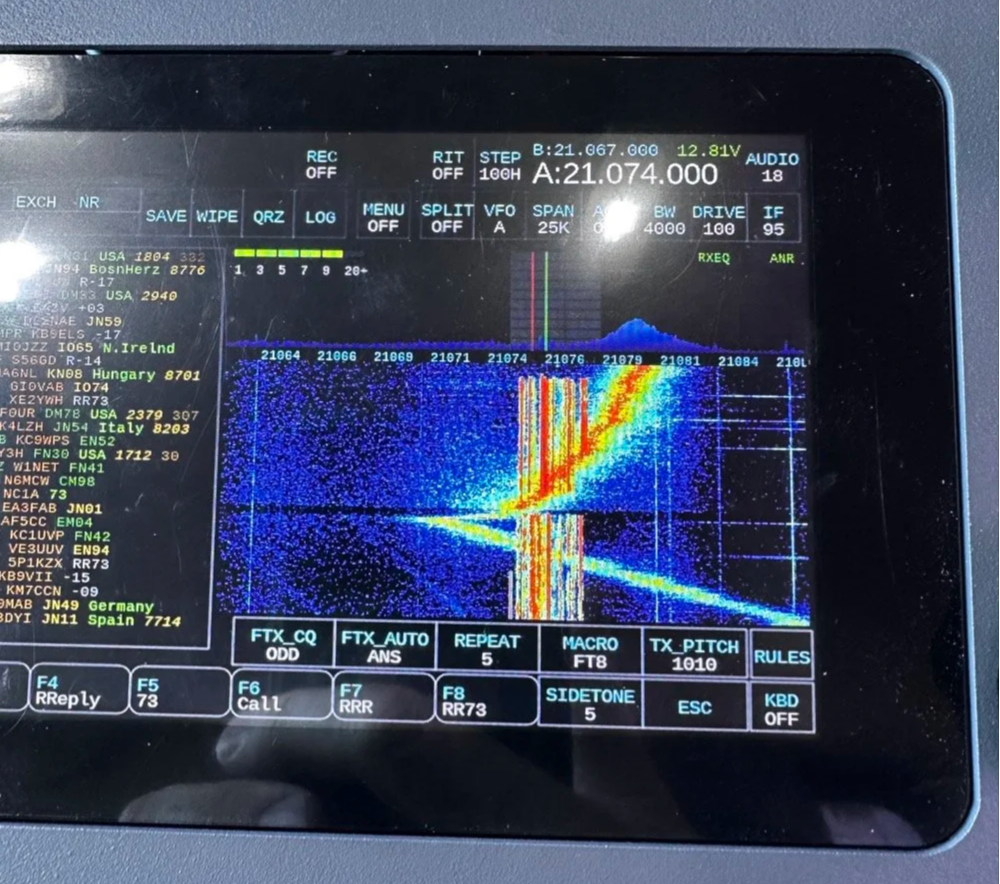
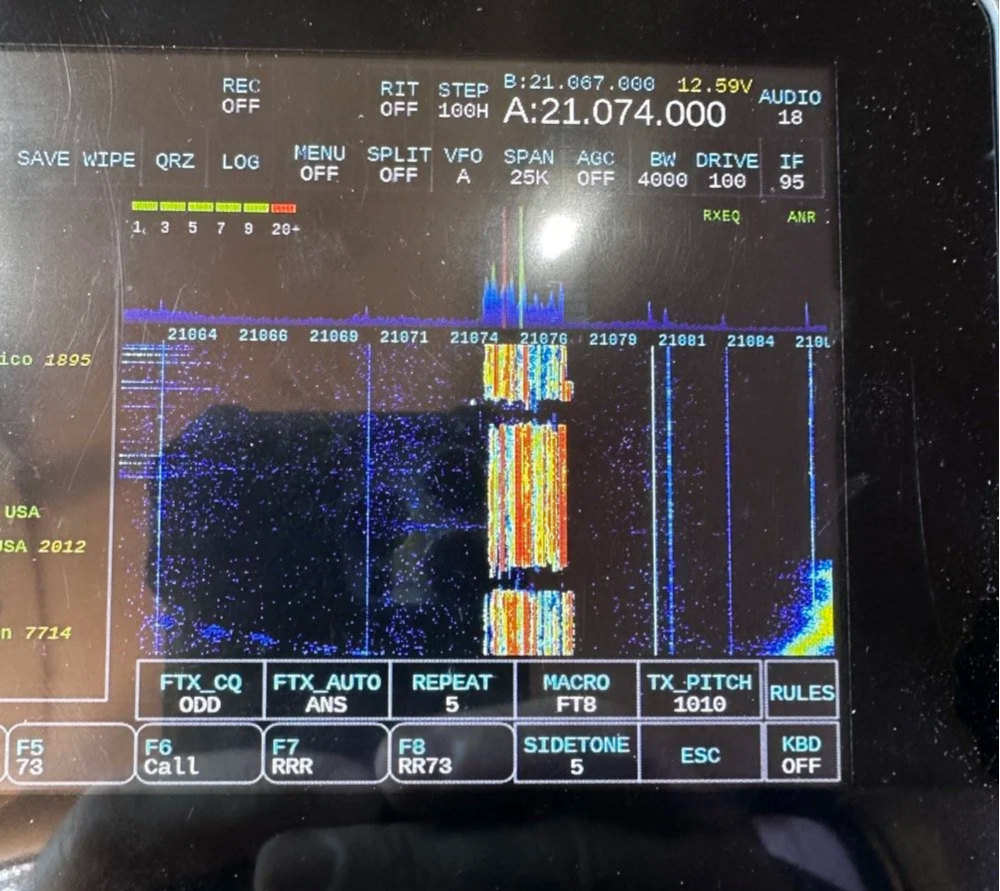
I ran into a unique problem today that is worth mentioning here. I was charging my computer with an inverter that I have wired into the cab of my truck. I was also running the truck so I could power the inverter and charge the computer as well as the sBitx V3 at the time. Well it turn out that I have some issues with this inverter that need resolving. The next few photos show the RF hash that this inverter is producing when under load! It is unreal how bad it was, I couldn’t believe all I had to do was simply shut off the engine and unplug the power cord from the logging computer and it went completely away…
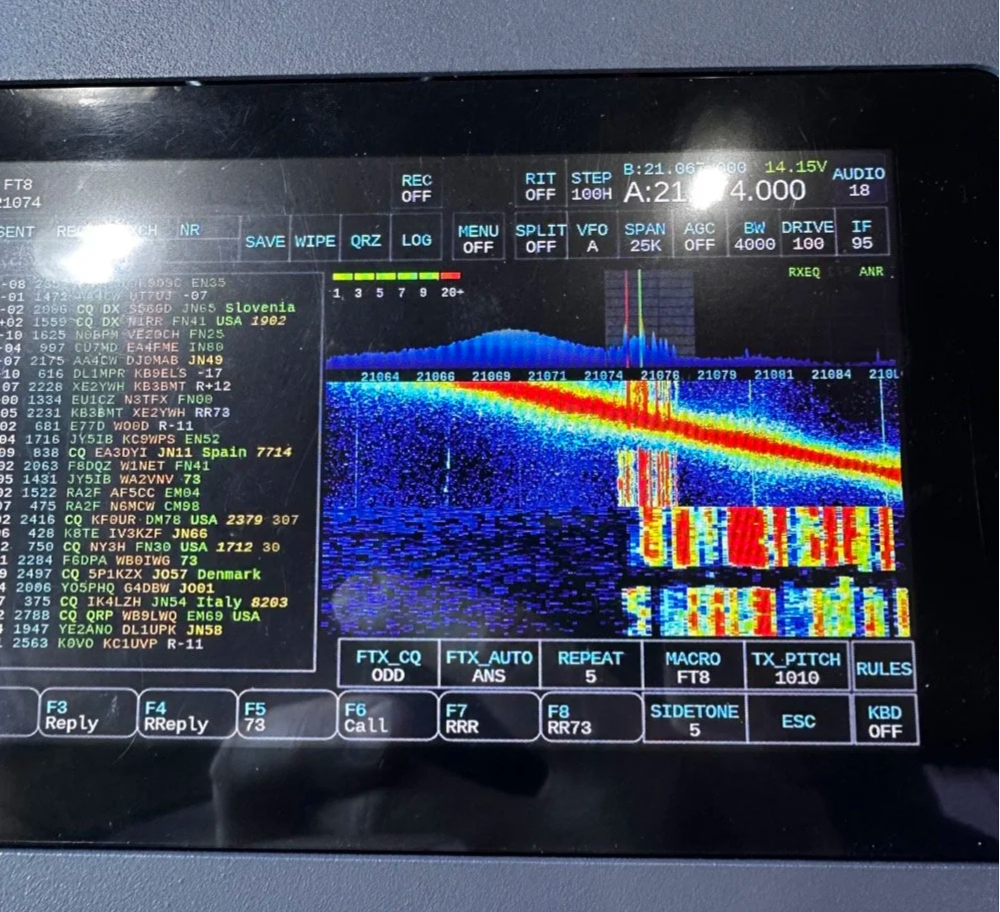
The above photo shows the hash of running both devices on the inverter with the engine running on the truck.
The next photo shows what happened when I shut off the truck and unplugged the computer.
The last photo shows what the band looked like once I went around to the other side of the truck and powered off the inverter completely. This goes to show that you need to check these things if you plan to use RF devices like radios in the presence of RF trash generating devices like this inverter… Better inverter coming up!
END SIDE QUEST
Hit me up!
231 contacts to go until I hit the big 1000 from Chito Branch. At this rate, it'll take a few more activations, but I'm not in a hurry. Well, maybe a little… Doug's still ahead of me.
If you're in the Tampa area and see someone set up at Chito Branch Reserve with a vertical antenna and a tablet running digital modes, stop by and say hello. Chances are it's either me or Doug, and either way, you'll be in good company.
**Gear Used This Activation:**
- **Radios:** HF Signals sBitx V3, Ten-Tec Scout 555
- **Antenna:** 1/4-wave vertical with dual counterpoise wires
- **Key:** Begali Traveler
- **Digital Mode Software:** JJ and the sBitx 64 bit Development team version 5.301 (FT8/FT4)
- **Computer:** Dell Inspiron with Linux and HAMRS
- **Accessories:** NanoVNA for antenna tuning
Have you tried FT4 for POTA activations? What's your go-to mode for portable operations? Drop a comment below or find me on Facebook or shoot me an email on here.
What is FT4 and how is it different from FT8? FT4 is a digital mode similar to FT8 but with a faster cycle time (7.5 seconds vs 15 seconds), making it better suited for contests and quick pile-ups.
What equipment do I need for POTA FT4 activations? You need an HF transceiver capable of digital modes, a computer or tablet running WSJT-X software, an interface between your radio and computer, and a suitable antenna for your chosen bands.
Where is Chito Branch Reserve located? Chito Branch Reserve (US-5524) is located in the Tampa Bay area of Florida and is part of the Southwest Florida Water Management District.
How many contacts do you need for a valid POTA activation? You need a minimum of 10 QSOs to qualify for a valid POTA activation.
You can help support this website by using these Amazon Affiliate Links:
QRP/Portable Radios:
Antennas & Tuning:
CW Equipment:
Power & Accessories:
Organization & Transport:
BONUS ITEMS
73,
David WK4DS
sBitx V2/V3 CW Problems: Why I Switched to Ten-Tec and Penntek for POTA Operations
When I first got this radio, I found it had some keying problems on CW but I just adapted to them and used it anyway. These problems are in how the software monitors the CW circuit and keys the radio and such. Turns out that as the radio heats up, the problem tends to get worse causing me to have to slow down the keyer to be able to send accurate code. Even with these tactics, I still send many mistakes towards the end of an activation due to the lag in the keyer.
I have an interesting relationship with this radio…

When I first got this radio, I found it had some keying problems on CW but I just adapted to them and used it anyway. These problems are in how the software monitors the CW circuit and keys the radio and such. Turns out that as the radio heats up, the problem tends to get worse causing me to have to slow down the keyer to be able to send accurate code. Even with these tactics, I still send many mistakes towards the end of an activation due to the lag in the keyer.

The reason I currently dont use it for SSB is the audio is terrible and I need to trouble shoot that on the bench to see what is going on there. At first it had a weak microphone element so I made a preamp to correct for this but it still doesn’t seem to work all thatwell. Based on all this, I have not used SSB. (I do plan to revisit the SSB circuit to see if I can get it right)
As I also own several portable Ten Tec and Penntek radios that work wonderfully for SSB and CW, I threw in the towel and just started carrying one of those as well as the sBitx. It doesn’t take long to change out the radios since they are so small and light and I really like the break in on Ten Tec radios (the Penntek has wonderful break in too). Another huge plus is that the filtering on the Ten Tec radios is much better than the sbitx in my opinion. Now to be fair, the sBitx filtering is good, but the Ten Tec radios are just better. The Penntek TR-35 suffers the same problems that the sBitx suffers from. Strong, nearby stations will dull the receiver sensitivity.

What I have found that helps in the scenarios is to simply move. There is nothing an overloaded front end can do to help this problem. I do like the features that are available in CW on the sBitx though. Things like the memories and how easy they are to employ is awesome. Another thing is the waterfall is real nice that runs right alongside the CW decoder which has helped me a couple of times. I dont watch the decoder much, but it is nice to be able to see it match what I copied at times for call signs and such. Another great thing about the sBitx is the touchscreen. Not needing buttons is real nice. The only part of the experience that is honestly lacking in CW is the keying problem. Once someone solves this problem, this will be a game changer for a radio. I am still experimenting with different cooling solutions to keep the machine cooler to see if I can get the keyer to work better.

As you can see, this machine makes for a great FT8 field radio. The lack of a need for an external computer is a huge benefit when it comes to this. I just wished the dev team could sort of the CW keying problem this radio has that makes it less than ideal for this application at this time. One thing I plan to do soon is to set it up and see how running QRP power only helps alleviate the heat problem by not running 20 watts on 15 meters and building up the extra heat. This may solve most of my problems but the radio is designed for more transmitter power so I want to access that power.. Another option is to use a keyboard to send the code as it generates the code internally in software instead of polling the IO architecture to get the keying input. This is fun to me too but a nice key is also fun to use. So till the dev team does come up with a solve for the CW keying problem, I will relegate this radio to keyboard CW and FT8 (and maybe even SSB once I address the audio problem again)… But the main reason I wanted the radio to start with was the built in FT8 function that it has, so in that regard I have a great radio that I love to deploy!
If you are considering getting one of these radios, just be aware that it is far from perfect and it is literally made for experimentation. As long as you keep your expectations in reasonable bounds, this radio can be a lot of fun.
You can help support this website by using these Amazon Affiliate Links:
QRP/Portable Radios:
Antennas & Tuning:
CW Equipment:
Power & Accessories:
Organization & Transport:
BONUS ITEMS

Multi-Band POTA Strategy: Ten-Tec Scout 555 + sBitx FT8 on 15m/17m/20m/40m
The location is all too familiar, but I set out to do a sort of special operation today. I wanted to complete a POTA activation using two radios, 3 modes and 4 bands in one sitting. This doesn’t sound like a tall order but since I am operating inside the truck cab, this does involve a little logistics to not just have stuff piled everywhere while I am operating. As you will see in the photos below, I still ran into this problem somewhat, but it was manageable.
Today was a fun day…

The location is all too familiar, but I set out to do a sort of special operation today. I wanted to complete a POTA activation using two radios, 3 modes and 4 bands in one sitting. This doesn’t sound like a tall order but since I am operating inside the truck cab, this does involve a little logistics to not just have stuff piled everywhere while I am operating. As you will see in the photos below, I still ran into this problem somewhat, but it was manageable.
I setup at the disc golf parking lot again, but this time there were quite a few people there and some of them actually quizzed me about what I was doing. One gentleman, Jerry as noted in my log, actually chatted for a good bit about how he has been looking to get into ham radio but the Atlanta area is kinda tough on locating local hams for some reason. I gave him a card and told him to email me and I would give him as much info on it as I could find to get him on the right path…
As you can see in the photos, I set up ham sticks and this time I started on 40 meters FT8. I wanted to get the FT8 portion of my “sprint” if sorts out of the way first as the other two modes were going to be on the Ten Tec Scout 555. I had recently activated with it and it was acting up with chirping on CW and reports of RF noise on my audio on SSB. I attributed this to poor connection of the 20 meter band module as it was fine on 15 meters. Armed with this knowledge, before I left out for the park, I took the radio to the shop and use the Deoxit for gold contacts and a tooth brush to clean the contacts on the band modules. I even wetted one module pretty good and used it to “clean the contacts in the radio by plugging and unplgging the module a bunch of times.
This improvised procedure worked as I got good reports and the CW ran flawlessly as you will see later. Deoxit is magical stuff, if you dont have any, it is work your investment to grab a small can of it.


I really enjoy using this radio for my FT8 operating and with the upgraded finals and RF deck, it runs flawlessly now with SWRs in the 2:1 and even slightly higher range without problem. Today saw SWR levels on transmit of about 1.7:1 and it happily skipped right along making several contacts in a row at one point.
After completing 6 QSOs on FT8 I figured it was time to get the Ten Tec Scout 555 out of the case and see what I could scare up on CW.
The 40m Ham stick that I have must have a really high Q as it is very narrow banded. So I have it tuned for the CW portion of the band and the SWR in the SSB area can be quite bad at times. For this reason, I chose not to hunt any SSB contacts on 40 meters today. Once on CW (this was about 1/2 hour later as this is when I talked to Jerry) the band must have been closing or the band noise was getting so bad that I could not hear many stations. I was able to work Alabama and Tennessee before the call signs faded into the noise. That is something you will learn pretty quick about HF radio propagation, if you want to work closer in stations, use the lower bands, but if you want to reach the west coast from Georgia on a ham stick, use the higher bands like 15 and 20 meters. When 10 meters is open I have worked other continents with ease… Don’t discount those higher bands, they are truly magical.

In the above photo I have the CW key and keyer staged but not connected. The mouse is actually driving the FT8 machine and makes working FT8 so much easier to be honest.

In these two photos you can see what you have to work on constantly. The above photo shows the cable that came with my Ten Tec Scout 555 when I bought it. This is a common issue you will find with home shop made cables. These were stripped back way too far and as I used the cable, the conductors started breaking and I was beginning to worry about blowing fuses.
I happen to own a tool that is designed to remove these pins from the connector, so I am able to dismantle this connector properly. I dismantled it, then took it apart and cleaned it up, properly stripped and re-soldered the pins, then put heat shrink tubing on it all to insulated and protect it better. Now I am not so worried about it either shorting and melting the wire or blowing the fuses and shutting down the activation over something as simple as a cable…


Once I finished on 40 meters and had two modes in the bag on one band, I switched over to 15 meters CW to see what was happening there. There was a contest going on so it was a little crowded and I didn’t understand the exchange so I didn’t jump into the contest, but rather setup on a clear spot and calledCQ and worked a couple of stations there, one station of which is DX!!!
At this point. I got a phone call from KG4WBI about a completely unrelated matter, which we discussed and I told him to fire up his HF rig and we would see if ground wave would make the trip to his house from the park so I could get Georgia in the log as well as a 2nd mode on 15 meters! Well, it worked just fine and we had a great QSO on 15 meters SSB before he had to sign off and go run errands. So having confidence that SSB was going to work better I started calling CQ on SSB.
I got literally zero replies to my calls… so I went hunting instead. I found two more ops that could hear me and I was able to bag a couple more QSOs and these were Park to Park contacts to boot!


These three photo show me installing the band module into the Ten Tec Scout 555 transceiver. It really is that simple to change bands on this radio. Now to be fair, this is not as simple as just turning a knob, but it really isn’t that bad.
To remove the module you pull out the bottom of the little lever on the front of the module and it will pop out enough to be able to slip it out, then you grab a different one off of the pile and stick it back in the slot in the radio. Push it to seat it and then your ready to go.
At this point, I switched over to 20 meters and since the PTO (notice it is not a VFO) was still up in the SSB area, I decided to see if I could hunt some contacts with that mode. I landed one contact in SSB on 20 meters and was happy to get them in the log.
After working the one lonely SSB contact on 20 meters, I decided to give CW a try as well… Remember me mentioning a contest? Well, it was here too. It was going strong as well and because of this I was only able to work one contact on CW as well. If nothing else it netted me another band!

My last stop of the day was 17 meters. The 17 meter band is a WARC band and therefore it is off limits to contesting. Now, to be fair, POTA has been called contesting of sorts, but as of right now it is not considered a contest but is more in the spirit of something similar to a rare DX station activating on the same band and developing a huge pileup there. So I proceeded to hunt me an empty spot (18.078mhz) and started calling CQ.
This is when things literally took off! I netted a whole page of contacts in about a 1/2 hour span of time! What a day! 4th band in the books and I was stoked!!! 17 meters must have been where all the POTA ops had went due to the contest and I didn’t get the memo…lol. The Scout worked flawlessly after the cleaning and I cant be happier now with the old girl.

One of the great things about 17 meters is the propagation is really anybodys call. I worked Hungary at one point as well as California, Alaska and Idaho, then there is a ton of east coast stations too, it was everywhere today on 17 meters. Ham radio is so cool…

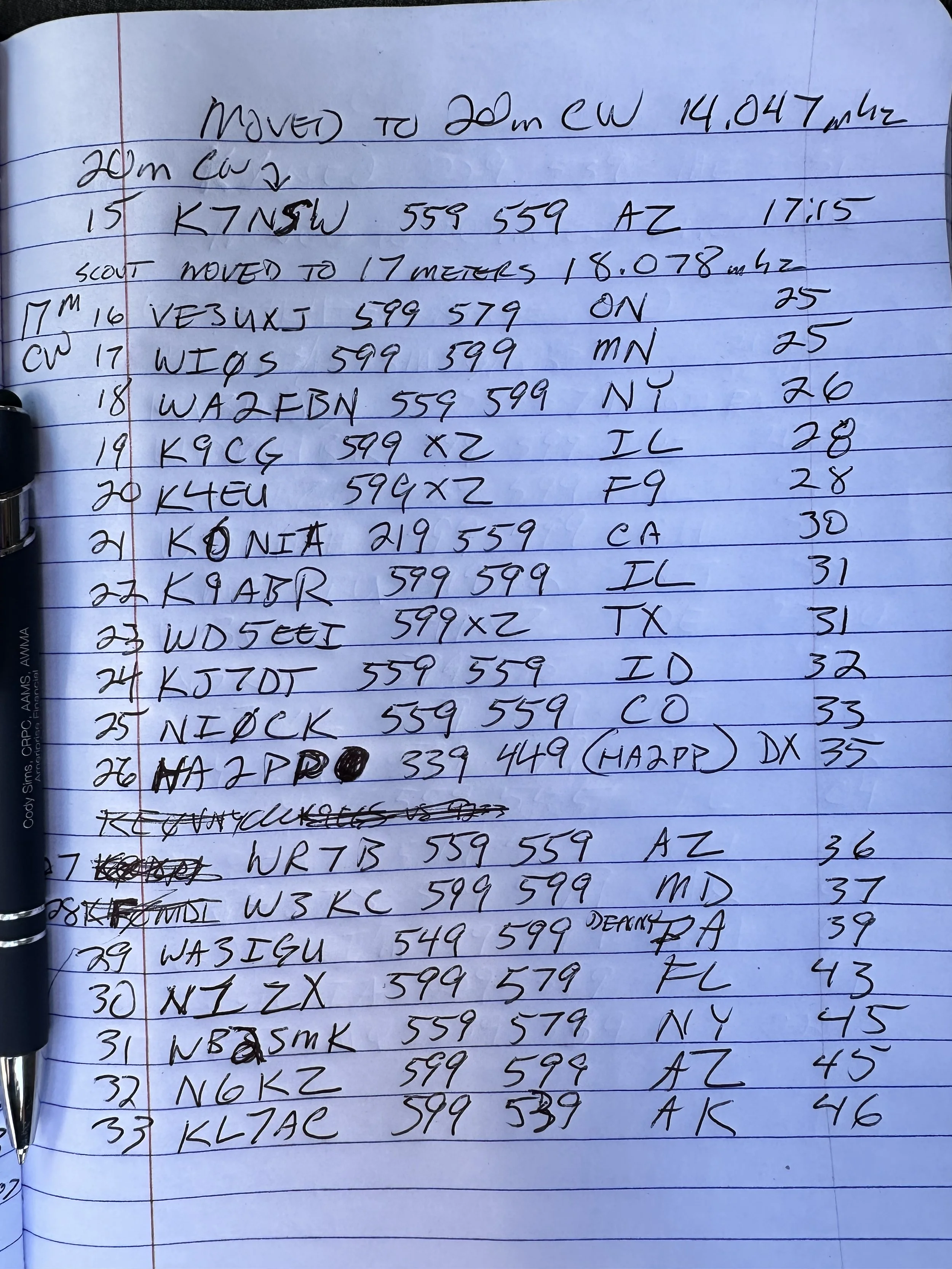

Before closing today I wanted to mention that Aaron KV9L and I have a youtube channel and we just hit 2000 subscribers (as of this writing)! If you are into ham radio and watching videos about it, then we would love for you to come over! I am currently doing a series of short form videos that are teaching CW one letter per day. There is no limit to the number ofd times you can watch them so I am hoping these become long term training aids for people.
Once I get the letters, numbers and punctuation done, I am going to start doing words next. After words will come sentences so we will see how it goes. Anyway, I just wanted to thank the 2000 people that made us as successful as we are!
You can help support this website by using these Amazon Affiliate Links:
QRP/Portable Radios:
Antennas & Tuning:
CW Equipment:
Power & Accessories:
Organization & Transport:
BONUS ITEMS
73
David -WK4DS
Jumping on 40 meters right quick…
Today saw me testing a theory, that 40 meters wasn’t closed just because it was late in the morning…
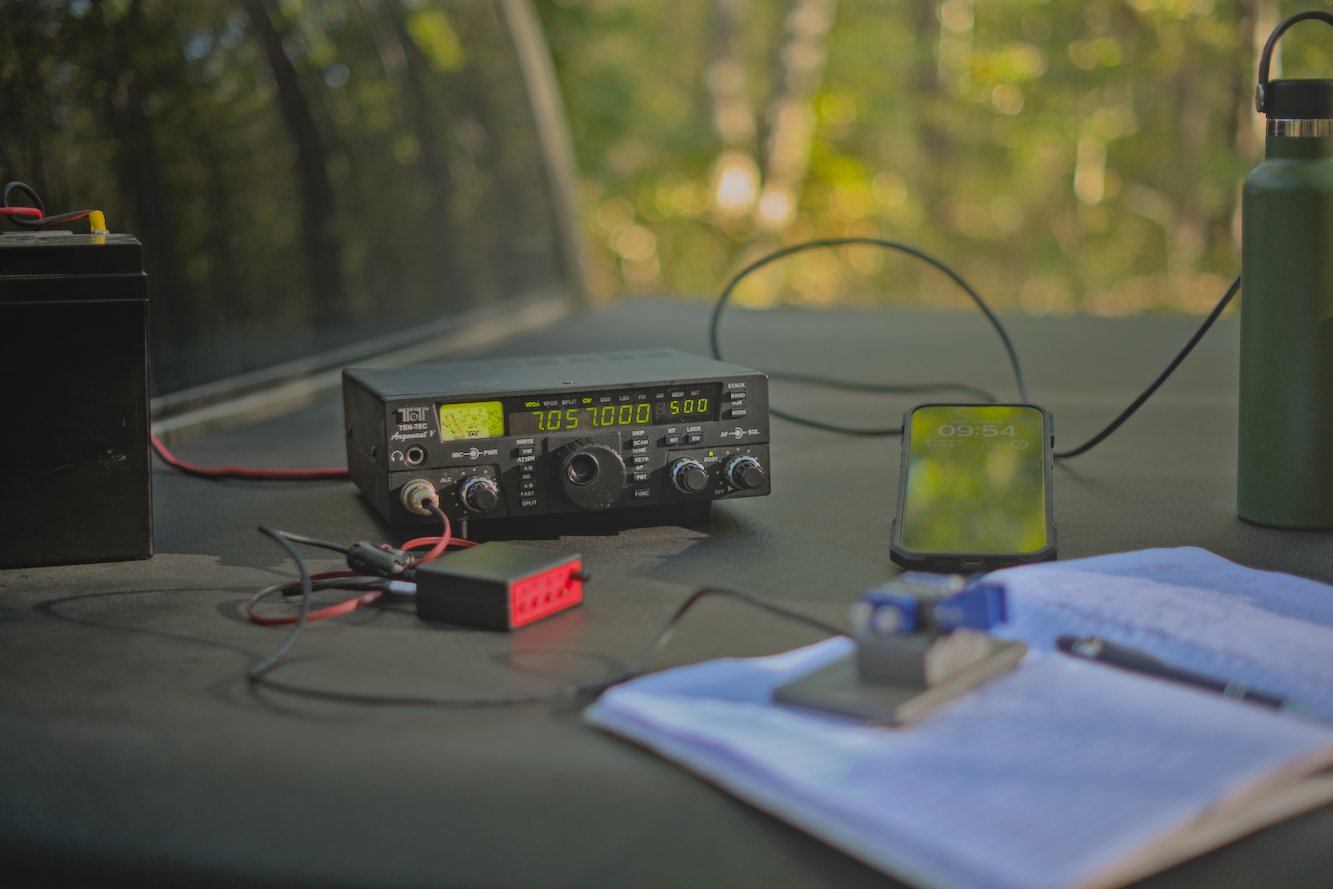
When I got to US-2169 today, I wanted to get on the air quickly, so I decided that I would activate the Sitton Gulch parking lot instead of going to the top of the mountain. This one thing adds about 40 minutes to my operating time as it takes me about 20 more minutes to drive to the top of the mountain from here and then there is the drive back down. Armed with this extra time, I decided to also add a long radial so 40 meters would tune up to a usable SWR. I was able to get the SWR on 40 meters CW down to about 1.6:1 and this is what I made all my 40 meter contacts at. The beauty of Ten Tec radios is their notoriously robust transmitters and the legend that they can survive transmitting into 10:1 SWR without ill effects. I have personally used my Argonaut 5 in 2.5:1 conditions and had no problems at all.
Today I thought I would just jump on 40 meters for a minute and see what I could scare up on CW then move over to FT8 before heading up to 20 meters. I was not ready for the pile up that happened next… It was interesting as there really wasn’t much activity on 40 meters at the time when I hopped on. It was almost lunch time at this point (late morning) and the noise on the band was picking up. I sent out my CQ a few times and it didn’t take long to get an answer. I also spotted myself on the app too and I am certain this helped immensely as well.
I worked over 10 contacts in about as many minutes and was stoked to have bagged the activation so easily. I switched over to FT8 now that I have cleared my little pileup on CW and see what I can find there!

I simply added a couple more radials to the antenna to help with SWR so that I could operate on 40 meters today. One of these radials was over 30 feet long! The 40 meter ham stick that I have is not that great of an antenna from what I have seen. The SWR is really touchy with it and I can not get it to tune without several large radials helping it. I dont know what I am doing wrong with it, but I really need to figure it out as the 40 meter band is a lot of fun!
The measurment kit below has becoume part of my permenant truck POTA kit that I take with me everywhere. It has the nanoVNA and all the associated widgets for it as well as a simple little multi-meter to check things with out in the field. This has been very valuable at times and a I recommend everyone carry a simple meter with them.

Here is a simple little hack that I found with my Ten Tec Argonaut 5 radio that I though was cool. You can make up a front (mic plug) connector for the keyer cable instead of using the tiny one on the back if you will simply wire the keyer contact from the keyer or key across the PTT contact on the mic plug. It works flawlessly and is simpler to setup for me. I have the cable for the back too should this one fail for some reason, but this is more elegant for me. Notice all the RF blocking devices I have added to the lines to reduce (read that as eliminate) erroneous characters from being sent due to stray RF.


After my little interlude on 40 meter CW, I switched radios to the sBitx to be able to work some FT8 on 40 meters as well… This was not a great idea as the SWR was 3.5:1 in the part of the band and I didn’t want to risk damage to the finals so I made one contact and then moved to 20 meters for the duration of the activation. Once on 20 meters, this is where things REALLY took off for me today. I started hunting and pouncing on contacts on FT8 before I finally just setup on an empty slot and started calling CQ myself. This produced a lot of contacts. A really good run ensued and I was glad to see that I was able to put many calls in the log on this day with the sBitx. Shoot, I even worked a couple of SSB contacts as well, but it was a struggle to be honest with only about 9 watts or so in the SSB portion since my antenna is tuned for the CW portion of the band.

Here is a rare glimpse into my “go” kit for my Ten Tec Argonaut 5 as a CW kit. I need to add the microphone to it so I can use it for SSB as well but I am not sure if the SSB mod has been done to this one yet. Haha. It works so well for CW that I have not bothered to check! But the kit contains the radio, tuner, wire antenna, key and keyer plus all the cabling to get everything connected. It is only missing a power source but that is by design. I carry batteries for remote ops or plug into the truck for mobile operations which is why I dont have a battery in the kit.


Here we have yours truly operating the sBitx on FT8 and to be honest, it works almost too well for this. To the point that I am almost not even interested in the other modes with it… Almost… I love working from the bed cover if it is nice outside as it is the perfect height for my uses.

This was a great day for radio and the logbook reflects it, looks like the solar cycle is picking up for the winter run! This is the time to get on ten meters and work some DX yall! I should know as the next blog post will reveal next week!
73
David


Activating a park in bad conditions
POTA activating in bad conditions can be challenging… for some modes. Seems that FT8 doesn’t really care if the bands are crappy and will gleefully allow you to play radio anyway.
This was an experiment to see if the sBitx amateur radio could work in terrible space weather like you see below in the report.


The above and below photo show how fast the band conditions changed on me while activating on this day. The band noise could be seen on the display “walking” across the band segment at times. This band noise would pretty much wipe out what you could hear on the band, but the radio could still decode the FT8 signals so I was able to work almost 20 stations in about an hour even with this sort of noise coming into and out of the band.
I normally dont bother activating in bad band conditions, but this day I really wanted to see just how good FT8 was at extracting signals from the noise. I can honestly say that I was impressed by the performance of this mode. Digital modes have their place and this is very much one of those places. Weak signal in poor band conditions shows just how important it is to use all the modes available to the amateur radio operator. I was once a die hard CW only op and to be honest, it is still one of my favorite modes, but of late I have started getting into SSB more and now I am also dipping my toe into digital modes more and more and I am really liking it. Dont limit yourself out of a stigma like I did, you might just like what you find.

Below is a photo of the display that shows something that i had never seen before and that is the pulsing band noise. That was a new one for me. It too would come in waves and these would last much longer it seemed. The sBitx just kept chugging along though, I would sometimes pick calls and sometimes answer calls and this is what makes FT8 awesome. I couldn’t have possibly made SSB contacts in these conditions…


Here you can see the operating position for the day. Perfect blue skies and nice temps makes for a great day on the air at a park. I had to goto this spot as the lower lot was completely full since the weather was so nice, it was fall and a Saturday. Sometimes going to this spot has it’s perks like lower band noise from the campground inverters and such so I dont really mind it.
I had planned on using a battery and setting up on the picnic table I usually occupy down next to the canyon rim, but there just wasn’t anywhere to park and I didn’t want to wait on someone to leave just so I could park.


This radial is on it’s last leg. I have twisted this broken radial back together for months now and on top of that, the connector on the other end has also broken off. This is almost comical as this is the best performing radial in my set! That is why I am reluctant to repair it at this point…lol. It just works and if it ain’t broke (figuratively) then dont fix it.
I dont know when this bug (I think it is a jumping spider) decided to join in on the fun but here he was playing on the antenna mount. By the time I finished the activation, this little guy was long gone. Kinda fun to notice the little things like this when you are out in the park.


By the end of the activation, I had worked 18 unique contacts and garnered one dupe because I didn’t read my logbook very carefully and called one ham two times…then I decided to attempt to work some CW. This was pretty futile though as I only worked one contact out of about 15 minutes of calling as this is abysmal for me when I work CW. I can usually work about one call per minute even when I am running QRP power levels. So when I only work one…that is bad band conditions. The stations would literally just disappear then reappear and it was impossible to get complete calls so I called it quits after one.
All in all, it was still a great day in the field. Hope to work you soon!
WK4DS
sBitx V3 HF radio special functions
I recently activated a couple of parks and decided to add a bluetooth keyboard to the sBitx V3 and see how operational it would be like that.
On this day I decide to activate Chickamauga Battlefield but first it seems a “widow maker” dead tree fell into the pull off at US-0716… I cleared what I could without a chainsaw and then setup the radio.

The below view gives you a good measure of just how big this “parking lot” is…lol. This lot would hold two small cars or my truck and a motorcycle and that is about it. The cars going by are the worst part though. These cars sometimes emit terrible amounts of RF hash… first world problems I guess…
I setup the usual antenna system but only for 15 meters as I was feeling a bit adventurous today and figured I would stick it out on 15 meters till I got the activation secured. I could have done the same thing in 15 minutes on 20 meters using CW, but there are plenty of ops on 20 meters already so I figured I would warm up another band instead. Well, the QSB was obvious when watching the FT8 waterfall, you could see the band come in and out as the stations would get real loud then fade almost all the way out. This made FT8 challenging since it takes a couple of minutes to complete the series of messages. None the less, I was able to get 11 contacts anyway, even with the frustration of some more that never did complete… but so is HF, she is a fickle girl at times…
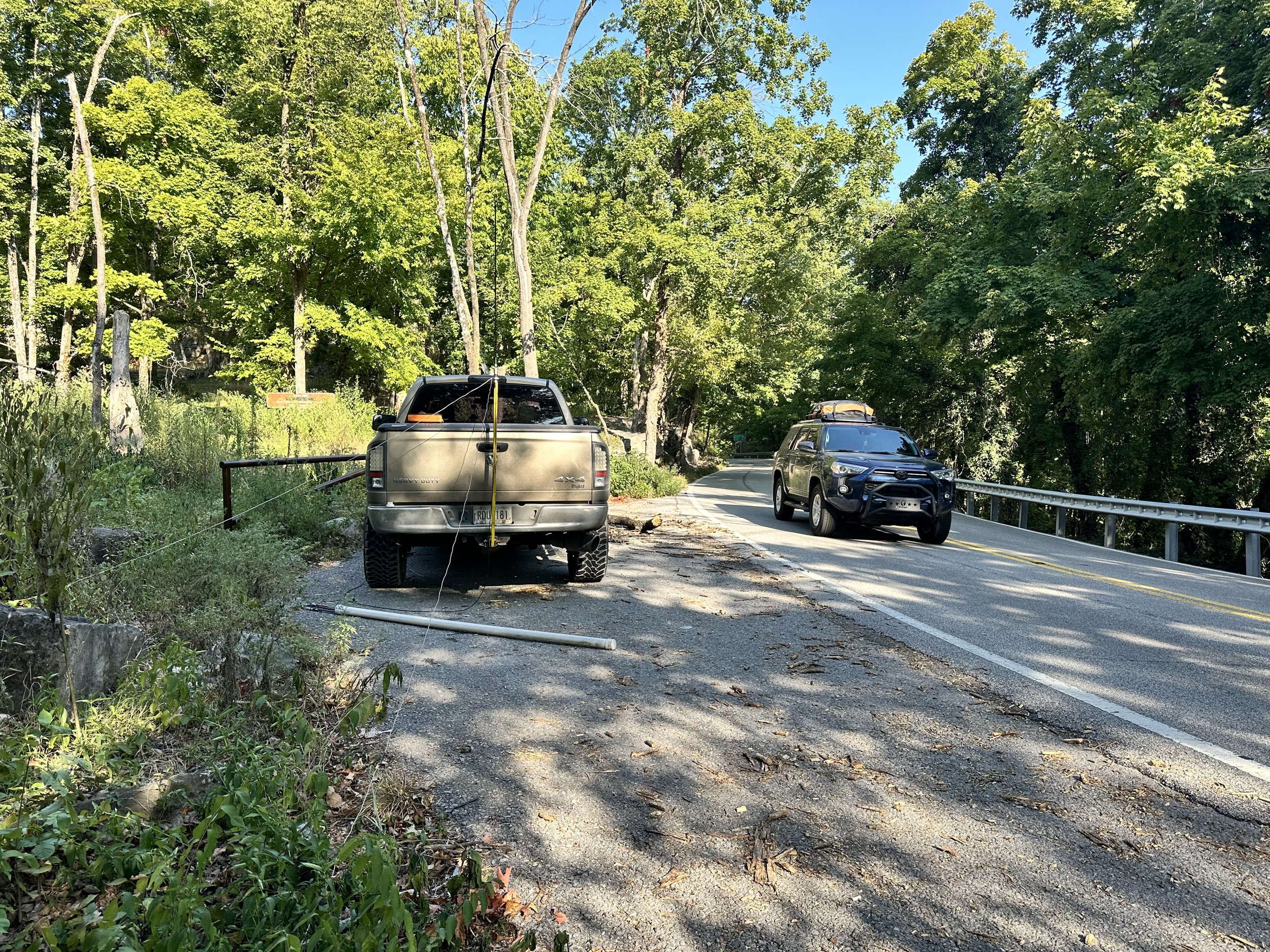

Today saw the common mode choke come back as I had it nearby and the SWR was a little off. So I threw it inline with the radio to keep it happy. These are really simple to make and I show how I do it on a video, that is in live-stream format, on YouTube, at this link if your interested. Link to video about making a common mode choke for QRP work (it can probably handle 100 watts without issue but I have not tried it) and POTA ops.
Below we have the operating position for today, notice I didnt even bother with the CW key today as I had planned from the outset to only work FT8 and then pack up. Took me longer than I had anticipated but I did it! haha. Well, to be fair, I did have a CW key in this photo, you see the sBitx will also send CW from the keyboard. I use this to great effect at the other activation I am going to talk about shortly…
The one thing I really like about using 15 meters from a park with a ham-stick antenna is that I am able to work DX pretty consistently. As we see here I worked 5 DX stations out of the 11 I got into the logbook that day. That is a phenomenal amount of DX stations for me. I just seem to get REALLY good propagation when I get on 15 meters for some reason. I will get one every now and then on 20 meters, but I get them regularly on 15… just something to think about if you are into chasing DX and want to also do POTA…and use a ham-stick antenna. You see every contact you make from the park counts towards your POTA log, so even if they are not participating in the program, like a recent ragchew I had while at a park, still counts to your 10 you need for that day.


The other park I went to recently was Booker T Washington just NE of Chattanooga TN. I have not been back to the park for a while so it was nice to put it in the log again. Instead of struggling around on 15 meters at this location I chose to run 40 meters and 20 meters for a while instead. I hopped on 40 meters FT8 to start with as I have not been on that band from a park using FT8 yet. It did not disappoint. There were a few stations still lingering on the air so I was able to work several of these stations before the band noise got so bad that I could not complete contacts and further. I even worked the W0E special event station which is really cool.

This is a really old park and has changed over the years. These were once campsite areas but have since been simply turned into day use “picnic” areas with most of them essentially becoming simply parking spaces for people that go for walks. There are a few that have picnic tables and even grills but most are now just parking spaces along the loop.

After working 40 meters FT8 for about 1/2 hour or so, I decided to give keyboard CW a try on the sBitx V3. This also did not disappoint. I was surprised how easy it was to transition from using a paddle to using the keyboard to send CW. It did take a little getting used to for me to become proficient with it, but after just a few minutes it was like I had been doing it for years and I even figured out the keyboard short cuts for the memories too, so I could use them easily for the exchange and such. This made it easy to log as well as send so I kinda liked using it this way to be honest. It is more fun to me to use a keying device of some sort, but if I forget my key, I now know I can still get on CW and make POTA contacts with it easily. That is a nice option to have in a 400$ radio to be honest about it. Well, to be fair, if you have used an sBitx for sending CW, then you also know how frustrating the keying is with it. It is possible to use it to about 20 WPM or so without much issue but above that, the keying delay because of the way the code is written, will cause the radio to send mistakes. Once you learn to hold the key just a little longer than usual it works just fine at speed of 20 WPM and less so it isnt a huge deal for me. Much over that though and the radio just wont work as of right now. From what I have heard, there is a beta of the next version of the code that will address this problem, but I am not able to compile the code properly so I am patiently waiting for the official release to drop before upgrading again. JJ just released an update to his fork of the code as well and it has a bunch of new features like a tune button and such, but I am also waiting on that one as well so that the bugs get ironed out before I install it on my machine. Now back to the activation…
After that I hopped on 20 meters FT8 and jumped into the fray for a few minutes to see if I could grab a few more calls for the day right quick and that would be a yes! I got 3 more stations in the log using this mode on 20 meters as well. What a day!

Today also saw nice enough weather to setup on the bed cover and these two photos show how I have to do this if I am on the truck power cable from the cab. It is just long enough to reach out the window and power the radio…lol. Barely… (I really should make a longer power cable or something…haha) This worked out today as the whole location was in the shade so I didn’t have to fight off the sun while trying to activate. A lot of the time, this is the reason I don’t operate from the bed cover in the summer, it is in the sun and just plain hot…
As you can see below, the height is about right for me activating too, I can write as well as operate the radio and it is at just the right height for me and my stature. If you like to work POTA, and you do regularly activate, what is your normal operating position? I have a few with this one being one of my favorites even though I don’t use it much.


Thank you for following along and I hope to work you on the air soon!
73 - WK4DS
POTA AAR using 3 modes on the sBitx transceiver
Today marks the second deployment of the sBitx and me using it on three different modes.

You see, I spent a good bit of time recently solving the weak audio problem with the SSB mode in this radio. I found the microphone input level is really weak and there was a common solve by installing a more powerful microphone element in the hand mc. I tried this approach and it really didn’t help much for me. l was essentially still yelling at the radio to get it to work. Pictured below is what my radio looked like on the work bench as I worked on the audio level for the microphone input.
I ended up building a pre-amp circuit to boost the audio several dB and this fixed my weak audio problem. I wrote about it in the blog and recently published that post as well if you would like to know more.
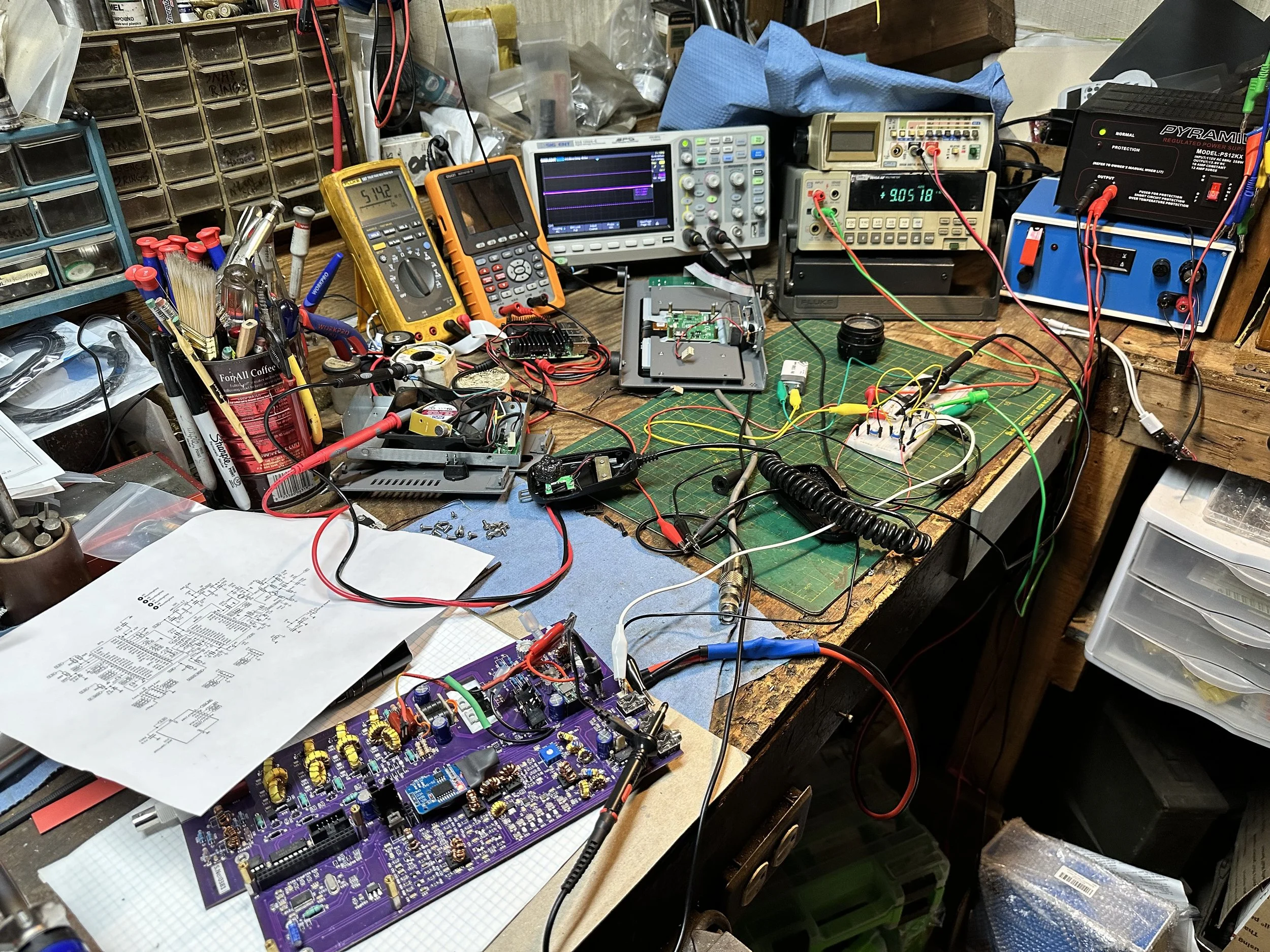

Back to the activation, it was a beautiful day and wasn’t really all that hot either. This is a nice departure from the July temperatures I had been dealing with recently.
I setup in my usual place but indexed the truck about 90 degrees so the sun wouldn’t shine directly in my open door. This allowed me to leave it open for the most part. I get so much more aurflow with the door open as opposed to just rolling down the window.
I also ran my 20 meter ham stick on the truck hitch mount I made and just deployed the two radials I tuned for 20 meters. I planned on this activation being kinda short so I didn’t setup for any other band since 20 meters is so active I should easily get my activation locked in on just that band.

I do have some future plans for the antenna mount though. One of thise is to incorporate multiple ham stick mounts (2 specifically) to allow for band hopping without having to get out of the truck. This way if I am setup on a rainy day, I can go ahead and setup two bands at the beginning and then just stay in the truck.
I am beginning to think I want to install a screwdriver antenna again like a Tarheel or something like that and just use that for the quicky ones. I have heard good things about Tarheel antennas and it would make a bunch of my activations so much faster.

I use these CB antenna mounts you get from the truck stops for my base connections. It is an easy way to build an antenna mount from scratch as it has everything you need to attach the antenna to the base.

Something else I like about the sBitx is that even though it is a touch screen design, it can also be mouse operated. This makes using the radio about 100 times easier as some of the touch functions can be fickle. Like picking a station to call on FT8 from the list. It isn’t super hard to do by hand but it is MUCH easier to do with a mouse. Because of this, I have started bringing a USB mouse with me on my activations.
Yet another reason I like this radio… lol. It can also use a USB keyboard as well and you can “type” CW with it if you want but I dont worry with that as I really dont have the room for the keyboard at this time. Maybe at some future point I will add a shelf for those items. Haha.


All in all it was a great activation and I really enjoyed the time at the park as well. It was really cool to be able to use SSB with this radio! That alone made this particular trip unique. I think prior to this that I had made just one SSB contacts total! ONE! Now that mode is going to be showing up in the logs more and more and I can’t wait to share those trips with you one here.
73
WK4DS
POTA at US-0716 with only Digital Modes...
My plan was to only use FT8 and get the activation as quickly as possible, but in the end it ended up a little differently. This POTA park is a national military park commemorating the battle of Chickamauga during the US Civil War in the late 19th century. It is now a recreational hot spot along with a tourist destination so they have all the trappings of a outdoor recreational area along with the monuments about the war. This trail head was across the street from where I parked the truck today.

Another reason for the singular mode was that it would only require the use on a single radio this time since I am currently using the Ten Tec Scout along with the sBitx SDR for my POTA activities. I only deployed the sBitx SDR today so I could stay inside the truck and run the air conditioner as well since I didnt need to hear as well as I would if I were doing CW or SSB.
By only using one radio the rain that moved through the area didn’t hamper my activity at all. I was able to get setup quickly enough that I beat the rain and was on the air before it started to fall.


I like this location on sunny days since it is in the shade, but today it was overcast and rainy and this didn’t really matter. I did like it because it is “RF Quiet” and there is little to no RF noise except when certain cars drive by that are a little noisy.

I used my field expedient sealing technique again today, I know this is not a real seal but it will shed water long enough for me to complete my activation and then I can break it down and stow it in the truck easily enough. Long term would be a different story, but it works well for me like this for simple short time frames like a POTA activation.
This time since I was going to stay on 20 meters, I simply deployed the two radials that are associated with that band and I ran them at right angles just to see how it would perform, it looked great on the nanoVNA with the SWR running about 1.2:1 across the digital portion of the band.


I meant to get a photo of the waterfall and somehow ended up with an image of the transmit signal and associated info…figures. The point was going to be that the 20 meter section of FT8 was filled with ops today. So much so that is was hard to find a spot to send from. The band segment was that tightly packed today. I had to frequently move as I would go for several cycles with out so much as a hint of someone answering me only to find out that a strong station had setup on top of me and was sending over my little 20 watts. Get a contact, listen to the band a minute and find a new clear spot and repeat. This was the modus operandi for the day. I considered at one point of moving up to 15 meters just so I could more easily find band space, but talked myself out of it since I didn’t want to get out in the rain and change antennas and then worry with the tune of the radials and such.
After getting my minimum of ten contacts on FT8 thereby securing the activation, I wanted one more just so I could have a little buffer if one was a pirate of some such. Turned out that this was a huge problem as it took me a long time to get that last QSO in the log, I even went over to CW thinking it would be easier (which it was not) and finally got that last station… The QSB (signal fading in an out) was so bad that I could almost not hear strong stations that were normally easy to copy, but I did get the one I wanted before going QRT for the day. I grabbed the photo below to show the band fade and it is kinda visible in the signal on the lower edge of the waterfall, but it would go from what I would call S9 to nothing in literally 5 seconds, they signal would just vanish. I was blown away with how bad it was and then I checked the space weather and saw why, there is a ton of solar activity causing terrible band conditions right now…figures.


11 contacts in almost an hour is not a great hit rate for me where I am used to working about 1 CW contact a minute and a FT8 every two to 3 minutes, but it was fun none the less. Any day I can get out and do POTA is a good day. Until next week…
73
WK4DS
A shorted diode…and the sBitx
I blew a diode while pushing the boundaries of my IRF520 output transistors messing around with FT8…

Troubleshooting was actually pretty simple this time as I chose to use technology to my advantage and simply scanned the parts during transmit with the infrared heat gun and found a diode was 25 degrees hotter than everything else around it. This has to be cheating…
Let’s rewind time just a little so you can understand what I have been doing here… You see, this radio came with some fairly fragile finals from the factory. So fragile in fact, that they sent a spare set with the radio. The IRFZ24N transistors were wonderful, but under full load on FT8 and into less than perfect SWR would prove fatal for them. I ended up killing 3 of them before changing my radio over to the V3 spec. The V3 specification changes the finals and also changes a few other components in the amplifier chain to use them properly. HF Signals sent out a bulletin showing what all needed to be done and it was actually pretty straight forward. I decided to use some IRF520 transistors instead of the IRF510 transistors speced for the update as they had better current specs than the IRF510. They are rated for the same power dissipation essentially, but can handle almost twice the current without damage. This combined with the fact that I had them on hand, led to the construction of a bomb proof set of finals in my sBitx radio!
Once I had them installed, I set the bias and was off to the races. They literally handle anything I throw at them and I have run them hard to make sure they would not fail in the field at an activation. This is good and bad you see, these transistors work so well that I now can get over 65 watts (with the drive set to 100%) on 80 meters with them…and this is a problem.
The sBitx is not engineered for transmitter output powers this high, the original design was for 40 watts maximum forward power. and the components in the amplifier chain are sized accordingly. I learned this when I powered up the machine after messing around on 80 meters and accidentally transmitted into a 10:1 SWR with it last night (probably infinite SWR since it was into the coax with no antenna on it... It blew the 10 amp fuse almost immediately, which I figured would protect the radio…and it did, sort of... I was able to put a new fuse in it and get right back on 80 meters without any trouble at all. I didn’t leave that band though so I had no idea what had actually happened.

Fast forward back to today, I turn on the rig and dial up 15 meters to see what was happening on FT8 there, tune up the antenna with the Comet Antenna Analyzer and the manual antenna tuner and I am off to the races! Or so I thought. Seems when it would go into transmit, there was zero watts going out to the antenna, but the Astron RS-35M power supply was showing proper current draw for 15 meters FT8 transmit! How is it pulling the right amount of amps (6 amps is 20 watts on 15 meters) and not putting anything into the coax? That math ain’t mathing… I remember that whole current law about current going in has to match current coming out, so I start looking around.
I tested 10 meters and it was the same, so was 20 meters, but when I got to 40 meters, suddenly I had power to the antenna again. I also had it on 80 meters as well, full output power was there till I left the two lower bands. Something is either wrong with the 80/40 section OR all of the others. So I take it down to the shop where my test bench is located and rig it to a dummy load to see what I could find with the heat gun.
The photo below shows the diode that is shorted where I pulled one leg, so I could test my theory prior to dismantling the radio to replace it properly. This is a 1N4007 and it is being used to switch the radio’s transmitter band pass filters into and out of circuit. It has four filters to cover 8 ham bands (80 & 40, 30 & 20, 17 & 15, then 12 & 10 is the last one). The diode that failed was on the 40 & 80 meter filter. This essentially turned it on all the time. and also turning off the others by putting the switching voltage on both sides of the other filters output diodes. This makes them all have zero volts dropped across them essentially turning them all off. So only the 40 & 80 meter filter could be turned on at this point. You can see what I am talking about by looking at the schematic below where I am pointing out the diode that failed on the print.


The foreground, in the below photo, is the board showing the new diode in place after removing all the stuff in the background to get to it. You have to literally take the whole thing apart to get to this part of the radio. Fortunately for me, I have done it so much I have memorized the process and can do it in maybe ten minutes. You can also see the two IRF520 finals next to my thumb, you can also see all the heatsinks I installed to help mitigate the heat buildup in the radio.


Did a static test on the bench, just to make sure, and it worked perfectly with the dummy load attached. Luckily I did it right and dont have to take that whole thing back apart! HaHa. In the background is another little project I may write about. Seems the sBitx has this systemic problem with low audio on SSB and I tried the new microphone element others in the email reflector suggested to no avail. So the next solve is a more “active” solution with the use of a small single transistor amplifier is a sort of (pre-amp) configuration so that I can increase the audio signal going into the radio and make it actually work like it should. The radio already has one of these circuits in it, I don’t think it can handle any more gain with out distorting so I want to pre-amp into it with a variable gain setup so I can go into it with 2x, 3x or even 5x the input signal so I can get decent audio out of my radio. More on this later…
Man, I had no idea how messy my bench was till I looked at this photo… I will have to clean that up! Sorry about that everyone…


So today had the real test. I took it to US-2169 and setup in my usual spot and decided that today I would stay on 40 meters till I secured the activation then I would move to 15 meters to see what I could find. Seem I found a lot. 40 meters and hamsticks will usually produce contacts that are closer to home for me, maybe as far away as Texas or Michigan is a long haul on 40 meters but 15 meters is a different story all together. With me getting contacts in Russia and Japan on this trip! If you will notice the power levels are lower, this is because the truck, when shut down, has battery voltages around 12.5 VDC and not 13.8 as these are older batteries, well this produces less output wattage since the voltage is lower. Still had plenty to make a ton of contacts with while I was at the park! Of note here, only the FT8 contacts are with the sBitx, all the CW contacts are with the Ten Tec Scout 555 portable radio. I did scan through the 15 meter side band section of the band and heard zero QSOs so that is why I went to CW. There was a station with a mild pileup on CW and so I moved up 5kc or so from them and set up shop there for a while. I was able to get all three west west coast states a Russian, a Canadian, and Massachusetts! Enough about the Ten Tec Scout though, this is about the sBitx…
The sBitx is up and running again and it is all good now. The radio runs flawlessly (other than the SSB audio) and I am happy as a lark now. More to come as they software gets dialed in for better CW operation!
Triple mode activation at US-2169 with 2 radios!
Today was a good day for POTA as I was able to get contacts with 3 different modes in a single activation. Did I mention it rained too?

So today saw the deployment of so many hard shell cases to the park. I went ahead and staged both radios in the truck cab so if it started raining (which it did) I could have access to both radios anyway without having to get outside in the rain. Today saw me use the sBitx V3 as well as the Ten Tec Scout 555 Amateur Transceiver. I like Ten Tec radios when it comes to CW so I wanted the Scout for this mode. I forgot though that I have not outfitted this radio with an external keyer like I did the Argonaut 5. So with the Argonaut still tucked away in the bed of the truck, I just decided to send everything today by hand.
As you can see in the photo below, I ran the hamsticks so I could stay dry inside the truck if it started raining… seems today that was a good call. I only put out the 20 meter radials and the 20 meter ham stick. I thought about hopping on 15 meters for a little bit but the closer the rain clouds got the less I wanted to be handling lightening rods…. I mean, antennas in these conditions.

I checked it with the nanoVNA and the shape of the curve today was such that the CW portion was really well centered and was 1.1:1 on SWR with the chart climbing to 2:1 at the upper band edge. This was completely usable so I didnt bother to tune anything further and just got on the air…and by “tune” I mean “moving the radials around till the SWR plot moves to where I want it in the frequency spectrum”…lol. I can push and pull the SWR null on the VNA by changing the location of the radials in relation to the truck. I am assuming that I am simply tinkering with the capacitance and inductance of the radials as compared to the antenna and it allows me to correct for things…most of the time.

I first worked a few SSB stations before giving up and heading down to the CW portion of the band to see what I could find down there. Seems there was plenty to find as once I setup on frequency and called CQ a couple of times, I had a nice little pileup that lasted for about 15 minutes straight. I was able to work 15 contacts in that time as well. For me, this is “efficient” CW and really fun.
SSB seemed to be thin on stations today and the band was not really happy with this mode, I struggled to get just 5 contacts in the log today on this mode and normally it is much easier to land many more contacts here with the 50 watts that I was able to use. Maybe I bumped my mic gain and had it turned down or something, I just wasn’t getting any takers on SSB for some reason…

The Ten Tec Scout 555 is almost the perfect POTA radio in my book. It needs a nice brick wall IF crystal filter in my opinion, to be fair, as nearby stations would bleed in on the QSO with their energy sometimes. I could tighten up the IF filter width, but the stations would still numb the receiver occasionally and I think a nice 500hz 8 pole crystal filter would be pretty sweet here to solve that… I am looking at a nice audio filter but who knows…I might just try making an IF filter myself at some point. Once I had cleared the pile up I put away the Ten Tec Scout 555 and deployed the HF Signals sBitx V3 (mine is actually a V2 but I have performed the V3 update so going forward I am going to call it a V3)
The only mode I used the sBitx on today was FT8. I wanted to work a few FT8 contacts as well and had synced the time with the internet prior to leaving the house today so I knew it would be good to go. Boy did it deliver on the promise of getting me some FT8 contacts! Once again I stayed on 20 meters and just ran with it as I am also a little bit lazy at times and this was an easy win for me...haha.

I really like the layout and implementation of the sBitx. It is a really fun little radio. Although this radio is missing some stuff inside but that it what makes it so economical too. Things that some people might call “nonnegotiable” like shielding between the RF and computer sections… but I digress. It works for me even with the little rough around the edges stuff here and there.
Now, below is what the sky started looking like by the time I finished playing with CW and decided to get on with FT8. It was scary dark and ominous and then the rain started to fall. I really didn’t mind the rain as I had taped up the coax connection on the antenna and was confident it wouldn’t give me any trouble. What I didn’t factor in was the lightening…


Well, the rain fell and got more intense and more intense as I happily worked FT8 on 20 meters. After a few minutes, the waterfall on the radio exhibited a strange phenomenon. It turned yellow and red (the colors representing the strongest signals)… the whole thing was showing a 599 +30dB signal that covered the entire segment of 20 meters I was watching. This happened to be 6khz of spectrum on the waterfall and at first I thought something was wrong with the radio. Turns out, the radio is fine, this is simply what happens when the atmosphere charges up with static right before a lightening strike! I noticed after a couple of cycles that I would hear thunder off in the distance and then the waterfall would return to normal and slowly start to turn yellow and red again, till I would hear thunder and the cycle would repeat. This was fascinating to say the least, what was more intriguing though was that I continued to make contacts with that much band noise in play. FT8 is a true weak signal mode if I ever saw one.

This is what I am speculating is static charge up in the atmosphere in the photo above of the FT8 waterfall. For those that dont know, this mode does a sort of “talk and listen” thing where your radio sends a message for 15 seconds, the listens for 15 seconds for the other station. So the waterfall wont display anything while I am transmitting since the receiver is turned off. You can see that the cycle right before I sent and how the band was fine and then I send for 15 seconds and then when I go back to listen again, the band is filled with noise.

Let’s shift gears for a minute, the internet is an amazing place. I made this contact at 16:53 UTC and got this email notification just a few minutes later. That is pretty awesome to be honest about it. I remember mailing cards and it might take a month to get one back…


After I finished the activation and waited on the storm to pass, I wanted to do a simple test of the sBitx for a ham that had sent an email asking about the sBitx and how bad were the “birdies” on any given band. I dialed through the 20 meter CW portion up the the FT8 region (14.074mhz) and found what is noted below. In the above photo, you can see the strongest birdie I encountered on this band. That color means it is quite strong in signal level, so if a station was on that frequency, you would not hear it.
I noticed some were strong but they are also very localized. Literally only 200hz wide at the most. I don’t know if this is really band or not, but there were 4 distinct birdies in just the CW portion of the band. If you were worried about this before and didn’t want to have buyers remorse later, then consider me “taking one for the team” as I didn’t have this intel before. I can still recommend this radio for field expedient FT8 and POTA activations as it just works. Sometimes it will ignore a reply to your CQ on FT8 so you have to pay attention to the display on each cycle, but it mostly catches them.


Something I have learned about propagation is that the three modes I am using carry different levels of signal quality to make them effective. SSB (single side band for the newcomer) takes the award for needing the best band conditions of my three regular POTA modes. If the bands wont allow SSB to work or all the stations are “down in the noise” then I move to CW which requires much less propagation to work for me (especially with a good receiver). BUT it pales in comparison to FT8 when it comes to signal to noise ratio. I am blown away that when CW contacts are fading in and out and are in the noise floor that FT8 will be active and I can easily make contacts with it.
This is a day when SSB was “in the mud” but CW was rocking and rolling and had it been in poor shape, I would have went to FT8 for my ten before quitting and going to lunch. Lol
73 - WK4DS
Dual POTA activations US-0716
This park is the second nearest park to me past US-2169. Since it is a further drive, I tend to not activate it as much. This weekend I was able to actually activate it in both states in two consecutive days.

As you can see above, the band was really active on CW as well as FT8 on this day at Eagle’s Nest and I made quite a few contacts in the mid afternoon here. When I setup here, I am right on the edge of the road so I have a lot of road noise to contend with here. I ended up going to earphones when I operated CW just so I could hear when cars would go by. That was OK though as I could hear plenty well enough to get a bunch of QSOs in the log before switching over to FT8 for a while.

Yours truly next to the sign for this location and the below picture shows where the truck is located in comparison to the road as viewed from the sign. There is an upper parking area too but the spot where I parked today is fully inside the park so I simply setup here if I don’t have a lot of time.

I quickly ran the radials out into the weeds and checked the antenna system on the nanoVNA and it was close enough to use (I think it was 1.5:1 SWR or something near that). I really thought I would simply get 12 QSOs in the log and move on today as the bands have not really been the best lately, but that was not what happened at all!


Getting on FT8 after a strong run on the CW portion of the band was fun as well! I am really starting to enjoy this whole concept of multiple modes in a single activation.
The next day saw me wanting to activate the Georgia side of the park as I again had some free time in the afternoon. Well, let’s do it then. I strike out to the battlefield and when I get there, my usual spot is completely clear! I am stoked! I back into the tiny parking lot (it only has two spaces for some reason) and get the radio setup in short order. Well, this is where the problems start. I power up the radio and there is this broadband noise that is wiping out the band now! I investigate it for a minute and realize they have one of those huge temporary LED road signs setup across the road. This has to be the problem because there is literally nothing in any direction for over a mile easily. Well drat. I decide to expediently break down the radio to the point that the radials are rolled up and laid in the truck bed and the antenna is just stuck in the bed with the radials and I left the antenna mount on the truck hitch.

This is the culprit as best as I can tell. It is the only thing that was in the area for probably a mile in any direction that was not there the last time I activated this spot. Have any of you ever had this sort of problem with these signs?

So I move down the road about a mile or so and then take a side road out to a pull off next to a field with a bunch of monuments in it and as a bonus, it was also in the shade! These bicycles were about the loudest thing to go by while I was there too. A couple of cars did go by, but they go MUCH slower on this little one lane road since it also has the bicyclers to watch out for.

Getting to operate in the shade is kind of a special thing for me as I dont usually have a setup that allows for that.

And this is what the band scope looked like with me in a new location. Nice and quiet. There was a disturbance in the bands today though as I had a K index of 3 and it was not near as easy to get enough contacts today as it was the day before on the ham radio… In the photo I am working AF4DN on FT8 on the sBitx V3 and it was about to dry up for FT8 contacts.

Once I finished the FT8 portion of the activation, I wanted to use the Ten Tec Argonaut V radio so I switched them out and got it on the air. In the photo you can see that I was on 14.050 mhz, but the logbook shows 14.051 mhz. This because I was calling CQ and after a couple of minutes I heard someone tune up on my frequency and then they started calling CQ… Rather than get upset, I simply spun the dial a little, called QRL (Is the Frequency in use?), and then started calling CQ again. It took a while but I finally worked a half a dozen contacts on CW and at that point I had cleared all the callers I could hear and decided to go QRT and get something to eat.

This is one thing about the Argonaut V that I really like. This radio has a good ole S meter! I love to have a real meter movement if it is feasible to do so. Several of my radios do not have this features and I miss it. My old Ten Tec Omni 6+ and my Ten Tec Omni 7 both have S meters, although the Omni 7 has a digital bar-graph style on the digital display and not a physical meter, it is still there and does give you some sort of indication of the signal strength.


The operating position is starting to get very comfortable to be quite honest about it. I am starting to like operating from the truck more and more. The first year I worked many of my activations from a picnic table in the park and I had to carry all my stuff across the park to the table and back every time. This was not too bad, but it sure is convenient when you can simply setup in the truck cab in just minutes and I can even operate in the rain in this position without much problem, so rainy day activations are a thing for me now.

Two things of note about these last two photos that are of interest to me and maybe you too. The first one is that I have worked W7RF (#14 in the logbook) and this might not mean anything to you, but he is the inventor of the keyer I was using in this activation! He owns Hamgadgets.com and I love his Picokeyer CW memory keyers! I thought I recognized his call and when I ran it through QRZ, I knew I have to email him and send him a photo. he wrote me back and we had a great little exchange over it, turns out he is an avid POTA hunter as well as many other things. I count it as special to have him in my log. The bottom photo shows the parking lot I was at when I started this blog post today. It is also where I apparently left my storage case for my radials with half of the radials and ground weights still in it! I went to breakdown the system at the other location and could not find the storage case. So I packed it up and drove back over to the original spot and there it was, still sitting in the grass right where I left it… What a day.

Testing the DROK 5 volt regulator for the sbitx V2/V3 Amateur Transceiver
Tests were done today and the results are in… the DROK adjustable voltage regulator is a clear winner in my sBitx V3 radio. This is a simple multi-choice voltage regulator circuit that can be used on a whole host of applications. That row of SMD resistors across the top is for fixed voltage applications and then there is a small potentiometer in the upper corner for the variable voltage applications. I just dialed the potentiometer down to 5VDC and called it good… Let’s take a look at what I found today when I compared the results of the old voltage regulator to the new DROK regulator on the oscilloscope.

When you buy these little power supply circuits, they come attached to each other and you simple pop one off to get it out to use it. So I broke one off the set and soldered a set of header pins into it and then connected it to my homebrew variable bench power supply, then also to my HP 8840A/AF bench multi-meter and my Siglent Technologies SDS1202X Oscilloscope. This allowed me to vary the voltage applied to the input and to measure the output voltage as well as see what the quality of the output voltage looked like. Now, to be fair, I didn’t load either the original unit or the new one, this is simply static voltage output being viewed for cleanliness.
The below photo shows how it looks on the workbench when you have a power supply, a scope and a multi-meter all connected at once to a tiny little circuit board…haha.

I first connected the old one to see what it looked like on the scope and to be honest, it didnt look too bad at 13.8VDC. It has some noise on it, but it was not too bad. But then I thought, “You know, my truck power port is more like 12.4VDC so lets lower the input voltage and see what the waveform and output voltages look like. This is where things got real interesting. I found that the noise was akin to a sort of high frequency ringing and the scope could not get a clean trigger on it. So instead I turned on the persistence mode and then set it to a 1 second decay rate so it would build up on the screen and this gave me the visual that I could share that is relatable.

All of the input (13.8 to 12VDC) voltage adjustments that I did only changed the output a few milli-volts, it was so little change that I didn’t even bother recording it. I adjusted the output till I was at 5.0872 volts, this is only a 1.7% variation from 5 volts so I figured I would be good to go here. The original was off by more and it worked too, so there is also that.

The first photo of the oscilloscope screen is from the new DROK voltage regulator showing the output from the new board. The variation is less than 80mV as you can see the cursors are not right down on the waveform, so I figured it was close enough for what I was doing. Might have been 75mV if I had gotten really close… Adding the persistence to the waveform allowed it to fill the screen and gave me a bar I could more easily measure.

Below is the original voltage regulator with the supply voltage at 13.8VDC. I was intrigued by the fact that a higher supply voltage made the device work better. So my Astron RS-35M power supply was making it work better in the shack where I was trying to recreate the problem from when it was in the truck…lol. You can see how the wave form has grown with all the signals below the main area of concentrated garbage. With a 1 second decay rate the old wave forms would fade out after 1 second so it would not simply fill the screen with a yellow bar. I really like these new oscilloscope features. These are all in the megahertz frequency range too…

Below is what the old regulator looked like with the voltage reduced to 12VDC. Look at all that RF hash! What a terrible DC waveform… It has completely filled in the 1 second decay rate with trash. This measures about 137mV so if you do the simple math of 75mV and 137Mv you come up with about 50% reduction in RF hash on the 5VDC bus. That is a solid 3dB of noise that I removed or in ham speak a full S unit…(At least that is how I understand it). That is a pretty significant amount in my book and I for one am glad the email group found these devices and shared it with the rest of us.

I call this a win. If you have an sBitx V2 or V3, this is a worthy upgrade and it really is quite simple to install. You have to solder in some header pins (you can recover the ones in the old voltage regulator if you don’t have new ones like I had today) and simply plug it into the header on the main board and your done. Remove a few screws, unplug a few connectors, solder in four pins, unplug the old and plug in the new, reconnect the plugs (they are all different so you can’t put them back wrong) and put back the 6 or so screws and your done. Literally 20 minutes start to finish. I wished I had done it sooner knowing what I know now, I have had my DROK boards for a couple of weeks at this point…so sad… You can get them from Amazon for real reasonable money too. here is the link to Amazon if you want to get some for yourself.
Dual radio POTA activation? Sure!
Today I setup both the Ten Tec Argonaut V as well as the sBitx V3. This was because i was not sure if the sBitx V3 would hold up the entire time. You see, it has had an ailing 5 volt regulator for a while and I was planning on replacing it later today, but first… POTA!

So I go to US-2169 and setup in my usual spot and get out both radios so that I can work CW on the Ten Tec if the sBitx flakes out on me. It didn’t, but since I had already gotten it out, I used the Ten Tec Argonaut V anyway and worked what CW I could with it. You see, today was another day that I stayed above 20 meters the entire time. That was the plan from the outset and it was quite successful too. I love using 15 meters in particular since it goes over seas easily for me. I will usually work several DX stations if the band is open and today is no exception. I worked 5 DX stations over an 18 minute span of time, not bad for a 15 watt radio… I worked so much FT8 is short order that I almost didn’t need to setup the CW station at all, but I wanted to work some CW anyway so I just got on the air with it and this is how it went.

The operating position was a little crowded today but not too bad, I used the hard case for the Ten Tec Argonaut V as a table of sorts to sit the radios on so I was able to move them back and out of the way of my writing surface. This left plenty of room for the nanoVNA and my other small items I use when activating a park. I have gotten really comfortable with setting up like this, I can set this up in just minutes and it requires zero use of the park infrastructure (such as trees or picnic tables) over the parking space I would consume either way and some space for my radials.

So in a previous blog post I had mentioned that I was going to use the smith chart on the next outing to show how you get way more information about the antenna under test with it instead of the simple SWR graph and here it is. Contained below is the 15 meter plot from 20.5mhz to 21.5mhz and the marker is resting at the upper limit in the photo. The center line across the chart is purely resistive measurements, anything above this line is inductive and anything below this line is capacitive in nature. As you can see on the display, the line representing the span I am looking at, 20.5 to 21.5mhz, is all above the line showing that my antenna system is inductive in nature so it will have some inductive reactance to the signal. The very center of the chart where the smaller circle intersects the line is 50 ohms - resistive (right below the flag from my measurement). As you can seem the further you move away from this point, the further from 50 ohms you get.if it were to be something like 100 ohms, you would need a 4:1 transformer to correct the impedance mismatch, this is why antennas need transformers. The characteristic impedance of the antenna is not usually 50 ohms which is what the transmitter is designed to see.
In the second photo I have switched the chart over to a simple SWR plot versus frequency and you can see how it is easier to read for the lay-person. It does give you the data you need in the firld really quickly and make it easy to know if your antenna is short or long and if your radials are good to go and such. This is what i use most of the time in the field to just make sure the antenna is presenting a good load to the transmitter.


In the above photo I learned something strange about the sBitx today. The two clocks don’t have to be synchronized to work. FT8 is not time forgiving, your radio time marker has to be fairly accurate (within so many milliseconds or maybe a second or two max) or it wont make connection at all with the other stations. As you can see in the lower photo, FT8 worked perfectly and I made several contacts with this mode so the computer clock must not matter at all… I don’t know what is going on here but it works so I dont question it.


Today saw a bunch of DX early on which always makes my day. But all in all it was a great day for POTA and I was stoked to get 21 calls in the log. Until next time, dust off that key or microphone and see if you can get a park or two into the log.
David
Digital only POTA Activation using FT8 on the sBitx V3

So today was a good day for radio. I had a block of time and wanted to see how hard it would be to get the activation only on FT8. I know it is possible to do this, but I also wanted to do it on 15 meters too and that is where the problems come in. You see the last couple of weeks have been tough for 15 meters operations what with the solar flares and CMEs and all. So to secure the activation on the higher bands will be… interesting…
I get to the park and in the spirit of time savings I chose to go to Sitton’s Gulch which is significantly closer and saved me almost and hour of driving (well, 40 minutes as it is 20 minutes on to the operating position at the top of the mountain and another 20 back to the point at the bottom). I also was happy to see the parking lot was almost empty too. This gave me to opportunity to setup in the corner next to the changing sheds which is a good corner for my antenna radials. This gets them out of the way so that people dont trip over them going to and fro…

I set up in short order for the 15 meter band and get started calling CQ. I call for several minutes and then switch over to answering CQ calls that I see in the waterfall for a few more minutes with zilch to show for it. Literally nothing. I am starting to wonder if there was some sort of flare that I was not aware of or some such as that as I was getting stations into the radio but no one could hear me. I chalked it up to that they must have been running a kilowatt and my paltry little 12 watts into a compromise antenna just wasnt getting it done today.

One of the things that I like most about this radio is the clean layout of the FT8 mode. It is not cluttered with an endless array of different information and on screen settings. The other programs, while very versatile and powerful, are rife with buttons and information that really is not needed for simple QSO contacts. The sBitx could be a little easier though so it is not perfect either. One thing that has come up a couple of times is that it needs the ability to be able to sort the information display to just stations calling CQ so you can pick one easier. I agree with this as it can be tough to grab a calling station in that 2.5 second window of time. So being able to sort by CQ would be a big help there. One other thing that is mildly frustrating is that there is no way to scroll the display so if there is a lot of stations on the band then you will not be able to see them all. It pushes them off the top of the screen and then they are just gone.
Today though, there was plenty of room to see both even and odd stations so it was not a problem. I was glad to see there was a good amount of activity on the 17 meter band.

The truck cab sure it a convenient operation center for POTA!!! I find it almost perfect to be honest. It is so close that I have used it all winter without modifications but at some point I do think I want to modify it. I have been considering the Kenwood TS480 as a permanent installation in the truck just for POTA, but then I would still need either a computer or the sBitx to operate FT8 in thr fireld. This just circles back to using this radio like you see in the photo below till something better comes along.


Here is the antenna setup for today along with the nanoVNA I used to measure it while I “tuned” the system. Tuning literally involves just moving the radials around till the SWR reads as low as possible. Sometimes it involves adding another radial to the system to get the SWR below 2:1 (which is my personal high limit) and I have even done odd things like run one REALLY long radial way out to give the lower bands a chance at working. This has worked really well too when I want to use 40 meters with a hamstick.
To answer some obvious questions that will show up, yes, there are two nanoVNAs in the box…long story but I have two now. Haha. The case came from GigaParts as they had a bunch of them at the Huntsville hamfest one year for super good prices and I got a couple of them. This one houses the nanoVNA and multimeter and the other holds all my POTA radials. You can see it above on the truck bed cover. I plan to get more of these at some point as they are super useful containers for small equipment like you see here. That is why I wrote on the lid of the yellow one, plus it identifies it as mine as that is my handwriting too.


As you can see though, I had a pretty good run on 17 meters FT8, securing the successful activation just in this mode alone. I never like to stop at just ten so once I had worked everyone I could hear I moved down to 20 meters and worked two more there before calling QRT and packing up. 20 meters is the campground of POTA these day and if you want to simply claim a quick activation then go there, it should not take long to get your ten if you are pressed for time. I know some people do activations on their lunch break and 20 meters is great for that. If you want a bigger challenge though, move up to the higher bands. Seems here lately that when 15 meters is open I will work a ton of dx stations and the lower I go in the bands to closer to home the stations. So if you have not ventured higher in the bands, I recommend you give it a shot sometime, you will most likely be pleasantly surprised
WK4DS
Getting a quick activation in…
Today I wanted to get the whole activation on just bands above 20 meters. This means a lower QSO count than normal (most likely) and I am good with that. For me it is not about a high QSO count but rather time at the park (so long as I get my ten minimum of course…lol). So let’s get it setup and going. I only had two hours from the time I left the house till I had to be back at the house, so this pointed me straight to US-2169 since it was only a 20 minute drive for me. 40 minutes gone in driving only left me with 80 minutes to setup, activate and breakdown the rig, so I was in a bit of a hurry. I was really hoping that my usual spot would not be taken and fortunately it wasn’t.

Today also saw this little guy, pictured below, die on me. I went to check the SWR on my nanoVNA and it was really bad. It was so bad that it didn’t show the antenna to be connected at all, that is the worst kind of bad… So I start troubleshooting as this is eating my time and I was not wanting to lose anymore time than needed to setup. Well, I got lucky and as soon as I removed this from the circuit, the antenna showed up on the nanoVNA!.I just had to run without my usual common mode current choke in place, it could be worse, I could have a bad radio… Luckily I can easily get these from the internet without much issue. I also have a coax from ABR that has the ferrites on it but forgot about it at that moment or I would have simply ran it instead…

As of late, I seem to be operating from the truck cab more and more. Today was no exception either as it has a power cable hardwired, is in the shade (technically) and is easy to setup. I don’t want to just operate from here though so I am going to make a conscious effort to do things more diversified going forward… But for today, it was inside the truck so I could save time. Good thing I did too, the higher bands were…thin…to say it plainly.
So I start by hopping on 15 meters as the “weather report” looked good for the band today. Trouble is no one else was there from what I could hear. I looked and looked for a CW signal and saw nothing anywhere, I then called CQ for a few minutes to no avail as well. At this point I decided I would switch over to FT8 and get a few DX contacts in the log since this is where I usually do that… didn’t happen. I worked one person in Arizona and that was it! 15 meters was not doing anything today! Wow… what a reality check. I normally get a few, but just one is a new record for me here.

Well, once accepting defeat on 15 meters I begrudgingly moved down to 17 meters and found the band to be alive! So the MUF must have been 18.200mhz as I made a bunch of contacts on 17 meters in pretty short order on CW before switching over to FT8 to finish up the activation.

The park today saw a lot of activity and I actually had to share the parking lot with other people…I felt really odd having to do this. LOL… But really this location in particular is really good as it is in the middle of the lot which happens to be the least traveled location in the whole lot. There really isn’t anything that anyone would need that would require them to walk where I deploy the antenna. This is something that I look for now when activating a park. It is real important that you don’t leave a bad experience behind when you go to a park to activate it. This is one of those simple ways to accomplish this goal without having to spend any money or time on it.


The sBitx has quickly become one of my favorite radios to do this kind of operating with, Ashar has really done some out of the box thinking with this radio and it shows. I can simply make all the memory keyer memories I want, I can even make them for FT8 as well as CW and it is easy to edit, has no character limit, and is easy to find in the computer too. I just love how smart this radio is designed. I love the native FT8 mode, the ease of use in CW and how it is even a simple touch screen on top of all that…for 400$. That is hard to beat in my book.

Today also had a new thing happen to me. Look at the log and notice how I worked KC7AC on 15 meters with FT8 then when I moved to 17 meters I worked KL7AC on CW. At first I thought it was a typo in the log but the CW is unmistakable and the FT8 showed that call, which is almost like getting a jinx when talking to a friend or something. HaHa, I just thought it was kind of neat to see that and figured I would mention it at the end. I hope you get out and make some contacts today!
WK4DS