WK4DS Amateur Radio Blog
Search Posts
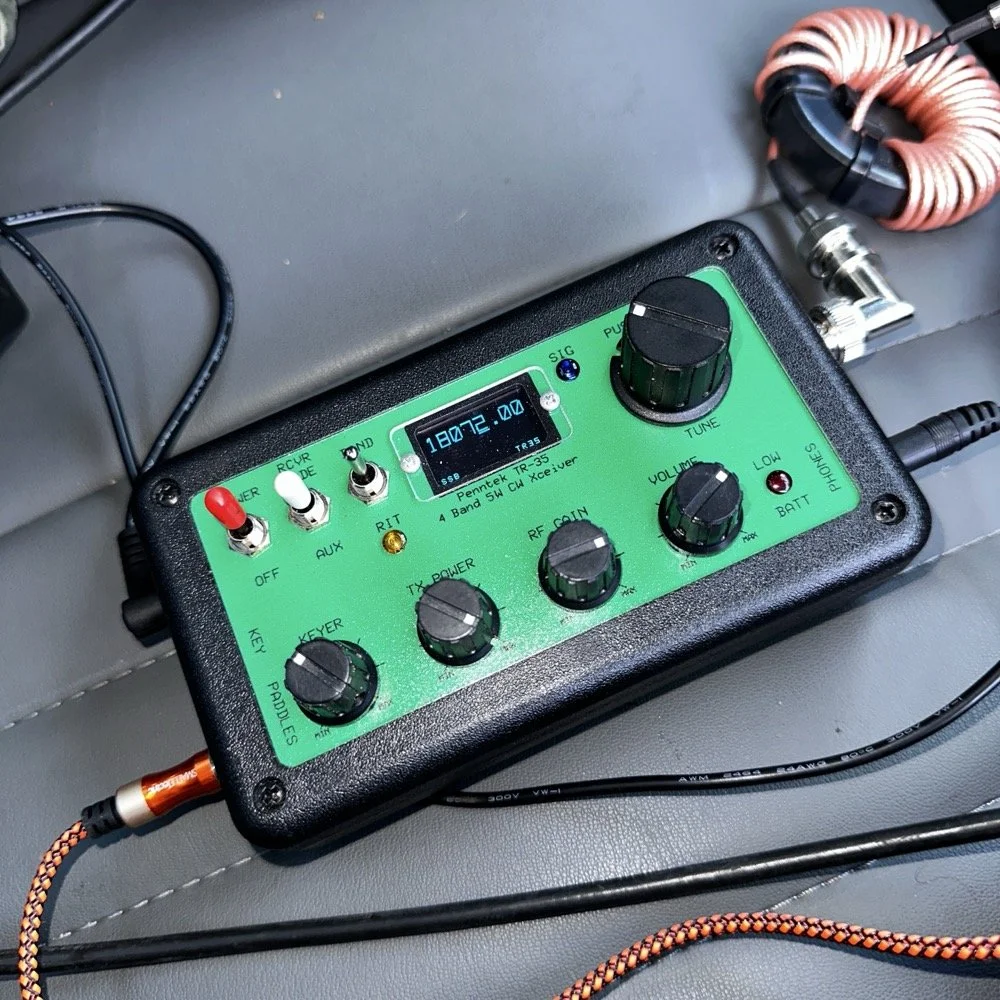
Penntek TR-35 QRP power, DX & POTA fun!
Today saw me back in north west Georgia and back at US-2169 (Cloudland Canyon State Park) for a quick little QRP activation. I deployed the Penntek TR-35 QRP HF Transceiver today as it is simple, compact and fun to use…as long as you like CW. This is because it is a CW only radio…haha. One of the things I love about this particular park though, is the fact that it has so many different places to setup a POTA station and not be in anyone else’s way. Today saw me deploy to the top of the hill at the Frisbee golf course (which happens to be my all time favorite place to deploy when at this park) and setup the telescoping vertical on the truck receiver hitch mount that I made. Since this location is in direct sun most of the time, I opted to set the radio up in the cab.
Cloudland Canyon State Park - US-2169 POTA Destination
Today saw me back in north west Georgia and back at US-2169 (Cloudland Canyon State Park) for a quick little QRP activation. I deployed the Penntek TR-35 QRP HF Transceiver today as it is simple, compact and fun to use…as long as you like CW. This is because it is a CW only radio…haha. One of the things I love about this particular park though, is the fact that it has so many different places to setup a POTA station and not be in anyone else’s way. Today saw me deploy to the top of the hill at the Frisbee golf course (which happens to be my all time favorite place to deploy when at this park) and setup the telescoping vertical on the truck receiver hitch mount that I made. Since this location is in direct sun most of the time, I opted to set the radio up in the cab.
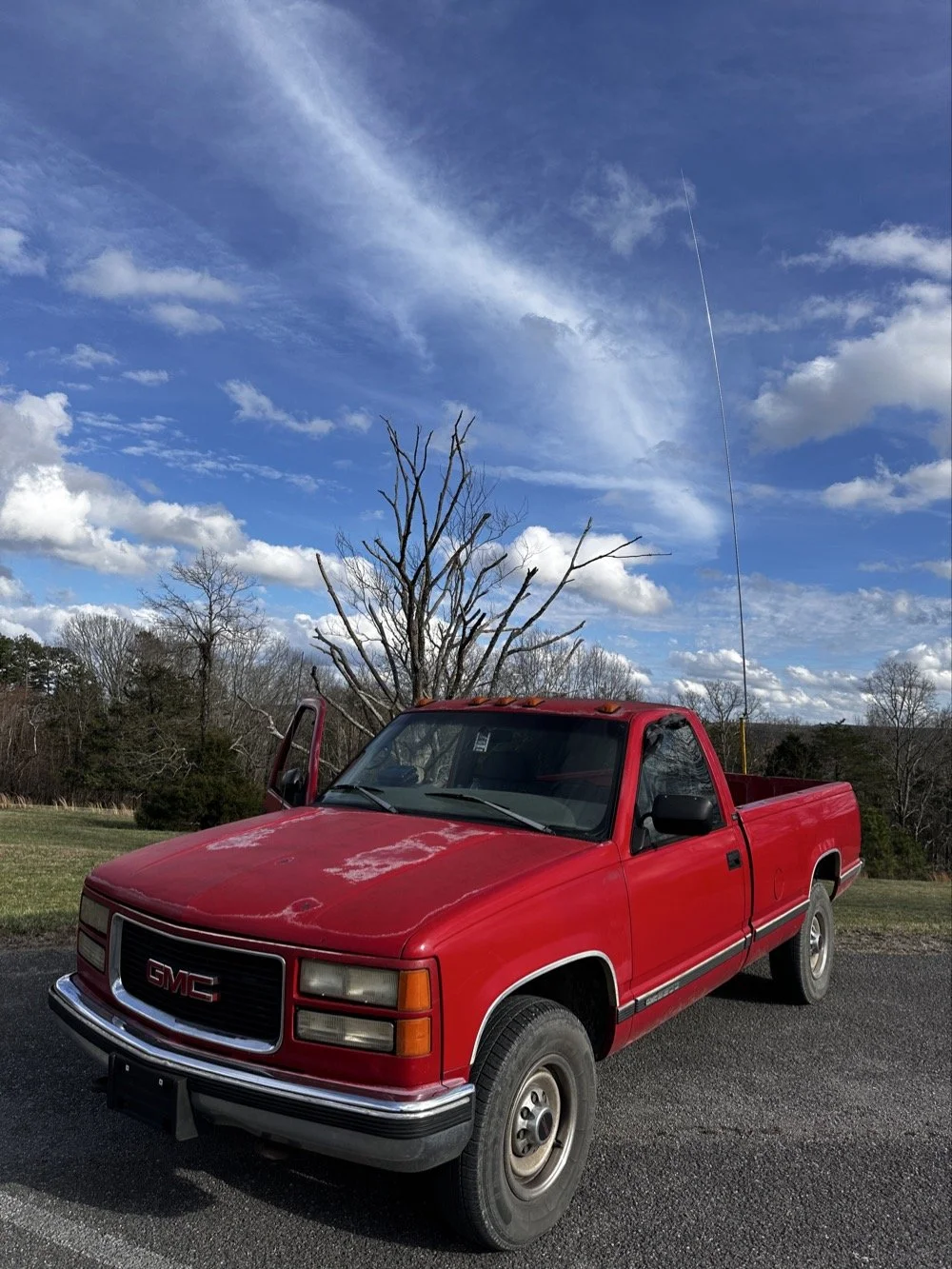
The old red chevy is back in service as the War Wagon is down currently with several problems. Today saw me setup the 18.4’ telescoping vertical from Amazon.
Setting up the 18.4’ Telescoping Vertical Antenna on 20m
Tuning is simple with my old friend the nanoVNA. I have learned to simplify my tuning process to the following. I will setup the antenna and collapse the first section at the top as it never ends up being needed unless I go below 20 meters. Then I deploy the two usual radials and connect them to the ground lug on the antenna base. Then I connect the nanoVNA to the base of the antenna with a short coax jumper and power on the nanoVNA. I have mine set to power on with the span set from 1mhz to 30mhz and you will immediately see the null where the antenna is tuned somewhere in the middle. Then I choose the menu for the marker and set the marker to minimum and then check the “tracking” box so it will follow the null. When you do this, the marker will display the center of the tuned frequency at the top of the nanoVNA. Now all you do is start shortening the antenna a little at a time till the frequency moves up to about 14.050mhz and your done! I happen to be just tall enough to be able to reach to first collapsible section on the antenna while it is still mounted and I can simply slide it down a little at a time without having to take it down to do it. This whole tuning process takes maybe two minutes now that I have done it so many times. It goes really fast. With the antenna built and tuned to 20 meters CW (today I couldn’t get the SWR below 1.5:1 for some reason but as you will see later, that is not a problem), I turned my attention to the radio side of the build out…
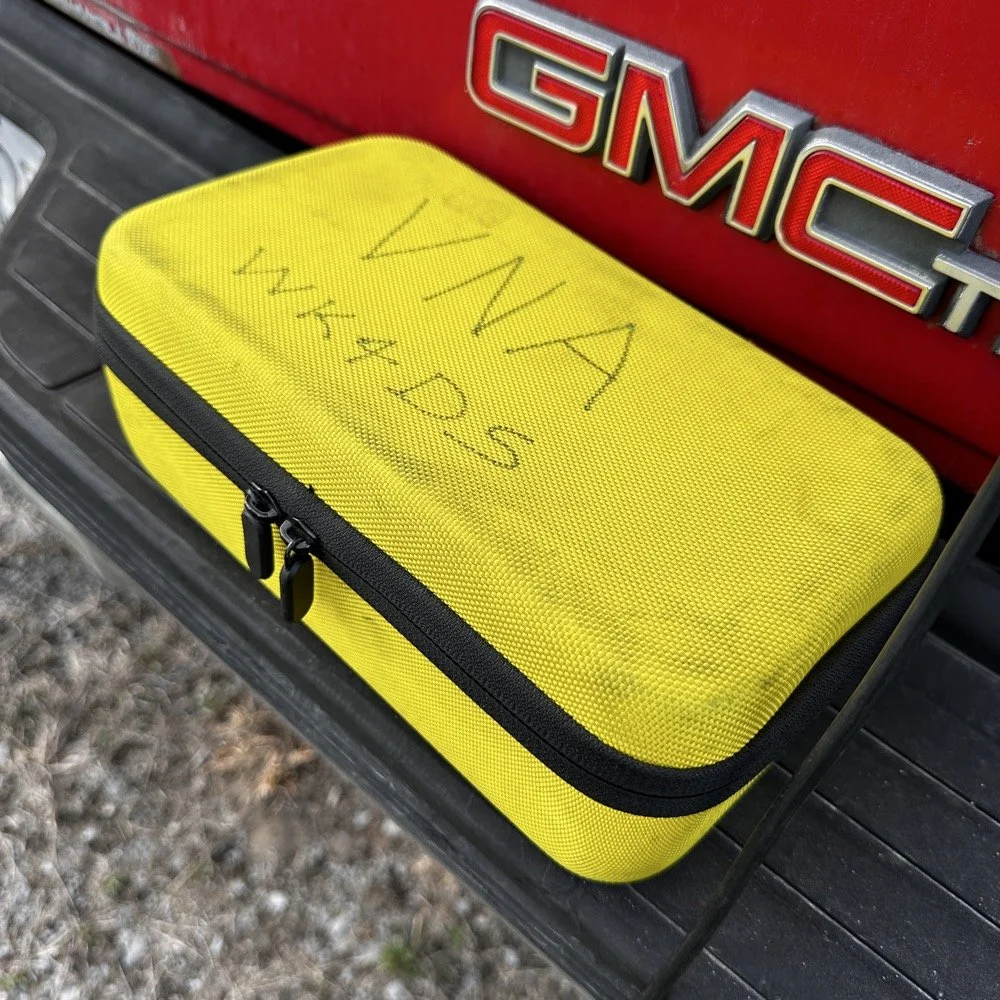
The GigaParts soft shell case is a great way to store a nanoVNA and all the cables and adapters you will collect for it.
Quick side note… I have FINALLY bought a hardshell case for my Begali Traveler CW paddle! I found this little case at Walmart if I remember right and the foam was left over from the Harbor Freight hard shell case for the Scout 555 I bought recently. I guess it pays to hold on to the scraps on occasion…haha. I have about gotten to the point where I dont save stuff like this foam, but for some reason I held on to this one. I really love this key and it have become the de-facto key I use as long as I have a hard surface to sit it on. I have retired my N3ZN key that I got from Tony a while back to my camper key and it now lives with my TenTec Argonaut V permanently in that capacity. I still deploy with three keys most of the time and if I don’t bring the Penntek TR-35 then I will have two keys. I will get into all that later, but for now, lets keep setting up the radio.
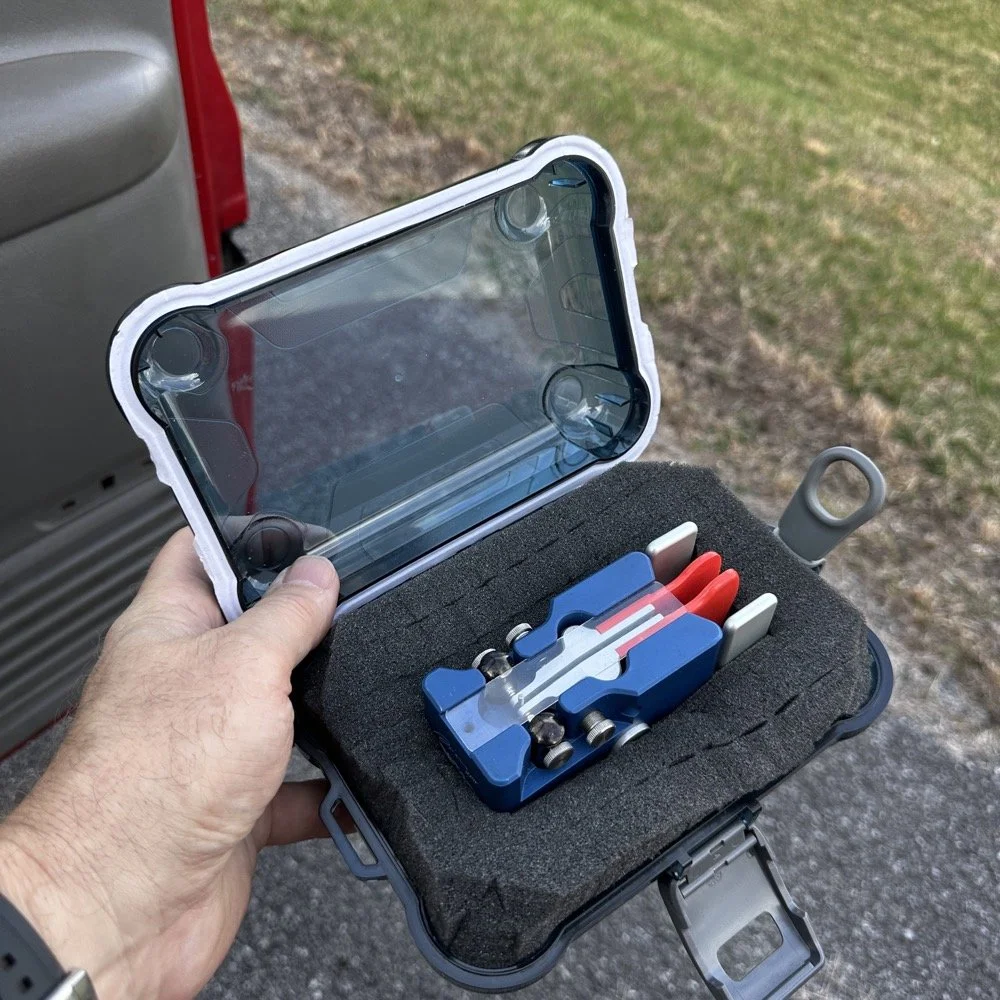
I finally procured a storage solution for my Begali Traveler CW paddle so it doesn’t get damaged between POTA park activations.
Pros and Cons of the Penntek TR-35 QRP Transceiver
Below is the star of the show…the Penntek TR-35 4 band QRP HF Transceiver. This little radio sports the following features which make it perfect for POTA field ops.
It is small and light weight.
Output power is a full 5 watts and adjustable down from there.
Three filters he calls SSB(VERY wide), CW wide and CW narrow. I think CW narrow is 500hz or a little less as it is really selective.
Two keyer memories that are easy to program once you get the cadence down.
4 HF bands (40m, 30m, 20m, & 17m) The radio only toggles up through the bands with the band switch. Simple and effective.
RIT which is de-facto split if you need to work a split station. It also helps me when someone is off a couple hundred hertz as well.
VFO has three speeds for the tuning. The default two are past the decimal and a long press on the VFO will set it to 1 khz tuning which is really fast for the CW portion.
There is a physical RF Gain AND a Volume knob!!! That is awesome on a whole different level by itself.
The keyer speed is set by a knob so speed changes for different POTA hunters is easy and fast. I really like this feature.
It has a straight key input as well as a paddle input so you are ready to go with either kind of key.
Some detractors that I wished were different are…
I really wished it had 15 meters instead of 17 meters…but I digress…
It is so small that there is no room for a speaker so you must use some sort of external speaker whether it be earphones or something like what I used today.
It lacks an S meter and this bothers me so much that I built one just for it. Link is here to that article…
That is about it for what I dont like, it is almost perfect.
The Penntek TR-35 HF QRP transceiver is almost perfect, it is so close I wouldn’t change it now if I could. It really has everything you need and nothing you don’t to run a POTA activation.
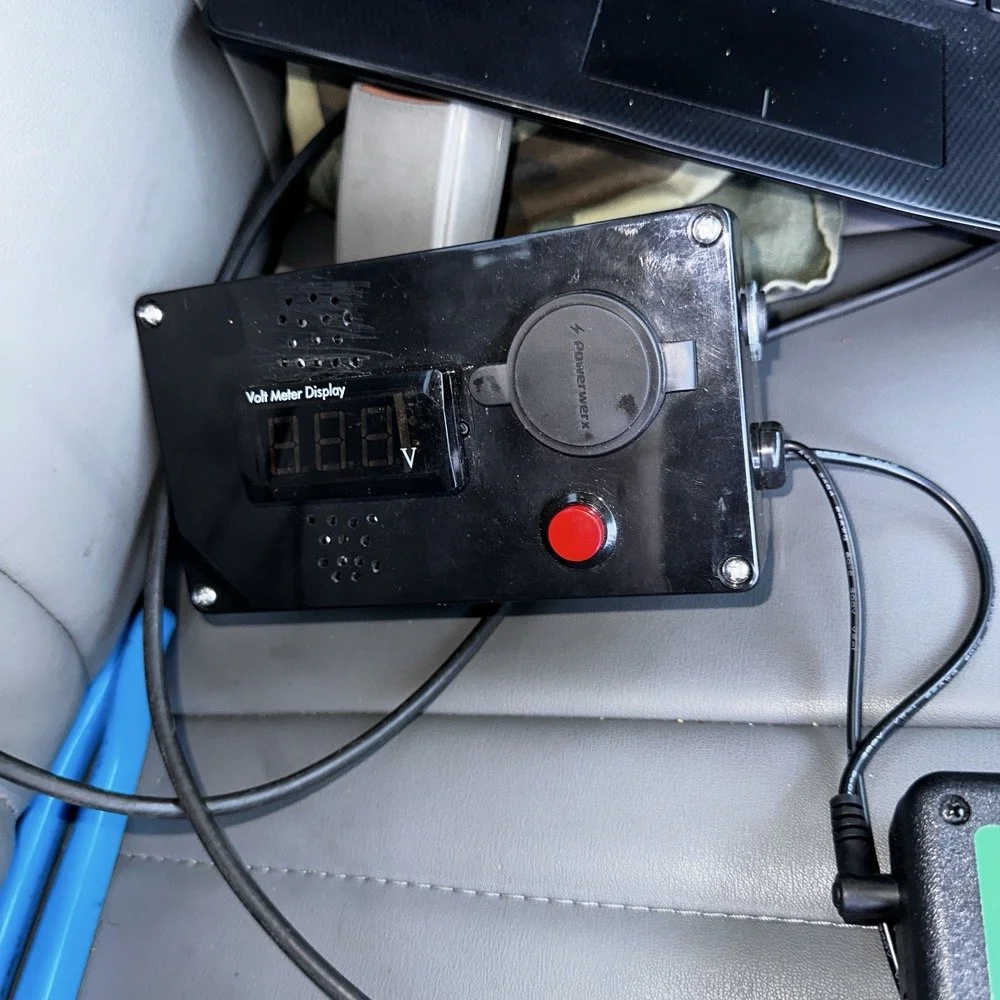
Homebrew power pack containing a Bioenno 3Ah LiFePO4 battery, speakers and a "on demand" voltmeter with a pair of Anderson power pole connectors
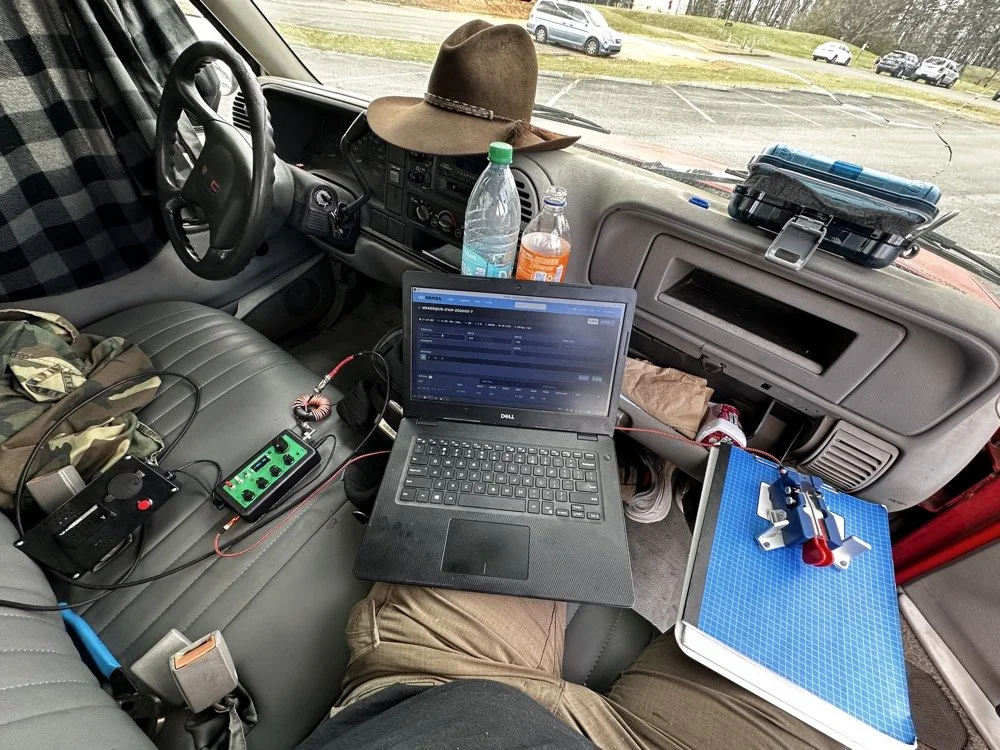
This is the station for today. Dell Inspiron computer, Begali traveler paddle, Penntek TR-35 QRP radio, and a POTA park!
POTA Station Positioning and Start Up
Once I finished connecting all the RF equipment together, I had to figure out where I would sit. I had not really considered this as my regular truck has that huge, flat arm rest that I normally have access to. With that considered, I decided to setup in the passenger seat as this made the most logical sense. Then I had the problem of the sun causing me a ton of glare and I had to come up with something to mitigate it. The below photo is my expedient “curtain” that I simply rolled up in the window. Modern problems call for modern solutions… lol.
Once the sun was beaten back out of the cab of the truck, I had to figure out how to setup up the whole station so that I could send code and log the contacts as well. What you see is how I solved that problem, I just balanced the computer on one leg and the clip board is cheated. The clip board is actually sitting on the top of the open glove box, which is stabilizing it, and then it is making the third contact on my leg which turned out to be very stable for the cw key. The Begali Trraveler is one of those keys that once you get it set like you want, it is simply a dream to use. I have learned that it takes me a few minutes to get it positioned properly or I will make a lot of mistakes with it. But once I get it in the right spot, it just works.
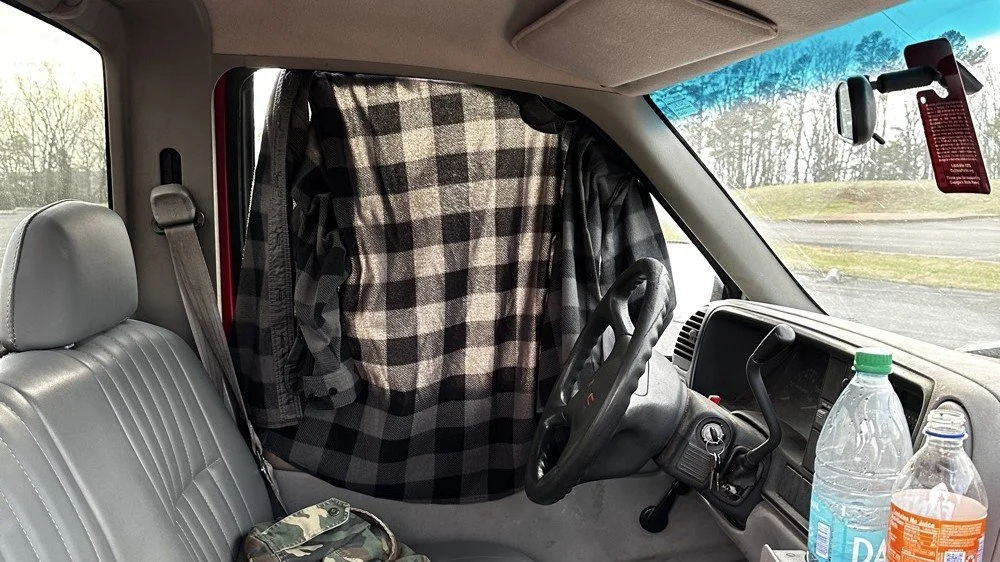
Simple problems require simple solutions, this is how I removed the sun glare off of my radio and computer screen today. If it works…
Activation Report: The Penntek TR-35 and 5 watts of RF Power
Once I had the station sorted out, I powered up the rig and hunted me a clear frequency, today the 20 meter band was going strong so the band was a little crowded. I would call QRL (This means “Is the frequency in use?”) and I would hear a lone “R” come back to me. This means someone is using it so I would simply dial to another frequency and try again. I finally found a clear spot and listened for a bit as sometimes you are on the other side of a station that is talking to someone you can not hear and they are listening to them at the time you get on frequency. So it is a good idea to listen for a while before sending QRL to make sure this is not happening. I didn’t hear anything and after calling QRL again, I started calling CQ POTA… Then things took off…
The log for this activation came together really nicely, and I was pretty happy with how the bands cooperated. All 36 contacts were CW at 5 watts QRP from US-2169, split between 20 meters and 17 meters.
I started on 20m at 14.061 and the pile-up got going almost immediately. The contacts came in steadily from all over the place -- Illinois, Vermont, Michigan, Missouri, Maryland, North Carolina, Texas, and more. A couple of Canadian stations made it into the log too, with VE3UXJ and VA3EKR both pulling through with solid enough signals to complete the exchange. Signal reports on 20m were mostly in the 559 to 599 range, which honestly is about as good as it gets when you are running 5 watts into a field antenna. Also remember that this radio lacks that S meter I like to have…so the signal reports were a bit more subjective today compared to other days.
After working through the 20m pile-up, I switched over to 17m at 18.072, and that is where things got really interesting. The band was in good shape with minimal QSB and the contacts kept coming. It did take a few minutes of calling CQ to get the RBN (Reverse Beacon Network) to auto update my spot on the spot page of the POTA website, but once it did, things started looking up! I picked up stations from Idaho, Florida, Colorado, Washington, and Texas, among others. But the two that really stood out were HI8D out of the Dominican Republic and JH1OCC from Japan! Getting Japan in the log on 5 watts from a field activation is always a treat, and the fact that JH1OCC came back at all through the noise is a testament to how well 17m was performing this afternoon. His received signal report was a 339, which is pretty typical for a trans-Pacific path at QRP, but a contact is a contact and I will absolutely take it! This has happened to me a few times now while doing POTA, I will be on one of the upper bands and a band opening to the Far East will open up for a couple of minutes and I will land one or two Japan calls. It takes me a minute to process this sometimes, as it is a long way to Japan from NW Georgia!
Total QSO count landed at 36, which is a solid activation by any measure. Both bands contributed meaningfully, and the geographic spread across the log -- from the Midwest out to the Rockies, up into Canada, down to the Caribbean, and all the way to Japan is one of those things that never gets old no matter how many activations you do. Five watts and a wire…errr…vertical…lol…, doing its thing. This setup worked pretty well but if I could improve it, I would make a more steady surface for the key. The key moved around too much for my liking so I would like to correct that going forward, like maybe use a different key…lol. Anyway, it was a great day in the park and I hope this nudge you to get out and activate a park near you.
You can help support this website by using these Amazon Affiliate Links:
QRP/Portable Radios:
Antennas & Tuning:
CW Equipment:
Power & Accessories:
Organization & Transport:
BONUS ITEMS
73, David / WK4DS
Quickie Activation with some cool DX!

When I started this activation, I had no idea how the bands would act, there has been a lot of QSB lately so it is kinda a crap shoot. I only had about an hour so I figured I would try to get a few contacts… little did I know I was about to have a lot of fun!

God showed his power to me today when I got on 17 meters and started calling CQ. I had gotten my first contact pretty fast and it was another activator, so I got a Park to Park right out of the chute. Then I started hearing this station just up the band from me… I dialed up and found it was a fellow down in Turks and Caicos! I waited till he called CQ and threw my call back to him…and he HEARD IT!!! DX in the log and I am just getting started!!! Woohoo! Then the VERY NEXT QSO was Sweden calling me!!! For me, this is cool dx, as I dont get to work other countries very often, especially with a QRP radio…

If you look close (right beside the key), you can see where I pieced together the call sign for the VP5 call sign. He was going faster than I normally can copy so I grab letters one or two at a time till I build the whole call. Then I listen for the exchange and at that point I am ready to try to call them. I think they were probably running about 25 WPM of maybe just a little faster, and I normally operate at around 18 to 20 WPM…

On this day I used my Penntek TR-35 radio on the bed cover of the truck. This is a fun operating position as I get to interact with other people in the park some as well. On this day, there was a family that wanted to know what all the wires were about so I took a short break and explained what I was doing to them. This is why there is a 10 minute period between contacts 3&4 in the logbook.

Another point about this common mode choke on the TR-35, it is the perfect size to hold up the radio when operating like this… lol. It does look “techie” too so it makes the little station look cool in my opinion. Lol.


The radial connection works really well for the multiple setup like I am using here. This is all the radials to cover all four bands the TR-35 has access to, 40, 30, 20 & 17 meters. This way I only need to switch the verticals to change bands. It is actually really fast like this and I am debating whether or not to make the multiple antenna mount now…

As noted in a previous blog post, I added an Anderson Powerpole socket to the little module for other things to be able to share the power as well. I don’t need it with this radio but it is nice to have when I run my IC-705 as the antenna tuner has it’s own power cable.
So to wrap things up, you never know when the band will open and you can make a 4500 mile contact with your QRP rig on a hamstick till you hook it up and try. So get your radio out and go play with it somewhere. Until next time…
72
WK4DS
Activating a park in Hawaii with with the Elecraft K1
I will be honest here, I thought this would be easier…

Let me explain. You see first off, I live on the east coast of the mainland USA where getting an activation completed or even dozens of QSOs in an activation, is rather easy even at QRP power levels. I have done activations with 4 watts and once I think it was only 1 watt. But someone joked in the past, “that is because you are where all the HAMs are at!” Nothing could be truer as I found out.
So here is the setup for the opportunity. We decide after some travel plans fall through, to goto Hawaii (the big island) for a week or so. This is two fold, we want to see the active volcano as that is a bucket list item for us and it is warm in February…which is always a plus. Well, I talk to the wife and come to the conclusion that there will be time to do a park or two while we are there as well. So I start figuring out what radio to bring.

Just read the previous blog post to see what I brought and why (spoiler, it is the Elecraft K1). So once I figured out the radio and storage/travel bag, I started looking for parks on the POTA app.
We are staying in the town of Hilo so I naturally started looking near there for possible parks. My criteria was that I wanted a park that wasn’t blocked by mountains or in a canyon, preferably one near the beach (I mean, who doesn’t want to do an activation on the beach???) and has a tree to allow me to get the antenna up as close to vertical as possible. This last part is going to be the biggest challenge I would come to find out. Since I packed only wire antennas in my kit, I would need something I could throw a line over to haul up a wire with.
Well, the first park I chose was not really suitable as it didnt have any trees near the parking lot and also no tables nears the trees that are there. The next problem showed up on day two and lasted till almost time to leave…the rain… seems Hilo is a literal rain forest and I failed to do the proper research to learn this ahead of time. Maybe I was not supposed to know this so I would take my gear, I don’t know either way, but it rained 14” of rainfall in a 36 hour period of time at one point. yes, FOURTEEN inches fell in a 36 hour period… The rain was near continuous for many days. Well, on day four, we had about 3 hours to kill in the afternoon so I looked at a park in Hilo proper, it is down by the beach and runs all the way down the the royal gardens. I drove by it and scouted the area and found some trees that would hold a wire. This is park number K-6407 (Wailoa River State Recreation Area) and basically it fit all the criteria.

This is where it gets messy… I decide to give it a try as it is a good time of day to reach the west coast of the US. Grey line would be coming across the US for the next few hours and I need all the help I can get with my measly 7 watts. The only problem is that the rain is coming down in sheets at this point… where to setup??? I opted for the car.
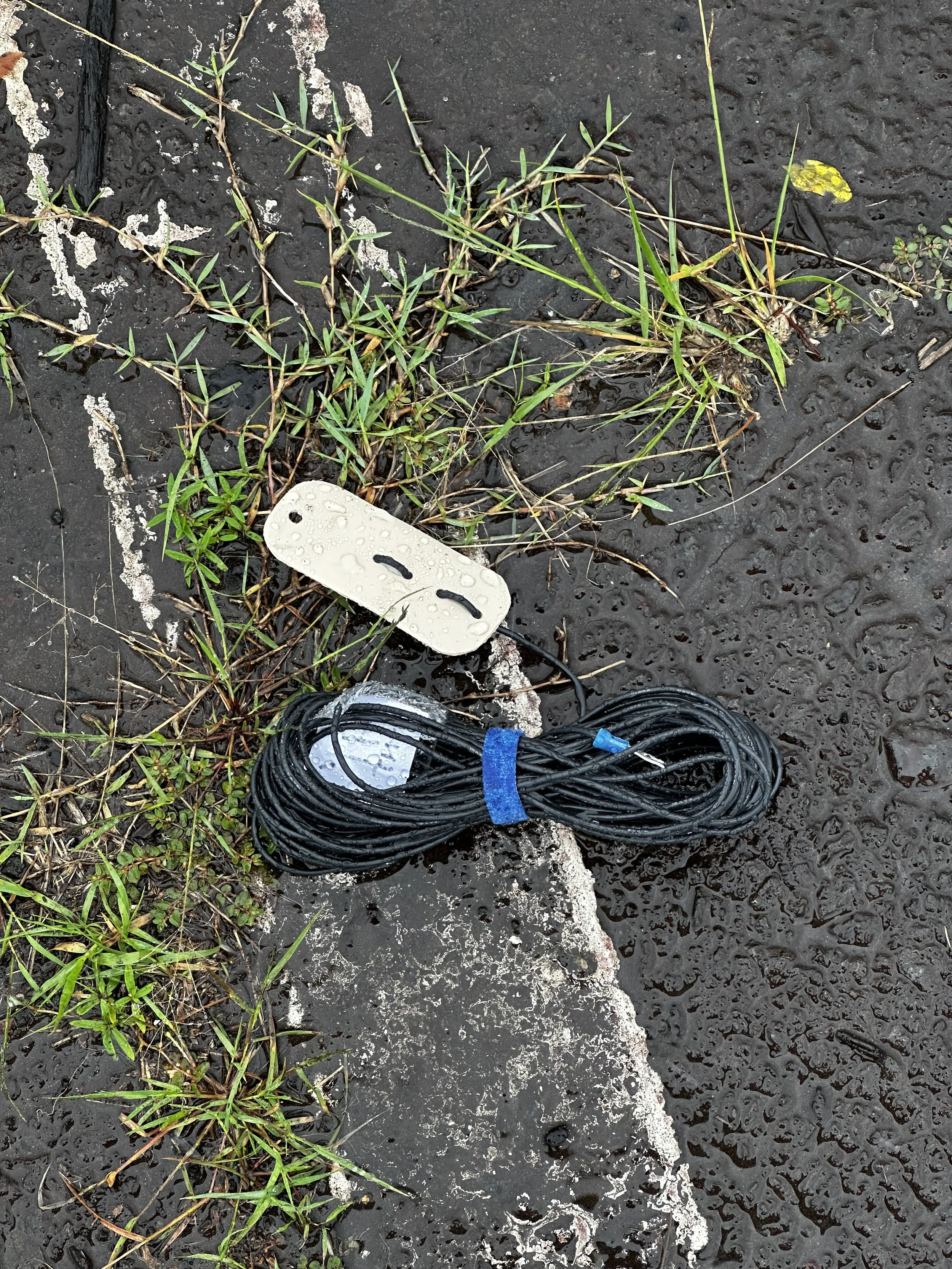
So I get out in the deluge and throw a line over a nearby tree and haul up the antenna which turned out to be more of a sloper this time than a vertical. This antenna is a 41’ radiator and a 13’ counterpoise and is almost resonant on the 40 meter band. I roll the window down a little and run the counter poise and radiator into the car and hook then to the radio.

Once the radio was connected I tried to run the car for the heater and power port only to find it was producing a significant amount of rf hash that the little Elecraft radio couldn’t handle. So I got out the battery and shutoff the car. This actually worked really well, I could hear much better and the car was actually quite warm so I and Teresa were happy. Yep, she sat with me in the car and read a book which I worked you guys on HF.

The next problem I ran into was the contest… I had no idea there was a contest running this weekend and had planned around that literally zero… Well, now what? I went to where I couldn’t hear anyone and started calling CQ and called for ten straight minutes with no answers.
You can see in the log that I got on the air and spent ten minutes finding a clear frequency and called CQ for probably 20 minutes before giving up and moving to 17 meters. Now remember that the whole time this is happening that it is pouring rain. So I am starting to lose hope…
17 meters proved to be MUCH more productive. I found a clear spot tuned up and went to work. Here it still took several minutes of calling for people to hear me. I am going to guess they swung their beams around to me as some of them came booming in to my little wire in the middle of the ocean! I was starting to get somehwere when it seemed my band opening on 17 just stopped so I tried the 30 meter band in hopes of getting something there but no one replied. Next I figured I would give 20 meters another try. I went fairly high in the CW area to get away from the contesters and it seemed to work. I did get a couple of contacts, but it was at this point that I had to pack it up so we could go to the airport to pick up our daughter who was flying in… with 7 QSOs in the log. I really wanted to get this activation and as fate would have it, I started right after the new UTC day began so I actually had time. This was the most difficult hour and half of my POTA life thus far. I had netted 7 contacts in over 90 minutes of air time…I had not anticipated this. Normally, due to the spot page, I get an activation in short order. I have a new appreciation for Hawaii call signs now that I could not have before.
The next thing that happened was fate working in my “POTA” favor. You see the airline let Sierra wait in Maui for an extra two hours due to issues with the gates in the airport. So since the airport in Hilo is 10 minutes from this park I was activating, we just drove back over to the park and I found a better tree to get the wire almost completely vertical this time.
Launching into the “second session” I got on 30 meters hoping to get something there but nobody answered me after quite a while. So I just moved back to 20 meters and again went high in the CW portion. I have never went to 14080 mhz before so I wasn’t sure how this would work. It worked fairly well to be honest, as I got my activation completed during this time part of the time!!!

Since I had my 10 QSOs finally, I wanted to try and work someone on every band I could use on the radio which meant moving down to 40 meters for a while. I finally worked NA7C in Utah on 40 meters with just 7 watts!!!!! I also learned from the RBN that my K1 needs to be aligned. It was consistently off frequency by at least 200 hertz.

So for this trip I took the Gemini travel key as I really like the form factor of this key for these kinds of operations. It is the perfect size and design for ops where there is no surface to set the key on. Also take notice how my trousers are still very wet from stringing the antenna up in the tree. Lol. I wondered how much signal I was losing to the rain… The logbook is a mess because of the terrible band conditions and me making tons of notes about the activation.
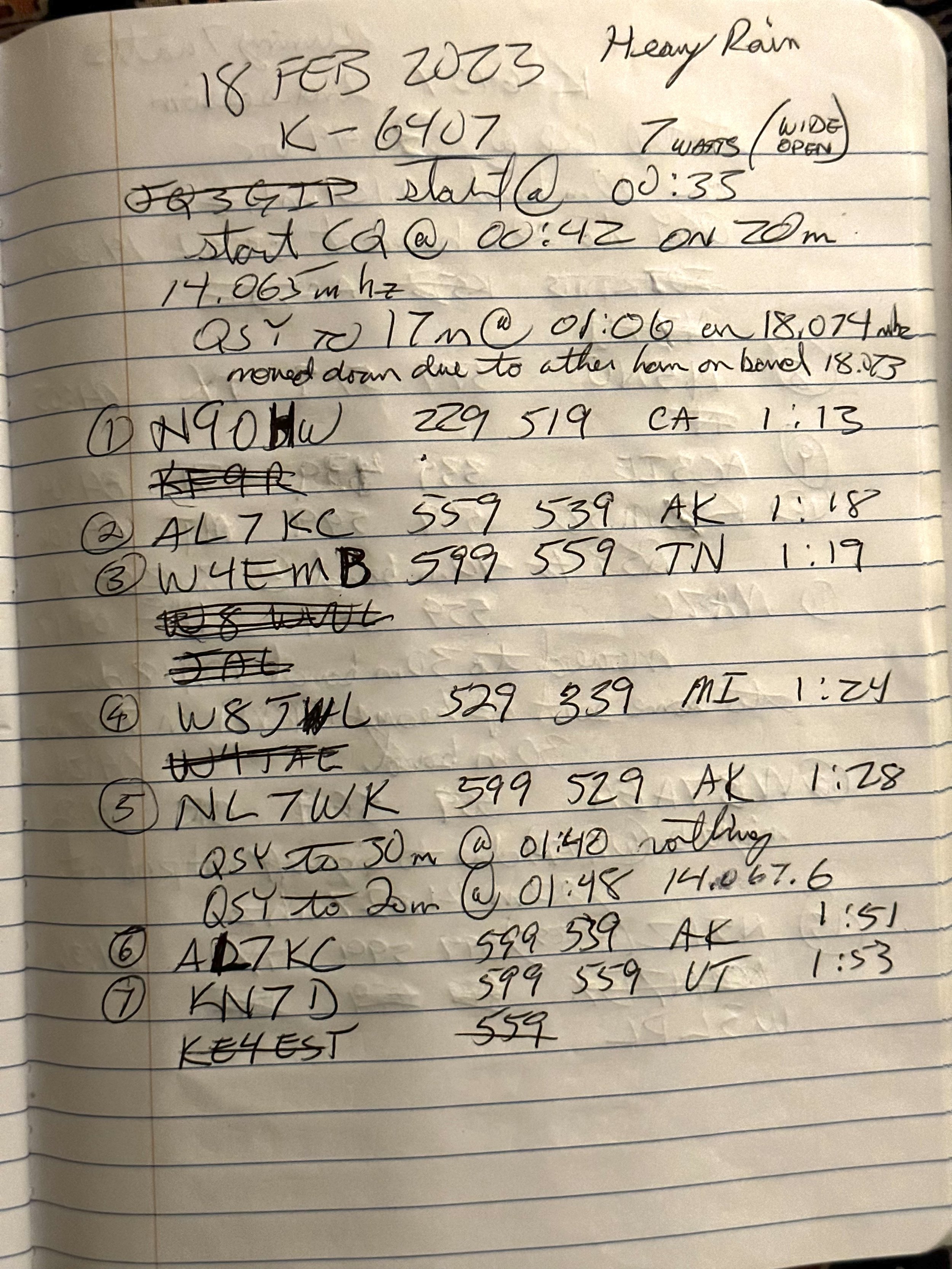

Take a look at my original spot note. Lol I had a big idea there!!!

I was also hopeful when I saw the RBN pick me up. So I knew my signal was propagating out to the mainland. You can understand then why I was getting worried when I got no calls for all that time I was calling CQ on 20 meters…

Here you can see my RBN spot on 17 meters as well. It was weak, but it spotted from two different regions. Check that out. But it was during this time that people actually start hearing me and answering!
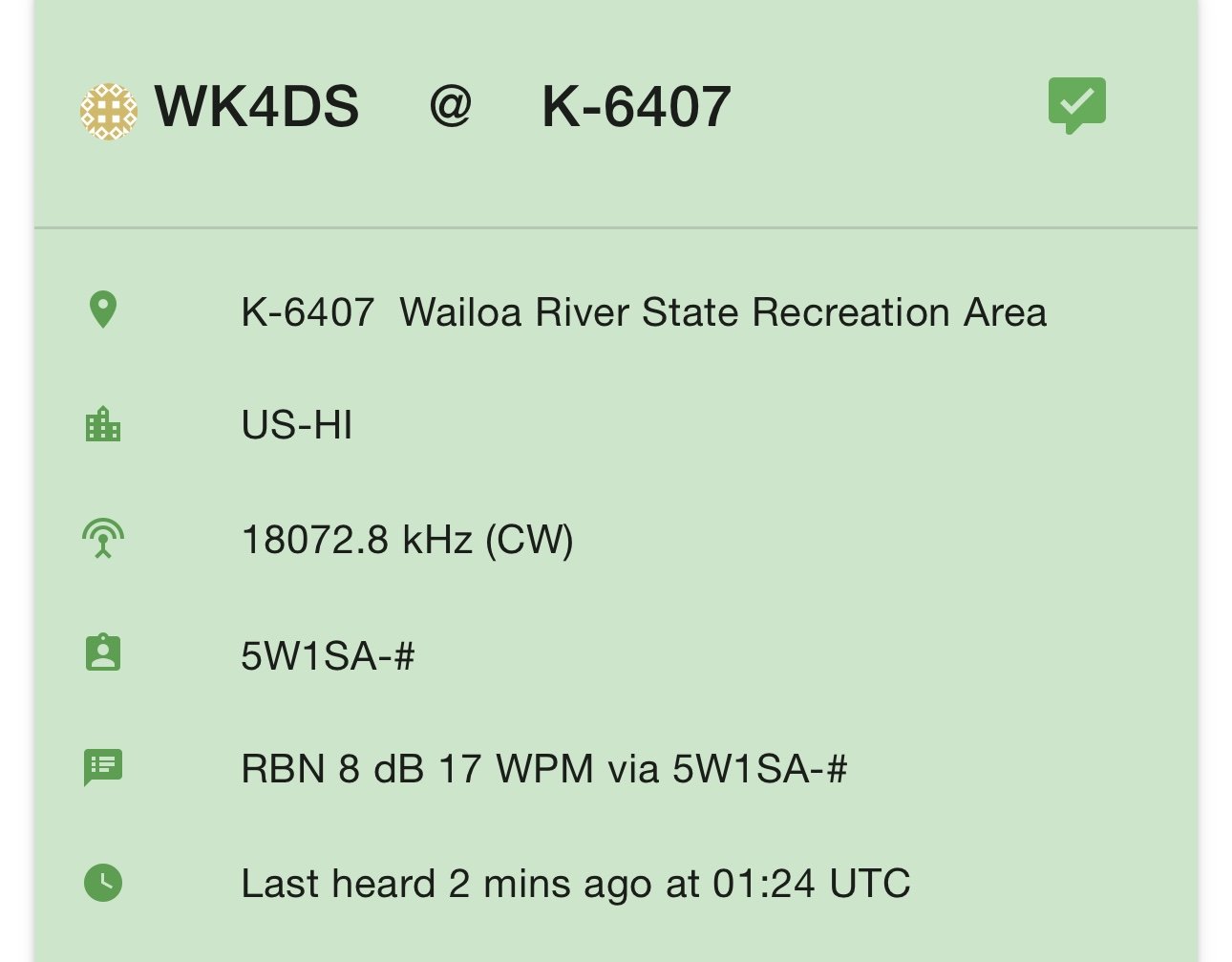

I was really impressed by some of the signals too. These people have wonderful radio stations and they are my heros to be honest. Below is a spot from the second session of when I had a couple more hours due to the fight delays and was able to finish the activation.


The QSO map looks a lot like I thought it would other than I didn’t expect the mid west and eastern contacts at all. I also figured on a few Japan contacts to be honest, I really thought I would get a couple with how active the Japanese people are in POTA. I only heard a few “J” calls the whole time and none of them could hear me. So when I was spotted by 5W1SA in Samoa then again by VE6WZ in Canada I was just sure I would get some Japan calls, but nothing. Figures. Maybe I did the grey line wrong…who knows.


So when I wrapped up the activation, the antenna was drowned and when I got back to the room I spread all of it out to dry. Note it took more than one day to dry since it rains here almost nonstop and the humidity wont let the stuff dry very fast. It probably won’t be done drying ít till I get home.
Well, that is the story of my activation from the isle of Hawaii while I was on vacation. Thank you for reading along and now go have some fun! What is your most insane story about an activation? Leave me a comment below and let’s have some fun.
The simplest radio and antenna setup I know of…
Ok, first the setup. I get the opportunity to do some ham radio on the big island of Hawaii. It is with about a two week notice and we are flying. Of course, I have this primal fear of my check baggage not making it to the destination with me or ever for that matter. So I have to carry my radio in my carry-on bag… with me. This bag has to house the radio, power source, antenna and any accessories I need as well, such as CW key, headphones, etc. The other bag will have my camera gear so it is pretty much full already. I will balance the load to get everything in those two bag though.

This is the little radio I finally decided on, the Elecraft K1.
So now you understand what I can take is a small QRP radio with a simple wire antenna and some sort of battery. It will be a cw rig, which typically perform better at QRP power levels anyway. At least this is what I have seen when attempting to work POTA with SSB at 10 watts… The radio I initially chose was the Penntek TR-35. It is really small and has all the bells and whistles I like to have on a POTA outing (which is what I plan to do while there) and I just plain like this little radio. I started immediately working on a resonant antenna for it so I could fore go the tuner and quickly realized that wire antennas are not really reliable for resonance without a lot of extra effort on site. Moving the wire around will change SWR. At least it did while I was experimenting with radiators the other day. I spent several hours with my nanoVNA and an EFHW and found I could easily get the SWR maladjusted by simply moving the counterpoise so I have some more homework to do on that before I am up to speed on that kind of antenna.

This is the situation so far, so now what do I do. Well, the solution is to use a different antenna and that means either bringing a tuner or some other kind of antenna that is more bulky. Well, due to space constraints, I chose to use a different radio.
Backing up and punting, so to speak, I chose the Elecraft K1 and a random wire antenna. The K1 that I have, has an internal antenna tuner that the TR-35 lacks so I don’t have to contend with getting the antenna just right once on location. This is a huge bonus since now I dont have to deal with possibly having something happen to the antenna and not being able to get an activation. I can tune just about anything with the K1.

So what does the kit look like now? I have the following:
Elecraft K1 (4 band radio with ATU)
Gemini travel key
41’ random wire with various radials
(8)AA battery pack for remote power. Emergency backup.
Small earbud headphones
Messenger bag style carry bag to house the goodies. (Peak Design Everyday Messenger)
Notebook and pens for logging
Throw line and weight to get antenna in the trees
Misc. little widgets like the BNC to screw lug adapter and a power cord for the cigarette lighter socket in the car.
8Ah LiFePo4 battery with charger.
There is probably a few more little items I have not mentioned here but you get the idea. This will allow me to setup a QRP CW station and work some epic DX stations that I normally dont hear at my home QTH. At least that is what I am hoping for…maybe I will actually be able to work some of those Japan calls I keep seeing in the evenings! Now I have worked QRP for a long time and I am fully aware that I may not even hear the next island, it is the nature of the beast. But I can usually squeak out at least the ten needed for an activation. So I am hopeful that it will work out. The only caveat is that I will have 2000 miles worth of ocean in basically every direction so the take off angle of my antenna is really important. I am hoping there will be a tall tree so I can get it as vertically oriented as possible. This will give me my best shot at getting an activation.
Oh, to be honest, I am pretty sure that this is not the simplest radio I have ever had, but for a portable system that will cover multiple frequencies effectively, the Elecraft K1 works really well. I really think this rig is a great combination of features and it is sad that Elecraft no longer makes this radio. If you love QRP then I can recommend this little radio…as long as you can live with just 4 bands and CW…which I can.
So there you have it, the radio going to Hawaii… wish me luck!
A super cold (for me) POTA CW ham radio activation
Well today was super cold to me after spending a month in central Florida. It was 29 degrees and the wind was howling at park K-2169 (Cloudland Canyon) back in NW Georgia!!! I didn’t let that stop the ham radio bug in me from getting out in the cold and activating a POTA site!
I thought to grab a selfie to remind me of how dumb I was to get out in this cold weather so maybe I would think better of it in the future…probably not, but it was worth a try. You can see how I have the door open on the truck, I was using it for a wind break to keep the crazy gusting winds from freezing me solid with wind chill. That is why I logged in the back seat instead of on top of the bed cover which is my preferred location if I am using the truck for ops.

The weapon of choice today? The Elecraft K1 (4 band version with 40, 30, 20, &17) My particular machine also has the internal antenna tuner as well. I guess you could say it has everything other than the internal battery. This is my second copy of this tiny machine, but I have had a long love affair with these little radios. I sold the first one and literally missed it the day i shipped it off. It only took me a few years to find another one like the first one and get my little grubby paws on it…this time for keeps. Of all my QRP rigs, I place this one VERY near the top.
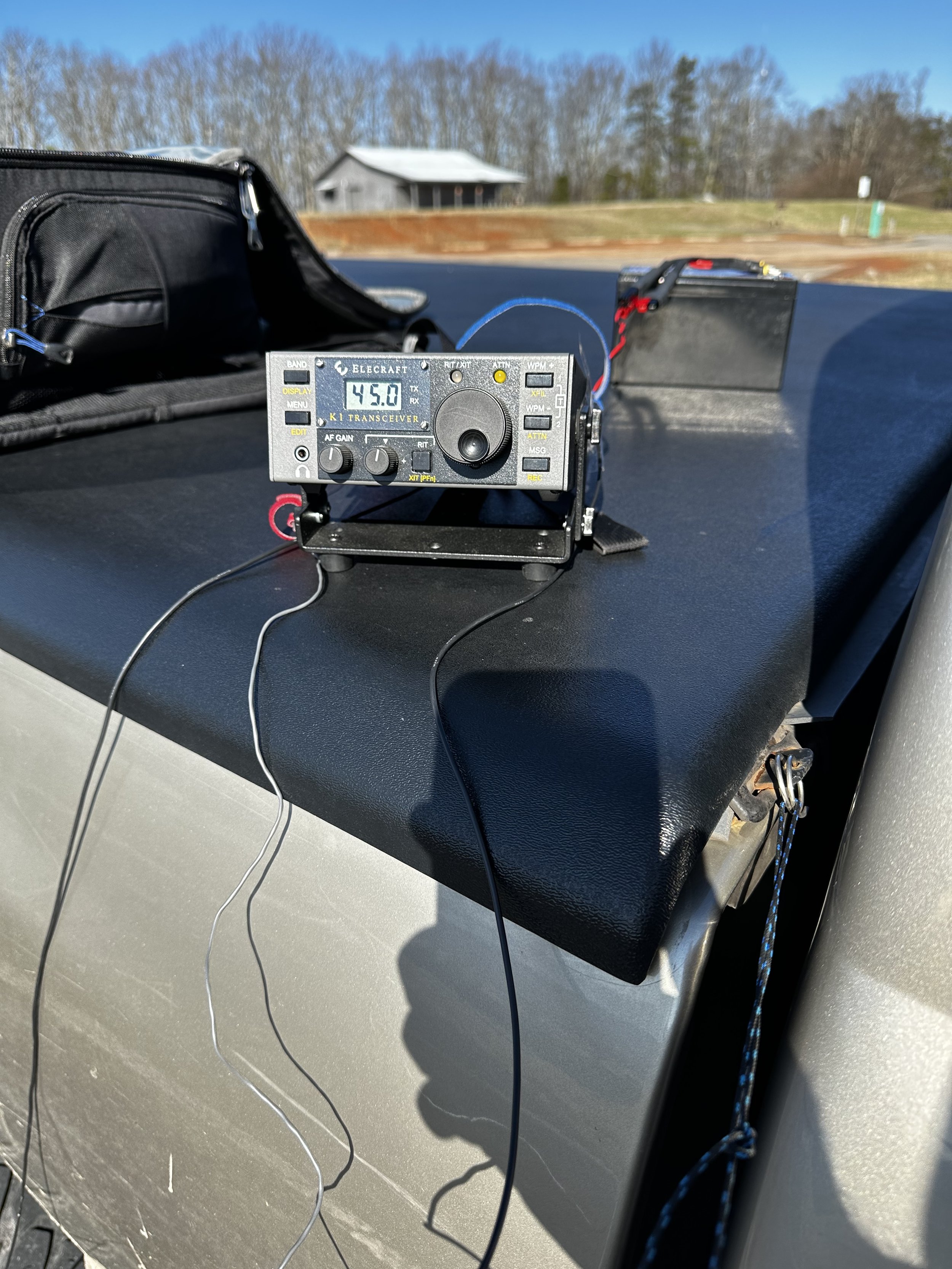
In the photo below we see the Elecraft K1 as seen from the top, I have placed the BNC to screw lug device on the antenna output of the radio and connected the antenna and counter poise directly to the radio with no feedline at all. I did this on purpose to test the system like this for a upcoming project I want to use this radio for in this configuration. This allows me to see how effective it is with a very minimalist rigging. I am wanting the whole thing to be as minimal as possible and still reach the west coast if possible. You see, I have a week in Hawaii and by the time you read this, I should have been there and returned with at least one activation from the Big Island of Hawaii under my belt… only time with tell.

The below photo shows how I took the tension off of the radio with the wire antenna once I strung it up into the tree next to the truck. This is a modified version of a knot we used in the Boyscouts called a taught line hitch. It works REALLY well on tent ropes for tensioning them to the stakes, it also works really well for tying a small cord to the antenna wire to make it to where you can tie it off to something near the radio as well. If you look above at the photo of the front of the radio, you can see the other end of the cord tied to the top cover ring on my bed cover. This end of the cord is tied to the truck with a bowline knot so it can be undone easily when I finish the activation.

Below is the only photo I have ever been able to get of the wire itself and it actually show up in the photo well enough to be meaningful. I threw a line up into the tree and pulled this wire up about 25 feet off the ground with the throw line and it worked really well. I know this is really low for a wire this long, but I was frozen and in a hurry and didnt want to rethrow the line to try and get it higher in the tree. So I used what I had.

OK, so here is the part where I talk about the antenna that I used. This antenna is simply a random wire right at 41 feet long and the counter poise is 13’ long. These are technically not supposed to be resonant on any of the 4 bands I have in this radio, but as it turned out today, the antenna was almost perfect on the 40 meter band with it arranged near the truck body. (it was reacting capacitively with the truck as I could change the SWR by literally moving the counter poise closer or further from the truck. It would also change the resonance of the antenna too, so I used the internal tuner to be safe) I used this to my advantage and worked quite a few 40 meter contacts today. I also cut counter poise wires for the other three bands and plan to set them up and see what the nanoVNA says about them when I have time. Something else I have learned to do over time is to put the wire length flags on the wires. This is simply little pieces of paper with a large number written in sharpie on them and then taped on with a long piece of packing tape to basically laminate them into place. This makes it really easy to know which wires you have without having to guess. All of this wire is high flex, silicone insulated wire and is basically tangle free for the most part, where has this wire been all my life??? Turns out it was on Amazon all along…


Another item I have fallen in love with is these little Velcro cable straps, I don’t know why I didn’t get these sooner, but these things are a wonder of modern technology for wire management and keeping your gear organized. If you have never used them, I highly recommend grabbing a pack of them off of amazon, it will change your life!

So, since I had a way to wander off of 20 meters, wandered I did! I didnt get on 20 meters at all today. Today I stayed on the other three ham radio bands that I could get on and got 16 contacts in about 45 minutes even though it was super cold and I had the power, on the first two QSOs, turned down to 1 watt! Yes, ONE watt! Now, they are only a few hundred miles away to be fair, but still, it is a single solitary watt going the distance here! AA5JF was a little over 200 miles from me and he heard me really well if his signal report is accurate on that little single watt of RF power. The other person (W4EDN) was 265 miles away and I still got a good report. This just goes to show that you don’t need really big guns to have some fun with radio, it is something that even people who can only get small QRP kit rigs and build them can make some contacts. Now, would have I made more with more power? Of course I would, more people could have heard me and I am not contesting that. My point here is people seem to get it in their head that you need 100 watts to be able to have a QSO on HF, when it just ain’t true. Now, I cant speak of phone contacts here as I don’t do very much HF amateur radio on phone modes, I am almost exclusively a CW op…hence the love affair with the K1. So take all that with a grain of Morse code… Once I remembered I was running 1 watt, I noted it at the top of the log and turned up the power to 7 watts (I thoguht I would see how the signal reports changed with 7 times the output power and the log speaks for itself. The first report on each line is what I sent them and the second report is how they heard me. Once I moved to 17 meters I turned the little K1 to 5 watts and left it there for the rest of the activation.

It was easier for me to get some Park to Park QSOs today with the “hunt and pounce” method…but it was more like the “hunt and wait till they can hear me” method actually, all the joking aside, it worked and I got three parks in the log today because of it. I didn’t keep the activation going any longer as I had some chores to do as well as my feet and fingers were getting numb. Numb fingers and toes makes it hard to log and send decent code so I went QRT with 16 QSOs in the logbook for today. All in all, it was a successful trip with me testing all three of the other bands I don’t normally use and the random wire turned out to even be resonant on the 40 meter CW band somehow. What luck! Maybe future me will have written about how my trip to Hawaii was successful and you will see that blogpost in a couple of weeks once I have had time to write it. So till next time, go get your radio out and take it to a part or something.
Stranger (Ham Radio) things... have happened to me lately with QRP.

As you know, I have been active lately with POTA (Parks on the Air) and have been going to the local parks near me and activating them regularly. I occasionally get an anomalous call on a band that I shouldn’t get, (due to my compromised antenna or low transmitter power…or BOTH) but simply chalk it up to them have REALLY good antennas pointed straight at me or a tropospheric duct opening or some such, but let me tell you a story about a man named Dave…(cue the Beverly Hillbilly’s music)

I have gotten calls from Alaska with my poorly arranged and noisy wire antennas in the past and a few from our friends “across the pond” in Europe with my lowly 5 watts of transmitter power, but nothing like what happened on the 27th of August 2022.
On this day, I literally had a window of time that was one hour in length, that’s right, just one hour to setup, get an activation (10 QSOs minimum) and take it all down and stow it away. I could not go to my usual location because it was in the wrong direction and would have put me being late, so Cloudland Canyon was out of the running, I only had one choice really. The only location was the Chickamauga and Chattanooga Military Park as it has two sections, one in Georgia (the Chickamauga half) and one in Tennessee (the Chattanooga half) the Chattanooga portion was literally on my way to my meeting so I started looking at the map to find a suitable location that complied with the POTA rules for an activation.
So I find a location on the west side of Lookout mountain right off the highway and drive to it, only to find that there is nowhere to pull off of the roadway. Upon learning this I start exploring my way around the northern end of Lookout Mountain and found a spot called Eagles Nest with a “pull off” big enough to get my vehicle out of the road safely.

I hurriedly set up my radio on the back of my truck and string the antenna horizontally out through the opening along side the trail and across the sign in the photo literally draping it over the sign and tying it into a tree to maintain the horizontal layout just to get the antenna off of the ground a little bit. Then I quickly threw two of my 10 foot counterpoises out on the ground and tuned the radio with the automatic tuner. I did not get out my external battery to save set up time. Since I was running off of the internal battery in the radio it limits the output power to 5 watts automatically.
As you can see from the logbook entries, I started on 40 m and worked my way up to 20 m. As expected I was getting my more local states on 40 meters such as Kentucky, South Carolina, Alabama, Georgia and the like. Similarly with 20 m I was getting stations a little further away like Arizona , New York and Maine. This is completly normal for me on a POTA outing too. Then… right after I finish with Maine, I here this call sign fading in and out somewhat and could have sworn the first letter was a “Y”! So I had him repeat it a time or two to confirm I had copied it correctly and there it was on the logsheet right in front of me…YC2VOC!

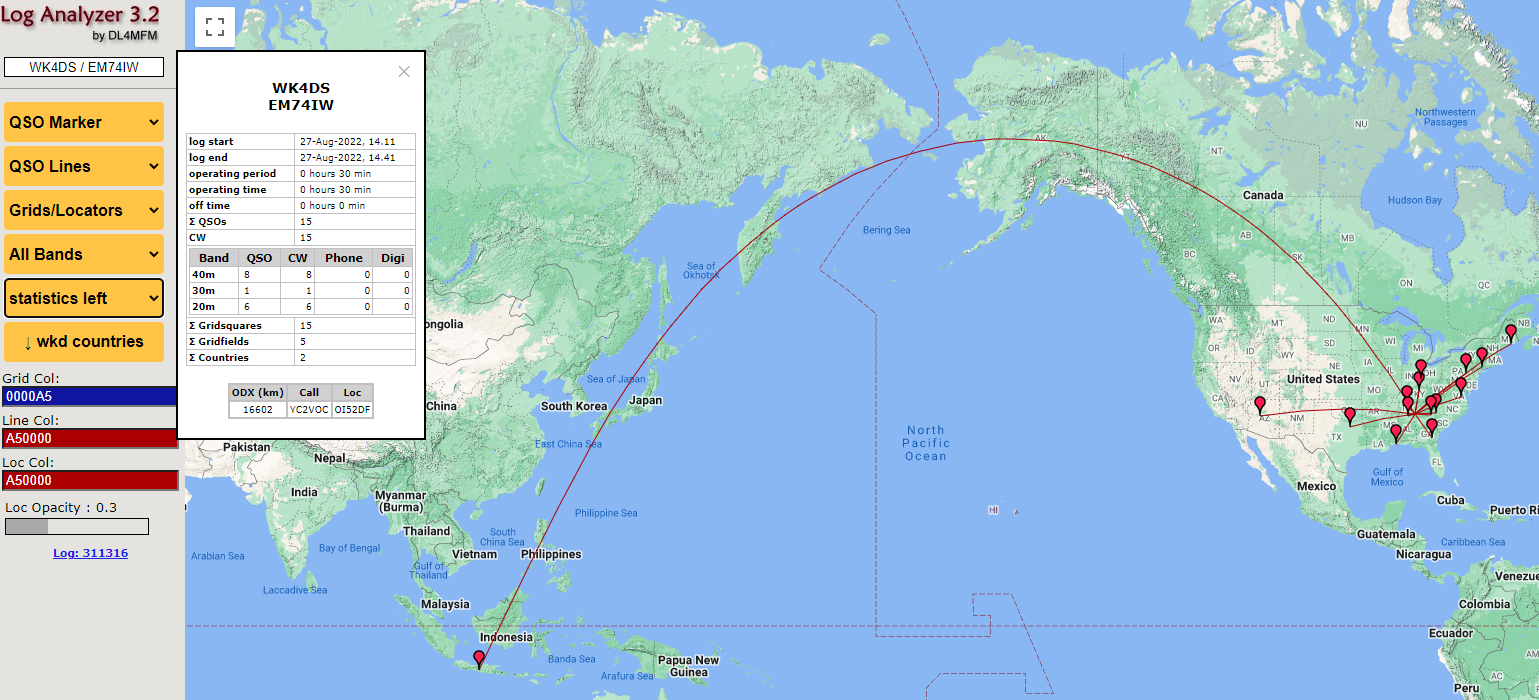
I had no idea at the moment, just how far away he was when we heard each other. So I worked him as a POTA contact and by the last time he had repeated his call, I could hear him pretty well. Still with a little QSB here and there, but I was certain of the call sign at this point. Here I am thinking I am going to hopefully get an activation in with the limited time I have and I get this amazing dx call back from my CQ!!! You see I have never heard that part of the world on my radio before. I don’t have great antennas (if your new to ham radio, it is immensely important to have good antennas to reach the farthest parts of the planet from your location) nor do I have them at elevation for proper gain benefits either. This means I normally hear the US, western Europe and some central America for the most part… I just couldn’t believe my ears that day.
There are numerous places on the web to get the great circle distance like I have here, this one is part of Log Analyzer 3.2. This maths out to about 500 milliwatts per 1000 miles or better said, 2063 miles per watt! . The conditions were just right between him and I that day to make it work with only 5 watts of output power on my end.

I want to say thank you to Galih for working with me that day to get the contact in the logs and tell all of yall reading this blog, that if you get out and turn on the radio, you just might have a conversation with someone in Indonesia!