WK4DS Amateur Radio Blog

Ten-Tec Scout 555 POTA Activation: 26 Contacts in 15 Minutes CW & SSB Setup Guide
Looking for a reliable POTA activation setup? Here's my complete guide to activating parks using the Ten-Tec Scout 555 transceiver. In this activation, I made 26 SSB contacts in just 15 minutes, plus worked several stations on CW using ham stick antennas and portable power. Whether you're new to Parks on the Air or looking for equipment ideas, this post covers my portable ham radio setup, antenna tuning tips, and real-world activation results.
Looking for a reliable POTA activation setup? Here's my complete guide to activating parks using the Ten-Tec Scout 555 transceiver. In this activation, I made 26 SSB contacts in just 15 minutes, plus worked several stations on CW using ham stick antennas and portable power. Whether you're new to Parks on the Air or looking for equipment ideas, this post covers my portable ham radio setup, antenna tuning tips, and real-world activation results.
My Ten-Tec Scout 555 POTA Equipment Setup
My setup process has gotten pretty streamlined over the years. I pull into the parking spot, grab the Scout case and antenna bag from the truck bed, and I'm usually on the air within 15 minutes. First thing I do is get the hamsticks mounted and run the radials - usually just two per antenna is enough for POTA work. While those are getting situated, I'll set up the radio in the truck cab, connect power, and do a quick SWR check with the nanoVNA. If the SWR is under 2:1 I'm happy enough to start making contacts. The key is keeping it simple - I've learned the hard way that complicated setups mean more things that can go wrong in the field. Harbor Freight cases have been a game changer for organizing everything too. Everything has a place and I can just grab the case and go.
Today saw me use the Ten Tec Scout again to great effect. Below is the case I carry it in showing the full compliment of band modules (I keep one in the radio and today that is the 20 meter module). Under the radio is the power cable in a pocket just for it and next is the spot for the microphone in a more permanent role. You can see the impression from where it sits in the case currently. This Ten-Tec Scout 555 POTA activation demonstrates why this radio is popular for portable ham radio operations.
These hard cases come from Harbor Freight and make wonderful travel cases for my POTA radios to be quite honest about it. I need to get two more and kit out my Ten Tec Argonaut 5 and my Penntek TR-35 and the set will be complete. The Argonaut has a nice hard case, but it is really large and kinda hard to maneuver with. I thought it would be a great kit for POTA and it does work, but I would really like something different… As an aside, I store the owners manual to each radio behind the lid foam on all of these. That way I have a instruction book should I forget how to do something obscure that I dont use all that often.

My Ten-Tec Scout 555 travel case showing all band modules for POTA activations

Scout 555 band modules - simple to swap for different frequencies during activation
I have not dismantled a band module to see what all is inside it but there is a good bit of stuff going on in each one. They are about 3” long and the circuit board goes all the way to the front. So there is plenty of widgets inside them to make the magic happen.
Today, I only used the 15 and 20 meter modules as I was being a little lazy and only put out radials for these two ham sticks. A quick SWR check with the nanoVNA and I was off to the races.
N3ZN straight key with Picokeyer adding memory functions for CW POTA activations
POTA CW Equipment: N3ZN Key and Picokeyer Setup
The above shows my CW key and keyer. The key is made by N3ZN and if you have not tried one then I highly recommend them. It works beautifully for me. The keyer is a Picokeyer from Hamgadgets.com and works way better than it should for what it costs. Since Ten Tec radios traditionally dont have memories for the CW keyers, this is the way to have those memories really easily. For Parks on the Air activations, having a portable CW key with and a electronic keyer with memory functions is essential (at least to me it is…).
Operating SSB on POTA: Hand Mic and Voice Contacts
The next thing I did that was out of my usual character is to get the hand mic out and work some SSB today as well. It worked OK, but there were times when the audio was odd and I would get little hints to something being wrong but all in all it worked fine.

Hand mic for SSB operation - made 26 contacts in 15 minutes with this setup

Quick SWR check with nanoVNA before starting the POTA activation
Choosing a POTA Activation Location
When I scout out parks for POTA activations, I'm looking for a few key things. First, low RF noise is critical - no nearby power lines, businesses with switching power supplies, or heavy traffic. This park checked all those boxes and then some. The parking lot being empty is a huge bonus as it means no ignition noise from cars starting up or idling nearby. I also look for parks that allow me to set up antennas without disturbing other visitors. Some parks get really busy on weekends, so I'll often activate during weekdays or early mornings. Having good cell coverage helps too, though it's not required - I like being able to spot myself on POTA.app without relying solely on the Reverse Beacon Network. This particular spot has become one of my go-to locations because it's quiet, accessible, and the park staff are friendly to hams.
As per my usual outings, I had the place to myself today with only a couple of cars rolling by during the entirety of my activation. I like it like this though as there is no ignition noise to deal with or inverters making RF hash, just the peace and quiet of the park and my radio chattering in the truck. During this time of day, the sun will beam into my door if I roll down the window beside me so I usually just roll down the other three and the one beside me just a little so the air still moves through the truck taking away the heat from the radio and making it nice and pleasant.
Just look at that parking lot all for me! HaHa! That never gets old! There is just something magical about the peace and quiet of a park like this.

Perfect POTA location - empty park means no ignition noise or RF interference
Ten-Tec Scout 555 CW Operation Tips and Side Tone Settings
A few operating tips I've picked up over my POTA activations - start on CW if you can work it, as the Reverse Beacon Network will auto-spot you and save you from needing cell service. Once you've got 10 contacts in the log, switch modes or bands to see what else is happening. Don't be afraid to QSY (change frequency) if things go quiet. During this activation, moving from 15 meters to 20 meters made all the difference - 15 was fading out but 20 was on fire. When you get a pile-up like I did on SSB, just work them as fast as you can log them. Don't worry about being perfect, just get the call sign and signal report down. You can clean up the log later if needed. And always, always bring spare coax and adapters. Murphy's Law is real in the field!
Something I learned today that is different between the Argonaut 5 and the Scout is that I have to use the key jack to make this radio transmit a side tone in CW. I can key the transmitter with the “mic jack cable” that I made for the Argonaut 5 but it wont produce a side tone with the Scout for some reason. So I instead used this port on the back of the radio to get it to work right (see photo below). Another special thing about this radio to me is that it has a Curtis keyer chip in it and you can plug a set of paddles directly into it and it will work as you would expect, but it is in a different port… Go figure. All these options are hot all the time too. Plug a straight key into it and key it to send CW then you could (theoretically) just pick up the microphone and talk to someone on SSB without changing anything else on the radio. It appears that it is in SSB mode all the time and CW is just the side tone being transmitted instead of the audio from the microphone. This does cause one little issue that a user will notice pretty quickly. The zero beat is the display frequency plus or minus (depending on band) the side tone frequency. The filter is simply a bandpass knob that adjust the filter bandwidth and that is it. A very simple radio that just works.
An example of the side tone offset in CW can been seen in the photo above where I am tuned up on 15 meters. It displays 21.0523mhz but the radio is actually operating on 21.053mhz when transmitting. So if you are near the band edges on say 40 meters CW, just keep this in mind so you are not transmitting out of band. The owners manual even mentions this to make sure you stay compliant with FCC regulations.

CW key jack on Scout 555 back panel - required for proper side tone in CW mode

First page of activation log - starting on 15 meters CW and SSB

20 meter SSB pile-up - 26 contacts in just 15 minutes!

Final page showing all contacts from the activation
POTA Activation Results: 26 Contacts in 15 Minutes
As you can see from the log above, I started out on 15 meters CW and worked several stations there before moving to 15 meters SSB till the band essentially faded out. At that point I decided to see what would happen if I went down to 20 meters SSB and called CQ… Well the log speaks for itself. I made 26 contacts in 15 minutes! This has to be some sort of world record!!! LOL…for me that is… It was wild how big the pile up was and how quick it happened! The people were super nice and courteous and really helpful so I thank all of you that called me this day and I really appreciate you stopping by to say hello! This POTA activation shows what's possible with a simple portable ham radio setup."
Frequently Asked Questions About POTA Activations
What equipment do I need for a POTA activation?
For a basic POTA activation, you need a portable ham radio transceiver (like the Ten-Tec Scout 555, Icom IC705, or the like), an antenna (ham sticks work great for portable use), a power source (battery or vehicle power), some interconnect cabling such as coax and things like that, and a way to log contacts. Optional but very helpful equipment includes: a CW key for Morse code operation, a portable table or chair for comfort, an antenna analyzer like the nanoVNA for precise tuning, and a keyer with memory functions for repetitive CW exchanges. The beauty of POTA is you can start simple and add equipment as you learn what works for your operating style.
How many contacts do you need for a valid POTA activation?
You need a minimum of 10 QSOs (contacts) for a valid Parks on the Air activation. These contacts can be made on any amateur radio band and any mode - CW (Morse code), SSB (voice), or digital modes like PSK31 or FT8. Park-to-park contacts (when you work another station who is also activating a park) count double for hunters, but still count as just one contact toward your activation total of 10. Remember VHF and UHF contacts count too as long as they are simplex only.
What is the best radio for POTA activations?
The "best" POTA radio depends on your operating style and preferences. The Ten-Tec Scout 555 is excellent for CW operation thanks to its clean receiver, simple design, and reliable performance. Other popular choices among POTA activators include the Yaesu FT-891 for 100-watt capability, the Elecraft KX2 or KX3 for QRP portable operation, and the Icom IC-705 for all-mode including VHF/UHF. Choose based on your preferred operating modes, power requirements, portability needs, and budget.
How do you tune a ham stick antenna for POTA?
The easiest way to tune a ham stick antenna is with an antenna analyzer like the nanoVNA, or you can use your radio's built-in SWR meter. Start by adjusting the length of the whip section - make it longer to lower the frequency, shorter to raise it. Make small adjustments (just a fractions of an inch at a time) and recheck your SWR reading. For POTA activations, an SWR under 2:1 is generally acceptable and will work fine, though under 1.5:1 is ideal for maximum power transfer. Anything under 2:1 will not damage your radio though so don’t stress too much over this part.
Can you operate POTA from inside your vehicle?
Yes! Parks on the Air rules allow operation from inside your vehicle, which is different from SOTA (Summits on the Air) that requires outdoor setup away from vehicles. Operating from inside your car or truck is actually quite common during POTA activations, especially in bad weather, extreme temperatures, or when dealing with insects. As long as you and your entire station are physically located within the park boundaries, you're good to go. Just make sure you're parked in an authorized area.
What is the best band for POTA activations?
20 meters is often the most productive band for POTA activations because it provides a good mix of both local and DX (long distance) contacts throughout the day. 40 meters works exceptionally well for regional and NVIS contacts, especially in the early morning and evening. 15 and 10 meters can produce excellent DX contacts when conditions are right and solar activity is favorable. Many experienced POTA activators work multiple bands during a single activation to maximize their contact count and variety. In my activation with the Scout 555, 20 meters SSB produced 26 contacts in just 15 minutes - that's the power of picking the right band at the right time!
Whether you're new to Parks on the Air or an experienced POTA activator, the Scout 555 makes for an excellent field radio.
Have you tried POTA with a Ten-Tec Scout? Share your activation stories in the comments below! If you're planning your first Parks on the Air activation and have questions about equipment setup, feel free to ask.
Want more POTA content?Subscribe to my ham radio blog for more activation reports, equipment reviews, and portable operating tips.
---
## POTA Activation Summary
Equipment Used:
- Radio: Ten-Tec Scout 555 (50 watts)
- Antenna: Ham sticks on 15m and 20m with tuned radials
- Power: Vehicle electrical system
- CW Key: N3ZN paddle key with Picokeyer
- Microphone: Ten-Tec hand mic
- Accessories: NanoVNA for antenna tuning, Harbor Freight case
Operating Details:
- Bands Worked: 15 meters and 20 meters
- Modes Used: CW and SSB
- Total Contacts: 30+ QSOs
- Best Run: 26 contacts in 15 minutes on 20m SSB (that was wild!)
- Setup Time: Approximately 15 minutes from arrival to first contact
- Activation Duration: About 90 minutes total
Key Takeaways:
The Scout 555 continues to prove itself as a solid POTA radio. Simple, reliable, and the receiver is clean even with nearby RFI sources. The band module system makes it easy to swap bands, though it's not as fast as just turning a knob. The big lesson today was remembering which key jack to use for proper CW sidetone - small details like that can save you troubleshooting time in the field. Also, 20 meters SSB was absolutely on fire today - sometimes you just catch the band at the right time and everything clicks.
---
You can help support this website by using these Amazon Affiliate Links:
QRP/Portable Radios:
Antennas & Tuning:
CW Equipment:
Power & Accessories:
Organization & Transport:
BONUS ITEMS
73, WK4DS - David

Go bag POTA!
The idea behind building a POTA go bag is simple. You want everything you need in one place, ready to grab and go. No hunting for coax in the garage, no trying to remember which box has the paddle, no scrambling to charge batteries. Just grab the bag, throw it in the truck, and you're ready for a park activation. Or an emergency. That's the whole point!
The idea behind building a POTA go bag is simple. You want everything you need in one place, ready to grab and go. No hunting for coax in the garage, no trying to remember which box has the paddle, no scrambling to charge batteries. Just grab the bag, throw it in the truck, and you're ready for a park activation. Or an emergency. That's the whole point!
Why Build a POTA Go Bag?
Today was about testing my emergency / travel radio kit to see how it actually performs in the field at Eagle's Nest (US-0716). Spoiler: it works better than I expected, even with some equipment drama along the way.

The QRP Guys SWR meter checking the Reliance Antennas 40m EFHW before starting the activation. I wanted to make sure the SWR was acceptable before putting power through it.
Complete Gear Walkthrough: Everything in the Bag
Here's every single item in my POTA go bag with approximate costs. This is everything you need for a complete field station that fits in one bag:
Radio and Accessories:
Penntek TR-35 QRP transceiver: N/A (no longer available… sad radio sounds…)
Xiegu G90 HF Radio Transceiver: 465$ (A great Alternative but not quite as small)
N6ARA CW paddle with case: ~$70
Headphones in ziplock bag: ~$20 (any decent pair works)
QRP Guys SWR meter: ~$20 (for field checks)
Power:
10-cell AA battery holder from Amazon: ~$12
10 rechargeable AA batteries (Eneloop or similar): ~$25
Power cord with Anderson Powerpoles: ~$10
Antenna System:
Reliance Antennas 40m EFHW: ~$60
ABR Industries coax with ferrite choke: ~$70
Backup coax (generic RG-8X): ~$30
Arborist throw line (40 feet): ~$8
Throw weight (1" nut from machine shop): Free!
Accessories:
Nylon tool bag from Amazon: ~$25
Small notebook for logging: ~$3
Pen (main) and pencil (backup): ~$5
Ziplock bags for organization: ~$2
Total Kit Cost: Approximately $825
Now, I know that seems like a lot upfront, but remember this includes the $465 radio. If you already have a QRP rig, you're looking at about $350 for everything else. And this entire kit lives in one bag ready to deploy. No hunting for gear, no forgetting critical pieces. That's worth something!
The beauty of this setup is that it's modular. Start with the basics (radio, antenna, power) and add the nice-to-haves over time. I didn't buy everything at once. I built this kit over about six months as I figured out what I actually needed in the field.
I did the entire activation from Eagle’s Nest in US-0716 with just the “kit” radio that I have put together. I have the QRP Guys SWR meter in the photo here as well (it is in the clear plastic case), but this is because I wanted to check the 40m Endfed Halfwave Antenna from Reliance Antennas to make sure the SWR was ok. He cuts them long so you can tune them once in the field and I have not cut mine yet.
You might be wondering, why go through the trouble of building a dedicated go bag instead of just grabbing gear as needed? Fair question! Here's my thinking:
For POTA operations: Having everything organized in one bag means I can decide to do an activation on a whim. If it's a nice day and I have two free hours, I don't need to spend 30 minutes gathering equipment. Grab the bag, drive to a park, and I'm on the air. This makes POTA way more accessible and way more fun.
For emergency communications: This is the real reason I built it this way. If there's ever a real emergency where I need to set up communications quickly (hurricane, power outage, whatever), I don't want to be hunting through the garage for my radio gear. The go bag concept means I can grab it and have a complete, tested, working field station ready to deploy immediately.
For travel: The bag is small enough to throw in the car for road trips or to check as luggage on a flight. Having everything self-contained makes it easy to operate from anywhere. I don't need to bring my whole shack, just this one bag.
The mindset shift: Building a go bag forces you to think about what you actually need versus what's nice to have. Every item has to justify its space in the bag. This makes you focus on core functionality rather than bringing every gadget you own. It's a good exercise!
The result is a system that's ready when you are, tested and proven in the field, with no excuses for not getting on the air.

One side of the bag showing the Penntek TR-35, the 40m EFHW antenna, power cord with Anderson Powerpoles, and the throw line with weight. Everything organized and ready to deploy.
The Penntek TR-35: Heart of the Go Bag
This particular nylon bag came from Amazon and has two main sides that unzip and lay flat. Inside each side are additional pockets to hold small, thin items as well. I have organized mine to hold the Penntek TR-35 and all the stuff needed to deploy it in the field. Literally everything. Let’s go for a short “walk” through this bag.
In the above photo is the radio, antenna and a power cord with Anderson Powerpoles installed. I also have the battery pack in the zippered pocket (more on that later). As well as a rope and weight for throwing a line up into a tree to haul up the wire antenna with. I just wound off about 40’ or so of arborist throw line for this kit and I have included a huge 1'“ nut from the machine shop for a throw weight, which works perfectly…
The other side contains the coax for the antenna and this is the only thing that I have two of in the kit. Coax has let me down more than once while out at parks so I now carry backup coax. No matter how careful you are with this stuff, it will fail on you. It just ins’t designed for all that movement and eventually you will break the center conductor. This is also why I check my system with the nanoVNA before starting…except today where I used the little SWR meter instead. One of the coaxial cables is the gold colored one made by ABR Industries and it has the ferrite common mode choke built into it. This is really wonderful coax and I wished I had learned how important quality coax was a long time ago…it makes a huge difference.
Also in view in the below photo is the N6ARA CW key in the little storage box it comes in and the headphones are in a ziplock bag to keep dust and dirt out of them. Nestled into the pocket behind the coax is a small notebook for logging. I also have a pen (my preferred tool for logging as I can see it easier than pencil) and a pencil since a pencil never runs dry, it is my long term back up to me pen…lol. I dont really trust pens either…haha.

The other side holds coax (including backup coax, because it will fail on you eventually), the N6ARA CW key in its case, headphones in a ziplock bag, and a notebook with pen and pencil for logging.

The N6ARA CW key comes in this little storage box which fits perfectly in the bag. Headphones stay clean in a ziplock, and the notebook/pen/pencil combo is my preferred logging method in the field.
So here is the station assembled and under power. You would be surprised at how long this radio will run on those AA batteries too. It is really shocking to me how well this little system works. I have yet to have the batteries die during an activation and one of them was three hours long. I need to run them till the radio dies to just see how long they will last at some point, but for now I know I can get at least three hours out of them. Also note that it is 10 AA rechargeable batteries, this gives me almost 14 volts which is what a car battery produces when new.
The station assembled and under power at Eagle's Nest (US-0716). You'd be surprised how long this radio runs on 10 AA batteries. I've never drained them during an activation!

Pointing to how I routed the coax. Started with it in a U-shape and got 2.6:1 SWR. Straightened it out and SWR dropped to 1.7:1, much better! This is why you check things in the field.
Here I am pointing to the coax that I used showing how I laid it out. I started with it in a “U” shape at first but the SWR showed to be 2.6:1 and I did use this for a bit as the TR-35 has final protections that make it pretty much impossible to damage them.
After a few minutes though, I decided to straighten the coax and this moved the SWR down to about 1.7:1 making me much more comfortable. I then checked all the bands that the TR-35 covers and only 30 meters was not usable. So that is why you see contacts on three bands instead of 4 today. Haha

My makeshift antenna support keeping tension on the wire and keeping it off the coax. It worked okay, but next time I want to get the wire higher. 30-40 feet would be better than the 15-20 feet I got here.
This is what I came up with to keep tension on the wire antenna and keep it off of the coax. It worked OK, but it the future, I would prefer to get the antenna higher. I also want to add another piece of cord so I can raise the transformer end of the antenna off the ground too. I think this will also help with radiation angle and pattern. The Reliance Antenna EFHW works really well and I am glad I got one from them. This is one of those items from the “Ham Made Gear” forum on QRZ.com. I have bought a few items from this area and have never been disappointed.
In the below photo, you can see my truck parked where I normally activate from and on the right side of that are a couple of trees that I tied the antenna up into. It is strange looking out on it now that it is cleared compared to just a few weeks ago.

Wide shot showing my truck where I normally park and the trees on the right where I tied up the antenna. This area was just cleared a few weeks ago so it looks different than it used to.

Here's what happens when you short circuit a 10-cell AA battery pack! The springs melted completely through the plastic housing. This is what I get for storing it with the power connector attached. Live and learn!
The Battery Pack Disaster (And What I Learned)
Now I need to tell you about the battery pack disaster, because this is the kind of thing that happens when you're figuring stuff out in amateur radio!
When I pulled the batteries out to charge them before this activation, I noticed the springs were melted completely through the housing. Like, melted through the plastic and everything. It took me a few minutes to figure out what happened, and when I did, I felt pretty dumb.
Here's what went wrong: The power connector barrel plug has the ground connection on the outside ring. When I stored the battery pack in the bag with the power cord attached, that barrel connector must have shifted and contacted one of the metal points along the battery bank on the outside of the holder. This shorted several batteries directly to ground!
Turns out when you short circuit AA batteries, they dump a LOT of current very quickly. Those poor springs turned into heating elements and melted the plastic housing. I'm honestly lucky the whole thing didn't catch fire or rupture the batteries. This could have been way worse!
What I learned (the hard way):
NEVER store the battery pack with the power connector attached. Ever.
A simple inline fuse would have prevented this entirely. I'm adding one.
I stretched out the melted springs and the pack still works, but I'm watching it closely.
I now store the last battery in the bank in a separate ziplock bag so nothing can short across the holder.
This is why we test equipment before we need it in an emergency! If this had been a real emergency situation and my battery pack was dead because of a storage mistake, that would have been a problem. Now I know better, and hopefully you can learn from my mistake without melting your own battery pack.
AA Battery Power: 3+ Hours of Runtime
Let me talk about why I went with AA batteries instead of the fancy LiFePO4 packs everyone recommends. Yeah, LiFePO4 batteries are great. They're lighter, hold more capacity, and last longer. They also cost $100 to $200 for a decent pack!
This 10-cell AA battery holder cost me $12 on Amazon, and a set of 10 Eneloop rechargeable AAs runs about $25. That's $37 total for a power solution that gives me 3+ hours of runtime with the Penntek TR-35. I've done a three hour activation and never came close to draining the pack.
Even better: AA batteries are available everywhere. If I'm traveling and forget to charge my batteries, I can walk into any gas station or convenience store and buy alkaline AAs to get me through an activation. Try that with a LiFePO4 pack!
The 10 cells in series give me about 14 volts when freshly charged (this presents a small problem with Alkaline batteries as the voltage is greater by .3 volts! I guess I need to get two dummy cells so I can “detune the pack for Alkaline batteries), which is perfect for the TR-35. As they discharge, voltage drops to around 12 volts, but the radio still works fine all the way down. I typically recharge them when I get home, even if they're not fully drained, just to keep them ready to go.
Is it the most elegant power solution? No. Is it the lightest? Definitely not. But it's cheap, reliable, and universally available. For a go bag / emergency radio setup, those qualities matter more than saving a few ounces.

Close-up of the melted springs. The barrel connector contacted the battery holder and shorted several cells to ground. Those springs turned into heating elements real fast. I'm lucky it didn't catch fire!

My paper log showing contacts on three bands (20m, 17m, 40m). 30m wouldn't tune because I haven't trimmed the antenna to resonance yet. I still use paper logging as my primary method in the field.

Complete Go Bag Checklist and Cost Breakdown
1. Get the antenna higher I only got the wire up about 15-20 feet using the tree right next to my operating position. This worked fine, but higher is always better for HF propagation. Next time I'm bringing a longer throw line so I can aim for branches 30-40 feet up. The extra height will help with DX contacts and cleaner signal patterns.
2. Add a second cord for the transformer end Right now the EFHW transformer just hangs near the ground. I want to add another piece of cord so I can raise that end off the ground too. This should help with the radiation pattern and might improve performance on the higher bands.
3. Inline fuse for the battery pack Yeah, after the melting springs incident, this is happening. A simple 5-amp inline fuse between the battery pack and the power connector would have saved me a lot of stress. I'll add this before the next activation.
4. Pre-tune the antenna The Reliance Antennas EFHW comes cut long so you can trim it to perfect resonance in the field. I still haven't done this trimming, which is why 40 meters wouldn't tune properly (SWR was a little high). I need to take an hour and actually tune this antenna across all the bands the TR-35 covers. Then I'll know it'll work on 40m,, 20m, and maybe 17m (if I can live with the SWR) without field adjustments. (30 meters never tunes on these antennas so I dont count it.)
5. Add a small groundsheet The bag sits directly on the dirt/grass right now. A small tarp or groundsheet would keep everything cleaner and drier if I'm setting up in damp conditions. Nothing fancy needed, just something to protect the gear.
What's working perfectly:
The bag itself is the right size
Having backup coax has saved me multiple times
Coax with ferrite common mode choke from ABR Industries
The AA battery runtime is more than adequate
The throw weight works great
Everything fits and is organized
Overall, I'm really happy with how this kit performs. These are all minor tweaks, not major problems. The core concept of "everything in one bag" is solid!
Let me give you the actual numbers from this Eagle's Nest activation using just the go bag kit:
Activation Details:
Park: Eagle's Nest, US-0716
Date: November 13, 2024
Equipment: Penntek TR-35 at 5 watts QRP
Antenna: Reliance 40m EFHW at ~15-20 feet
Power: 10 AA rechargeable batteries
Bands: 20m, 17m, 40m (30m wouldn't tune)
Contact Breakdown: I started on 20 meters calling CQ and had a good little run of contacts. After working through the initial pile-up, I switched to hunting for other POTA activators on the band. Then I moved to 17 meters (one of my favorite bands these days!) for a few more contacts before finishing up on 40 meters.
Total activation time was probably 90 minutes, and the batteries still had plenty of charge left. I didn't drain them even close to empty. This confirms what I've seen before with this setup: you can easily get 3+ hours of field time on a single charge of AAs.
The go bag concept worked exactly as intended. I grabbed the bag from my truck, walked about 50 feet to my operating spot, threw the wire up in a tree, and was on the air in maybe 15 minutes. When I was done, everything packed back into the bag just as quickly. No loose gear rolling around in the truck, no forgetting pieces of equipment. It all stays together!
72

Rainy day CW POTA is the best...for me.
When I set out to activate a park today, I didn’t know where, but rather, only how I wanted to do it. I have been using FT8 so much lately that I got to missing my little CW only radios.
When I set out to activate a park today, I didn’t know where, but rather, only how I wanted to do it. I have been using FT8 so much lately that I got to missing my little CW only radios.
The Penntek TR-35 CW QRP radio is perfect for POTA
Today saw the re-emergence of the Penntek TR-35 and all the little widgets I made to go with it. I really love this little radio and now I have built an actual travel kit around it so if I wanted to take it somewhere on a plane, the kit will fit in my carry on baggage.
The travel kit doesn’t include the s-meter module or power pack/speaker, but those are “luxuries” anyway. The kit does have everything needed to get the radio on the air and making contacts and that is all that it has. Anyway, let’s get to today!
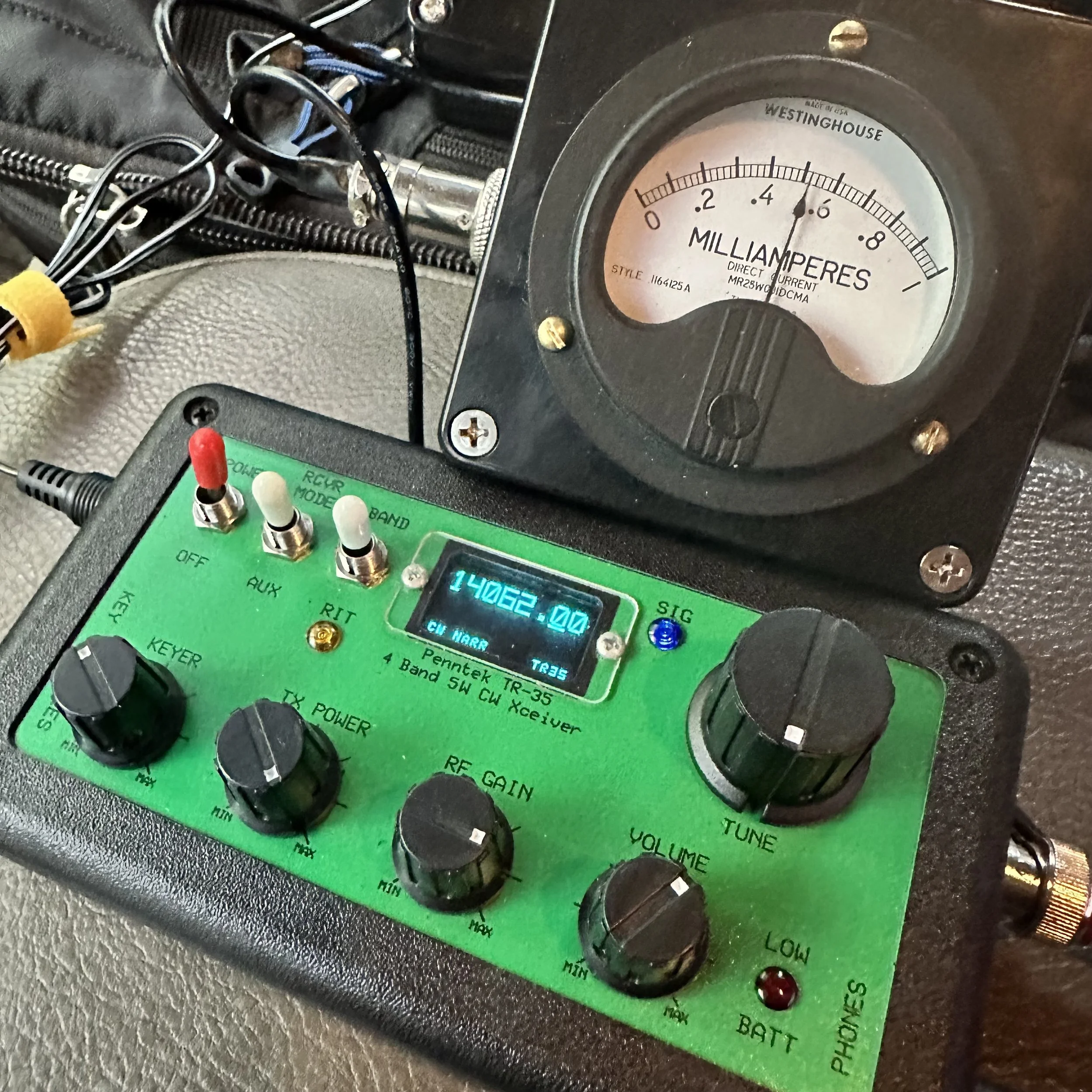
Pictured above is the radio and the “S meter” I built to go along with it. This meter works really well and makes using the radio just a little more fun for me. Is it needed? No, not at all, but that isn’t the point. This needle bouncing around while I copy code somehow is soothing for some reason and I can see how strong the signal is visually as well. I wrote about how I built in in this blog post.
Another thing of note is that this tiny little N6ARA key works REALLY well. Way better than something this simple should work… It actually works so well that it is worth using as a regular key. It is that good. Now to be fair, I dont know what the life of the key would be as it is PC board material so the contact thickness isn’t that much, but these keys do work really well. It takes a while to get it dialed in (read that as adjusted to your sending feel and style) but once you do, it is amazing how well it works. I should have gotten the larger variant, but I had this silly idea about minimalism and because of this, I got the little one.

Getting the key adjusted correctly and then some practice using it and this thing is amazing. Take it from me, if your not super concerned with every gram of weight, then get the bigger unit. It gives you so much more to hold onto that it isn’t even a option for me now. I still have the small one, but I do plan at some point to get the larger case for it.


Getting a spot on the POTA website
I posted this screen shot, of my spot on the POTA website, because I wanted to thank David- WA2OTC for going to the trouble of spotting me on the website while I was at the park without good cellular signal. He even came back to me and let me know that he had gotten the spot on there before moving on with his hunt. Thank you David!
It was really nice to not have to worry about getting on the website and getting myself spotted. You are probably thinking, then how did you get the screen shot? Well, I didn’t have a total black out, but just weak signal, so I simply loaded up the website and waited the 5 minutes or so for it to populate (seriously, I thought it would never load) so I could grab a screen shot for the blog. It would update EVER SO SLOWLY if I left it on the page. This location is a geographical oddity, it is close to the city but in a particular spot where there is terrible cellular coverage for some reason.

Welcome to fall and winter in the south. I have realized over the years that we get most of our water in the winter and I have planned accordingly. Things like the tape on the coax connector below to keep the rain out during an activation… Don’t forget to keep a roll of electrical tape in your car. Another trick I learned in working electrical maintenance over the years is that if you wrap the tape inside out (sticky side to the outside) then it wont leave residue on the cable and it works just as well for this purpose. We used it on factory motor connections so the rubber insulating tape would not stick to the connectors and it make changing the motors so much easier.
This exact weather event is what drove me to build the truck-tenna mount and figure out a power source for inside the truck cab to start with. POTA in the rain can still be fun as long as you plan for it.
The Inside-Out Electrical Tape Trick (From 20 Years of Electrical Maintenance)
I learned this trick working electrical maintenance over the years and it's perfect for POTA rain operations. The standard method that most people use is wrapping electrical tape with the sticky side to the connector, and this works fine for permanent installations where you're never going to take it apart again. But here's the problem for POTA: it leaves sticky residue when you remove it, it attracts dirt and moisture over time, and it's a pain to clean off in the field when you're trying to pack up and get home!
The inside-out method is way better for portable operations. You wrap the tape sticky side OUT, which sounds completely backwards but hear me out! The first wrap still sticks to itself even though it's reversed. It forms a perfect… well, close enough… waterproof barrier just like normal tape would. But here's the magic: when you peel it off after the activation, there's no residue on your connector! You can do this multiple times without any sticky buildup.
So how did I learn this? We used it on factory motor connections in industrial settings so the rubber insulating tape would not stick to the connectors and it made changing the motors so much easier. Motors would run for years in dusty, dirty environments and when it came time to replace them, the tape would peel right off without leaving any mess behind. The connectors underneath would be clean and ready to reconnect immediately.
For ham radio applications, I wrap coax connectors sticky-side-out, cover BNC connections between the radio and coax, and protect any exposed metal from rain. It works perfectly! Here's the actual process: Connect your coax normally first. Start the tape wrap with the sticky side facing OUT (this feels weird at first!). Wrap it around the connector 2-3 times, overlapping each wrap by about half. Press the tape to itself as you go so it forms a good seal. And that's it! You're done and it's completely waterproof…for a little while (long enough to complete the activation).
After the activation when you're packing up, peel off the tape and toss it in the trash.
Just like the tape on the coax connector below to keep the rain out during an activation... Don't forget to keep a roll of electrical tape in your car! This simple trick has saved countless activations from rain-related failures. I'm serious about always having a roll in the truck because you never know when weather is going to change on you!


Another thing that has happened at this location is that someone has cleaned it up… I am guessing the park service since there were chainsaws used…a lot. The cut all of the dead trees out as well as cleaned up all the dead-fall and then mowed the entire site! This is the first time I have seen this happen since doing POTA! The photo below was take just a month or so back.

The Joy of CW-Only Operations
There's something special about CW-only rigs like the Penntek TR-35 that's hard to explain until you've actually used one for a while.
The first thing you notice is there's no mode confusion. It's CW and that's it! You don't sit there thinking "should I try SSB instead?" or "maybe FT8 would work better in these conditions?" You just do CW all the time and you stop second-guessing yourself. That simplification is actually really freeing!
This leads to simplified operating in general. There are fewer controls to fiddle with. There's no mic gain to adjust, no audio levels to mess with(other then the obvious AF Gain knob for your headphones), no VOX settings or anything like that. It's just frequency and volume and you're done. You send code, you receive code, and that's the entire operating experience. No menus, no submenus, no functions buried three levels deep in software!
Here's something I didn't expect when I first started using CW-only radios: it actually forces you to improve! You can't fall back on voice modes if CW is hard. You actually have to learn the code better. You have to build your speed and confidence because there's no other option. And you know what? This makes you a better CW operator! When you go back to radios that have multiple modes, your CW skills are way better than they were before.
There's also this Zen quality to CW that's hard to describe. The rhythmic sending and receiving, the meditative quality of copying code, the direct brain-to-brain communication without any voice involved... it's pure information transfer! No misunderstood words, no voice characteristics, just the message itself getting through. I know that sounds kind of woo-woo but it's real!
After using FT8 (which is great!), phone modes (also great!), and other digital modes (all great!), sometimes I just want the simplicity of CW. One mode, one band (20 meters on the TR-35 is a good safe bet), one purpose which is to make contacts! No computer required, no sound card interface, no USB cables, no software updates. Just the radio, the key, and propagation.
This is exactly why today's activation was so satisfying for me. No menus to navigate, no mode switching to think about, no computer to set up and troubleshoot. Just me, the key, the radio, and the other operators on the other end. Simple! And after almost an hour of non-stop contacts, I realized this is what I really love about ham radio. The simplicity and the direct connection to other people through Morse code. I really love this little radio!

So after getting the radio setup and checked for SWR, I hopped on 20 meters right away. I wanted to be sure to get the activation fairly quickly as I didn’t a long time to stay and I also was using my Penntek TR-35 radio which is QRP power too. This gives me the best possible chances at activating…well, I underestimated the capability of the radio a little as you can see from the log. LOL. I first hunted AC4BT to just see if I could get through, this is because lot’s of activators today use 100 watt radios so just listening to the other stations no longer gives you an idea of how strong your signal will be. I make my point with the signal reaport I got back. He was booming into my radio and I was a 339 to him. 339 is workable so I moved to a clear spot, called QRL a few times, then called CQ and that is when things took off!

For almost the next hour, the bands were on fire! The only time there was a significant time between contacts was when I tried to reply to KM3STU and couldn’t get him. He came in strong and then vanished. Shoot, at one point I worked Germany! He was closer to the noise than the other stations but I was able to dig his call out after a minute. It is ALWAYS awesome to work another continent with a QRP radio!!! Alas, after about 45 minutes of non-stop contacts, the band just fell silent for me and after calling CQ for a few minutes, I called QRT and shut down the station as I needed to pack up anyway. This was a great POTA activation for me and one where I look back fondly at how much fun a tiny little radio can be.
I will say it again, if you have thought about activating a park, just do it. If you have hunted, then you know the exchange. Just write the park number at the top of the page for when you work another activator and the want to exchange park numbers with you. You can see that I paper log in the field then enter it into a computer when I get home to submit it to the POTA site so the hunters get credit. I will be honest here, if the hunters didn’t get credit for the contacts as well, I wouldn’t bother uploading the logs at all. For me it is about the experience and not the awards, this is why I have never submitted anything for awards from any organization. I just like operating on the air. So those logs upload are for you, not me… you see, without the hunter, this would not be a huge hobby like it is today, so I want them to get the credit they deserve. Anyway I will stop rambling and until next time, get your radio out and talk to someone on it!
Frequently Asked Questions About CW POTA and QRP Operations
Can you do POTA activations in the rain?
Absolutely! POTA in the rain can still be fun as long as you plan for it. This is exactly what drove me to build the truck-tenna mount and figure out a power source for inside the truck cab to start with. Here's what you need:
Waterproofing:
Electrical tape on coax connectors (keeps rain out!)
Pro tip: Wrap the tape inside out (sticky side to the outside) so it won't leave residue on the cable and it works just as well
Keep a roll of electrical tape in your car at all times
I learned this trick working electrical maintenance over the years
Operating from the vehicle:
Truck-tenna (receiver hitch) mount lets you operate from inside
Power source in the cab (battery or power supply)
Stay dry and comfortable
Still counts as a valid POTA activation as the whole station is inside the park boundry.
Welcome to fall and winter in the south! We get most of our water in the winter, so I've planned accordingly. Don't let weather stop you from activating parks!
What is QRP and why do you use it for POTA?
QRP means low power operation, typically 5 watts or less. My Penntek TR-35 is a QRP radio, and honestly? I love using it for POTA! Here's why:
Why QRP is awesome:
Small, lightweight radios (easy to carry)
Lower power consumption (batteries last longer)
Challenge and satisfaction (you worked them with 5 watts!)
Proves propagation is good (if you can get through at QRP, conditions are solid)
Fun factor (there's something special about making DX contacts on 5 watts!)
Reality check: The signal report I got from AC4BT was 339 (readable but weak). But you know what? It's workable! I hunted him first just to see if I could get through, because lots of activators today use 100-watt radios so just listening to other stations no longer gives you an idea of how strong your signal will be. At one point I worked Germany with this little radio! It is ALWAYS awesome to work another continent with a QRP radio!!!
QRP isn't for everyone, but if you enjoy the challenge and the simplicity of small radios, it's incredibly rewarding!
What's the advantage of CW over voice or digital modes for POTA?
CW (Morse code) has some real advantages for POTA activations:
Narrow bandwidth:
Gets through noise better than voice
Can copy weak signals that would be unreadable on SSB
Works in poor conditions
Lower power required:
QRP CW is more effective than QRP voice
5 watts CW = 20+ watts SSB in terms of effectiveness
Better battery life
Faster exchanges:
CW POTA exchange can be quick and efficient
Less time per contact = more contacts per activation
Usually people can make clean contacts in poor operating conditions with CW where voice would fail or require many repeats.
Personal preference: I have been using FT8 so much lately that I got to missing my little CW only radios! There's something meditative about copying code and sending with a straight key. The rhythm, the simplicity, the direct connection to the other operator. It's just fun!
That said, use whatever mode you enjoy! POTA is about getting on the air and having fun, whether that's CW, SSB, FT8, or anything else.
How do you activate a POTA park without good cellular signal?
This is a real challenge! At this particular location (a geographical oddity), I'm close to the city but in a spot where there's terrible cellular coverage for some reason. Here's how to handle it:
Before you leave:
Download offline maps of the park
Have your POTA park number written down
Know the exchange you'll use
Pre-plan your frequency and mode and schedule them on the POTA website ahead of time
At the park:
Self-spot if you can get any signal at all (even slow!)
Ask another station to spot you (like WA2OTC did for me!)
Just start calling CQ and hunters will find you eventually
The WA2OTC story: I wanted to thank David WA2OTC for going to the trouble of spotting me on the website while I was at the park without good cellular signal. He even came back to me and let me know that he had gotten the spot on there before moving on with his hunt. Thank you David! It was really nice to not have to worry about getting on the website and getting myself spotted.
Getting screenshots with weak signal: I didn't have a total blackout, but just weak signal, so I simply loaded up the website and waited the 5 minutes or so for it to populate (seriously, I thought it would never load) so I could grab a screenshot for the blog. It would update EVER SO SLOWLY if I left it on the page.
The ham radio community is great about helping activators get spotted. If you can't self-spot, just ask on frequency!
What is the Penntek TR-35 and why do you like it?
The Penntek TR-35 is a tiny QRP CW-only transceiver for 20 meters. It puts out about 5 watts and is incredibly simple. I really love this little radio! Here's why:
What makes it special:
CW only (no distractions, just Morse code)
20 meter monoband (one band, done well)
QRP power (5 watts, battery-friendly)
Small and portable (travel kit friendly)
Simple to operate (no menus, just tune and send)
My travel kit: Now I have built an actual travel kit around it so if I wanted to take it somewhere on a plane, the kit will fit in my carry-on baggage. The travel kit doesn't include the S-meter module or power pack/speaker, but those are "luxuries" anyway. The kit does have everything needed to get the radio on the air and making contacts and that is all that it has!
Real-world performance: For almost the next hour after I started calling CQ, the bands were on fire! I worked Germany! The only time there was significant time between contacts was when I tried to reply to KM3STU and couldn't get him. After about 45 minutes of non-stop contacts, the band just fell silent for me.
This was a great POTA activation and one where I look back fondly at how much fun a tiny little radio can be!
What is the N6ARA key and how well does it work?
The N6ARA key is a tiny straight key designed for portable operations. I have the small version, and honestly? This tiny little N6ARA key works REALLY well. Way better than something this simple should work!
Why it works:
Simple PCB construction (printed circuit board material)
Adjustable contacts and “spring” tension
Compact size (fits in tiny kits)
Surprisingly good feel when dialed in
The adjustment process: It takes a while to get it dialed in (read that as adjusted to your sending feel and style), but once you do, it is amazing how well it works! Getting the key adjusted correctly and then some practice using it and this thing is amazing.
My regret: I should have gotten the larger variant, but I had this silly idea about minimalism and because of this, I got the little one. Take it from me, if you're not super concerned with every gram of weight, then get the bigger unit. It gives you so much more to hold onto that it isn't even an option for me now. I still have the small one, but I do plan at some point to get the larger case for it.
Longevity question: To be fair, I don't know what the life of the key would be as it is PC board material so the contact thickness isn't that much, but these keys do work really well. It actually works so well that it is worth using as a regular key. It is that good!
Why did you build an S-meter for the Penntek TR-35?
The Penntek TR-35 doesn't come with an S-meter, and I wanted one! I built a simple S-meter module that works really well and makes using the radio just a little more fun for me. I wrote about how I built it in this blog post.
Is it needed? No, not at all, but that isn't the point! This needle bouncing around while I copy code somehow is soothing for some reason and I can see how strong the signal is visually as well.
Why I like it:
Visual feedback (see signal strength)
Satisfying to watch (needle bouncing with code)
Helps tune in weak signals
Just makes operating more enjoyable
It's one of those "luxuries" that isn't necessary but adds to the fun factor. And isn't that what ham radio is all about?
Should you upload your POTA logs even if you don't care about awards?
Yes! I will be honest here, if the hunters didn't get credit for the contacts as well, I wouldn't bother uploading the logs at all. For me it's about the experience and not the awards. This is why I have never submitted anything for awards from any organization. I just like operating on the air.
Why upload logs:
Hunters get credit for their contacts
Without the hunter, this wouldn't be a huge hobby like it is today
Those log uploads are for you, not me
It's the right thing to do for the community
My logging process: I paper log in the field then enter it into a computer when I get home to submit it to the POTA site so the hunters get credit. You can see my paper log in the photos!
I want hunters to get the credit they deserve. Without them, POTA wouldn't be what it is today!
What should a beginner know before attempting their first POTA activation?
Just do it! If you have thought about activating a park, just do it. Here's what you need to know:
If you've hunted, you already know the exchange:
Your callsign
Signal report
Park number (write it at the top of your log page)
If working another activator, exchange park numbers
Start simple:
Pick a mode you're comfortable with (CW, SSB, FT8, whatever!)
Bring a paper log (you can log electronically later)
Start on 20 meters (most activity)
Call CQ and see what happens!
Don't overthink it: I underestimated the capability of the radio a little as you can see from the log, LOL. I first hunted AC4BT just to see if I could get through, then moved to a clear spot, called QRL a few times, then called CQ and that is when things took off!
The hardest part is just getting started. Once you make that first contact, you'll realize it's not scary at all. It's fun!
What power source do you use for in-vehicle POTA operations?
I figured out a power source for inside the truck cab specifically for rainy day operations. Options include:
Battery options:
Bioenno LiFePO4 batteries (lightweight, efficient)
Sealed lead acid (cheaper but heavier)
Cigarette lighter adapter (if your vehicle supports it)
QRP advantage: Since the Penntek TR-35 only uses 5 watts, battery consumption is minimal. You can operate for hours on a small battery!
Rain operations: Having power inside the vehicle means you can operate comfortably in any weather. The truck-tenna mount lets me set up the antenna outside while I stay dry inside. POTA in the rain can still be fun as long as you plan for it!
BONUS QUESTION: What's your favorite part about POTA activations?
The experience! For me it's about the experience and not the awards. There's something special about:
Taking radios to beautiful parks
Making contacts from random locations
The challenge of QRP and CW
Meeting other operators on the air
Just being outside with radio gear
Today was a great POTA activation for me and one where I look back fondly at how much fun a tiny little radio can be. The bands were on fire, I worked Germany on 5 watts, and I spent almost an hour making contacts in the rain from my truck!
That's what ham radio should be: fun, challenging, and rewarding. So get your radio out and talk to someone on it!
Getting back to my roots…with CW
Today I activated park US-2169 with the Ten Tec Scout and only used CW.

This was a pleasant change from the FT8 I have been using so much recently. I was actually planning on switching to SSB then FT8 as well and use all three modes in one sitting…but…CW was working SOOOOOO well.
I also decided to setup at the picnic table by the canyon rim so I could use a 41’ wire antenna and a tuner. This allowed me to go up to 10 meters as I checked the spot page and a bunch of people was already there. I worked on getting the antenna tuned a while, only to find that I had used it wrong. Once I figured this out, I was able to get it to tune to about 1.5:1 and this is perfectly fine for a Ten Tec.
I was blown away by what happened next.

Here is what I took with me today… all those cases have different radios in them. The orange case is the sBitx (my goto FT8 rig in the field) the green case is the Ten Tec Argonaut 5 and the tan case is the Ten Tec Scout. I was loaded for bear. Lol. I was going to use the Scout for CW and SSB and then switch to the sBitx for FT8. Then why did I bring the Argonaut 5 out? Because the keyer and paddle are in that case that I wanted to use. HaHa. I also used the tuner and some cabling out of that kit as well.

Let’s talk about the Scout for a minute. This is a unique radio in that to change bands you change these modules that plug into the front of the radio. I have the whole set of band modules for my Scout and keep them in the hard case with the radio. It is an interesting little radio that also has a unique tuning device. The radio has a PTO instead of a VFO. So the knob has a distinctive resistance when you turn it as it is a mechanical screw driving a core into an inductor. This also means it remembers the frequency you are on without the need for a memory battery.

I kept the nanoVNA on the table for tuning when switching bands and I elevated the tuner on a pair of lineman pliers to make tuning a little easier. My Scout is unmodified from original and works really well. It does have some quirks but nothing that is a deal breaker.


The station as operated today. I like this spot as it is also in the public view and can sometimes spark conversations with passerbys. I had a conversation with a man and his wife on this day and he was in the signal corps in Korea and was copying the code as they walked by. He waxed nostalgic for a few minutes and we had a wonderful conversation and then they were gone…
The below photo shows the tree where I strung my antenna up to and you can see the table in the background it went down to. I like to string up a huge 65’ wire most of the time but today I just used my 41’ random wire since it was already in the kit.
These new LiFePO3 batteries are truly amazing to me. They weigh almost nothing and I operated for two straight hours at 50 watts and the battery was still at 13.26VDC. This blows my mind. I can pick this battery up with two fingers! I also ran it through my fuse distribution block so everything was fused.


This log shows how awesome the band was on this day. I started on 10 meters CW as I was listening around and the first call I copied was England! That was when I knew it was going to be good. I didn’t get him, but shortly after I started calling CQ and 6 out of the next 10 contacts were DX!!! The first one was Chile and I am pretty sure that is the first Chilean I have ever worked.
After that I noticed the rest were from the European area of the world which is still awesome! The other domestic callsigns were still very far away and I was stoked to mess with other bands as well to see what I could hear. After these initial 10 QSOs, I found that the band was fading so I figured I had hopped on the air at just the right time and caught a wave. At this realisation, I figured I would give 17 meters a try and see what happens. It was much more difficult for some reason, not much activity at all… I guess everyone was up on 10 meters… haha.
So after that, I figured I would just test 15 meters before calling it quits for the day. Well, I must have hit a band opening on 15 meters as well. The calls started coming in and as you can see below I got South Africa! That is also a first for me!!! I normally cant hear Africa since I use less than ideal antennas. I had a blast on 15 meters and the logbook reflects that. I even worked two “regulars” that I know by name but have never met in person! KJ7DT - Paul in Idaho and K9IS (who I have written about before) - Steven in Wisconsin. Both of these men have worked me well over 50 times and I am pretty sure Paul is over 100!
It is really cool to get “Z” calls in the log though as I rarely hear this call letter on the air. I always think it is way off, and sometimes it is, like the South African station but then I get one and it next door in the Caymen Islands too…lol.

This was an awesome day and I am glad you followed along in the story with me. Until next time, I hope to work you on the air!
WK4DS - David
73
Jumping on 40 meters right quick…
Today saw me testing a theory, that 40 meters wasn’t closed just because it was late in the morning…
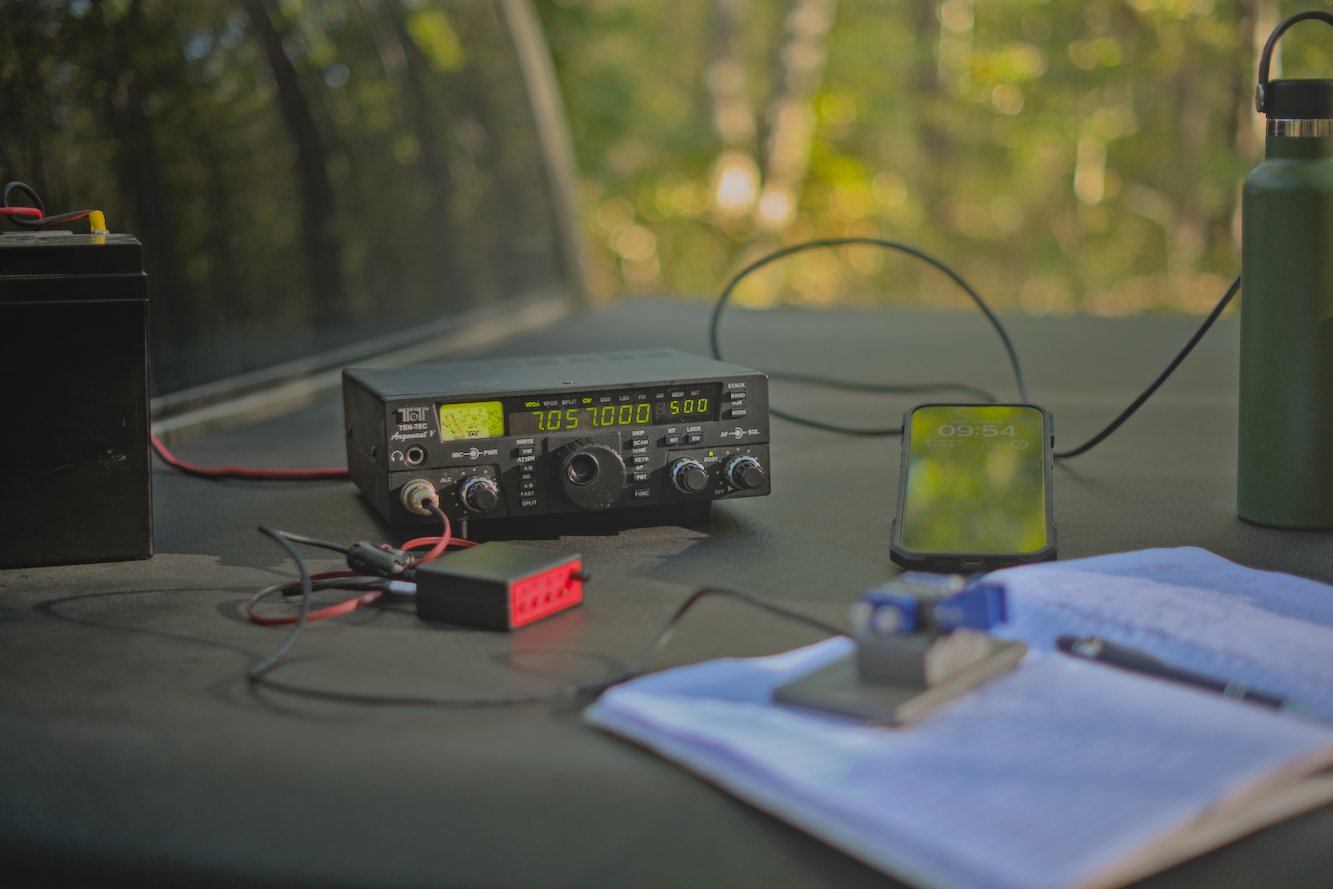
When I got to US-2169 today, I wanted to get on the air quickly, so I decided that I would activate the Sitton Gulch parking lot instead of going to the top of the mountain. This one thing adds about 40 minutes to my operating time as it takes me about 20 more minutes to drive to the top of the mountain from here and then there is the drive back down. Armed with this extra time, I decided to also add a long radial so 40 meters would tune up to a usable SWR. I was able to get the SWR on 40 meters CW down to about 1.6:1 and this is what I made all my 40 meter contacts at. The beauty of Ten Tec radios is their notoriously robust transmitters and the legend that they can survive transmitting into 10:1 SWR without ill effects. I have personally used my Argonaut 5 in 2.5:1 conditions and had no problems at all.
Today I thought I would just jump on 40 meters for a minute and see what I could scare up on CW then move over to FT8 before heading up to 20 meters. I was not ready for the pile up that happened next… It was interesting as there really wasn’t much activity on 40 meters at the time when I hopped on. It was almost lunch time at this point (late morning) and the noise on the band was picking up. I sent out my CQ a few times and it didn’t take long to get an answer. I also spotted myself on the app too and I am certain this helped immensely as well.
I worked over 10 contacts in about as many minutes and was stoked to have bagged the activation so easily. I switched over to FT8 now that I have cleared my little pileup on CW and see what I can find there!

I simply added a couple more radials to the antenna to help with SWR so that I could operate on 40 meters today. One of these radials was over 30 feet long! The 40 meter ham stick that I have is not that great of an antenna from what I have seen. The SWR is really touchy with it and I can not get it to tune without several large radials helping it. I dont know what I am doing wrong with it, but I really need to figure it out as the 40 meter band is a lot of fun!
The measurment kit below has becoume part of my permenant truck POTA kit that I take with me everywhere. It has the nanoVNA and all the associated widgets for it as well as a simple little multi-meter to check things with out in the field. This has been very valuable at times and a I recommend everyone carry a simple meter with them.

Here is a simple little hack that I found with my Ten Tec Argonaut 5 radio that I though was cool. You can make up a front (mic plug) connector for the keyer cable instead of using the tiny one on the back if you will simply wire the keyer contact from the keyer or key across the PTT contact on the mic plug. It works flawlessly and is simpler to setup for me. I have the cable for the back too should this one fail for some reason, but this is more elegant for me. Notice all the RF blocking devices I have added to the lines to reduce (read that as eliminate) erroneous characters from being sent due to stray RF.


After my little interlude on 40 meter CW, I switched radios to the sBitx to be able to work some FT8 on 40 meters as well… This was not a great idea as the SWR was 3.5:1 in the part of the band and I didn’t want to risk damage to the finals so I made one contact and then moved to 20 meters for the duration of the activation. Once on 20 meters, this is where things REALLY took off for me today. I started hunting and pouncing on contacts on FT8 before I finally just setup on an empty slot and started calling CQ myself. This produced a lot of contacts. A really good run ensued and I was glad to see that I was able to put many calls in the log on this day with the sBitx. Shoot, I even worked a couple of SSB contacts as well, but it was a struggle to be honest with only about 9 watts or so in the SSB portion since my antenna is tuned for the CW portion of the band.

Here is a rare glimpse into my “go” kit for my Ten Tec Argonaut 5 as a CW kit. I need to add the microphone to it so I can use it for SSB as well but I am not sure if the SSB mod has been done to this one yet. Haha. It works so well for CW that I have not bothered to check! But the kit contains the radio, tuner, wire antenna, key and keyer plus all the cabling to get everything connected. It is only missing a power source but that is by design. I carry batteries for remote ops or plug into the truck for mobile operations which is why I dont have a battery in the kit.


Here we have yours truly operating the sBitx on FT8 and to be honest, it works almost too well for this. To the point that I am almost not even interested in the other modes with it… Almost… I love working from the bed cover if it is nice outside as it is the perfect height for my uses.

This was a great day for radio and the logbook reflects it, looks like the solar cycle is picking up for the winter run! This is the time to get on ten meters and work some DX yall! I should know as the next blog post will reveal next week!
73
David


Activating a park in bad conditions
POTA activating in bad conditions can be challenging… for some modes. Seems that FT8 doesn’t really care if the bands are crappy and will gleefully allow you to play radio anyway.
This was an experiment to see if the sBitx amateur radio could work in terrible space weather like you see below in the report.


The above and below photo show how fast the band conditions changed on me while activating on this day. The band noise could be seen on the display “walking” across the band segment at times. This band noise would pretty much wipe out what you could hear on the band, but the radio could still decode the FT8 signals so I was able to work almost 20 stations in about an hour even with this sort of noise coming into and out of the band.
I normally dont bother activating in bad band conditions, but this day I really wanted to see just how good FT8 was at extracting signals from the noise. I can honestly say that I was impressed by the performance of this mode. Digital modes have their place and this is very much one of those places. Weak signal in poor band conditions shows just how important it is to use all the modes available to the amateur radio operator. I was once a die hard CW only op and to be honest, it is still one of my favorite modes, but of late I have started getting into SSB more and now I am also dipping my toe into digital modes more and more and I am really liking it. Dont limit yourself out of a stigma like I did, you might just like what you find.

Below is a photo of the display that shows something that i had never seen before and that is the pulsing band noise. That was a new one for me. It too would come in waves and these would last much longer it seemed. The sBitx just kept chugging along though, I would sometimes pick calls and sometimes answer calls and this is what makes FT8 awesome. I couldn’t have possibly made SSB contacts in these conditions…


Here you can see the operating position for the day. Perfect blue skies and nice temps makes for a great day on the air at a park. I had to goto this spot as the lower lot was completely full since the weather was so nice, it was fall and a Saturday. Sometimes going to this spot has it’s perks like lower band noise from the campground inverters and such so I dont really mind it.
I had planned on using a battery and setting up on the picnic table I usually occupy down next to the canyon rim, but there just wasn’t anywhere to park and I didn’t want to wait on someone to leave just so I could park.


This radial is on it’s last leg. I have twisted this broken radial back together for months now and on top of that, the connector on the other end has also broken off. This is almost comical as this is the best performing radial in my set! That is why I am reluctant to repair it at this point…lol. It just works and if it ain’t broke (figuratively) then dont fix it.
I dont know when this bug (I think it is a jumping spider) decided to join in on the fun but here he was playing on the antenna mount. By the time I finished the activation, this little guy was long gone. Kinda fun to notice the little things like this when you are out in the park.


By the end of the activation, I had worked 18 unique contacts and garnered one dupe because I didn’t read my logbook very carefully and called one ham two times…then I decided to attempt to work some CW. This was pretty futile though as I only worked one contact out of about 15 minutes of calling as this is abysmal for me when I work CW. I can usually work about one call per minute even when I am running QRP power levels. So when I only work one…that is bad band conditions. The stations would literally just disappear then reappear and it was impossible to get complete calls so I called it quits after one.
All in all, it was still a great day in the field. Hope to work you soon!
WK4DS
Finally got back in the groove!

It took me a few weeks since I had a ton of things happening. Now that things have settled down a little, I am able to get out and do some radio and then also to write about it too. That has also compounded the problem it seems… anyway, here we are at US-2169 again and this time I am setup at the canyon rim parking lot as Teresa went with me and she wanted to go to the canyon rim to read while I made contacts with ya’ll. I chose this corner as it was in the shade and it was evening too, so this meant that the sun would not cross my truck for the whole of the activation. This is nice as I am usually out in the sun when I am up on top of the hill and today was quite warm if in the direct sun.

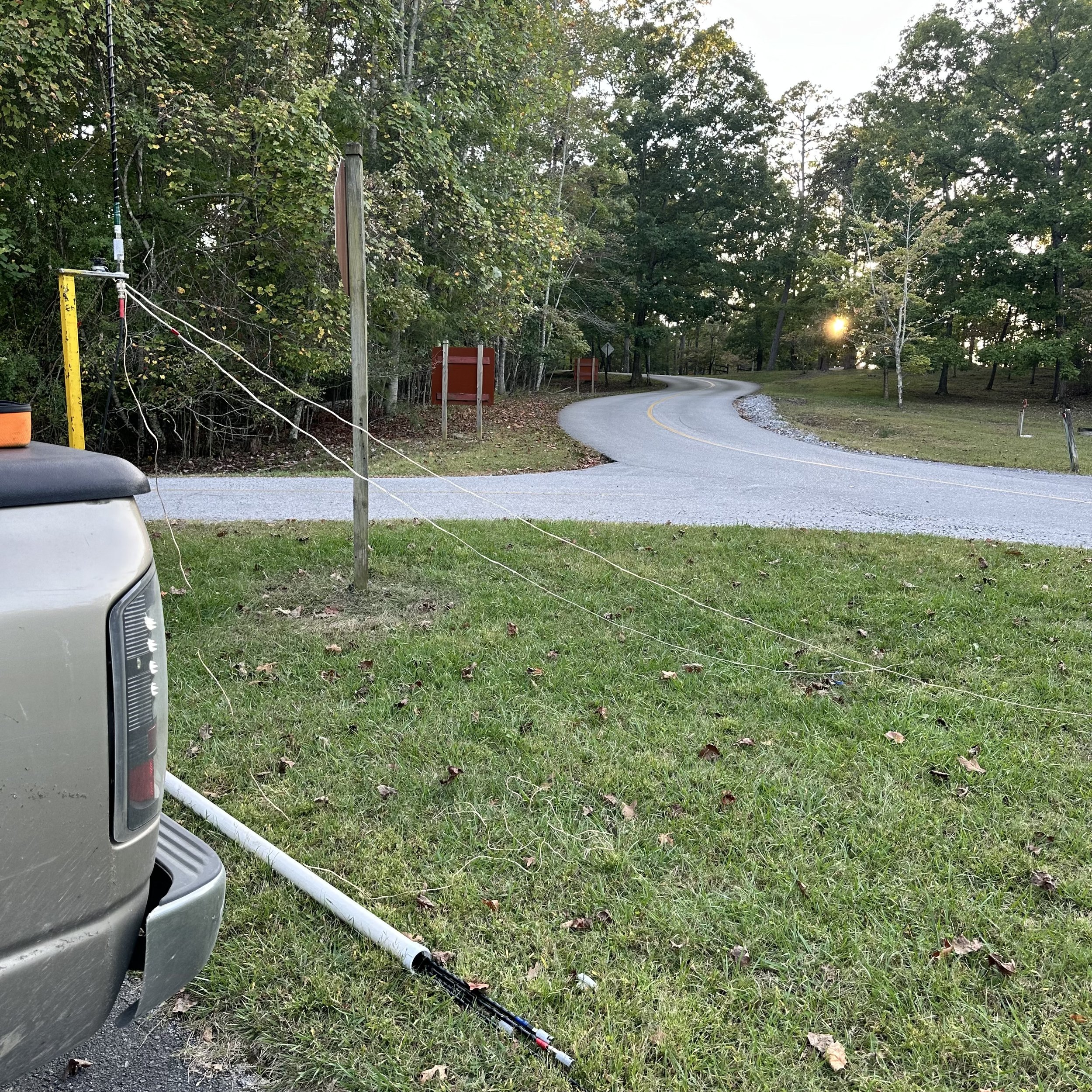
I had spoken with a new friend and we agreed that if he could hear me that we would work each other from the park so he could get hunter credit as well as me getting activator credit. We had already “tested the waters” so to speak as we had already gotten on 15 meters SSB in the shack at my house and talked for a while earlier in the day. This is what let me know that the band was open too. The recent solar storms had me pretty well convinced that the higher bands would be a ghost town, boy was I wrong about that!

I decided to just run the 15 meter band all day so that I could see if I could get the activation on 15 meters even with the terrible band conditions. Turns out I could! I worked three different modes today on two different radios, just so I could use them. The first thing though was to get the SWR as low as I could and I would up with this plot on the nanoVNA. This is perfectly usable and I, in fact did use it like this to great effect! It was only about 1.1:1 down in the CW portion with is a wonderful reading for the radio. I made my adjustments by adding and moving the radials around till the plot looked like I wanted it to on the VNA. This has worked really well for me thus far.

The first radio that I used today was the Ten Tec Scout 555 with the 15 meter module in it. My particular radio has not had the output power mod done to it so it still puts out the rated power and is not readily adjustable. Mine makes about 40 watts on the truck batteries (they are kind of old at this point so they are not quite 13.8 volts anymore) and a solid 50 watts if the alternator is running. This is perfect for SSB POTA operations in my book so I got on the air and started calling CQ. It didn’t take long till K7LZZ answered me from one of the New England states. He was operating mobile with a FT-897 if I remember right running about 100 watts and we both agreed that the path was strong and reliable even with my 40 watts. After we chatted a for a minute, we exchanged 73s and I proceeded to call CQ for several minutes without another single op answering me at all…it was like the band simply closed down or something. I finally gave up and moved down to the CW portion…
I also used this radio for the CW portion of the activation as it is really easy to switch over to CW on this machine. This radio has no mode switch. SSB and CW use the exact same mode and you simple inject a side tone for CW when you close the key contact. You just have to remember that the side tone is running in the sideband so the VFO will read low if you are using upper side band and high if you are on the lower bands by about 700 hertz. I had the radio set to 21.0534 and it was coming up on the RBN as 21.054. On SSB it seems to not matter for some reason, but on CW it does. Also of note, the radio has a built in paddle keyer (I think it is simply a Curtis keyer chip wired into the radio), but I prefer to run my HamGadgets Pico keyer as it has memories and for this you simply plug into the straight key input.

You can see below where the RBN showed me at 21.0541 while the VFO said 21.0534 (I think…it did fluctuate a little as the radio warmed up to be honest) Propagation was fading and the CW reports kinda show it, but the RBN numbers really showed it. Too bad I didnt get a photo of that for you, so you will just have to take my word for it…haha.
I made quite a few contacts in short order with CW once the spotter page showed my activation. It was good to get some familiar calls like KJ7DT and K1PUG along with some DX stations as well!!! It is always awesome to get those in the log. At one point I had a station down in the noise that I am pretty sure was a J call but everytime I tried to copy the band would just fade away… That made me sad… Getting a J call in the log is always awesome and especially during an activation!!!
What struck me as odd was that I got zero replies on SSB save for the one with K7LZZ who was looking for me to activate. Here is the kicker though, he was mobile and I was on a ham stick and we were both 59 signals into New England!!!

The second radio for this outing was the sBitx V3 with the new V4 software installed. I have every version of the software saved in the hardcase on micro SD cards ready to install in the radio should I want to downgrade or if the one in the radio just dies or something like that. They might not have all the fluff the new version has, but they were a working version so I hang on to them anyway.
The V4 version has an astonishing amount of updates and changes and I am still learning about all the new features that came with the V4 release. I will write about it soon and share some of them with you. For now, we are focusing on the FT8 stuff that I noticed right away. The new color scheme for things makes it a lot easier to use. All the calling stations are now in red, the CQ are white and the grids are color coded so that you can see which ones you need and which ones you have already collected. The orange line is your line where your sending and this helps to know where the cutoff is for the last cycle so you dont waste time scouring calls that are not there now… That alone was a huge help. The completed and logged note is still a solid white line like you see in the image below.


For me the output power levels didn’t change, I think it is because I did the update to my existing V3.027 release instead of simply burning a new image that doesn’t contain my radio‘s personality. I didn’t lose my logbook or anything so it was great. You can see I get about 10 watts output on 15 meters. This is plenty when the band is open, especially for digital modes.

As you can see in the log, there are more CW ops hunting on 15 meters (that could hear my 40 watts…to be fair) than there was on voice. I was using 40 watts on SSB though so I should have been able to make a few more than just the one. Either way, it worked out and all the DX in the log just made it sweeter. So this should be a testament to everyone that if one mode isn’t producing results then maybe hop on a different more and you will have better luck.
Until next time, I hope to hear you on the air!
73
WK4DS

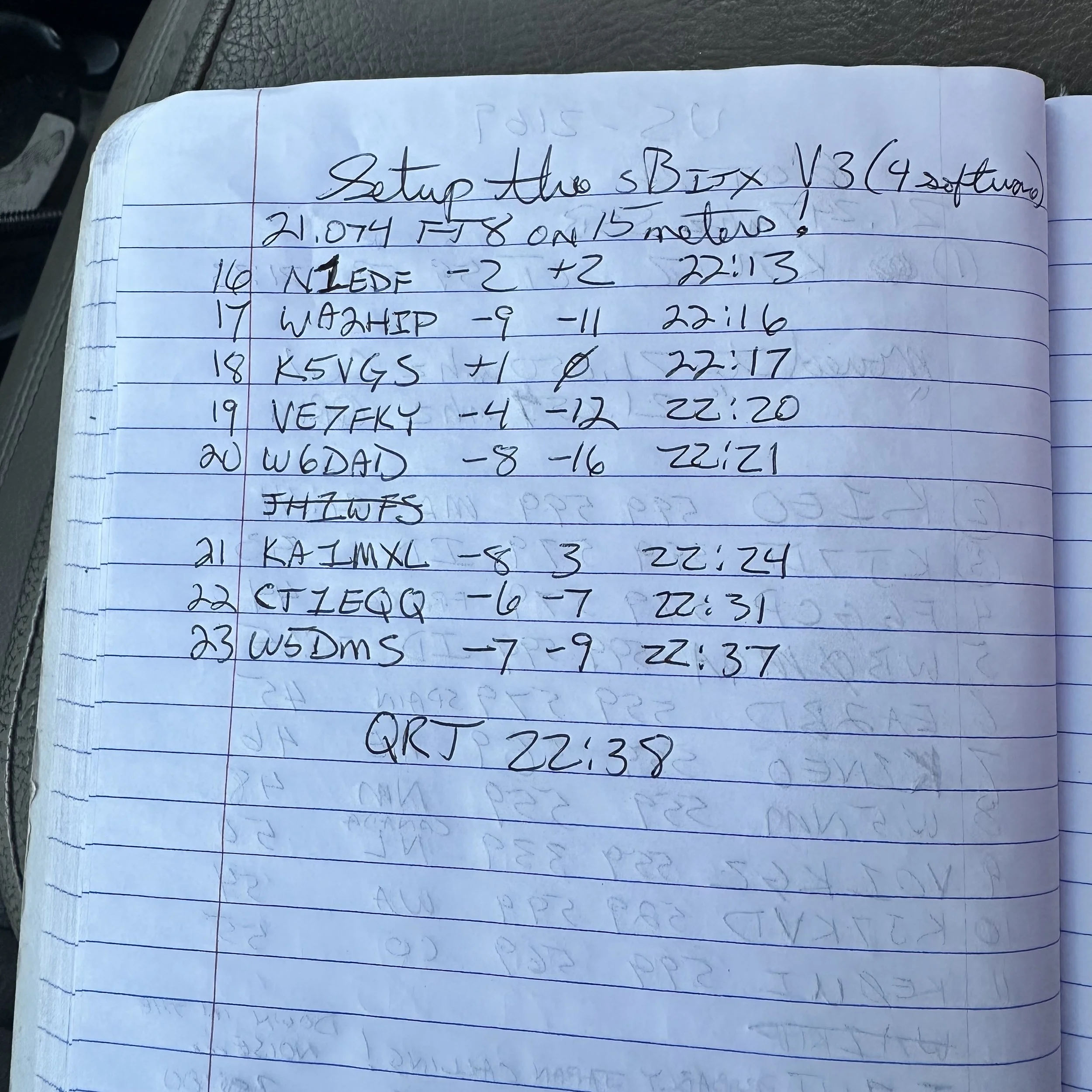
sBitx V3 HF radio special functions
I recently activated a couple of parks and decided to add a bluetooth keyboard to the sBitx V3 and see how operational it would be like that.
On this day I decide to activate Chickamauga Battlefield but first it seems a “widow maker” dead tree fell into the pull off at US-0716… I cleared what I could without a chainsaw and then setup the radio.
The below view gives you a good measure of just how big this “parking lot” is…lol. This lot would hold two small cars or my truck and a motorcycle and that is about it. The cars going by are the worst part though. These cars sometimes emit terrible amounts of RF hash… first world problems I guess…
I setup the usual antenna system but only for 15 meters as I was feeling a bit adventurous today and figured I would stick it out on 15 meters till I got the activation secured. I could have done the same thing in 15 minutes on 20 meters using CW, but there are plenty of ops on 20 meters already so I figured I would warm up another band instead. Well, the QSB was obvious when watching the FT8 waterfall, you could see the band come in and out as the stations would get real loud then fade almost all the way out. This made FT8 challenging since it takes a couple of minutes to complete the series of messages. None the less, I was able to get 11 contacts anyway, even with the frustration of some more that never did complete… but so is HF, she is a fickle girl at times…
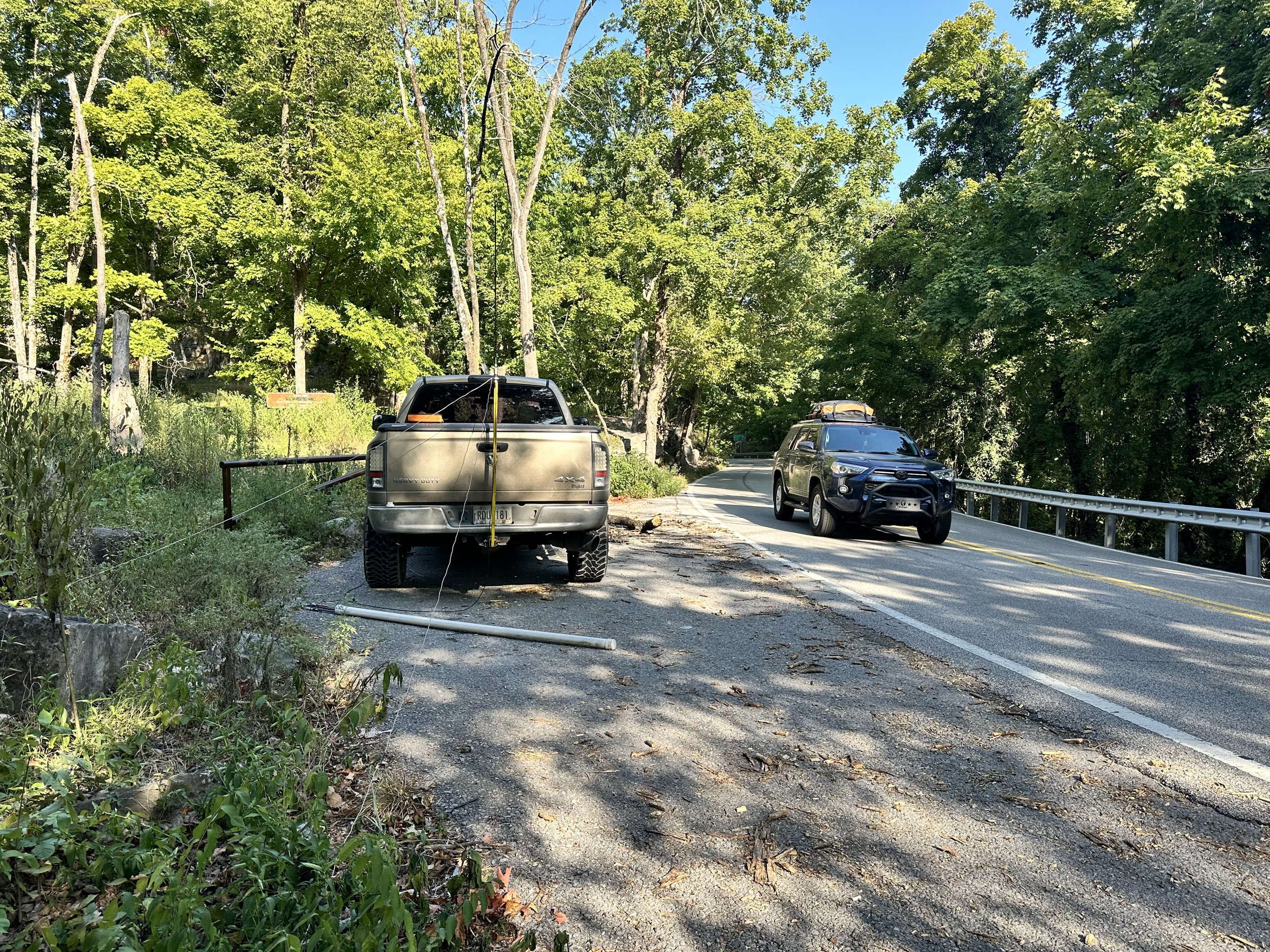

Today saw the common mode choke come back as I had it nearby and the SWR was a little off. So I threw it inline with the radio to keep it happy. These are really simple to make and I show how I do it on a video, that is in live-stream format, on YouTube, at this link if your interested. Link to video about making a common mode choke for QRP work (it can probably handle 100 watts without issue but I have not tried it) and POTA ops.
Below we have the operating position for today, notice I didnt even bother with the CW key today as I had planned from the outset to only work FT8 and then pack up. Took me longer than I had anticipated but I did it! haha. Well, to be fair, I did have a CW key in this photo, you see the sBitx will also send CW from the keyboard. I use this to great effect at the other activation I am going to talk about shortly…

The one thing I really like about using 15 meters from a park with a ham-stick antenna is that I am able to work DX pretty consistently. As we see here I worked 5 DX stations out of the 11 I got into the logbook that day. That is a phenomenal amount of DX stations for me. I just seem to get REALLY good propagation when I get on 15 meters for some reason. I will get one every now and then on 20 meters, but I get them regularly on 15… just something to think about if you are into chasing DX and want to also do POTA…and use a ham-stick antenna. You see every contact you make from the park counts towards your POTA log, so even if they are not participating in the program, like a recent ragchew I had while at a park, still counts to your 10 you need for that day.


The other park I went to recently was Booker T Washington just NE of Chattanooga TN. I have not been back to the park for a while so it was nice to put it in the log again. Instead of struggling around on 15 meters at this location I chose to run 40 meters and 20 meters for a while instead. I hopped on 40 meters FT8 to start with as I have not been on that band from a park using FT8 yet. It did not disappoint. There were a few stations still lingering on the air so I was able to work several of these stations before the band noise got so bad that I could not complete contacts and further. I even worked the W0E special event station which is really cool.

This is a really old park and has changed over the years. These were once campsite areas but have since been simply turned into day use “picnic” areas with most of them essentially becoming simply parking spaces for people that go for walks. There are a few that have picnic tables and even grills but most are now just parking spaces along the loop.

After working 40 meters FT8 for about 1/2 hour or so, I decided to give keyboard CW a try on the sBitx V3. This also did not disappoint. I was surprised how easy it was to transition from using a paddle to using the keyboard to send CW. It did take a little getting used to for me to become proficient with it, but after just a few minutes it was like I had been doing it for years and I even figured out the keyboard short cuts for the memories too, so I could use them easily for the exchange and such. This made it easy to log as well as send so I kinda liked using it this way to be honest. It is more fun to me to use a keying device of some sort, but if I forget my key, I now know I can still get on CW and make POTA contacts with it easily. That is a nice option to have in a 400$ radio to be honest about it. Well, to be fair, if you have used an sBitx for sending CW, then you also know how frustrating the keying is with it. It is possible to use it to about 20 WPM or so without much issue but above that, the keying delay because of the way the code is written, will cause the radio to send mistakes. Once you learn to hold the key just a little longer than usual it works just fine at speed of 20 WPM and less so it isnt a huge deal for me. Much over that though and the radio just wont work as of right now. From what I have heard, there is a beta of the next version of the code that will address this problem, but I am not able to compile the code properly so I am patiently waiting for the official release to drop before upgrading again. JJ just released an update to his fork of the code as well and it has a bunch of new features like a tune button and such, but I am also waiting on that one as well so that the bugs get ironed out before I install it on my machine. Now back to the activation…
After that I hopped on 20 meters FT8 and jumped into the fray for a few minutes to see if I could grab a few more calls for the day right quick and that would be a yes! I got 3 more stations in the log using this mode on 20 meters as well. What a day!

Today also saw nice enough weather to setup on the bed cover and these two photos show how I have to do this if I am on the truck power cable from the cab. It is just long enough to reach out the window and power the radio…lol. Barely… (I really should make a longer power cable or something…haha) This worked out today as the whole location was in the shade so I didn’t have to fight off the sun while trying to activate. A lot of the time, this is the reason I don’t operate from the bed cover in the summer, it is in the sun and just plain hot…
As you can see below, the height is about right for me activating too, I can write as well as operate the radio and it is at just the right height for me and my stature. If you like to work POTA, and you do regularly activate, what is your normal operating position? I have a few with this one being one of my favorites even though I don’t use it much.


Thank you for following along and I hope to work you on the air soon!
73 - WK4DS
POTA AAR using 3 modes on the sBitx transceiver
Today marks the second deployment of the sBitx and me using it on three different modes.

You see, I spent a good bit of time recently solving the weak audio problem with the SSB mode in this radio. I found the microphone input level is really weak and there was a common solve by installing a more powerful microphone element in the hand mc. I tried this approach and it really didn’t help much for me. l was essentially still yelling at the radio to get it to work. Pictured below is what my radio looked like on the work bench as I worked on the audio level for the microphone input.
I ended up building a pre-amp circuit to boost the audio several dB and this fixed my weak audio problem. I wrote about it in the blog and recently published that post as well if you would like to know more.
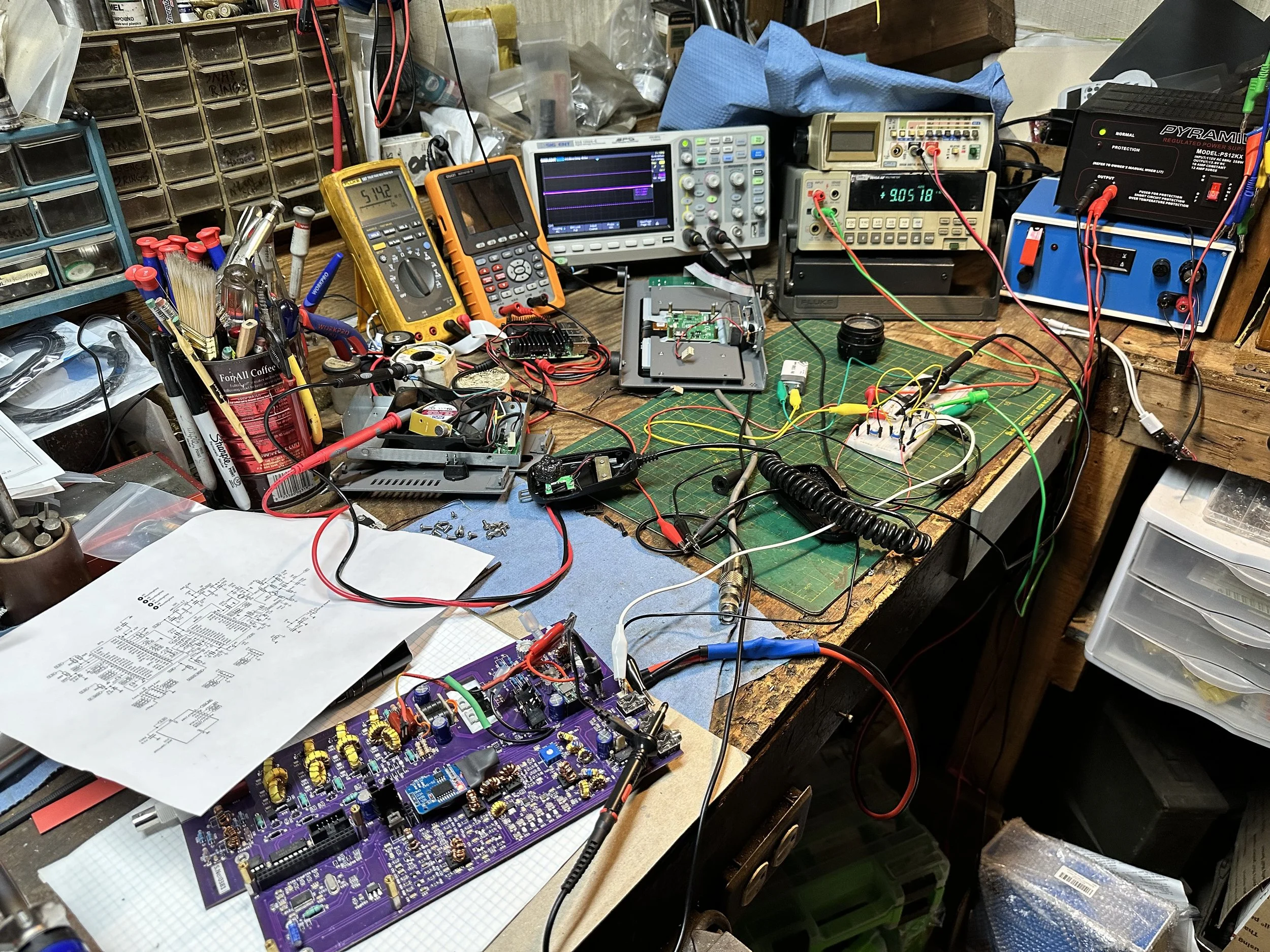

Back to the activation, it was a beautiful day and wasn’t really all that hot either. This is a nice departure from the July temperatures I had been dealing with recently.
I setup in my usual place but indexed the truck about 90 degrees so the sun wouldn’t shine directly in my open door. This allowed me to leave it open for the most part. I get so much more aurflow with the door open as opposed to just rolling down the window.
I also ran my 20 meter ham stick on the truck hitch mount I made and just deployed the two radials I tuned for 20 meters. I planned on this activation being kinda short so I didn’t setup for any other band since 20 meters is so active I should easily get my activation locked in on just that band.

I do have some future plans for the antenna mount though. One of thise is to incorporate multiple ham stick mounts (2 specifically) to allow for band hopping without having to get out of the truck. This way if I am setup on a rainy day, I can go ahead and setup two bands at the beginning and then just stay in the truck.
I am beginning to think I want to install a screwdriver antenna again like a Tarheel or something like that and just use that for the quicky ones. I have heard good things about Tarheel antennas and it would make a bunch of my activations so much faster.

I use these CB antenna mounts you get from the truck stops for my base connections. It is an easy way to build an antenna mount from scratch as it has everything you need to attach the antenna to the base.

Something else I like about the sBitx is that even though it is a touch screen design, it can also be mouse operated. This makes using the radio about 100 times easier as some of the touch functions can be fickle. Like picking a station to call on FT8 from the list. It isn’t super hard to do by hand but it is MUCH easier to do with a mouse. Because of this, I have started bringing a USB mouse with me on my activations.
Yet another reason I like this radio… lol. It can also use a USB keyboard as well and you can “type” CW with it if you want but I dont worry with that as I really dont have the room for the keyboard at this time. Maybe at some future point I will add a shelf for those items. Haha.


All in all it was a great activation and I really enjoyed the time at the park as well. It was really cool to be able to use SSB with this radio! That alone made this particular trip unique. I think prior to this that I had made just one SSB contacts total! ONE! Now that mode is going to be showing up in the logs more and more and I can’t wait to share those trips with you one here.
73
WK4DS
Working on the microphone input of my sBitx
This is what a project in progress looks like for me…

I have been hobbled by the low audio in my sBitx since it was purchased back in 2023. This radio is a godsend for FT8 but the SSB microphone level was almost unusable. It was weak and you had to yell at the radio to get it to work at all. I didn’t really want to go into the software and start changing stuff in it, so I decided to bring the level up by adding a pre-amp to the circuit.

So I get out a breadboard and build up a simple audio amplifier circuit on it with a 2N3904 transistor and set about to see what levels I could get with a simple 9VDC battery powering it and feeding the input with the actual microphone I plan to use. I used a couple of potentiometers to adjust the input level and the gain of the circuit so that I could tune it to work with my radio. Below is the circuit I found online (why go to the trouble of designing one from scratch when it has already be invented?) So I built it up and changed 10k resistor and the 100k resistor with the pots I mentioned earlier and it was time to put the scope probe on it and see what I got.

It worked beautifully well. I could drive it to clipping if I wanted but I had PLENTY of gain before that happened. Way more than I needed I would find out later when testing it on the air with my friend on 80 meters. I chose to setup the bench test by simply getting the board out of the radio and powering it without the Raspberry Pi installed, this would power up the audio amplifier circuit without the hassle of it biasing the RF section. I put a scope probe on C119 at the output of the transistor (which you will notice looks very similar to the one I built actually). This circuit powers up when the switch is turned on so you dont need to even have the Pi installed to work with this circuit. For testing I simply connected the output of my amp to the mic jack with jumper wires and then spoke into the microphone while watching the scope. It worked really well to be honest. It worked so well that I looked at the sBitx circuit and figured that full output was 3VDC peak to peak or so as there is a 3.3V zener diode on the input of the IC this circuit is feeding. 3.3V logic protection if what I am figuring and these zeners are clamping the signal to that voltage max for safety.
This was a mistake turns out as it needed me to dial back the input significantly to get good quality audio out of the radio, but I had signal finally! It worked!!!

The yellow trace is what was going into the mic input and the purple trace is what was coming out of the pre amp I built. I was well pleased with this. I then proceeded to move the parts to a perf board and install it into the radio semi permanently to test it.

In the photo below I am pointing at the little “daughter” board I built with my pre-amp circuit on it. I tapped power from the input right at the massive reverse polarity protection diode that I also installed in my radio. The factory diode is really small and if you didn’t consider a small enough fuse in your power cord or worse…no fuse at all, then it will burn open after a short time and will let the reverse voltage wreak havoc on your radio. The reason I know this is that it has happened to others with this radio. This diode, combined with my 10 amp fuse, works like it should. It will blow the fuse every time and not damage the diode. I tested the idea a few times with a few fuses to make sure it would work and it did.

Here you can see how I hard wired the amp into the radio. I lifted the end of the RF choke that was connected to the microphone port and soldered my pre-amp output to the inductor and then my pre-amp input is simply soldered into the through hole the inductor was in. This made for a simple and non-permanent installation should I want to remove my mod at some point. After this, I simply wrapped the board with a little electrical tape and zip tied it in place so it doesn’t wiggle around too much while I test it in the field some. Once I got the pre-amp tied in I realized I was “double biasing” the electrolytic DC blocking capacitor that I was using to couple the pre-amp to the amp in the radio. So I simply removed the SMD resistor RD21 as this resistor is normally used to power the microphone elements and I had my own bias resistor already in the circuit.

Here is what the audio waveform looked like on the radio when transmitting later after I got the radio put back together. Before ( I should have taken a photo…) it was barely visible when you would talk into the microphone. and it was showing power out too!!! Success was had the next day when I made two SSB contacts with it on a POTA activation.

I hope this inspires you to make some improvements to your electronics in some way, this was really fun and rewarding in the end as it enabled a mode on this radio that had been previously disabled by default.
Roadside POTA in the rain for the win!
Today once again saw the Ten Tec Argonaut come out of hiding to make some CW contacts. I really love using this radio for some reason and it has become a permanent part of my POTA kit at this point. If I travel and take radios, this is one of them that I take now. I just love the whole thing..,

This is what my POTA wagon looks like most of the time now. Antennas are in the tube, COAX rolled and at the ready next to it. Camping chairs stay in the truck now, I dont even unload them anymore. Lol. Then a laundry list of other stuff stored in totes to keep it somewhat organized. This is why I like the hardshell bed covers, it turns my truck into an overgrown car with a giant trunk.

When I got there it had just started sprinkling rain so I decided to setup in the truck and just use CW for a change. This means using one of my all time favorite CW rigs for POTA… the Ten Tec Argonaut 5. So I hastily deploy an antenna and a single little radial and hop in the truck to avoid the rain.
Funny thing is, the rain never happened…
I went ahead with the activation anyway as planned. This also meant I got the N3ZN key out as well as the Hamgadgets Picokeyer. This combination is a great little setup but today my mojo was off for a while or something. I couldn’t seem to get my act together and send decent code for some reason… about 15 minutes in, I guess I got warmed up and was able to do much better but those first few contacts were rough.


As you can see from the report above, the space weather was kinda strange that day with the high probability of a flare coupled with the K index being elevated as well, but the noise floor was really low so what does a guy do?
I got on the air with CW is what I did. The band was fading pretty good but it was workable so I started working some contacts. You can see below that one of my RBN reports shows that I had pretty strong signals at times. The QSB was deep at times though and this made getting contacts a little challenging at times. It is always fun, but some outings are more fun than others…lol.


The station is convenient in the cab of the truck but it is also noisy. You have to balance the ambient noise level with your mode and comfort level. Here you can see a car has just went by. This can be so loud that I can’t roll down my window for the car noise of some cars. Another option for CW here is to wear headphones and this has worked in the past, but today I didn’t bother with them.
That is another beautiful thing about FT8. I can turn the volume all the way to zero and still make contacts just fine. This is nice when it gets really hot as I can idle the truck and run the AC…lol or be in a noisy environment like here and still make contacts with ease. Just something to think about when choosing your location.


In this photo, I am holding the cable up to show I have wired it to the PTT input on the front of the radio. I made this cable up for 3 reasons:
1. The cable is easier to connect as the port on the back is right next to the heat sink and is hard to work with at times.
2. This location reduces the chance of stray RF causing the keyer to send erroneous dits and dahs since the coax is on the other side of the radio.
3. The cable is shorter and thereby easier to deploy and stow when done.
This was an experiment to see if the Picokeyer could also operate the PTT line on the front of the radio as you can use the hand mic like a straight key on these Ten Tec radios.
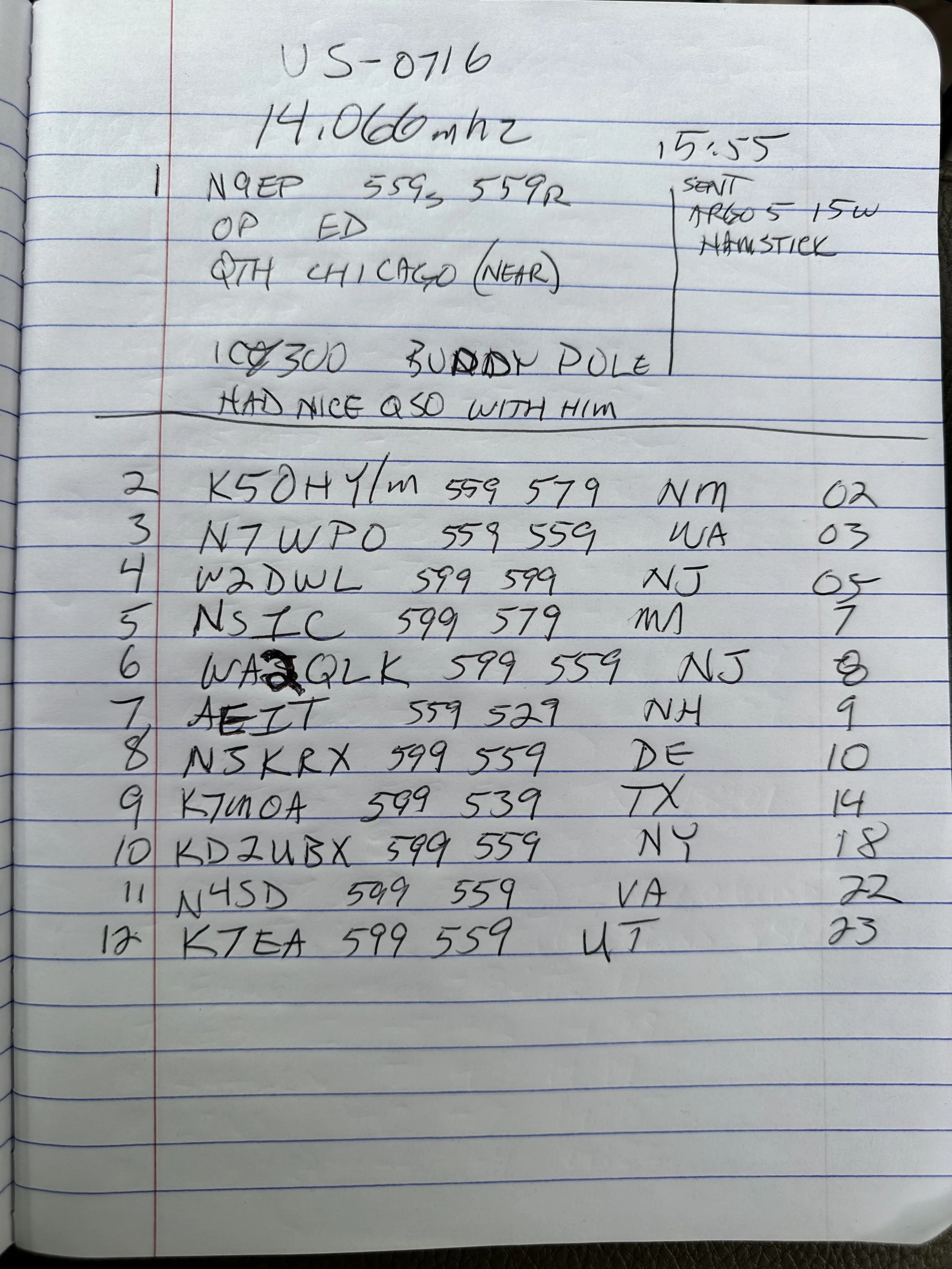
As you can see from the log, I had a regular ole QSO ragchew style contact right off the bat. This is from the fact he must have been simply on frequency when I called QRL to see if anyone was there. He answered and we had a nice little chat before I even got started with my usual POTA stuff. I was a little surprised by the band opening to the west coast as I got Washington state, Utah and New Mexico all in the log on this day. Usually 20 meters and a hamstick don’t play well with the west coast. Especially from a super compromised location like I am using here. Maybe it had more to do with my ground plane was deployed south and west today. You see, at the other local park I am normally deploying the radials to the North, East and South but the orientation of the parking lot is such that I can’t easily deploy a radial to the west. This doesn’t seem to matter for 17 and 15 meters though as I routinely get stations from out west on these bands…who knows?…
POTA at US-0716 with only Digital Modes...
My plan was to only use FT8 and get the activation as quickly as possible, but in the end it ended up a little differently. This POTA park is a national military park commemorating the battle of Chickamauga during the US Civil War in the late 19th century. It is now a recreational hot spot along with a tourist destination so they have all the trappings of a outdoor recreational area along with the monuments about the war. This trail head was across the street from where I parked the truck today.

Another reason for the singular mode was that it would only require the use on a single radio this time since I am currently using the Ten Tec Scout along with the sBitx SDR for my POTA activities. I only deployed the sBitx SDR today so I could stay inside the truck and run the air conditioner as well since I didnt need to hear as well as I would if I were doing CW or SSB.
By only using one radio the rain that moved through the area didn’t hamper my activity at all. I was able to get setup quickly enough that I beat the rain and was on the air before it started to fall.


I like this location on sunny days since it is in the shade, but today it was overcast and rainy and this didn’t really matter. I did like it because it is “RF Quiet” and there is little to no RF noise except when certain cars drive by that are a little noisy.

I used my field expedient sealing technique again today, I know this is not a real seal but it will shed water long enough for me to complete my activation and then I can break it down and stow it in the truck easily enough. Long term would be a different story, but it works well for me like this for simple short time frames like a POTA activation.
This time since I was going to stay on 20 meters, I simply deployed the two radials that are associated with that band and I ran them at right angles just to see how it would perform, it looked great on the nanoVNA with the SWR running about 1.2:1 across the digital portion of the band.


I meant to get a photo of the waterfall and somehow ended up with an image of the transmit signal and associated info…figures. The point was going to be that the 20 meter section of FT8 was filled with ops today. So much so that is was hard to find a spot to send from. The band segment was that tightly packed today. I had to frequently move as I would go for several cycles with out so much as a hint of someone answering me only to find out that a strong station had setup on top of me and was sending over my little 20 watts. Get a contact, listen to the band a minute and find a new clear spot and repeat. This was the modus operandi for the day. I considered at one point of moving up to 15 meters just so I could more easily find band space, but talked myself out of it since I didn’t want to get out in the rain and change antennas and then worry with the tune of the radials and such.
After getting my minimum of ten contacts on FT8 thereby securing the activation, I wanted one more just so I could have a little buffer if one was a pirate of some such. Turned out that this was a huge problem as it took me a long time to get that last QSO in the log, I even went over to CW thinking it would be easier (which it was not) and finally got that last station… The QSB (signal fading in an out) was so bad that I could almost not hear strong stations that were normally easy to copy, but I did get the one I wanted before going QRT for the day. I grabbed the photo below to show the band fade and it is kinda visible in the signal on the lower edge of the waterfall, but it would go from what I would call S9 to nothing in literally 5 seconds, they signal would just vanish. I was blown away with how bad it was and then I checked the space weather and saw why, there is a ton of solar activity causing terrible band conditions right now…figures.


11 contacts in almost an hour is not a great hit rate for me where I am used to working about 1 CW contact a minute and a FT8 every two to 3 minutes, but it was fun none the less. Any day I can get out and do POTA is a good day. Until next week…
73
WK4DS
A shorted diode…and the sBitx
I blew a diode while pushing the boundaries of my IRF520 output transistors messing around with FT8…

Troubleshooting was actually pretty simple this time as I chose to use technology to my advantage and simply scanned the parts during transmit with the infrared heat gun and found a diode was 25 degrees hotter than everything else around it. This has to be cheating…
Let’s rewind time just a little so you can understand what I have been doing here… You see, this radio came with some fairly fragile finals from the factory. So fragile in fact, that they sent a spare set with the radio. The IRFZ24N transistors were wonderful, but under full load on FT8 and into less than perfect SWR would prove fatal for them. I ended up killing 3 of them before changing my radio over to the V3 spec. The V3 specification changes the finals and also changes a few other components in the amplifier chain to use them properly. HF Signals sent out a bulletin showing what all needed to be done and it was actually pretty straight forward. I decided to use some IRF520 transistors instead of the IRF510 transistors speced for the update as they had better current specs than the IRF510. They are rated for the same power dissipation essentially, but can handle almost twice the current without damage. This combined with the fact that I had them on hand, led to the construction of a bomb proof set of finals in my sBitx radio!
Once I had them installed, I set the bias and was off to the races. They literally handle anything I throw at them and I have run them hard to make sure they would not fail in the field at an activation. This is good and bad you see, these transistors work so well that I now can get over 65 watts (with the drive set to 100%) on 80 meters with them…and this is a problem.
The sBitx is not engineered for transmitter output powers this high, the original design was for 40 watts maximum forward power. and the components in the amplifier chain are sized accordingly. I learned this when I powered up the machine after messing around on 80 meters and accidentally transmitted into a 10:1 SWR with it last night (probably infinite SWR since it was into the coax with no antenna on it... It blew the 10 amp fuse almost immediately, which I figured would protect the radio…and it did, sort of... I was able to put a new fuse in it and get right back on 80 meters without any trouble at all. I didn’t leave that band though so I had no idea what had actually happened.

Fast forward back to today, I turn on the rig and dial up 15 meters to see what was happening on FT8 there, tune up the antenna with the Comet Antenna Analyzer and the manual antenna tuner and I am off to the races! Or so I thought. Seems when it would go into transmit, there was zero watts going out to the antenna, but the Astron RS-35M power supply was showing proper current draw for 15 meters FT8 transmit! How is it pulling the right amount of amps (6 amps is 20 watts on 15 meters) and not putting anything into the coax? That math ain’t mathing… I remember that whole current law about current going in has to match current coming out, so I start looking around.
I tested 10 meters and it was the same, so was 20 meters, but when I got to 40 meters, suddenly I had power to the antenna again. I also had it on 80 meters as well, full output power was there till I left the two lower bands. Something is either wrong with the 80/40 section OR all of the others. So I take it down to the shop where my test bench is located and rig it to a dummy load to see what I could find with the heat gun.
The photo below shows the diode that is shorted where I pulled one leg, so I could test my theory prior to dismantling the radio to replace it properly. This is a 1N4007 and it is being used to switch the radio’s transmitter band pass filters into and out of circuit. It has four filters to cover 8 ham bands (80 & 40, 30 & 20, 17 & 15, then 12 & 10 is the last one). The diode that failed was on the 40 & 80 meter filter. This essentially turned it on all the time. and also turning off the others by putting the switching voltage on both sides of the other filters output diodes. This makes them all have zero volts dropped across them essentially turning them all off. So only the 40 & 80 meter filter could be turned on at this point. You can see what I am talking about by looking at the schematic below where I am pointing out the diode that failed on the print.


The foreground, in the below photo, is the board showing the new diode in place after removing all the stuff in the background to get to it. You have to literally take the whole thing apart to get to this part of the radio. Fortunately for me, I have done it so much I have memorized the process and can do it in maybe ten minutes. You can also see the two IRF520 finals next to my thumb, you can also see all the heatsinks I installed to help mitigate the heat buildup in the radio.


Did a static test on the bench, just to make sure, and it worked perfectly with the dummy load attached. Luckily I did it right and dont have to take that whole thing back apart! HaHa. In the background is another little project I may write about. Seems the sBitx has this systemic problem with low audio on SSB and I tried the new microphone element others in the email reflector suggested to no avail. So the next solve is a more “active” solution with the use of a small single transistor amplifier is a sort of (pre-amp) configuration so that I can increase the audio signal going into the radio and make it actually work like it should. The radio already has one of these circuits in it, I don’t think it can handle any more gain with out distorting so I want to pre-amp into it with a variable gain setup so I can go into it with 2x, 3x or even 5x the input signal so I can get decent audio out of my radio. More on this later…

Man, I had no idea how messy my bench was till I looked at this photo… I will have to clean that up! Sorry about that everyone…


So today had the real test. I took it to US-2169 and setup in my usual spot and decided that today I would stay on 40 meters till I secured the activation then I would move to 15 meters to see what I could find. Seem I found a lot. 40 meters and hamsticks will usually produce contacts that are closer to home for me, maybe as far away as Texas or Michigan is a long haul on 40 meters but 15 meters is a different story all together. With me getting contacts in Russia and Japan on this trip! If you will notice the power levels are lower, this is because the truck, when shut down, has battery voltages around 12.5 VDC and not 13.8 as these are older batteries, well this produces less output wattage since the voltage is lower. Still had plenty to make a ton of contacts with while I was at the park! Of note here, only the FT8 contacts are with the sBitx, all the CW contacts are with the Ten Tec Scout 555 portable radio. I did scan through the 15 meter side band section of the band and heard zero QSOs so that is why I went to CW. There was a station with a mild pileup on CW and so I moved up 5kc or so from them and set up shop there for a while. I was able to get all three west west coast states a Russian, a Canadian, and Massachusetts! Enough about the Ten Tec Scout though, this is about the sBitx…
The sBitx is up and running again and it is all good now. The radio runs flawlessly (other than the SSB audio) and I am happy as a lark now. More to come as they software gets dialed in for better CW operation!
Triple mode activation at US-2169 with 2 radios!
Today was a good day for POTA as I was able to get contacts with 3 different modes in a single activation. Did I mention it rained too?

So today saw the deployment of so many hard shell cases to the park. I went ahead and staged both radios in the truck cab so if it started raining (which it did) I could have access to both radios anyway without having to get outside in the rain. Today saw me use the sBitx V3 as well as the Ten Tec Scout 555 Amateur Transceiver. I like Ten Tec radios when it comes to CW so I wanted the Scout for this mode. I forgot though that I have not outfitted this radio with an external keyer like I did the Argonaut 5. So with the Argonaut still tucked away in the bed of the truck, I just decided to send everything today by hand.
As you can see in the photo below, I ran the hamsticks so I could stay dry inside the truck if it started raining… seems today that was a good call. I only put out the 20 meter radials and the 20 meter ham stick. I thought about hopping on 15 meters for a little bit but the closer the rain clouds got the less I wanted to be handling lightening rods…. I mean, antennas in these conditions.

I checked it with the nanoVNA and the shape of the curve today was such that the CW portion was really well centered and was 1.1:1 on SWR with the chart climbing to 2:1 at the upper band edge. This was completely usable so I didnt bother to tune anything further and just got on the air…and by “tune” I mean “moving the radials around till the SWR plot moves to where I want it in the frequency spectrum”…lol. I can push and pull the SWR null on the VNA by changing the location of the radials in relation to the truck. I am assuming that I am simply tinkering with the capacitance and inductance of the radials as compared to the antenna and it allows me to correct for things…most of the time.

I first worked a few SSB stations before giving up and heading down to the CW portion of the band to see what I could find down there. Seems there was plenty to find as once I setup on frequency and called CQ a couple of times, I had a nice little pileup that lasted for about 15 minutes straight. I was able to work 15 contacts in that time as well. For me, this is “efficient” CW and really fun.
SSB seemed to be thin on stations today and the band was not really happy with this mode, I struggled to get just 5 contacts in the log today on this mode and normally it is much easier to land many more contacts here with the 50 watts that I was able to use. Maybe I bumped my mic gain and had it turned down or something, I just wasn’t getting any takers on SSB for some reason…

The Ten Tec Scout 555 is almost the perfect POTA radio in my book. It needs a nice brick wall IF crystal filter in my opinion, to be fair, as nearby stations would bleed in on the QSO with their energy sometimes. I could tighten up the IF filter width, but the stations would still numb the receiver occasionally and I think a nice 500hz 8 pole crystal filter would be pretty sweet here to solve that… I am looking at a nice audio filter but who knows…I might just try making an IF filter myself at some point. Once I had cleared the pile up I put away the Ten Tec Scout 555 and deployed the HF Signals sBitx V3 (mine is actually a V2 but I have performed the V3 update so going forward I am going to call it a V3)
The only mode I used the sBitx on today was FT8. I wanted to work a few FT8 contacts as well and had synced the time with the internet prior to leaving the house today so I knew it would be good to go. Boy did it deliver on the promise of getting me some FT8 contacts! Once again I stayed on 20 meters and just ran with it as I am also a little bit lazy at times and this was an easy win for me...haha.

I really like the layout and implementation of the sBitx. It is a really fun little radio. Although this radio is missing some stuff inside but that it what makes it so economical too. Things that some people might call “nonnegotiable” like shielding between the RF and computer sections… but I digress. It works for me even with the little rough around the edges stuff here and there.
Now, below is what the sky started looking like by the time I finished playing with CW and decided to get on with FT8. It was scary dark and ominous and then the rain started to fall. I really didn’t mind the rain as I had taped up the coax connection on the antenna and was confident it wouldn’t give me any trouble. What I didn’t factor in was the lightening…


Well, the rain fell and got more intense and more intense as I happily worked FT8 on 20 meters. After a few minutes, the waterfall on the radio exhibited a strange phenomenon. It turned yellow and red (the colors representing the strongest signals)… the whole thing was showing a 599 +30dB signal that covered the entire segment of 20 meters I was watching. This happened to be 6khz of spectrum on the waterfall and at first I thought something was wrong with the radio. Turns out, the radio is fine, this is simply what happens when the atmosphere charges up with static right before a lightening strike! I noticed after a couple of cycles that I would hear thunder off in the distance and then the waterfall would return to normal and slowly start to turn yellow and red again, till I would hear thunder and the cycle would repeat. This was fascinating to say the least, what was more intriguing though was that I continued to make contacts with that much band noise in play. FT8 is a true weak signal mode if I ever saw one.

This is what I am speculating is static charge up in the atmosphere in the photo above of the FT8 waterfall. For those that dont know, this mode does a sort of “talk and listen” thing where your radio sends a message for 15 seconds, the listens for 15 seconds for the other station. So the waterfall wont display anything while I am transmitting since the receiver is turned off. You can see that the cycle right before I sent and how the band was fine and then I send for 15 seconds and then when I go back to listen again, the band is filled with noise.

Let’s shift gears for a minute, the internet is an amazing place. I made this contact at 16:53 UTC and got this email notification just a few minutes later. That is pretty awesome to be honest about it. I remember mailing cards and it might take a month to get one back…


After I finished the activation and waited on the storm to pass, I wanted to do a simple test of the sBitx for a ham that had sent an email asking about the sBitx and how bad were the “birdies” on any given band. I dialed through the 20 meter CW portion up the the FT8 region (14.074mhz) and found what is noted below. In the above photo, you can see the strongest birdie I encountered on this band. That color means it is quite strong in signal level, so if a station was on that frequency, you would not hear it.
I noticed some were strong but they are also very localized. Literally only 200hz wide at the most. I don’t know if this is really band or not, but there were 4 distinct birdies in just the CW portion of the band. If you were worried about this before and didn’t want to have buyers remorse later, then consider me “taking one for the team” as I didn’t have this intel before. I can still recommend this radio for field expedient FT8 and POTA activations as it just works. Sometimes it will ignore a reply to your CQ on FT8 so you have to pay attention to the display on each cycle, but it mostly catches them.


Something I have learned about propagation is that the three modes I am using carry different levels of signal quality to make them effective. SSB (single side band for the newcomer) takes the award for needing the best band conditions of my three regular POTA modes. If the bands wont allow SSB to work or all the stations are “down in the noise” then I move to CW which requires much less propagation to work for me (especially with a good receiver). BUT it pales in comparison to FT8 when it comes to signal to noise ratio. I am blown away that when CW contacts are fading in and out and are in the noise floor that FT8 will be active and I can easily make contacts with it.
This is a day when SSB was “in the mud” but CW was rocking and rolling and had it been in poor shape, I would have went to FT8 for my ten before quitting and going to lunch. Lol
73 - WK4DS
Eagles nest activation

Here it is, out in the rocks and weeds. This…this is a POTA activation. Take your radio out into the park, string up an antenna and connect a battery. See who is on the air and make some contacts. Today I decided to simply use CW and use my Ten Tec Argonaut 5 with a speaker wire antenna and my little MFJ 941 antenna tuner.

The kit also includes my N3ZN CW key and my Hamgadgets Picokeyer. These make the Argonaut one of my favorite POTA radios and for good reason, it is a perfect kit. I also have made up a cable that my keyer can connect to the microphone jack on the front of the radio, this is a lot easier than the tiny little port on the back of the radio.
I got the antenna strung up, with my throw-line kit, over the tree next to me as the tuner has the random wire connectors on the back of it. The wire was about 25” long and the two radials were some random length about 15’ or so and it tuned up on 20 meters just fine. It had enough bandwidth that I didn’t need to touch it after the initial tune with the nanoVNA.


I connected the nanoVNA and was able to tune the system fairly quickly without too much fuss. What I like about use the VNA in this application is that the transmitted signal is minimal and I can adjust what part of the spectrum I am looking at so I can find the resonant point and then make adjustments from there and walk it into band easily and visually. As I get closer to where I want it, I simply reconfigure the amount of bandwidth I am looking at and narrow it in. This is only needed if I am using something like this random wire that I have no idea where to start with for it. If it is a resonant antenna, then is is much simpler. Now, to be fair, the old method of keying on empty band space and tuning based on the SWR meter still works fine, but not all of my field radios have SWR meters on them so it is kinda tough to use from time to time like that. This method eliminates the need for a radio with a meter since it IS a meter and can see way more than the simple SWR value. I am once again going to recommend you pick up a nanoVNA and learn a couple of uses for it. Once you do, you will never go back to regular antenna analyzers (which are simple VNA circuits if I had to guess). On top of all that, they are crazy cheap these days too…it is hard to beat in my book.

The N3ZN CW Paddle (This is his little travel paddle with a base plate) and the Picokeyer are a match made in POTA heaven and are now a permanent part of my “POTA Shack” that I travel around with all the time. I take this little key and keyer with me everywhere just in case I have time to activate a park. You know, just in case…lol.


There are two things I really like about the Argonaut 5 in particular. One is that you can key the radio from the front as well as the back for CW. They list the PTT switch as a key input for CW, this is a straight key input only but it is a way to key the radio none the less. I have made up a cable that plugs into my Picokeyer so that I don’t have to use the tiny port on the back that is right next to the heat sink. I also have a RF choke on the line to help prevent stray RF from getting into the radio as well. This does seem to help to be honest about it.If the coax is near this cable it will key the transmitter and add unwanted characters to the CW without the choke inline. That is how I know it works…
The other thing is that the multi-function knob shown above does two jobs at once. So you use one knob to control two different things. The RIT and the Filter Bandwidth are both controlled from here. I normally leave it on RIT once I set the filter to what I want to listen to…usually 500 to 700hz if the band is quiet and 300 to 400 if it is crowded. Notice how well the buttons and knob are organized and even the information that they are displaying is located well, it is literally right above the control so it is in one cohesive place. This is superior engineering in my opinion and is a dying art…

In the photo below I am pointing at the truck where I normally setup to do POTA. That tiny, little, one car parking lot is a great spot if you are in a time crunch and want to play radio for a little bit, but it is really noisy with cars passing by and occasionally one of them is emitting RF noise to boot. This is the reason why I trekked all the gear 200 yards to this shady spot and setup with a battery instead today.


As you can see from the log above, the bands were strange today. At one point I have AE1ZR just vanish and never return… As you can see, I spent several minutes trying to raise him to complete the exchange and he just never returned to my receiver. Several stations took more than one try to get the data through at this time frame actually and I noted it in the log. But when it was open, I was able to work several Canadians as well as Minnesota. Not a bad day in the field with a random piece of speaker wire and a few watts of RF energy…
73
WK4ds
Moving out for POTA at US-0716
Some days are better than others…

Today saw me putting the truck in the shop to get the water pump repaired as it gave up the ghost on the interstate. It got to ride on the big truck to the mechanic and I have been driving my back up truck ever since. The old white ford is a good truck that we normally relegate to shop duty for deliveries and such but for now it is my daily driver. This also means I have to transfer all my gear over from the Dodge to the Ford and I inevitably forget some stuff. This time it was the AUX cable so that I can run my phone through the stereo…So I have been wearing my AirPods instead. I also don’t have a bed cover like on the dodge so I can’t just leave my radios on the back of the truck and have to take them in the house when I am not using them. This is mildly frustrating since I like to use my truck for a POTA wagon and just have it constantly outfitted with the gear I use.


This is what the operation center looked like today. It is nice to sit in the shade and work some contacts when it isnt too hot. I still used the antenna on the truck mount and just ran the coax out into the grass. Today saw the sBitx V3 deployed again so I could work some CW as well as FT8 quietly while other people rode bikes and enjoyed lunch in the park. I wound up sitting on the hard shell case for the Argonaut as a sort of makeshift chair and it worked really well. I also sat the radio on its hard case to raise it up as well. What POTA activation would be complete without a cup of good chain store coffee? Lol…


As you can see, the antenna worked out quite well on the old ford. I was quite happy with the results even though it was thin on total contacts. I like the fact that I can simply back into a space and setup my antenna right there in just a couple of minutes. There are times that I wished I had a better antenna but you use what you brought and have fun. I did have fun so it is all good. I do have some really good wire antennas to work with but I don’t like trying to string them up in places like this. I am almost certain that it is against some sort of rule in the national parks.

Here is an interesting note about this activation. One of those fancy-smancy Tesla cyber trucks rolled into the parking lot while I was operating and I immediately got this broadband RF hash all over me radio. When he shut the truck down, the hash disappeared and as soon as he powered it back up, it returned. So I am convinced they need better RF shielding of something. You can see it on the display on my radio above.

I am still on the fence as to whether I like the aesthetic of the Tesla Cybertruck or not. Hard to say to be honest. I do like the power availability idea that you can POTA for days from it. It is battery powered after all… Haha…once you shut it down that is…
Until then I will be using my 36Ah battery. This is a Lithium Iron Phosphate battery and is shockingly light for its size and performance. I can run literally for days on this one cell without problem. You can even run several hours at 100 watts if you wanted to… I normally have this plugged into my shack for a backup power system in the event of power failure so that some of my radios continue to work. Mainly my VHF/UHF machines so I can talk to the locals either on the repeaters or via simplex should there be some sort of emergency. On some days though, I will take it to the field with me to make some POTA contacts and this was one of those days.

31 contacts in the log is a great day for me. I had so much fun and even got a bunch of DX into the log! What more can you ask for? Nice weather, ham radio, DX, POTA…it is almost more than you can handle!!! HaHa. Thanks for following along and I hope to see you again in the next one.
72
WK4DS


Raccoon creek WMA POTA with the sBitx V3 SDR transceiver
Today saw me head over to Alabama to activate a nearby park that I have never been to before. Us-9875 Raccoon Creek Wildlife Management Area is a beautiful place right on the Tennessee river between Stevenson Alabama and Flat Rock Alabama.
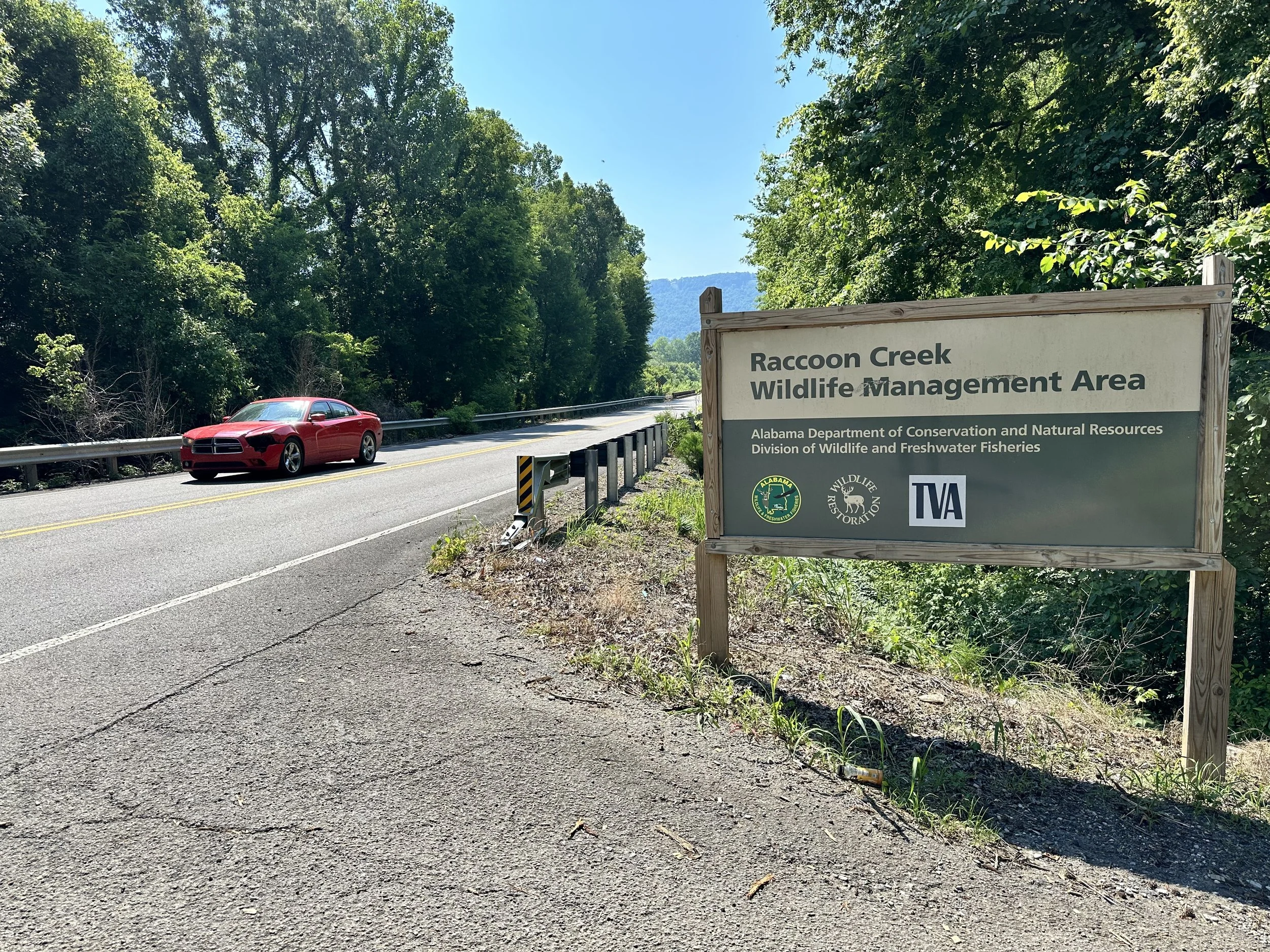
I drive over to the WMA and find no one there at all, this is awesome as I like it when I have the place to myself. It gives me the freedom to setup the radio anywhere or in any manner I choose without having to worry about people walking into the radials or anything like that. Well, I get there and promptly decide to setup on 20 meters as I wanted to not spend a lot of time today activating as I wanted to also record a YouTube video for our brand new channel about amateur radio as well as have time to enter and upload the log from today and edit the video once I got back home.
If you want to see the video I made when I did this activation, the link is here. I didn’t film the whole activation, but rather pulled segments in and just did some of it, so you might be in it and you might not…lol. If people want the whole activation recorded in all it’s lengthy glory, I am not opposed to doing that, but I will need to hear that from the people…

When I want to do FT8 in the field I always grab this radio. The sBitx V3 is an SDR that is built around a Raspberry Pi SBC and uses a touchscreen for most functions. It only has two input devices on the radio, the VFO knob which never changes and the multi-function knob which literally can be used to adjust everything else…literally. It does have ports for a CW key, headphones, and a microphone on the side right above the power switch too. Since it uses a RPi4, it can be driven with a mouse and keyboard and during this activation I use the mouse to select FT8 stations to call. It is really handy for that. I find that if I am simply entering a call sign to chase on FT* I can use the built in keyboard instead of taking a separate keyboard. Another thing it has is Bluetooth, so Bluetooth devices will work on it too…such as a keyboard… I really like this radio if you have not figured that out yet.

Propagation was all over the place today as you can see on the beacon report above that I was weak at -19dB into “3” land but just a half hour earlier I was able to work JI3MJK in Japan! That is almost 7000 miles away!!! So if your activating and it seems like no one can hear you and you are about to give up, I would recommend that you give it another half hour, if possible, as the system might flip in your favor! That is what happened today.

I grabbed this photo below of the screen during boot up, it shows the OS version which is JJ’s 64 bit version 3.025 and that it knows who I am and where I have set the GRID to. This is important if you are doing POTA as you need to communicate that when you work FT8 at some distant location. The FT8 community is really into grids and want to collect them all…so pay attention to your grid. It is also showing the FT8 stations as they come in as well below that in green letters. Fortunately, it is really easy to change the grid on the sBitx so you dont have to worry too much about it.

So I setup in the truck and to be honest about it, I am really starting to like this concept. I am in the shade for the most part, if I am running FT8 only, I can run the engine and have AIR CONDITIONING at my POTA operation!!! Can we say WINNING!!! Ha Ha… I have done that once so far when I was in Florida if memory serves me but I would have to check. Using CW is a little tougher though. The diesel engine is loud enough to make copy of weak stations really hard so I don’t run it if I am working CW.
I normally try to work some CW though as I really love the mode so I normally will roll down all the windows in the summer and put my windshield sun protector in the window and work a bunch of those CW ops if the bands permit it.
A neat little addendum to the sBitx radio is that since it is driven by a Raspberry Pi 4, it can use a mouse and keyboard if you prefer it. Supposedly it has keyboard CW character generation too, but I have not attempted to do that yet. So if you are not able to send very well, this might be a solution for you. The mouse makes it much easier to choose stations that are calling CQ so you can pick them out on your end and you are not obligated to just call and answer CQ calls yourself. Farhan put a lot of thought into this radio and it shows.
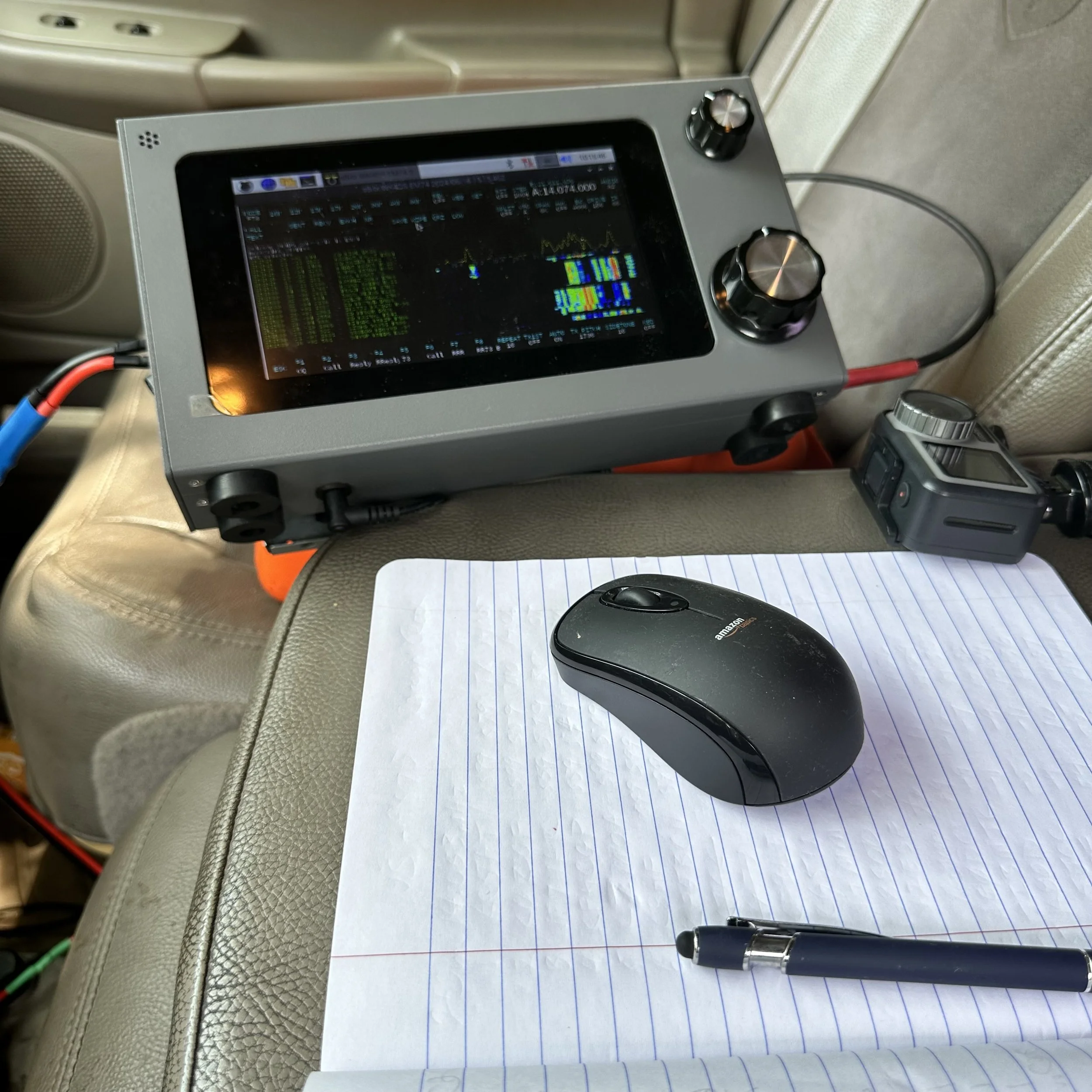

Here is a little discussed subject…extra gear. I know we all take it with us but what do you normally carry with you when you go into the field? I have done POTA long enough now that I have sorted it out to just what I need and some redundant spares of failure prone items. Things like extra coax and another antenna are always in the spare tote.

The location that I setup at did have a really nice view of the river. This location is right next to the John Snodgrass bridge. This is the bridge over the river for Alabama Highway 117 to Stevenson.


As you can see from the logbook, there was a great run on 20 meters CW then another great run on FT8 as well! I even netted a J call on FT8! What a great day to do radio and the weather was great to boot.
Dual POTA activations US-0716
This park is the second nearest park to me past US-2169. Since it is a further drive, I tend to not activate it as much. This weekend I was able to actually activate it in both states in two consecutive days.

As you can see above, the band was really active on CW as well as FT8 on this day at Eagle’s Nest and I made quite a few contacts in the mid afternoon here. When I setup here, I am right on the edge of the road so I have a lot of road noise to contend with here. I ended up going to earphones when I operated CW just so I could hear when cars would go by. That was OK though as I could hear plenty well enough to get a bunch of QSOs in the log before switching over to FT8 for a while.

Yours truly next to the sign for this location and the below picture shows where the truck is located in comparison to the road as viewed from the sign. There is an upper parking area too but the spot where I parked today is fully inside the park so I simply setup here if I don’t have a lot of time.

I quickly ran the radials out into the weeds and checked the antenna system on the nanoVNA and it was close enough to use (I think it was 1.5:1 SWR or something near that). I really thought I would simply get 12 QSOs in the log and move on today as the bands have not really been the best lately, but that was not what happened at all!


Getting on FT8 after a strong run on the CW portion of the band was fun as well! I am really starting to enjoy this whole concept of multiple modes in a single activation.
The next day saw me wanting to activate the Georgia side of the park as I again had some free time in the afternoon. Well, let’s do it then. I strike out to the battlefield and when I get there, my usual spot is completely clear! I am stoked! I back into the tiny parking lot (it only has two spaces for some reason) and get the radio setup in short order. Well, this is where the problems start. I power up the radio and there is this broadband noise that is wiping out the band now! I investigate it for a minute and realize they have one of those huge temporary LED road signs setup across the road. This has to be the problem because there is literally nothing in any direction for over a mile easily. Well drat. I decide to expediently break down the radio to the point that the radials are rolled up and laid in the truck bed and the antenna is just stuck in the bed with the radials and I left the antenna mount on the truck hitch.

This is the culprit as best as I can tell. It is the only thing that was in the area for probably a mile in any direction that was not there the last time I activated this spot. Have any of you ever had this sort of problem with these signs?

So I move down the road about a mile or so and then take a side road out to a pull off next to a field with a bunch of monuments in it and as a bonus, it was also in the shade! These bicycles were about the loudest thing to go by while I was there too. A couple of cars did go by, but they go MUCH slower on this little one lane road since it also has the bicyclers to watch out for.

Getting to operate in the shade is kind of a special thing for me as I dont usually have a setup that allows for that.

And this is what the band scope looked like with me in a new location. Nice and quiet. There was a disturbance in the bands today though as I had a K index of 3 and it was not near as easy to get enough contacts today as it was the day before on the ham radio… In the photo I am working AF4DN on FT8 on the sBitx V3 and it was about to dry up for FT8 contacts.

Once I finished the FT8 portion of the activation, I wanted to use the Ten Tec Argonaut V radio so I switched them out and got it on the air. In the photo you can see that I was on 14.050 mhz, but the logbook shows 14.051 mhz. This because I was calling CQ and after a couple of minutes I heard someone tune up on my frequency and then they started calling CQ… Rather than get upset, I simply spun the dial a little, called QRL (Is the Frequency in use?), and then started calling CQ again. It took a while but I finally worked a half a dozen contacts on CW and at that point I had cleared all the callers I could hear and decided to go QRT and get something to eat.

This is one thing about the Argonaut V that I really like. This radio has a good ole S meter! I love to have a real meter movement if it is feasible to do so. Several of my radios do not have this features and I miss it. My old Ten Tec Omni 6+ and my Ten Tec Omni 7 both have S meters, although the Omni 7 has a digital bar-graph style on the digital display and not a physical meter, it is still there and does give you some sort of indication of the signal strength.


The operating position is starting to get very comfortable to be quite honest about it. I am starting to like operating from the truck more and more. The first year I worked many of my activations from a picnic table in the park and I had to carry all my stuff across the park to the table and back every time. This was not too bad, but it sure is convenient when you can simply setup in the truck cab in just minutes and I can even operate in the rain in this position without much problem, so rainy day activations are a thing for me now.

Two things of note about these last two photos that are of interest to me and maybe you too. The first one is that I have worked W7RF (#14 in the logbook) and this might not mean anything to you, but he is the inventor of the keyer I was using in this activation! He owns Hamgadgets.com and I love his Picokeyer CW memory keyers! I thought I recognized his call and when I ran it through QRZ, I knew I have to email him and send him a photo. he wrote me back and we had a great little exchange over it, turns out he is an avid POTA hunter as well as many other things. I count it as special to have him in my log. The bottom photo shows the parking lot I was at when I started this blog post today. It is also where I apparently left my storage case for my radials with half of the radials and ground weights still in it! I went to breakdown the system at the other location and could not find the storage case. So I packed it up and drove back over to the original spot and there it was, still sitting in the grass right where I left it… What a day.

Testing the DROK 5 volt regulator for the sbitx V2/V3 Amateur Transceiver
Tests were done today and the results are in… the DROK adjustable voltage regulator is a clear winner in my sBitx V3 radio. This is a simple multi-choice voltage regulator circuit that can be used on a whole host of applications. That row of SMD resistors across the top is for fixed voltage applications and then there is a small potentiometer in the upper corner for the variable voltage applications. I just dialed the potentiometer down to 5VDC and called it good… Let’s take a look at what I found today when I compared the results of the old voltage regulator to the new DROK regulator on the oscilloscope.

When you buy these little power supply circuits, they come attached to each other and you simple pop one off to get it out to use it. So I broke one off the set and soldered a set of header pins into it and then connected it to my homebrew variable bench power supply, then also to my HP 8840A/AF bench multi-meter and my Siglent Technologies SDS1202X Oscilloscope. This allowed me to vary the voltage applied to the input and to measure the output voltage as well as see what the quality of the output voltage looked like. Now, to be fair, I didn’t load either the original unit or the new one, this is simply static voltage output being viewed for cleanliness.
The below photo shows how it looks on the workbench when you have a power supply, a scope and a multi-meter all connected at once to a tiny little circuit board…haha.

I first connected the old one to see what it looked like on the scope and to be honest, it didnt look too bad at 13.8VDC. It has some noise on it, but it was not too bad. But then I thought, “You know, my truck power port is more like 12.4VDC so lets lower the input voltage and see what the waveform and output voltages look like. This is where things got real interesting. I found that the noise was akin to a sort of high frequency ringing and the scope could not get a clean trigger on it. So instead I turned on the persistence mode and then set it to a 1 second decay rate so it would build up on the screen and this gave me the visual that I could share that is relatable.

All of the input (13.8 to 12VDC) voltage adjustments that I did only changed the output a few milli-volts, it was so little change that I didn’t even bother recording it. I adjusted the output till I was at 5.0872 volts, this is only a 1.7% variation from 5 volts so I figured I would be good to go here. The original was off by more and it worked too, so there is also that.

The first photo of the oscilloscope screen is from the new DROK voltage regulator showing the output from the new board. The variation is less than 80mV as you can see the cursors are not right down on the waveform, so I figured it was close enough for what I was doing. Might have been 75mV if I had gotten really close… Adding the persistence to the waveform allowed it to fill the screen and gave me a bar I could more easily measure.

Below is the original voltage regulator with the supply voltage at 13.8VDC. I was intrigued by the fact that a higher supply voltage made the device work better. So my Astron RS-35M power supply was making it work better in the shack where I was trying to recreate the problem from when it was in the truck…lol. You can see how the wave form has grown with all the signals below the main area of concentrated garbage. With a 1 second decay rate the old wave forms would fade out after 1 second so it would not simply fill the screen with a yellow bar. I really like these new oscilloscope features. These are all in the megahertz frequency range too…

Below is what the old regulator looked like with the voltage reduced to 12VDC. Look at all that RF hash! What a terrible DC waveform… It has completely filled in the 1 second decay rate with trash. This measures about 137mV so if you do the simple math of 75mV and 137Mv you come up with about 50% reduction in RF hash on the 5VDC bus. That is a solid 3dB of noise that I removed or in ham speak a full S unit…(At least that is how I understand it). That is a pretty significant amount in my book and I for one am glad the email group found these devices and shared it with the rest of us.

I call this a win. If you have an sBitx V2 or V3, this is a worthy upgrade and it really is quite simple to install. You have to solder in some header pins (you can recover the ones in the old voltage regulator if you don’t have new ones like I had today) and simply plug it into the header on the main board and your done. Remove a few screws, unplug a few connectors, solder in four pins, unplug the old and plug in the new, reconnect the plugs (they are all different so you can’t put them back wrong) and put back the 6 or so screws and your done. Literally 20 minutes start to finish. I wished I had done it sooner knowing what I know now, I have had my DROK boards for a couple of weeks at this point…so sad… You can get them from Amazon for real reasonable money too. here is the link to Amazon if you want to get some for yourself.
POTA on the 4th of July…hold for second operator.
Today I went for a morning POTA activation at US-2169 and on my way over to the park, I gave KG4WBI (Roger) a call and invited him to join me. He agreed and after a little while of my working some CW on 15 meters, he arrived with a thermos of coffee and an eagerness to make some contacts!

Since I was ahead of him, I went ahead and setup the station complete with a full compliment of radials so I could use any band I wanted (of the 5 I have hamsticks for at this time...) and got it tuned up on 15 meters by making a slight adjustment to one of the radials. As you can see, I chose the usual spot for today’s activation. This was on purpose as I knew the lower area (which is actually where I kind of wanted to go, to be honest) was really busy with holiday traffic. This also meant that there would be more RF noise down there from inverters in the campground and such too.
This upper parking lot doesn’t see near as much traffic so I knew that it would be a much quieter RF environment. Sometimes you just have to choose between comfort (the lower area is in the shade under a bunch of old growth trees) and a quieter location so I could hear better. I chose to hear better since I knew Roger was coming. It wasn’t too bad, but it did get fairly hot towards the end of the activation to be honest about it.

With the antenna strung up and adjusted, I need to choose a radio. The radio turned out to be the Ten Tec Scout 555 because of the power output on SSB(50 watts). I knew we would be using SSB today and wanted to be able to make a bunch of contacts with it since Roger was going to be there as I am secretly addicting him to POTA a little at a time…hehehe. It worked as we operated together while he was there and I made sure he got enough contacts to get his first activation from US-2169. Now to get him an account and to upload his first log so all the hunters will get credit for his contacts too.
The Scout is a really great POTA rig as it has minimal controls on the front to the point that it has what you need and nothing else to be honest about it. It needs a couple more in my opinion and I may just get another one to build into something fun with some more front panel controls on it. But for now, this one works perfectly and I don’t want to risk killing it as I use it as my SSB POTA machine now. Before this one I had only made a handful of SSB contacts at parks and now I have dozens in the time since purchasing this radio. I really love the compact nature of the radio to be honest, I compare it to my Argonaut 5 in usability with more RF output…
Here is another insider tip…You can connect the CW key and the microphone at the same time, this doesn’t seem unusual till you find out there is no mode switch to go between these two modes. You simply start keying CW on the key and it will transmit CW, and then you can key the microphone and transmit SSB in the next moment with no other interaction with the radio other than picking up the microphone. This is really awesome, but it comes with a caveat. The radio is transmitting CW on the SSB mode. This means that you have to adjust the frequency off from the desired frequency by the amount of the side tone, which is about 700 hertz. On top of that, you also have to shift the radio opposite of the sideband direction you are using. So if your on 40 meters, then you have to be 700hz above the desired frequency and if your on 15 meters, then you have to be 700hz below the frequency. This took me a little bit to figure out too as I am used to being able to simply dial the frequency and call it good. So in the photo below, I am actually on 21.042mhz… As the radio warmed up, it shifted in frequency a little. This is why it is important to do two things, let the radio warm up before getting on the air and look at the display from time to time to confirm things have not changed.

What is nice about taking a pile of pelican style cases (none of them are actually pelican cases) is that you can have a ton of extra gear with you so if something goes awry, you have spares. Another thing that happens is you will have access to your favorite hardware like my N3ZN cw key! So I get it out of the case for the Argonaut 5, which is where I store it normally and use it for this activation. The Scout has two key inputs on the back, one if for a straight key and the other is for a paddle. Well, if I use my Picokeyer, then it goes into the straight key input. The paddle input is fed to a Curtis keyer chip and that is built into the radio. The only downside to this keyer, which works beautifully BTW, is that it does’t have memories. I like having memories for POTA as you end up sending some information A LOT and it takes some of the sending burden off of me so I can log and check the radio and such. Turning the page on the log book seems to be a good reason to use memories on the keyer too… lol. If you have the need for a dead simple CW memory keyer, I can recommend the Hamgadgets Picokeyer VERY HIGHLY, it works flawlessly and runs what seems like forever on a single coin cell battery. I am closing in on a year for this one and it is showing no signs of needing a battery yet…

No matter how many radios you take though, if you forget your log book, you will end up logging in your journal…like I did today. I luckily took my journal with me as I like to make notes about all sorts of stuff while I am out and this is another good reason to have it. This is not the first time I have defaulted to this notebook either, it has bailed me out more than once…lol. I did have plenty of pens though so that wasn’t a problem.
Since I got there before Roger, I built the radio out and hopped on 15 meters CW and started calling CW POTA and got some really interesting answers to that call! I worked a station in the UK as well as Germany! The Hamstick is not the worst antenna out there is what I have some to understand. If conditions are not too bad, I can easily work Europe and South America on 15 meters above. Today was no different. I was able to get a couple of DX stations as well as K2E special event station!

Once Roger arrived we switched over to SSB and attempted to make some contacts first on 15 meters, and then 17 meters with literally zero answers on SSB. You see, Roger is still working on his code so he prefers SSB at this time for things like this. So rather than frustrate him with having to listen to code he is struggling with, I opted to set the hook deep and get on SSB.
I think my idea worked, he was really stoked to work so many ops in such a short time. We had a blast and everyone was super nice while we bumbled around handing the mic back and fourth. It was hilarious at times, but we had fun so I am happy. It happened so fast that I had to come up with some really fast shorthand to know which calls we had given “Two Op status” to and which ones I worked by myself. Plus the notebook was also the wrong one and the calls were happening so much faster on SSB, the notebook is a mess.
I can honestly say that taking a second op along to do multi-op POTA is really fun and if you have not done it yet, consider giving it a shot sometime.
The below photo shows you what it looks like to make sure you are hydrated on these hot summer days in Georgia. I have a Nalgene bottle which I am using first since it is not insulated and then a Hydra-flask which is insulated and makes for cool water even when it is burning hot outside of the bottle. On top of that we were drinking coffee while there too, that is just silly if you think about it…


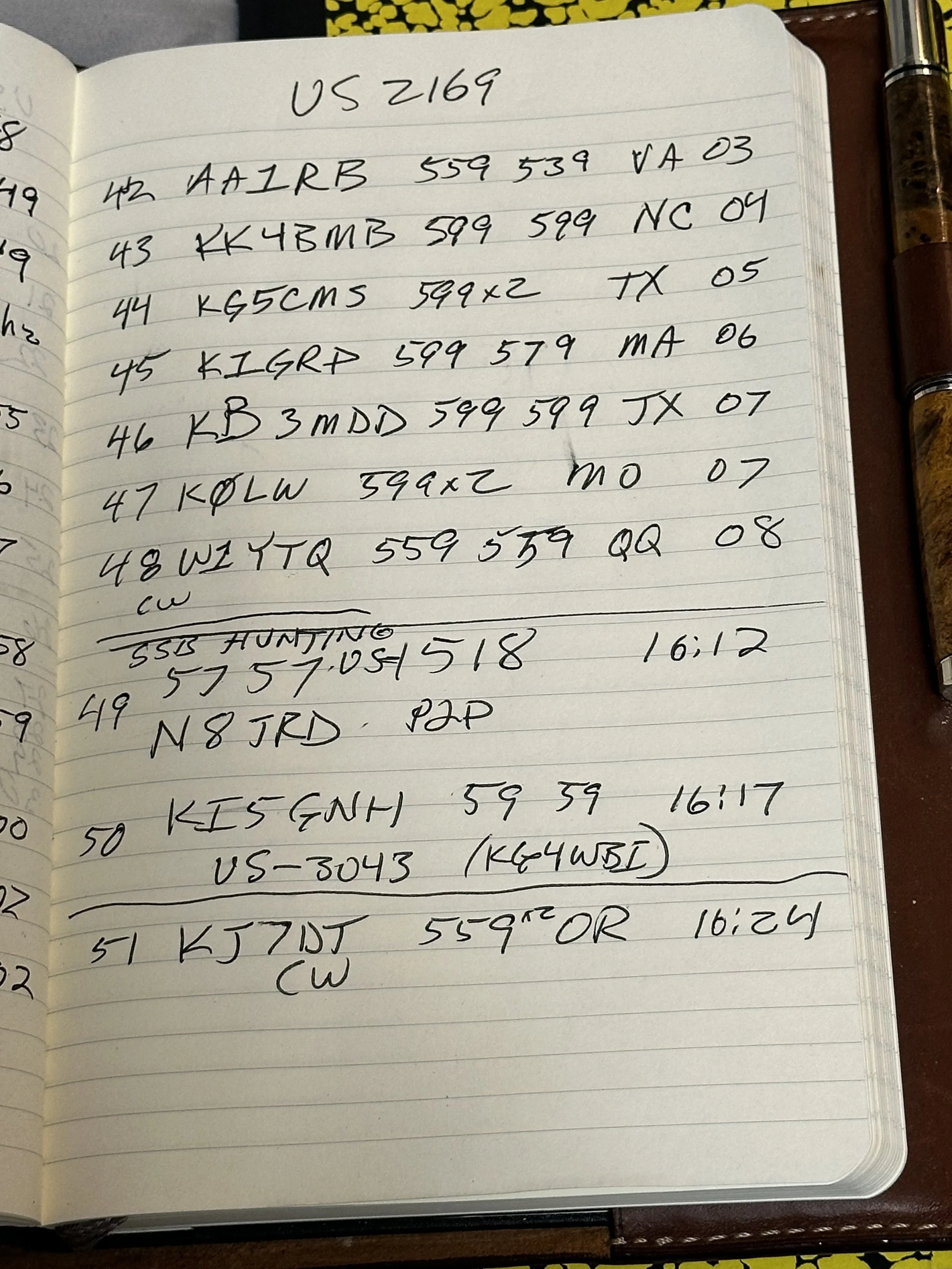
This is the messiest logbook I think I have ever created. Notes just scribbled here and there, edits run roughshod through out the 5 pages, and you can see that it means we had a great 4th of July activation. Thank you to all the hunters that came out to support us on the air and I look forward to recreating something like this again in the near future.
73
David - WK4DS