WK4DS Amateur Radio Blog
Search Posts
Dalton Hamfest 2023 for a Ten Tec radio junkie…
Well, it is that time of year again. The Dalton Hamfest is one of our bigger local events and this year did not disappoint. Below is a Omni 6+ with matching speaker power supply (radio in the bottom of the stack) just like the one I use in my ham shack at home. This particular radio was found outside in the boneyard of all places. This is a wonderful radio that would work really well for anyone wanting to get on HF. It is especially good for CW, the receiver is just buttery smooth and wonderfully sensitive…I could go on about this radio for a long time, but suffice it to say, if your into CW and vintage radios, this one is hard to beat. It was basically the pinnacle of CW rigs in my opinion.

Aside from the usual vendors where you can get any number of new radios, antennas or other widgets associated with Amateur Radio, it has become something of a quest for me and Trey (KG4WBI) to find all of the Ten Tec gear we can find and photo document it without buying it! LOL we ALMOST came home with that Triton…(just take a gander at it below) it was in great condition and worked beautifully…
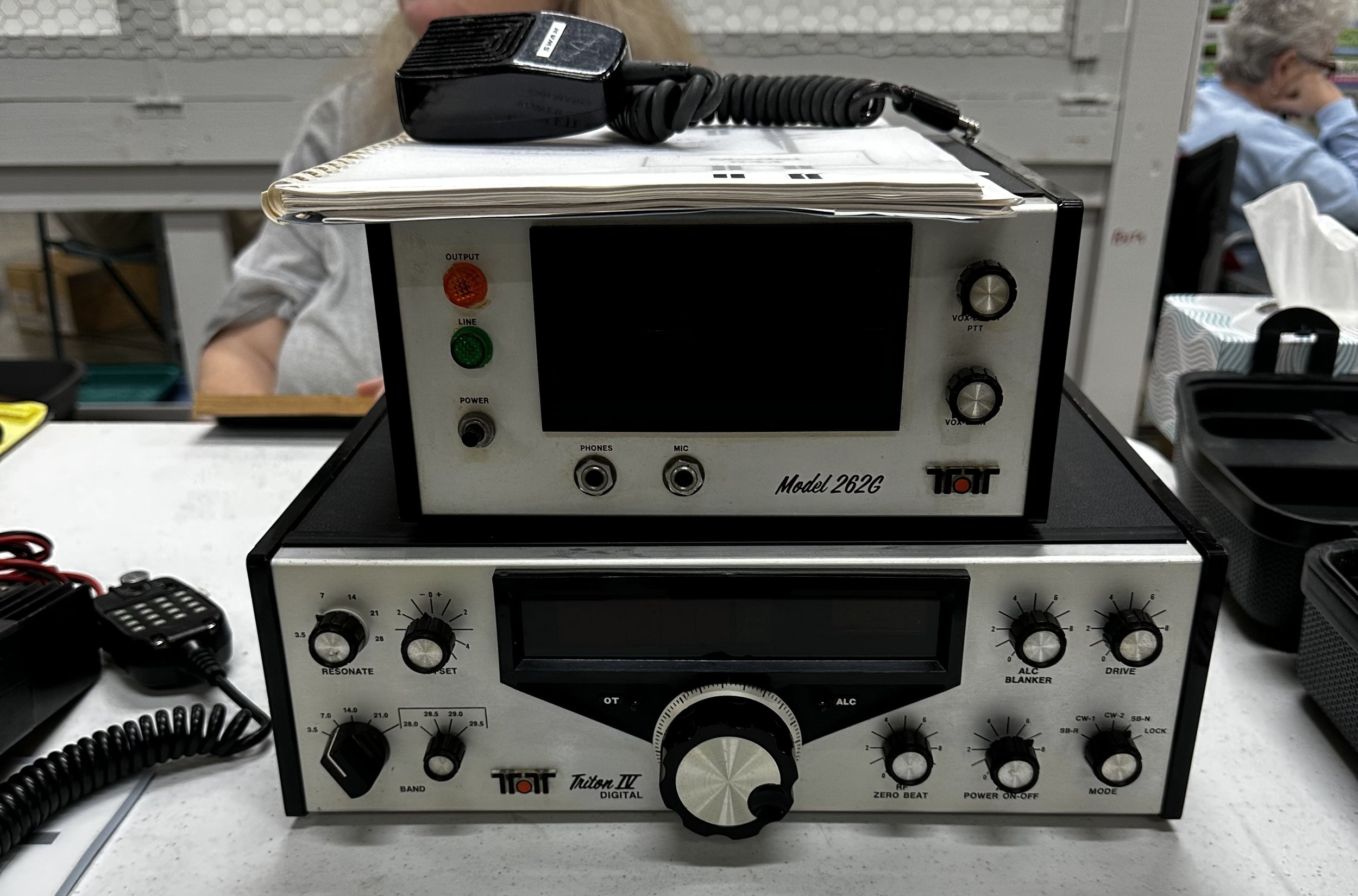
This year netted a incredible pile of photos that really impressed me when I started looking back through them. You see, while you’re walking around, you don’t notice that you have seen so many pieces of equipment until you start looking at the photos you’ve captured of them.


A prime example of this is the fact that we found two of the same kind of antenna tuner. Yet one looks like it was in a smokers ham shack and the other was not. I am pretty sure this is actually the case too as I have never known Ten Tec to do a run of gold trimmed radios or accessories.

Something that I did notice was the wide variety of Ten Tec radios that we’re at the hamfest this time, everything ranging from an old Triton and Argosy (pictured above with the matching power supply) all the way up to an Omni 7! By the way, that Omni 7 also has 6 meters… 😂 Once I added the Collins filters to my Omni 7 it is one of my favorite radios of all time. It works surprisingly well with just the stock filter but the selectivity just gets unreal with the additional 500hz and 300hz mechanical filters made by Collins.

One particular radio of interest that I have always been intrigued by, but have never really thought about buying is the Ten Tec Scout. This radio is unique in that it is a small, portable radio with a fairly powerful transmitter. I think it is 50 watts of transmitter power and to change bands, you replace the cartridge on the front of the radio with a different band module. This allows the radio to remain fairly small and still cover all the HF bands. This is a really forward thinking idea and Ten Tec is renowned for this. The Jupiter radio is a perfect example of their forward thinking, it laid the ground work for the whole Flex line of radios.
To have a whole set of these band modules is fairly hard to do and this gentleman, at the ham fest, had all of them except for one. He was missing the 30 meter module only from what I could see. This was a really impressive kit that he had and it was also in a nice pelican case and the price was really reasonable. This would make for a really awesome POTA rig or even a field day rig.

I guess it just proves that there is more out there available than you think when you just start adding it all up. Since I was just casually snapping cell phone photos as we walked around the ham first, I never really look at the camera roll until we were leaving, and that is when I realise we had seen so many different radios by just this one manufacturer, who is actually out of business at this point. There were even more radios from the typical Icom, Yeasu and Kenwood factions that were everywhere. There was plenty of equipment to choose from is my point.
It was nice to see that someone could still most likely find an obscure, vintage radio that they had been looking for, pretty easily, and to be honest there was a ton of Drake, Hammarlund and Collins radios as well. (That Drake TR7 really had me… I love the color scheme they chose especially well)
I have to give an honorable mention to another radio that is near to me that I have yet to own, and that is the Elecraft K2. There was a 10 watt version of this radio also for sale that day, and I was very VERY tempted to take it home with me…

But explaining to Teresa, why I brought another radio home was not something that I was looking forward to doing, so I left it sitting on the table and maybe cried a little…dont tell anyone… haha.
All was not lost though, as we did bring a radio home between the two of us. It turned out that Trey acquired a 2m Ten Tec HT that has been made out of pure hens teeth. He is actually working towards getting it operational again. He put it on a bench power supply and it did power up but it needs a few little things repaired on it. Currently it does not have a battery but he is looking for a battery to rebuild to put back on it. So if you know of someone that has a battery, even if it is trashed, please let me know as we can rebuild it, as long as it is complete.

Going to a hamfest for me, is more about community than equipment these days. I did grab a few ham stick antennas for my QRP radios when I do POTA activations, but other than that I did not get anything substantial at all. What I did most of the time instead was chat with friends, (whom all I had seen the night before at the club meeting LOL) and made a few more while at the tables talking about the really cool radios we found.
All in all, we had a great time today and if you have never been to a ham fest, I recommend you go to one just to see the spectacle of it. The bigger the better. Until next time, get your radio out!!!
72
de WK4DS
POTA that turns out really good for QRP radio!
Well, today was an unusual day, so lets set the stage… First we go to church and when we get home, there really isn’t much to do so I decide to run over to my local park and get an activation in during the afternoon. This turns out to be the beginning of an adventure for the next few hours that almost DIDN’T happen!

My N6ARA Tiny Paddle got some use today.
You see it all started at home when I was testing a power cord for my TR-35 radio. I wanted to add a cord to the POTA tote that I was assembling and I found one that looked like a good candidate. So I get the radio out and plug it into my shack power supply to see if the QRP rig would power up properly and it did. It worked perfectly. So then I put the cord in the kit as a permeant addition to the POTA tote. Once this test was complete I got my N6ARA paddle out of the other bag and added it to the kit and then I was off to the park.
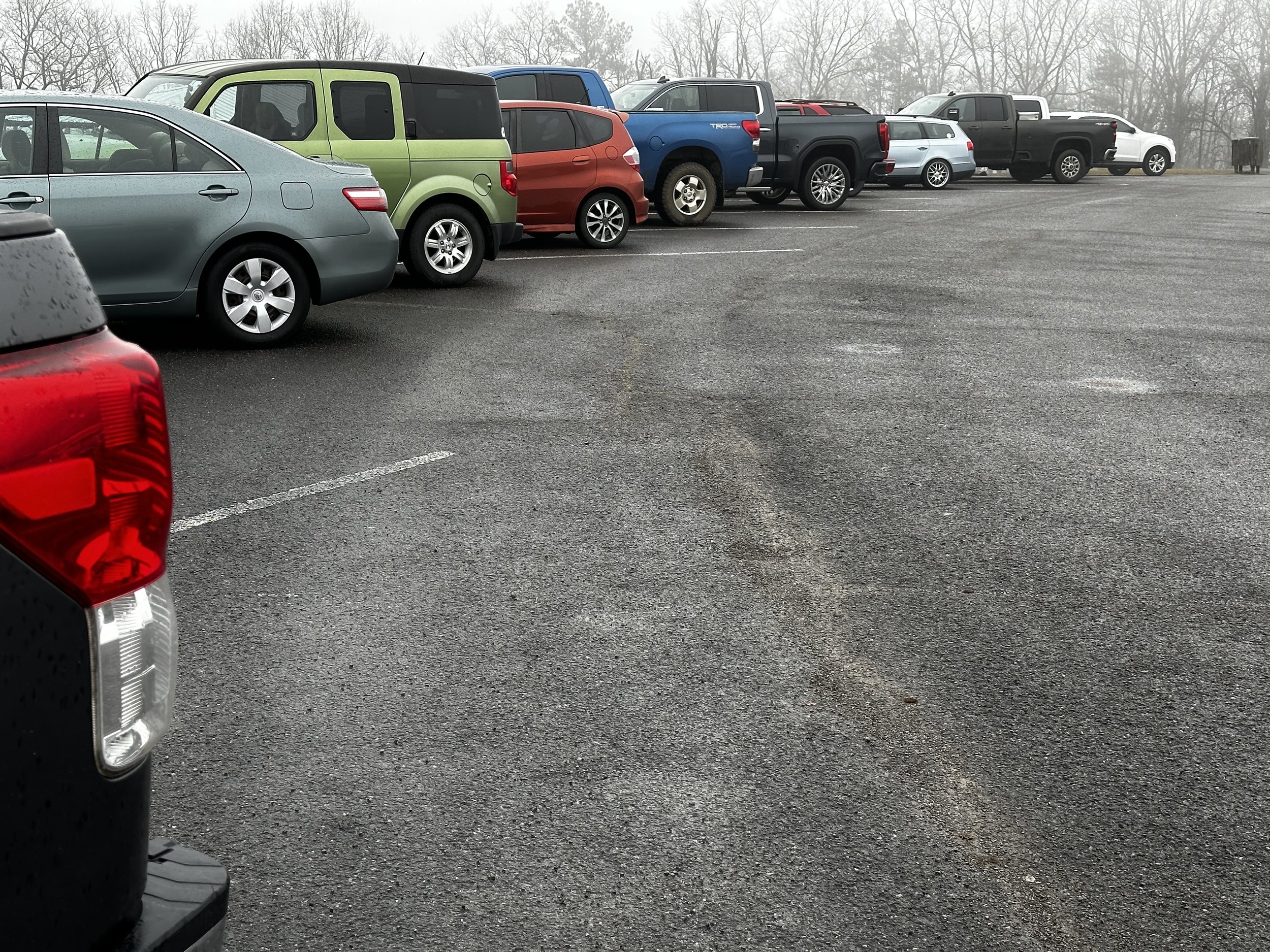

There was at least twenty groups on the course this big! So many people were there playing disc golf!
When I arrived at the park, I was in for a surprise! The parking lot was almost full of cars! This parking lot is normally reserved for me and me alone! LOL! I am used to seeing maybe 6 cars on one end of the lot where the beginning of the disc golf course is located but that is all! There were disc golfers everywhere for some sort of tournament. I was worried I would not be able to setup, but as lady luck was on my side, I found a good spot and got the antenna in place.

This is where things take a turn for the worse. I get the antenna setup and hop in the truck to layout the radio gear and find I forgot the actual radio. I had all the support equipment but no radio. It seems when I tested the power cord that I failed to put the actual radio in the POTA tote… I felt totally defeated to be honest and almost just broke it down and was about to give up. So I thought I would call the wife to see if she would help out and she agreed to meet me half way in Trenton and bring it to me. So I laid the antenna assembly on the ground and ran down to Trenton to grab the radio, hoping all along that no one would bother the antenna laying in the grass beside the parking lot.

This saved the activation to be quite honest about it. It added about 15 minutes or so to the time table to drive down to Trenton and back and fortunately, no one bothered the antenna (seems my worries about disc golfers being curious were unfounded) and I was able to get on the air after all.
This is when I found the next problem… There was some sort of contest this weekend on CW that I was unaware of and the band was super crowded. I was starting to think I couldn’t find an open frequency when I landed on 14.068 mhz and no one was there! At least no one was near enough to me for me to hear them… So I waited a few minutes and listen and nothing. I call QRL a couple of times and then get going. This is noted by the “on air” start time and the actual time I started making contacts. I normally don’t wait a full ten minutes, but this time is was probably 6 or 7 minutes and then it took a few calls to get QSOs coming in… I do other admin stuff while I am listening as well, such as getting my POTA spot on the website and positioning my gear in the truck for max comfort and such.
Another reason I didn’t just move to a WARC band was that I only have a hamstick for 20 meters at this time. I plan to pick up a couple more at the Dalton Hamfest in a couple of weeks from the time of writing this blog… I hope they have some! Below you can see the “POTA tote” and my rig for the day, the Penntek TR-35. This is truly one of my favorite radios and would have been the radio I carried to Hawaii had I been able to confirm that my tuned EFHW antennas would stay in tune in varied setups due to terrain… I plan to test this once I get back from the trip, but we leave in the morning as of this writing and I didn’t have time to test the idea properly prior to leaving.

The log sheet speaks for itself. There is a number of Canadian hams this time as well as the one to Italy as well. I couldn’t believe how many calls I got in such a short time. This was an amazing activation for me and to think, I almost gave up when I failed to bring the radio… Then as fast as it started, it abruptly stopped. When the last entry was written down I called CQ probably 5 more times with no replies so I called QRT and packed up. What an afternoon!!! This just goes to show that 5 watts has the magic if you get on the right band at the right time!


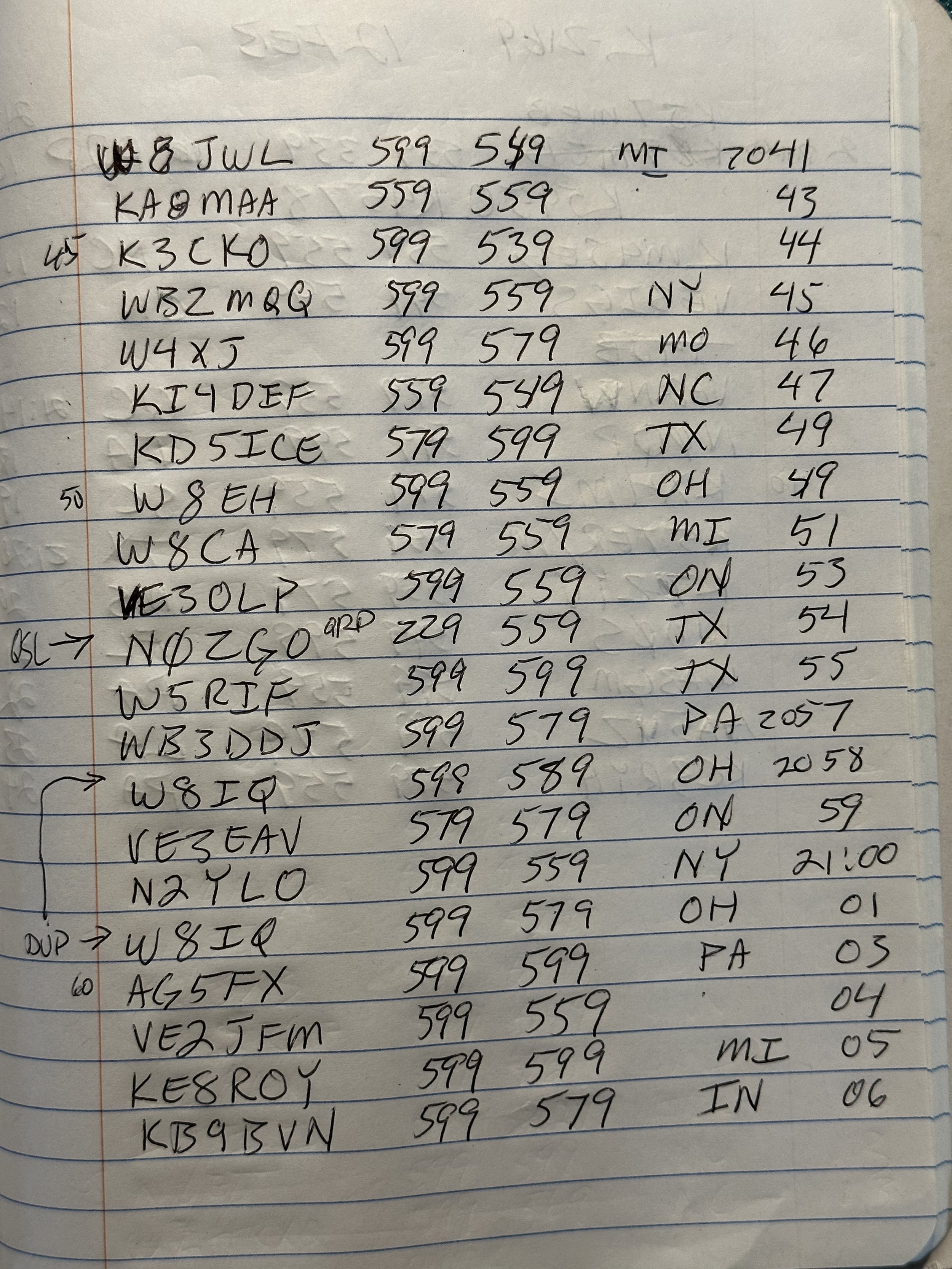

So if your thinking that you wont have a good time with your radio and there is no sense in even setting up, just remember this blog post and how I even forgot the darned radio!!! So get out there and warm up that atmosphere!!!
72 de WK4DS
Today I activated the smallest park I have personally ever seen.

This activation included me having to use my backpack rig in its entirety. I used the ICOM IC-705, wire antenna and the rest of the whole kit from the normal pack I use.

I have been wanting to activate this park since we arrived in Tampa over a week and a half ago, but the park is closed on certain days and I had to arrange it to where I would be in Ybor city, and the park would be open at the same time…with good weather. Today was that day.
I even found a good parking space relatively close to the park and only had the walk about one block. This is unusual for me, as I am never able to find parking that is even remotely close to the location I want to go. So the Lord was already looking down on me on this day.

So this park is really nothing more than a museum with a large patio area that is also fenced with a huge brick and wrought iron wall, on the side of the museum. It sits on about 1/2 of one city block of space, this includes both “park” and building.
So today it is only me, a chicken and the park employees who were cleaning the fountain while I was there.

Ybor city has some sort of ordinance that protects the chickens, and there are chickens literally everywhere.
So in order to draw less attention to me and to not risk getting thrown out of the park for putting antennas in the trees, I opted not to throw a line into the trees to haul up an antenna, but rather instead, ran it across the back corner area and fixed the end of the antenna to the top of the fence gate as shown in the photo.
I ran the radials along the ground. I know this is not a very good setup, but I really only wanted to get the activation and then go shoot some photography as well.
Well, I started on 15 meters since I could see it was open and actually made several contacts there before moving to 17 meters. 17 meters actually netted me some contacts today too!!! Boy howdy! Today, even with my terrible antenna setup, I have landed an activation and still have yet to goto 20 meters. This is in large part to a team of dedicated hunters who are listening with good receivers and MUCH better antennas than what I am using. 20 meters netted several more contacts and I shut down after 50 minutes.

Way back over there in the back is where you can see the table that I used for the activation. It is kinda nice to have a big table to spread all the gear out on when you are doing an activation. Plus, in the middle of the day there is little to no activity in this park so I didn’t have to share space with anyone else too. If I could have escaped the band noise, and put the antenna in the tree (to be honest I probably could have if I had just done it quietly) and it would have been an epic activation.

The whole rig packs really neatly into this old camera bag. Thanks to KV9L for the idea on repurposing a camera bag for my POTA gear. That was genius of him and I had about 4 bags just sitting in the corner not being used at all…

I tied the end of my wire to the top of the wrought iron fence (which I think is actually aluminum but who’s checking?) and then laid it on top of some bushes in between my radio tuner and the fence to get it off the ground a little. I am obviously getting some capacitive coupling with the fence and this may be why I got as many contacts as I did. I also used 10 watts and not 5 today for all but 2 of the contacts… I know it says 5 on the log, but I made the note, that after the second QSO I turned it up to 10 after I took this photo. Something quite rare for me is to run more than 5 watts, but as you can see in the reports, people were barely able to copy me and then it was much easier after that with 10 watts. Once things got going I forgot to turn it back down and so you have it… From the map below, it looks like decent single hop propagation and since I was running such low power and a terrible antenna, I am happy to see even this many contacts.
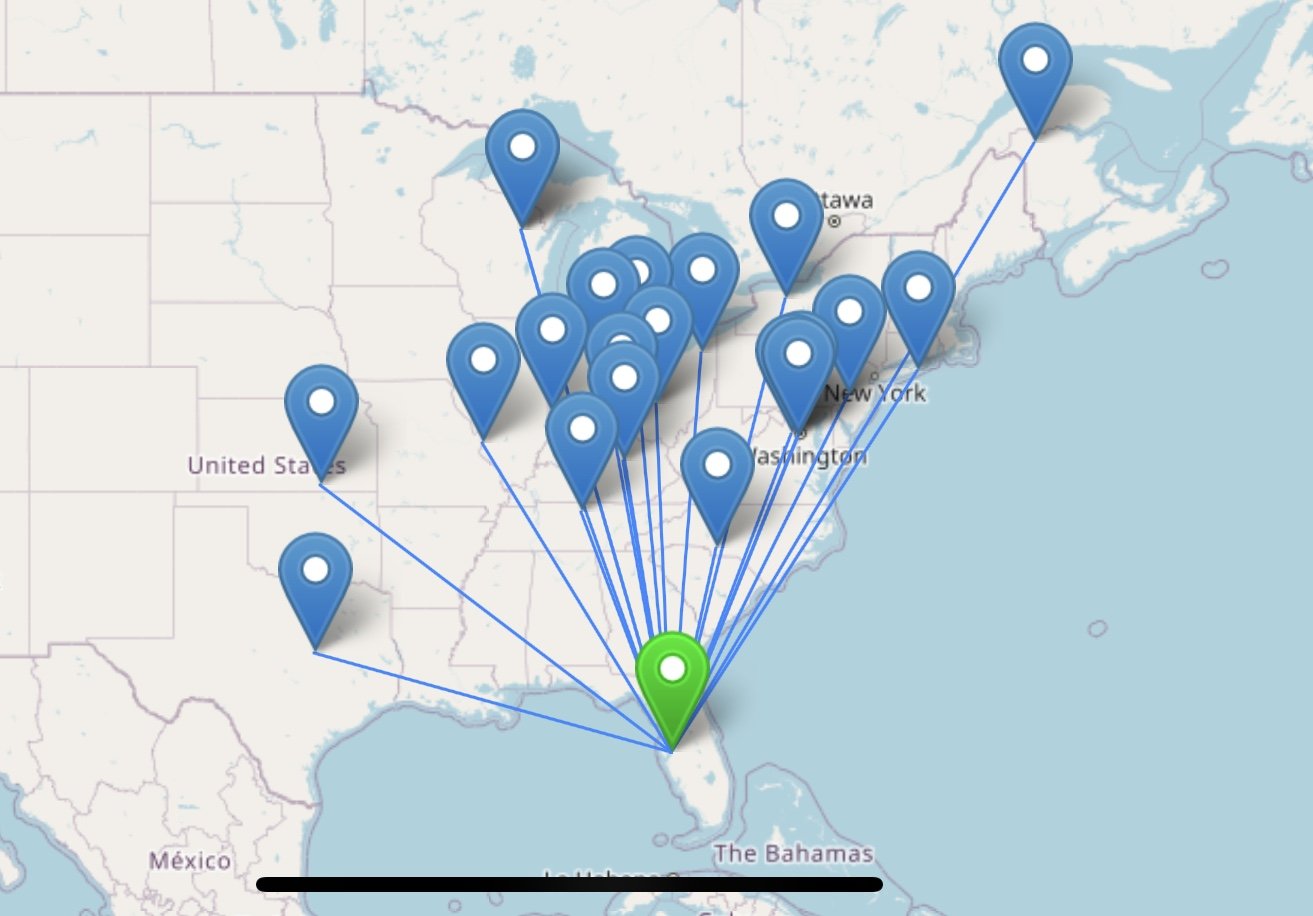

Got K9IS in the log on two different bands today, that is kinda cool and I am starting to recognize several other calls that are showing up in my logs more and more. K4RUM, W8NGA, and WA9VFD area calls I have seen before that I am aware of, I am slowly trying to put names to these calls too as I like to learn the first name if possible. This is just something I like to do.

This is the remote tuner for the IC-705, It is designed to be used with it and it is actually designed to be strung up in the trees as a remote tuner. I made up a 6 foot cable for it that has the power, tuner control and coax all in one cable so it stores more conveniently. It is rolled up in the bag photo on the top right corner of the bag, I just used the spiral wire loom to make up the cable, that way when one of the three cables wears out, I can replace it easily.

Here is the view from the end of one of the radials to the tuner module. I ran two 10’ radials in opposite directions to help the wire get out.

The antenna ran up to this fence section across those bushes, so as you can see, it was really low to the ground. This still got me an activation though so I am happy with it.

You can see the park employee in the background where they were cleaning the fountain. This is why I didn’t bother putting up a wire or even asking about radio, since I was running CW, I wore headphones and I don’t think they even knew what I was doing. No one ever came over to see…

Here you can see the power setup for running the external battery, I run a power distribution block with power poles so I can plug in the tuner and the radio power, then I run them through a power meter back to the battery. Both the radio and the tuner have separate fuses for them so none of the devices are powered without fuse protection.

There was a good bit of rf hash in the area, but then again, there are numerous neon signs and no telling what else in the area, it is right smack dab in the middle of the city here so all bets are off here… I could still hear pretty well once I dialed the filters in a little better.
All in all, it was a great activation and I am happy to add Ybor City Museum to my list of parks. I think I have activated as many parks in Florida now as I have in Georgia! LOL Anyway, get that radio out and power that sucker on!!!
72 (well this time I was using 10 watts so 73 haha)
David WK4DS
Activating POTA site K-5524 in central Florida in January 2023
So I am staying in Tampa Florida for a few weeks in January of 2023 and brought a couple of QRP radios with me just in case I had time to do some POTA… Well, this worked out and I did get to do a few activations.
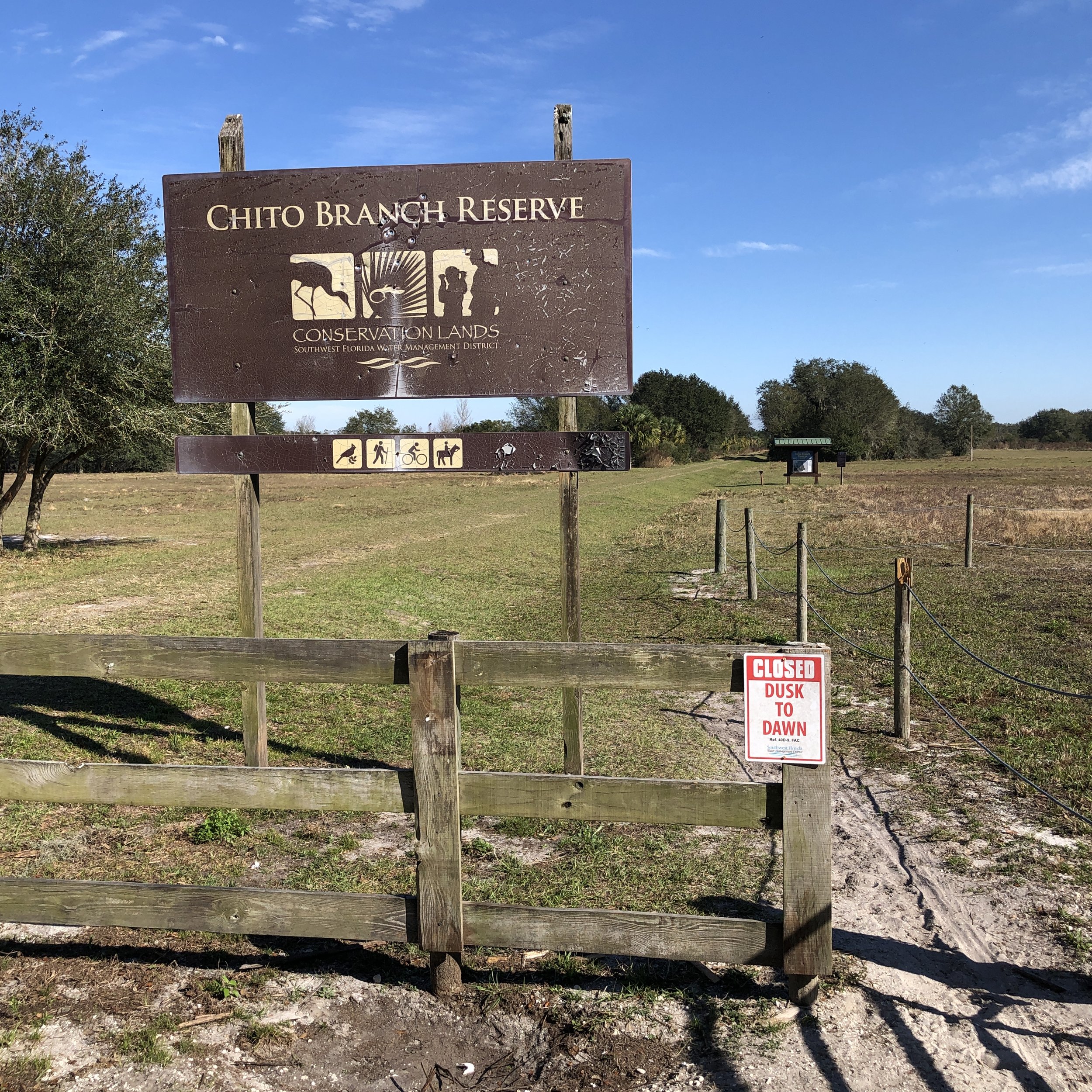
Welcome to Chito Branch Reserve. This is a really nice place tucked into the bustling metropolis of Brandon…or more commonly known as a suburb of Tampa FL… LOL, it is a really nice little area and I was glad to see some people actually using the site for something other than a HAM getting a POTA activation. The lot next to the truck was for horse trailers, but was locked. While I was there, there were two different groups of people that showed up to use the land as well as me. One guy was going on a bird watching adventure and the other was a dad with his two sons who played with several RC machines till all the batteries were drained.


I checked all the maps I could find and from everything I was able to figure out, the parking lot is fully inside the boundaries so I was able to setup the truck-tenna and use it as my power source too.This makes setup a lot more simple as I don’t have to use the throw line and try to hang wire antennas in the trees. I also didn’t know if that was even allowed here either so I was apprehensive about doing that at first.


If you will notice in the photos of the parking area that it is really small, this comes into play a little later when the wife of the guy with his two boys, shows up for a minute. You see when I arrived there was no one there at all and deployed the antenna radials left, and right of the truck. This was not a problem until the fellow with the RC airplane, crashed it into a palm tree and could not get it loose. He ended up calling his wife to bring him a pole so he could fish the airplane out of the tree. When she arrived, she ran squarely over the radial on the other side of the truck. Fortunately, since it is in place with only a weight, it was not a problem to simply pull the wire out from under the car and repositioned it. They apologized profusely, but I told them that it was simply a piece of speaker wire, and it was not a big deal as I had already broken it a couple of times myself and laughed. He retrieved the stick, and then promptly got the airplane out of the palm tree and proceeded to fly until the battery went dead about 20 minutes later lol.

There was some sort of QRM at this site too, but it was not near as bad as the other site. The QRM was some sort of thumping that would happen every so many seconds like clockwork, it was almost like WWV, but more spaced out in time. It was also wide band as it covered the entire amateur 20 m band at once with a single pulse. It wouldn’t run up the band. It was the whole band at once so this was some sort of broad-spectrum noise, whatever it was.
This was not really a problem as I was able to turn down the RF gain about 10% and almost completely eliminated it so I didn’t have to really listen to it all that much. What is it with Florida and these band noise issues that I do not have back home on top of lookout mountain? Lol

I just love the look of the Spanish moss in the trees down here, it has this “ancient” kind of look to it…

Having the cigarette lighter adapter and a Anderson power pole on the end of the cord is a godsend for a QRP POTA operation. The power port in the truck is rated for 15 amps and the cord I bought has a 10 amp fuse in it, so there is no danger of problems there as none of my QRP rigs pull more than 5 amps max. I also had enough cord to reach all the way to the bed cover of the truck so I was able to set up outside and not have to sit inside the truck to do my operation. The weather being as nice as it was I wanted to do that instead. In the photo below you can see the common mode choke I made out of a toroid to keep RF noise out of the radio, I am going to test this to see how much attenuation it produces with my nanoVNA at some point…

I got some new calls in my log since I am 500 miles from home, I have a new areas to call into, like Tennessee and North Carolina!!! Also, I looked, and this is my fourth state! To activate a new state for me is a pretty big deal as I do not travel by vehicle to the states outside of my local area very often. Woo hoo! 46 to go! ha ha ha! Honestly, I do not ever expect to get all 50 states in the log as activating, but it is fun to get a new one when I can.

The operating position for this day. Today I used my ICOM IC705 transceiver and my little travel paddles from a previous blog post, and my headphones that I normally use on the TR35 transceiver. I normally do not use headphones with the 705, but today it was windy and there was a lot of car noise as cars would go by on the highway just a few meters away. Wearing headphones almost completely eliminated this noisy environment and made it easy to copy CW.

This is the bucket of extra stuff I brought in case of problems and it has helped a lot on this trip already. I threw this container of random stuff in the truck before I left, as I wanted to make sure that I did not have a project like an activation get shut down over something as mundane as a cable failing. Also, do not laugh at the small, cheapo multimeter. It works and I was able to do several little simple, troubleshooting type things with it and it also is very small, light weight and compact. Sometimes the simple little cheapie ones work great for what you need them for… Another perk to the cheap multimeter is that if I drop and break it or do something to it in the field and it gets destroyed or someone carries it off or any number of terrible fates, I am only out a few bucks and it doesn’t hurt me as bad as the nice Fluke brand meters I have at home.

38 QSOs in the log is a pretty good day for me, Especially since one is from across the Atlantic ocean!!! MM5DWW was booming into my location and when I looked him up on QRZ, I saw why. This man has an antenna farm to die for, nice kit OM, hope to work you again soon! I am thankful to the Lord that nothing went wrong and that I had wonderful weather too. If you enjoyed this blog post, I would appreciate a like, and if you would share it to your friends, so that I can grow this page.
Thank you, and 72 until next time. WK4DS
Winter Field Day K4SOD Style
So to be honest, I didn’t think I would be able to make it to winter Field Day this year, but as chance would have it, we pulled up stakes early and came home the day before. So I went for a few hours to see if I could make a few QRP CW contacts for the guys.

The only photo I thought to take was from when I was outside operating on 15 meters.

Someone grabbed a photo of us stringing up wire antennas in the early afternoon!
This blog would be almost without photos by me as I was under a time table and didn’t think about getting photos as I was enjoying the company of the local hams that were in attendance. I was making some contacts too…albeit incorrectly for what amounted to almost the entire time. More on the lesson learned about this a little later. So, most of the images of HAMs operating are from Josh KN4RTY, fortunately he thought to take photos. I am really glad he did this and want to thank him publicly for giving me some of the photos.
Well, I went to the site at about 2:30 in the afternoon local time and talked with everyone about antenna locations and what bands everyone would start out on…as I failed to bring my band pass filters I bought JUST FOR THESE EVENTS…uggg. Anyway, once it was all settled, I strung up my 20m wire antenna into a tree as a vertical and ran out both radials for the IC705 and tuner setup on the bedcover of the truck. See photo above, as it is the only one I have.

Here we have the MFJ-496 in use and making a contact for Winter Field Day.
I also brought out a relic from the 80’s that Roger KG4WBI gave me a while back, an MFJ-496 CW Keyboard. These are as rare as hen’s teeth these days and information is even more scarce. I was fortunate and finally found the manual for it online and was able to download and print it, so I have a physical copy now. It is almost cheating when it comes to sending code as you only have to be able to type. You can program a series of memories for contesting and that is what it appears to be designed for. It will also do RTTY as well but I have not dabbled into that realm yet to see how to do it. If you are into CW and like things such as vintage HAM radio gear, this is a must have for your collection.

Here is the person (Josh KN4RTY), responsible for most of the photos, working with his daughter on making some contacts. They had a great time and I really appreciate him letting me plug into his antenna later in the evening!
Thank you Josh!

Above we have Josh’s little girl and Roger KG4WBI working SSB on an unknown machine while I was gone. Roger also stayed all night while I slept peacefully in my warm bed at home…lol. He did tell me later that he got on the air in the early morning hours and had a great run of contacts while most everyone else was asleep. I would like to point out that he is always really well prepared for this type of event and usually has enough equipment to put up a site all by himself, with multiple rigs mind you, and this is the spirit of these events. He and I also have a Ten Tec addiction as well and have plans to bring some older rigs back to life in the not too distant future. (Can we say “Tritons” anyone?) That will be epic!

One of the things I like about these events that is different from me working POTA is that it has a different theory of operation, it is to see if you can setup an emergency radio station similar to a POTA activation in that it is remote and usually battery powered. The similarities end there though. The difference is that these are not nice, serene and quiet locations, there are other radios, in close proximity, and people chatting in the background and stuff moving around, basically there is a lot of noise everywhere. It simulates the chaos of an actual emergency a little more to me with our group. We don’t setup huge contest operations, nor do we have a mobile command station (trailer) that is ready to deploy. We have a bunch of guys with radios and who are willing to help. We also know that we are still learning and we don’t criticize each other and just simply want to see if we can make a go of it. So unlike a POTA activation where I am basically all in while I am activating, here we will stop and chat about the setup or discuss the food we are bringing or what have you. It is not all about the contacts for us but more about the community.
Now on to the logging issues I ran into. Please be aware these are squarely my fault entirely as I did basically zero research before deploying to the site. So the following is on me.
I started out using the regular field day rules for our site…this was my first mistake. I used 5A for our designator and this caused a lot of problems as people kept asking for this again and again because of my error. I finally figured it out when I heard a SSB exchange and then noted the correct one on the log as you can see in the below photo. The second thing I did wrong was I used POTA rules for logging. Mainly the fact that I only captured the band and not the actual frequency. This is why I need to read the actual rules before deploying out to the site to operate for hours to come away with contacts that I cant submit. If you will notice on the second page I started noting the frequency as well…way later.


All in all, it was still a great event and we all had a wonderful time. If you want more information about field day go to the ARRL website here. Next year I will be better prepared and not make sure rookie mistakes as this…hopefully. LOL. 73 Yall.
Trouble activating K-1878 Hillsborough River State Park in Florida!
I ran into some problems with the area I was in but worked through them and even grabbed a photo of some local wildlife. So let’s get started…

Finally!!! I GOT MY FOURTH STATE!!! Lol. We had went to Tampa Florida for a few weeks to escape the winter in North Georgia and so I grabbed a couple of radios for some POTA fun.

First, a little about the park. This park was easy to get to and it is a big loop through the wilderness area with pull offs as you go around. There are hiking trails, camping areas as well as playgrounds and other facilities on site. They even have a small outfitters store in the center of the park. All of the parking spaces are pull in angled from the road as you see in the photos throughout the entire park except for the very first one where there is a small visitor area with a historical reference section.

The park is beautiful, and basically shows you what a wild Florida would look like if it was not covered in houses and strip malls. The park does require a fee to access it and you pay when you pull into the entrance.


There is a guard shack and they collect the fee there. I had several park employees travel by my setup while I was operating and no one gave it a second look. I believe this is because my set up is very low impact as the radials are held in place by weights, and the antenna is actually connected to my truck and freestanding.
This parking created a small challenge for me as I tend to need to back into the spaces so that I can deploy my antenna ground system. My solution to this problem was to drive around the Park until I found a section of the parking lot that was vacant of cars. Once I found a vacant parking lot, I could pretty much choose where I wanted to put my truck, so I put it in the furthest corner from any infrastructure which typically lends itself to not ever being in anyone’s way.

As a sidenote, once I had finished my activation, I realized that there was a observer watching from a nearby tree. I am pretty certain this is a red shouldered hawk and it’s very beautiful. There were several of them in the park and I happened to see this one fly down and catch something small on the ground and then flew up to this tree branch in a nearby small tree, where he sat (or she I’m not sure which) until I was able to get my camera and walk over there and take a photo of it.

Onto the Amateur Radio portion of this adventure. Once I found a spot to get out of the way, and that was far from any structures that I could find, I parked in the corner of the parking lot, deployed my antenna system and got out my ICOM IC-705 radio. This is where the trouble began, I learned quickly that there was some sort of interference that was washing over the entire CW portion of the 20 m band. I did not even bother to check the other bands as the only antenna I deployed today was a 20m hamstick.

I jokingly considered it to be similar to the “Russian woodpecker” of days of yore as it sounded like that every few kC. I am pretty sure it is the radar installation at the Zephyrhills municipal Airport as I was in the direct flight path to the runway. My antenna being a vertically oriented radial, is a very noisy antenna anyway so I am leaning towards this deduction to the problem. I have heard RF hash from other devices, and none of them have ever sounded like this. It literally sounded like a woodpecker.

Combine that with the fact that I was only 7 miles distant from the airport. I also had aircraft going overhead occasionally as well. This is what clued me in that the airport was somewhere nearby, and that I was in the flight path, I kept hearing airplanes lol.
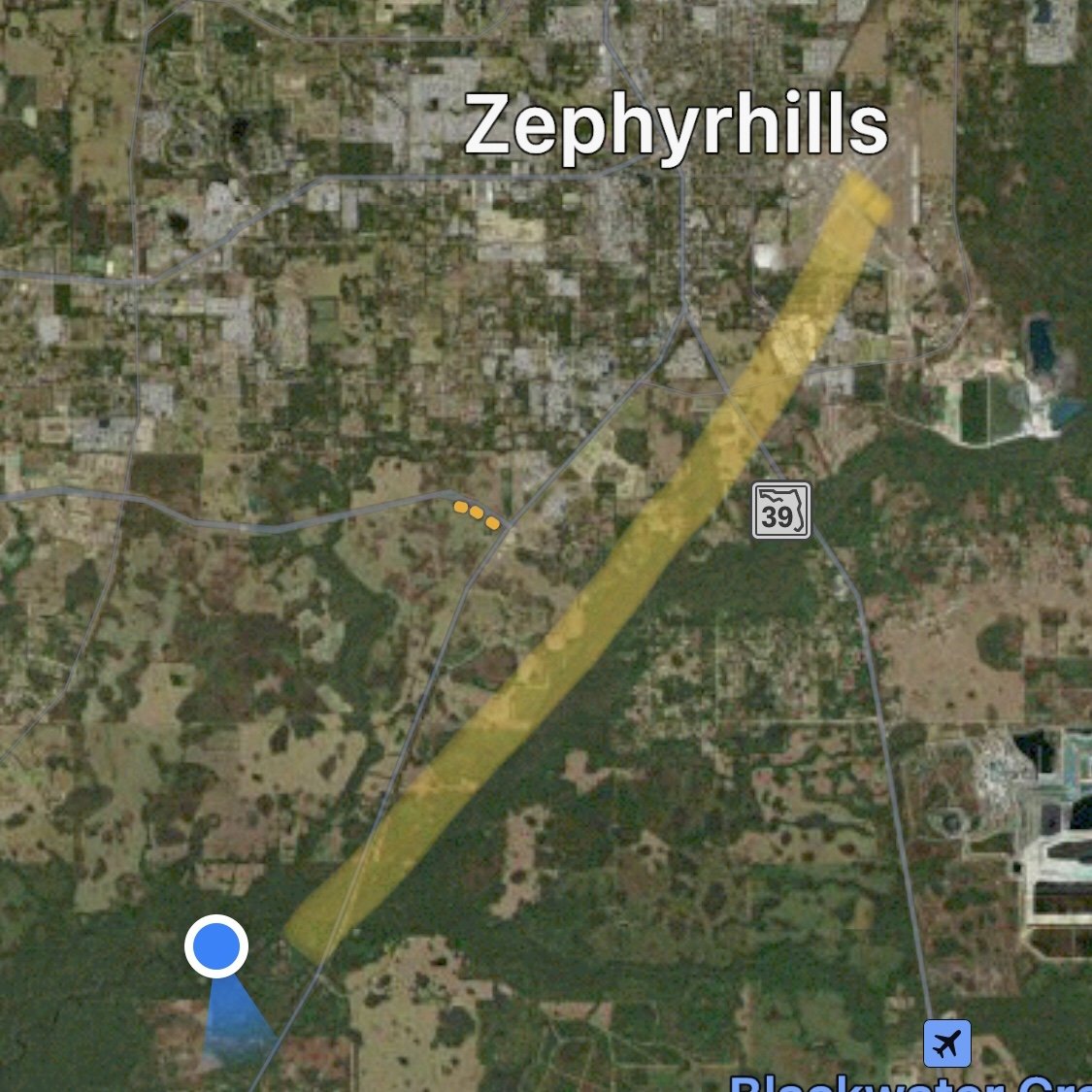
I tried a couple of different things to see if the problem would go away and figured out really quick that it was not with my system, and that I could only work with what was there. I even turned down the RF gain in an attempt to hide the noise from me, but that didn’t really help since I would be transmitting sometimes on top of this noise, and that would make people not able to hear me calling CQ. What I wound up doing was looking for a section of the band between the noise spots and setting up in those areas. I finally found a couple near the QRP calling frequency and started calling CQ.

This worked really well as I was able to quickly get 20 QSOs in the log in about 30 minutes. I even got a few of the guys, that I normally get back in Georgia, in the log as well, such as K9IS for instance.

The set up today consisted of the 20m hamstick with radials piped into the truck to the 705 direct with no tuner. The power from the truck powering the radio out of the cigarette lighter port and I was using my little portable travel key that I bought off eBay and that was it, very simple.


So, I guess the moral of the story is don’t give up, even if you have something like the Russian woodpecker beating down your receiver. Just find a spot that is as clear as you can get it and try from there, you never know what you will find.
Thanks and 72
WK4DS
How well do compromise antennas actually work?
Well, they work really good…for what they are.

3 DEC 2022 TenTec Argonaut 5 @ 5watts CW into the 20 meter Hamstick.
To expound on this simple statement, I have been using a 20 meter hamstick for a while now and making charts of my contacts to see how well they work by looking at the direction, distance, and minimum range of these little non-descript antennas. I keep a fairly detainles logbook too and I part of that log is RST information as well.
All of this information has been collected using QRP transmitter power of 5 watts or less to see how the other station can hear me and how many of those stations I can contact as well. To be honest, I was shocked at how good this little antenna works. It is fairly quiet (when you are not near man-made noise) and I can hear CW signals surprisingly well even on the tiny little Penntek TR-35 radio.

To get an idea of what you can do, just take a look at some of my recent AAR blogposts like Monte Sano State Park for instance. That one was done with the Penntek TR-35 and the 20 meter hamstick as well. Actually all of these recent activations have been with the lowly hamstick so far since it has gotten cold or rainy.

10 DEC POTA Activation map 20 meter hamstick and 5 watts of CW output in 30 minutes.
The above image shows what I was able to do with 5 watts and the 20 meter hamstick on a day when there was not quite so many amateurs on the air that could hear me either. I will check on some other hams and they will have tons of pile up activity and when I call CQ, it is quite different most of the time. I can occasionally get a small pile up going with just 5 watts, but I am not skilled at managing a pile up so I end up still working just about 1 per minute or maybe a little more than that. So I normally run about 1 per minute on a good day for the entirety of my activation and normally I don’t activate over 2 hours max, most of the time it is 1 hour or maybe a little less, so the maps wont be quite so buried, but they do show the effectiveness of the antenna anyway. The first QSO that day was to Puerto Rico and the longest was to California. Not bad for 5 watts and a tiny antenna!
I was going to try to come up with some sort of scientific way to measure the long range effectiveness but in the end, there just ins’t any way to do it. The only thing I have is this little map and that is a pretty good representation. You see if it is to be scientific, there has to be a control and there has to be non-subjective measurements and the test has to be repeatable. This last one is the real problem, the atmosphere changes constantly, this is why we have QSB,,, So we cant reproduce the test exactly with a different antenna since when we test the second one, it will have different atmospheric conditions. We can try, but there is no real way of knowing if the two antennas got tested with the same conditions… so it really is pointless to compare them to other antennas.
So to summarize… A hamstick antenna is a type of portable antenna commonly used by amateur radio operators. It consists of a flexible metal rod, or "stick," that is mounted on a base and can be easily taken down and transported.
The metal stick of the hamstick antenna is actually a type of coil called a loading coil. This coil is designed to resonate at a specific frequency, which is determined by the length of the coil and the type of wire used. When the hamstick antenna is connected to a radio transmitter or receiver, the radio's electrical signals are sent through the loading coil, which converts the signals into radio waves that can be transmitted or received.
One of the advantages of a hamstick antenna is that it is easy to set up and take down. It can be mounted on a car or other vehicle, or it can be placed on a tripod or other base. This makes it a popular choice for portable operation, such as field day events or emergency communication.
Another advantage of the hamstick antenna is that it is relatively inexpensive and requires minimal maintenance. It is a simple yet effective way to get on the air and make contacts with other amateur radio operators.
Overall, a hamstick antenna is a convenient and cost-effective way for amateur radio operators to communicate on the airwaves. It is a popular choice for portable operation and can be easily set up and taken down as needed.
So grab your hamstick and take to the airwaves and make some contacts!!!
David
WK4DS
72
POTA in the rain, it is still fun if you go prepared for it.

The fog was incredible on this day.
If you knew that I had already written this post once already…my rapid fire mouse press killed the first one. So here goes again…

Looking at this now, I look like an old wet hen in this photo…lol.
This day started off with a lot of rain and a ton of fog at the top of the mountain. I got to the location and found it to be thoroughly inundated with water and it actively raining making it even soggier…if that is even a word. Once I found the parking space I like… right smack dab in the middle of the parking lot, I proceeded to setup my antenna.

The antenna is the 20 meter hamstick but since it was raining so much I added my drip proofing kit to it with the empty peanut pack. This peanut pack is metal foil so it is probably interacting with the antenna somehow, but I don’t know if it is as I have not checked yet…

Even with the rain, setup is fast and the system just plain works. Even with it slightly detuned, I still was able to work a little over 40 stations in about an hour. This antenna (a hamstick) with tuned radials just works really well, even with QRP power levels. It takes about 3 or 4 minutes to screw the sections together and spread out the radials and then it is back into the dry truck for the rest of the operations.

Here we have one of the counter weights that holds my radials taught without having to use ground stakes or ropes or anything. Also of note is that it is raining so much that the grass is literally flooded around the truck with a couple of inches of standing water in the grass. I was hoping this would help my antenna, and it may have, but it being detuned hurt me more I am sure…

Just lay the radial in the water, it will be fine…
As you can see here I tested the system once I got into the truck to see what the center of the SWR null was and is it at 13.9mhz, which is about 150khz below where I set it when I first tuned the antenna. Once it stops raining, I plan to have a session where I hook up the antenna and check it again, and probably retune it with new radials and possible tune it to 14.1mhz to get the antenna closer when deployed wet.

The radio of choice for today’s adventure is the Penntek TR-35. I chose it because of the compact size and the fact that it is just plain fun to use. The compact size allows me to set everything up on the console of my front seat in the truck and I still have room to log. That is a big perk of this radio, it is so small that it literally just sits in the corner of the space out of the way and it has a dedicated knob for everything I like to change while operating. What a dream little radio… I cant wait to get a shot at operating the TR-45L at some point, that is gonna be sweet.

My mobile POTA setup currently, as of 2022.
Another big deal about this radio is this feature pictured below, this is the menu for the memory keyer. Yes, it has two memories and that is the perfect amount to have for an activation. More would be better, but two gets me a CQ memory and a closing memory. By having these memories I can do some house keeping between contacts at times like add times or park numbers and such to the logbook. This is super helpful when there is a pile up as I like to document time, band, call, and signal report. This is just my preference though and is not needed for POTA, but it does help when someone sends me a QSL card as I can confirm the contact properly.

The take away from this activation is that you need to check your resonant antennas if you plan to operate in inclement weather as they can change and your radio could see high SWR and not get out very well or worse, it could be damaged from excessive SWR… So I like to check the SWR occasionally now to make sure things have not changed and if they have, that they are still within operational parameters so I can activate with out fear of damaging my radio. All in all it was a great day as I netted 42 contacts in about an hour and this is a great trip for me. I operate alone almost exclusively so I have to do everything myself, this is why I paper log while activating and then I enter the log into the HAMRS app once I get home. I have a wireless Bluetooth keyboard that I use with my iPhone and it goes really fast that way. Thanks for taking the time to read my blog and please hit the like button if you liked it.
Get out there and get on the air!
David
WK4DS
72
Ten Tec Argonaut 5 goes to the park and then gets a new fan!
I love this radio, it works so well and is really easy to use with minimal menu settings. Then again I love all TenTec radios and have an unhealthy addiction to the brand…lol. Is it really that bad of a problem? I bought this one “for field use”, you know… like Field Day in June or POTA, but I have found things about it that keep me reaching for other radios most of the time. Let’s take a look at some of these short comings for a field radio that I like to use while doing an activation.

So I get this radio out much less for a couple of reasons… The main one is that it doesn’t have a CW keyer memories built in like the ICOM IC-705 and the Penntek TR-35 have in them. This is a big deal if you plan to activate for more than an hour or so as calling cq over and over manually can be strenuous to say the least with time. You see the keyer does something for me other than relieve me from having to pound out the CQ all the time, it BUYS me time. I am able to make log notes and fill in missing parts of the log while it is happily sending the CQ for me. This is a huge help after a quick string of QSOs and I am getting the times written down along with my usual log notes I like to make.
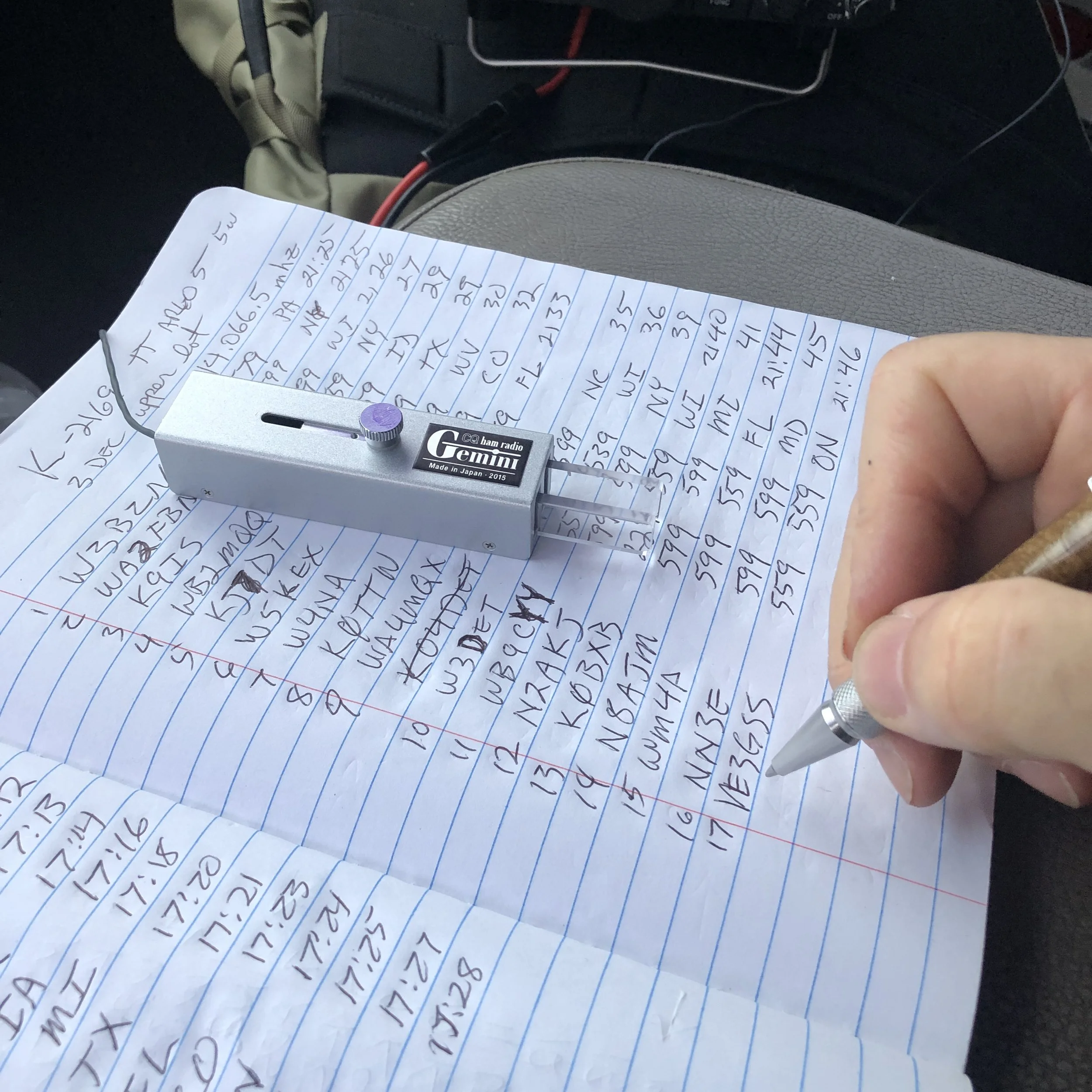
Quick rabbit to chase here… There is a few notable call signs for me on this page. K9IS is my first Hunter to get to 50 QSOs with me and KJ7DT has been showing up in my log more frequently lately too. The other call is the Canadian, just because he is DX…lol. Always cool to have those DX callsigns in the logbook. Now back to your regularly scheduled chat about the radio.
The next reason I don’t normally grab this radio is that it is fairly large compared to the other radios too. When I am operating in the truck, space is a valuable commodity and I am not able to spread all the gear around easily, if you will notice in the above photo I actually have the Argonaut balanced on my camera bag so it wont be in the way of logging… This actually worked out pretty well though and I think I will come up with something for the other radios to sit in the same area in the future, it was really convenient having the whole surface for my book and key.
The next reason is that the fan is crazy loud and runs non-stop even when I have it turned down to 5 watts for my QRP ops.

A little about the activation today is also in order. I went to K-2169 (my local park) and went to my quiet place at the top of the hill. As you can see, I had the place to myself as usual.

So I get parked, then start assembling the antenna and getting the coax into the cab of the truck when I notice that the cable adapter I have on the base of the antenna is loose, I am not sure how long it has been loose, but it was pretty loose today, to the point the BNC connector spun when I went to install it. This is how I found it was loose. Point here is check those screw together connections from time to time. They work loose too. The one on the back of the radio was loose too… which I thought was odd since I have only used it a couple of times so far.

Although today I didn’t need them, the BNC converter is a nice adapter to have in your kit. I could have used regular PL=259 connectors today, but I had forgot that the antenna and the radio both use them so I just used the same cable I use for the other radios and it worked great.
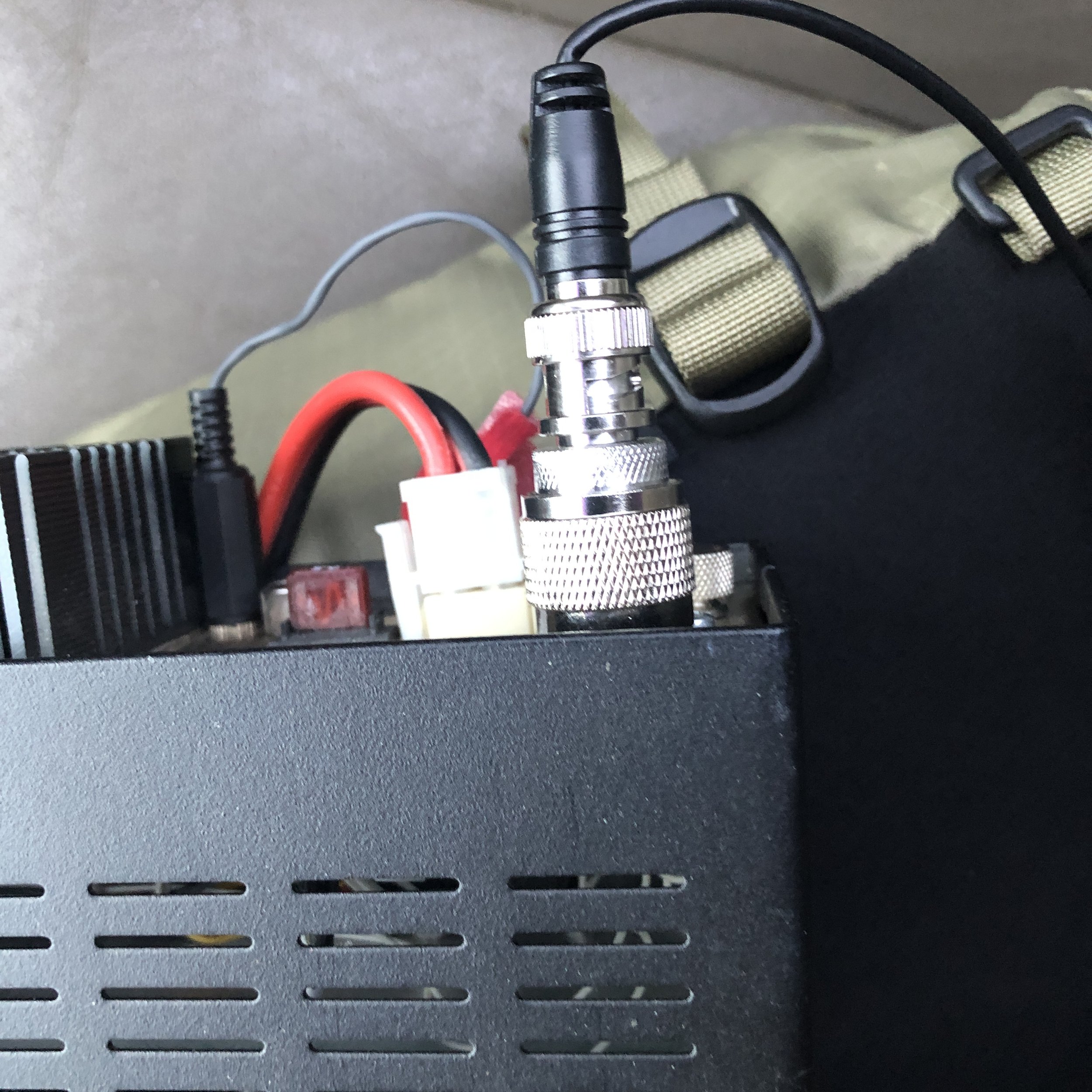
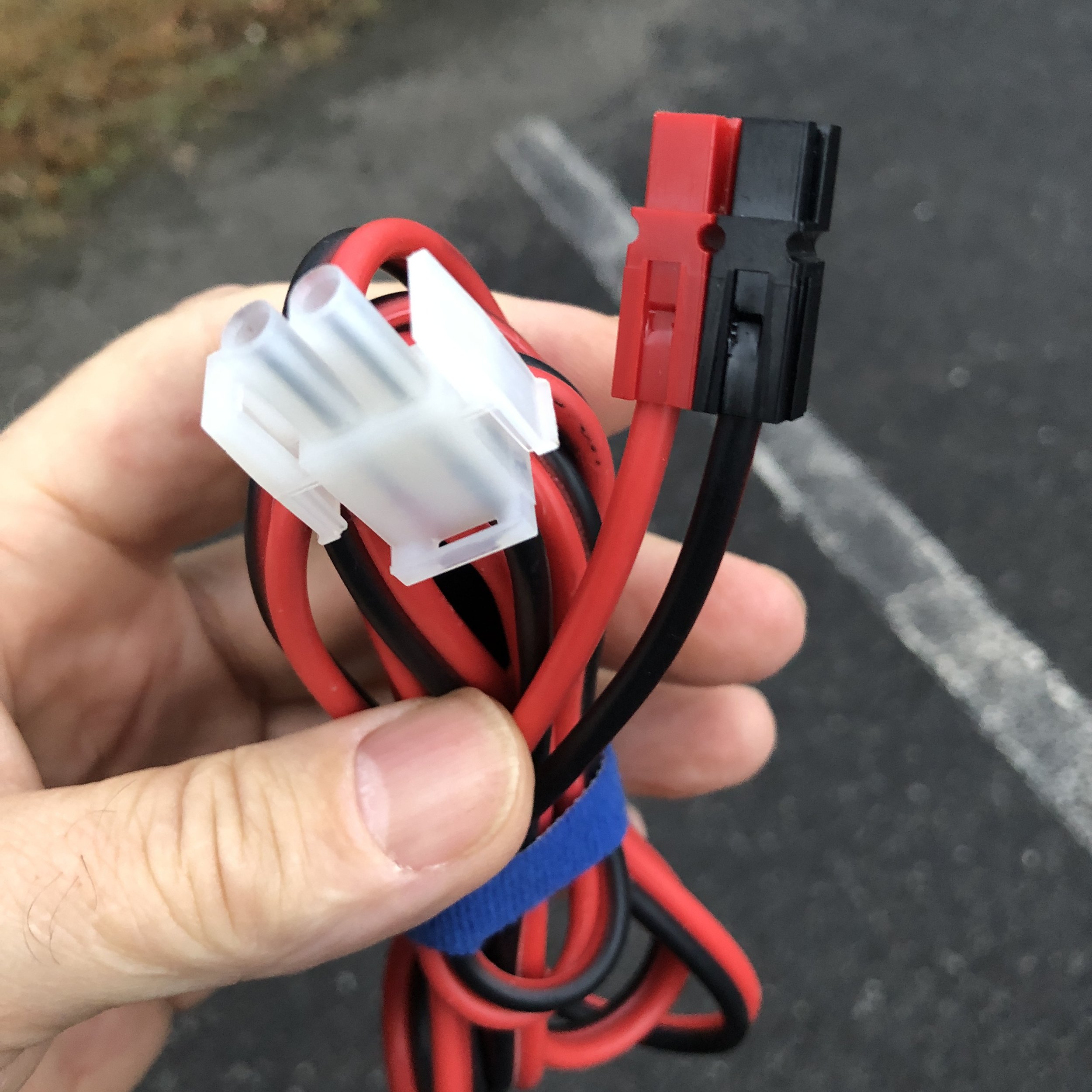
Another thing I have done is converted the power cable to use power-poles so I can plug it into any power source I use, which now also includes the power port in the truck too. I feel this is a worthwhile thing to do if you plan to work field ops a lot, standardization of the power connectors just makes sense.
I bought this case at the Huntsville Hamefest from Gigaparts and it is for some sort of military radio, but with a little cutting here and there and a little foam here and there it now houses the Argonaut 5 and a MFJ manual tuner as well as a wire antenna and some other miscellaneous items


Me and Roger (KG4WBI) have this obsession of printing out and binding all the owners manuals for all our radios. So I keep this one in the case with the radio and it was needed on this outing to see how to set a couple of menu items I had forgotten about.

Now for the Argonaut 5 Radio Fan…
The fan on this radio is just plain loud, that is the only way you can say it. It is also wired to run non-stop for some reason. This is also a pretty large current drain for no real reason at all other than to make absolutely certain the finals don’t get too hot… At some later point, I plan to make a small thermal sensing circuit that will fire a relay to cycle the fan instead of it just running all the time. but first things first, I am changing the fan itself with one of the low noise fans that another op from a TenTec group shared and it worked really well for them. I downloaded a sound meter app for my phone to see if it was measurable and have the two meter readings to see for myself. Ignore the AVG and MAX values, I watched the meter for a few minutes and did a screen capture of what was really going on to get a more representative number. 65 seems pretty low, but when you are listening for signals near the noise floor, every dB matters so the new fan comes in at 45(44.9 is what I captured in the screenshot and this was a pretty good average from what I watched on the meter.) Now also remember this is an iPhone app and not a legit sound meter, but it does give us something to look at for reference. If it is right, which is possible, then this is a 20dB difference. This is huge as decibels are logarithmic in nature and not linear, this is equal to 100 times quieter! That is awesome and totally worth the effort! To the ear, this new fan is dead silent, I didn’t think it was even running when I turned the radio on actually. So I am really pleased with how this mod turned out, the radio has one less detriment to keep me from using it at parks!

Old fan measured right at the back of the radio.

New fan measured in the same place as the old fan, that is a 20dB change!!!!

This was the ham shack with the Argonaut turned off for reference.

Orderd this little guy from amazon and had it in a couple of days.
This fan is literally a plug-n-play replacement for the factory fan in the radio. I literally removed the case screws, the fan screws, one wire tie on the wiring harness and unplugged the fan. It was the easiest mod I have ever done to a radio…ever.

Something of note, this new fan is thicker and the old screws would not work in my application, but I had a couple of screws in the junk drawer that were about 1/4” longer that worked great so I am back in the game!

The fan connector is a standard computer fan plug so it doesn’t need anything special at all. This is refreshing as it seems everybody wants to use proprietary connectors these days for some reason.

All in all, this has turned out to be a great little excursion in more than one way. I got the Argonaut on the air and I also got the fan upgraded afterwards too. I really like the ergonomics of the little machine so I will see how I can fit it into my regular activations and use it more now. Do you have a radio that you love, but just dont use because of some little issue? Let’s hear what it is and see if I am the only guy that does this.
72
David
WK4DS
K-2169 POTA Activation at the very foot of a MOUNTAIN - AAR

So the last two days have been really strange. I tried to activate K-2169 last night to see if I could pull off a late shift activation and it was a miserable failure, zero contacts in 30 minutes straight of sending CQ, literally no replies at all.

The night before when I literally got zero contacts.
I actually swapped out the radio for a spare (the IC-705), it showed activity in the waterfall but no one was able to hear me. I was on top of the mountain at this point too. So I packed up and came back home having had zero luck. You win some, you lose some…
The next day was different though. I only had about an hour to setup, activate and breakdown as we had “family activities” to do later. So I figured this was the chance to test another location I had been looking at for awhile now. The Sitton’s Gulch Trail Head is at the bottom of the canyon and the parking lot is literally buttressed against the bottom of the mountain proper.
To compound the problems, I didn’t want to put my radials out in the way of others if they wanted to park next to me as this lot tends to fill up pretty quick in nice weather. So I ran them both off to the drivers side of the truck to keep them out of the way.

Welcome to the literal foot of Lookout mountain.

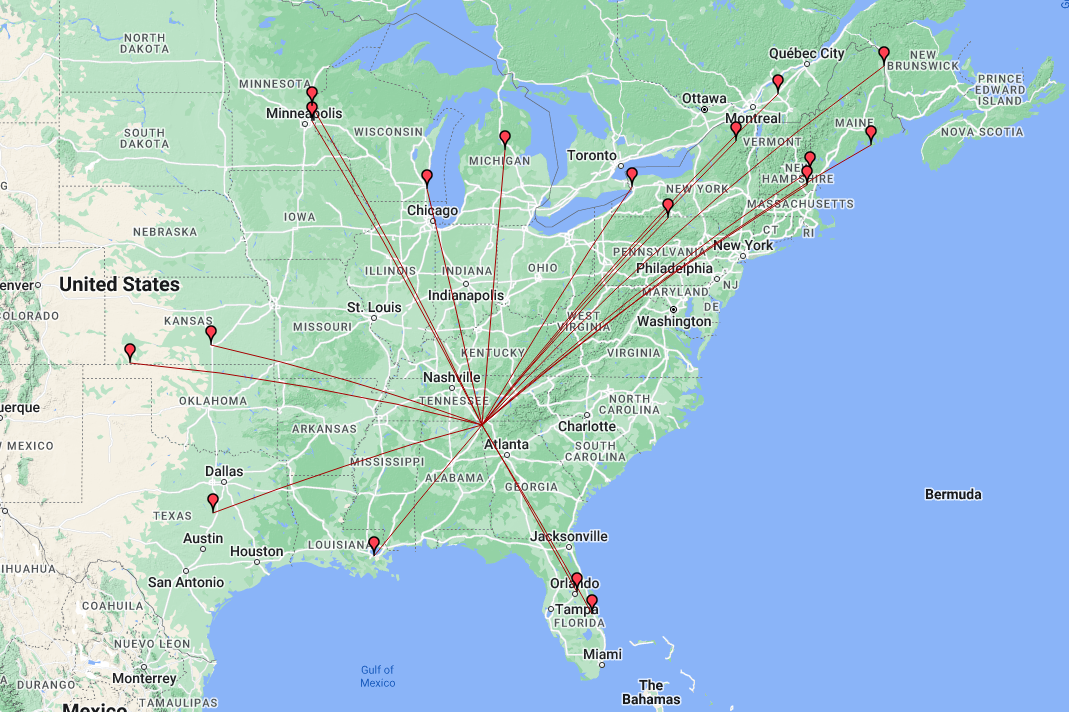
One of the counter poise radials is actually draped over the corner of the truck but it didn’t seem to cause a problem with propagation from what I can tell. The mountain is on the south side of the parking lot proper so I figured I wouldn’t hear anything to the south at all, but I was surprised to see the map showing some stations on the dark side of the operation position, these guys must have incredible stations to hear my QRP signal into a compromised antenna with a literal mountain blocking our signals! My hat goes off to these guys!
The bulk of the contacts are from a predictable direction though, since Lookout mtn is part of the Appalachian mountain chain, most of the contacts are to the north east which is the direction that is clear of the mountain. It has a decent clearing to the west as well from this location as Sand mtn is about 2 miles away and it is fairly short too, only about 700 feet tall, so I was able to get out to Kansas and Minnesota pretty easy too. As you can see in the photos, I am in the forest surrounded by trees too, so I am happy with my little activation considering all the limitations imposed on it today.
The radio for today’s adventure is the Penntek TR-35 and the more I use it, the better I like it. The RIT is for CW sidetone adjustment. This was a trick I found in a forum post and thought it was really clever. If the other station is low on tone, turn the RIT down till they sound like you want, if they are high turn it up till they sound good to you, it works REALLY well and I wished I could remember the HAM that gave me this idea as I would credit them with it…if they do I will edit the post and add it here. I am running 5 watts on 20 meters today because I am using the “Truck-tenna” for the sake of time.
When I got on the air to start with, I was the only POTA station on 20 meters, and there was only one other when I went QRT an half hour later. The band was open too as the RBN (Reverse Beacon Network) was spotting me regularly.


Those are not outhouses in the photo. This area is home to a local cave system called Case Cave and those are changing rooms for the cavers when they come out of the cave. It is a really huge cave system and if you want to explore it, you need to contact the park and line up a time when someone with the key, will meet you and open it for you, it is locked to protect the uninitiated from getting themselves killed…
I am pretty sure I have not shown the counter poise weights on the wires really well yet. This is a simple system that works super well for keeping the radials extended and not having to drive in stakes to do it, I simply straighten the wire at the end when it is taught and walk away, it is that simple, the wire keeper is simply a piece of plastic with three holes drilled in it to thread the speaker wire through, it doesn’t slip at all. The weights run about 2 pounds or so and that seems to be plenty to keep a 16’ radial in place so far. I have not tried heavy winds yet, so the jury is out on that one.


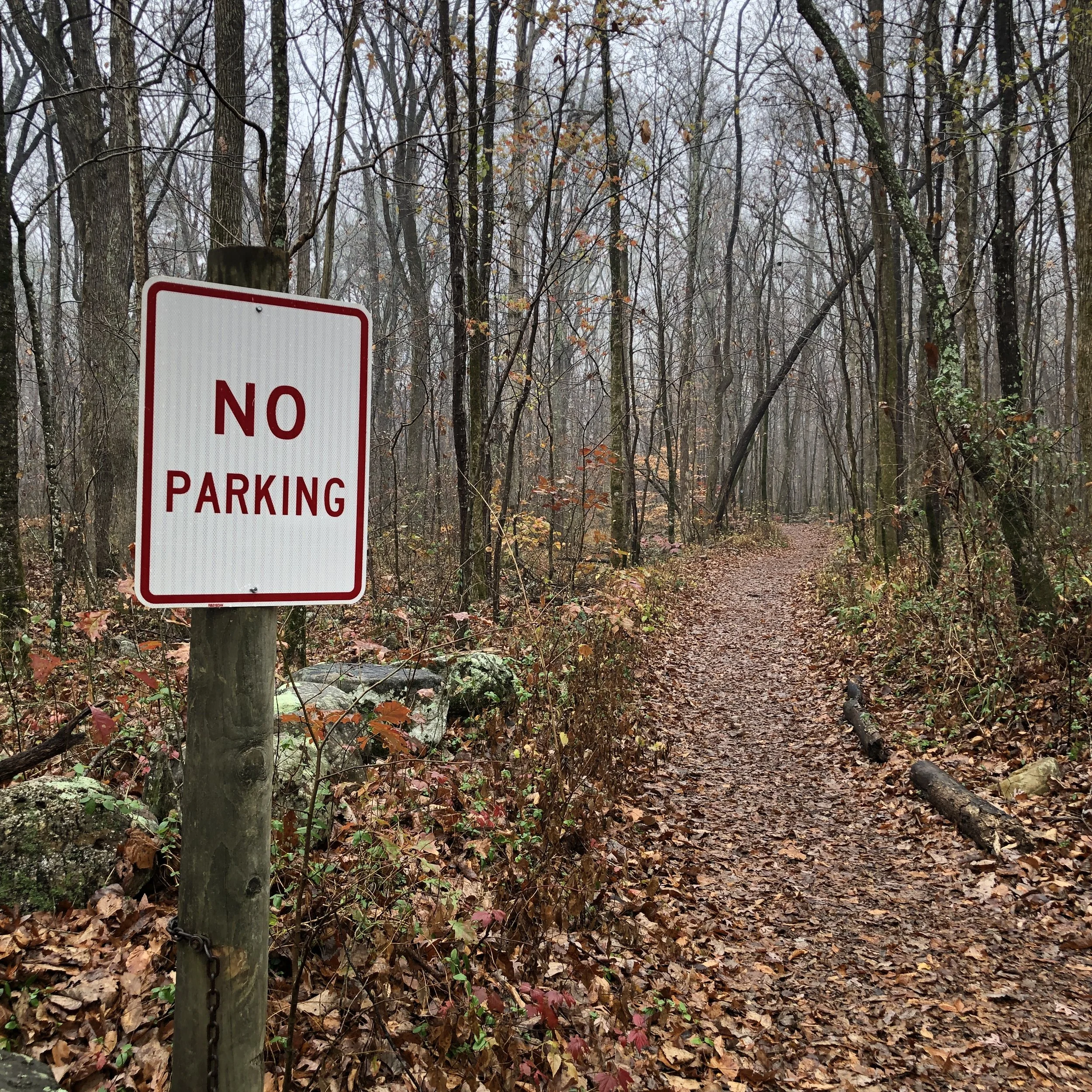
Not sure what is going on here, this is the hiking trail and just below the camera is a huge gate across the road… lol. I thought it was funny with the irony of it being in a spot where you literally cant park. Maybe it is from a time when you could drive up the trail to the cave? I don’t know…
If you enjoy the blog I would appreciate a like and a comment if you have one. Thank you for your time and get out there and warm up the ionosphere!
72
David
WK4DS
I used Modern Digital Modes and I have mixed feelings.

Well, it finally happened. KV9L helped me setup my computer at home to work some digital modes with my IC-705. It turns out that all I needed to connect my IC-705 to my desktop PC was a simple USB cable! It also took a significant amount of “know how” from my buddy Aaron to get them talking to each other as well. The two modes that I have played with so far as FT4 and FT8. These seem to be the current hotness in digital modes with FT8 clearly winning in popularity as the “watering hole” for it on 20 meters has dozens of stations on the air pretty much 24/7. The FT4 area can go long periods of time with no one there at all. Just to see if I like this idea, I have just wired the 705 up temporary on the shack bench with wires running this way and that… Once I decide if I want to keep this up or not, I will put all those pesky wires away…but till then!

All I needed was a USB cable that was in the storage bin 3 feet away…lol.
I will be honest though, I am kind of stuck in the past. I really like the kinesthetic feel of working with my gear and once setup, these new digital modes are pretty hands off. I was blown away at how far I could hear stations that are not even perceptible to the ear when using the “main two” modes (SSB & CW).
I was hearing stations from all over the world on my simple vertical antenna. Here comes some of the problems though. They either wouldn’t answer or couldn’t hear me when I would click on them. That isn’t to say that I didn’t make any contacts but it is not as easy as I was thinking it would be. Often I would choose a station to answer just to have them continue to call CQ.
Another thing I learned was that there is a good bit of waiting… Actually, there is a lot of waiting… it takes 15 seconds on FT8 to send one message, in one direction, and another 15 to send the reply. A typical QSO is 4 messages(as best as I can figure) from each person so a full two minutes to finish one QSO. This doesn’t sound like a long time till you are sitting there watching the QSO happen in real time. It goes a little as follows: they call CQ, you call them for a QSO, they don’t hear you the first time as you started transmitting in the middle of a cycle, so they call CQ again, then your message is repeated, they accept your call and send signal report, you send signal report back, they acknowledge and 73, you close with 73…all automatically. Each one of these is a full 15 seconds of waiting since the computer is handling everything for you. If the band is crowded and noisy or you are like me, running QRP power, the exchange can take multiple attempts to complete each stage (all of this is also automated), running the total time up even further.

Here is an example of a QSO I had with KP4PUA in Puerto Rico and notice we had to send signal reports twice to complete the QSO, This took a full 2 minutes to exchange this simple contact.
Another thing that happens is they give up after three of four attempts at the QSO. Burning a full 5 minutes or more just ATTEMPTING to complete a QSO. So I tried several times and made maybe a dozen QSO contacts over the past couple of days. This ends up being very frustrating and to be honest…boring… for a CW op who is used to things happening differently. I found myself picking a callsign for my computer to attempt to call and then leaving it to make the QSO and going for snacks, water, or even a bathroom call and just checking for the complete QSO window when I returned. It is a fully automated process and requires nothing from you other than to click the ok button and choose another callsign.

A typical window layout for FT8 (pictured) or FT4. Click on the screenshot to goto the WSJT-x webstie to learn more about it.
I can see the value in It though, as it takes very little energy and lots of stations can fill the same bandspace as a single SSB QSO. I mean a lot, like dozens or maybe more as shown in the waterfall above. All of those little yellow squares are exchanges happening and they are taking about 100hz of bandspace and they can also duplex and share the bandspace at the same time…from what I can tell. So it has merit, just not for an old CW op like myself.
Now to be honest, FT4 is more my speed as it took half the time to send each message. Waiting 7 1/2 seconds seems like a trivial amount of time difference, but it does seem to pass be faster than the 15 seconds of FT8 for some reason… Like disproportionately faster. Even though there is only 7 1/2 seconds difference, it just seems like it is 4 times faster for some reason, it must be a mental block or something, but that is how I see it. I have been letting it run on FT4 while I typed up this blog post and actually made a few QSOs while I have been here. Not many as FT4 is not as popular as FT8 for some reason and there are not as many people using this mode.
So who do I think this mode of operation is for? That is a great question. I would guide the new ham to it, as once setup, it is very simple to operate and you don’t have to worry about “mic fright” as it is literally point and click. Another group that would be well served right away is the younger generation as they are accustomed to this type of interface and for them, it would “just make sense” for them as they are used to using computers all their lives. Another group would be the person that has been injured or incapacitated in some way that prevents them from using the usual modes, as long as they can drive a mouse, they can get on the air. Shoot, if you just like using digital modes, then it is there for you! There are others of course, my point is that I am not bashing digital modes here, I have just found it wasn’t what I expected and that it isn’t really for me…at this time. I hope to be able to add a computer to my activation gear list at some point and that should enable me to add digital modes to my activation tool kit. I carry a microphone now, but rarely use it, and that needs to change… I really enjoy quietly sitting in the park working CW though, so I am torn… lol. Anyway, till then I will keep using my little QRP radios and having a grand ole time. If you have not gotten out and activated a park, I highly recommend it. I am going to write up what I pack for an activation, and that is my style, and share that with you soon.
If you want to learn more about Parks on the Air. Click this link or the photo below.

Me working the OG digital mode…CW on my tiny N6ARA paddles
Monte Sano State Park POTA Activation AAR with a 20m Hamstick
Well, I finally activated a park in a new state… Alabama. You might think this is normal, till you google my address and see that I live on the Alabama state line in Georgia! I am literally two minutes by car from the state line and it took me several months to activate a park in Alabama… Anyway, I decided to activate the [sarcasm]remote and rarely visited[/sarcasm] Monte Sano State Park K-1048!!! Woohoo! Well. it is neither rare nor remote actually being literally minutes outside of Huntsville AL. It was new for me so I packed up the TR-35 and the new 20m Hamstick setup and struck out for Huntsville.
As fate would have it, I had business meetings that were on a time table so I didnt have a long time to stay, I thought once again that if I get my ten contacts I will be happy, well…I got more.

This is the QSO map from this trip. The VERY FIRST contact was with France!!! I thought, this is going to be a good day. Any day that my 5 watts reaches across the Atlantic Ocean, is a good day for me. It is obvious that the band and take off angle of my antenna dictate a certain “minimum” distance that people can hear me. A quick look at the map shows this, but just outside of this region and all bets are off! They piled in and in just over an hour I had 43 contacts in the log, with one being a dupe… It never ceases to amaze me at how well these little radios can perform with some thought and patience, but today the whole patience thing was out the window!!! I just kept getting calls! It was a QRP dream activation, I just wished I had been able to stay longer to see how many more I could have worked… Seems here lately, I am only able to stay and hour or two at best, I hope to remedy this soon, but for now, I will take that!!!


I also worked CU3AA in the Azores and VE2WLD (who also performed double duty as a Park to Park as well) for three DX stations on this trip alone! That is awesome and makes the whole activation just that much more special to me. If you have not ever tried POTA, I would recommend it at least once, it might not be for you, but if you enjoy setting up for field day, then you will probably like this. It is similar, but much more relaxed and lower key… At least that is how I see it. I find myself getting on the air more as a hunter and as an activation now that I have activated. It is just plain fun to go to a park and operated with a battery for a while and answer the passerby question from time to time. Once again, you can see the band opening and closing like waves on the ocean (maybe more like the tide coming in as it is slower than waves breaking on the beach) in the signal reports in the log. I even had a couple of people tell me they had problems with QSB (fading of the signal) towards the end of the activation.
Also of note is that this park has a day use fee (see below), be prepared for it when you get there, they have an attendant at the entrance to collect this fee before you enter the park. Parks seem to have a lot of lattitube in how they collect these fees, I have seen honor system pay boxes as well as no fees at all (Booker T Washington in Chattanooga TN has no fee) and then places like Monte Sano where they collect the fee at the entrance to the park. Cloudland has the honor system boxes as well as a attendant that works at the entrance part time, so you might find a person at the entrance and you might not, it is kind of a crap shoot with this one. You just never know… What I do know is the fee structure is normally really reasonable and to be honest…cheap for what you get. I bought my Georgia park pass back after my first activation and now that I am 47 activations in, that cost average is almost down to 1$ per visit. Once I break 50 it will be less than 1$ per trip. That is a smokin deal if you will be doing POTA ops regulaly at your local state parks (and they offer an annual pass like this one in Georgia). I plan to get over 100 activations at Cloudland before I have to renew my pass next May so then the daily cost should hit 50 cents per visit. Where else can you get a deal that good?

This is the only thing I brought back from that trip aside from my logbook, I don’t know how I forgot to get photos of the setup for you guys…I straight dropped the ball on that one. I guess it means I get to go back at some point so I can properly photograph it. LOL
The Penntek TR-35 is really starting to grow on me. This little radio just plain works. It doesn’t have things like a waterfall display or QSO recording like my IC-705 but what is does have is pretty much CW perfection. I have every control I normally use when doing an activation, at my fingertips and not buried in a sub menu or an alternate function for commonly used features…like CW speed control is a dedicated knob, this is super handy as POTA hunters vary in speed a good bit so being able to slow down on the fly for a slower op and then speed back up for a faster one is really handy. It is being tested out for a potential trip to Central America in a few months so I hope to keep up on using it and to prove it out as a capable machine while I am south of the border.

All in all it was a great trip and I finally got to activate Alabama too! If you have not used CW and want to, there are lots of ways to learn this historical mode fairly easily. It isn’t for everyone, just like SSTV isn’t for everyone, so if you don’t like CW it is all good, that is why we have different modes, at least in my mind it is, lol. If you have not done it yet, please like this blog and subscribe for future posts, Till next time, get your radio out and make some contacts!
Some days are better than expected in spite of band conditions.
Well today the work was grueling and about 3PM, the wife gave me clearance to go do an activation over at K-2169 Cloudland Canyon State Park. So come 4PM I grabbed the log book out of the house and jumped into the truck for a quick activation.

Upon arrival, I was all by myself in the upper parking lot. Wonderful as I can choose any spot I want to keep the sun out of my eyes and back the truck up next to the grass for my counter poise wires. So I deploy the “truck-tenna” as quickly as I can and get in the cab to plug in the TR-35. I got the cab nice and warm with the heater while setting up the antenna and then shut down the truck to keep the noise to a minimum while I activate. I really like my “trick” of having a quiet and warm winter time location for POTA. So for the winter this is how I will roll… lol literally.

The solar data says it wont be a great day for POTA…
So once I got setup, I dialed around on 20 meters a little to scope out the band conditions a little before I started, but it was opened up pretty strong when I dialed through the band. So I went up to the QRP area and found a nice quiet spot, listened for a few minutes while I wrote up my logbook with the usual data for my activation and then made a fatal mistake…I sent a CQ from the keyer memory while I started to log into the POTA website so I could spot myself, but before I could get it open on my iPhone I got an answer! So things are hopping now! LOL I log him then immediately get another call, and this went on for a couple of minutes. So I finally get a chance to spot myself so I can be found on the bands…. waa waa waaaaaa… (The joke is on me here, as I think I could have easily gotten the activation by just calling cq today as good as things were going) But once the spot went up, Dear Lord the gates were opened up! I had a mini-pile up the rest of the time I was able to operate, I literally cleared the pile 1 hour later and went QRT so I could go home.

You can tell if I am in a hurry or not by how I write the time next to the QSO, if I have time, I will write the proper time signature, if not then it is just enough data to log it for me.
Some things I took away from this activation are that a 20m hamstick is not able to hear inside about 500 miles, give or take… Just take a look at the map and it is painfully obvious. But yeah, it works WONDERFULLY outside of that zone! My best QSO tonight was to Oregon with WA7RAR using 5 watts at 2064 miles, not quite the 1000 miles per watt that people want, but it was still a good QSO for me! I still have not bought the other hamsticks yet, I am going to be ordering them soon though so we can play with different bands too.

I did have a few minutes where a spammer tried to shut me down, I didn’t even catch it until I copied the call twice and realized they were just pulling my chain sending random letters with just dits… Then they moved on and I went back to filling up the logbook. Also of note is that I learned TODAY that I could add the “stroke” and special designator in HAMRS and it would take it without killing the call sign! I entered my first mobile contact in my log today. I have logged a couple in the past but didn’t know I could enter the mobile designator in HAMRS… Sorry about that to the few ops that I have not given that info to on my logs.

So for future reference, don’t let the solar data tell you that you cant make a contact when things look bad online. Just give it a shot and throw out a CQ and see what happens. So until next time, just get on the air and have some fun!
72
WK4DS
David
The Penntek TR-35 activates POTA K-2169 gloriously!

Click on the image to goto the WA3RNC website to get your very own TR-35 in either kit or factory built versions.
Today started off like most others with some time at work in the morning and then I had a few hours around lunch to do an activation. In addition to the usual activities, I have been using a variety of radios lately to see what I like about each one. Since I had activated most recently with the IC705 (by far my most favorite POTA machine) and so I wanted to use a different radio. I have been using the TR-35 lately in the shack, but wanted more field time with it to see how easy it would be to work with.

33’ wire radiator and two 10’ counterpoises bundles for storage. I love these velcro tie back straps.
So on this outing, I used a 33’ wire “vertical” antenna that I pulled into the tree with my throwline. Once the vertical was up, I laid out both of my counter poise wires (I think they are 10’ each) and for good measure I spaced them into a v pattern for kicks… On my next trip out I plan to see if putting them at 90 degrees to the radiator and 180 degrees from each other helps, it probably does and I have been paying the price all along with my silly V setup I have been using… lol…anyway…

This is a great antenna tuner and still happens to be in production! The new version is a little more streamlined but it is the same internally as this older one.

Back of the antenna tuner is just as busy as the front!
Once the antenna was up, I connected it to my MFJ travel tuner to the random wire lugs on the back of the unit. Then I use a special coaxial cable I bought from Amazon that has a BNC on one end and a PL259 on the other. The antenna tuner uses SO 239 mounts on it so the PL259 couples that end and the other end is natively a BNC on the TR-35, but I have also adapted my nanoVNA to BNC as well for simple tuning. Since my Ten Tec Argonaut 5 is SO 239, I have bought an adapter to convert it to this same system so I can tune the antenna easily on it as well.
This is not my idea, my late friend K4GC Brian was the person that taught me and Roger how to do this. It makes perfect sense when you think about it though so I started doing it once I got the VNA. Otherwise it is this trick of tuning till you hear the noise level peak and that is the best you get. This way works but it is possibly not centered where you need to be. Since the TR-35 doesn’t have an SWR meter, it has lots of protection circuits built in to prevent you from damaging the transmitter from tuning or operating at full power with poorly matched antennas. It has a current protection circuit as well as a thermal protection circuit, if either one activates, you really should check the antenna and see what is wrong, then reset the radio and try again. Alternatively, you could bring an SWR meter with you to get the tuner set as well if you don’t have a nanoVNA…
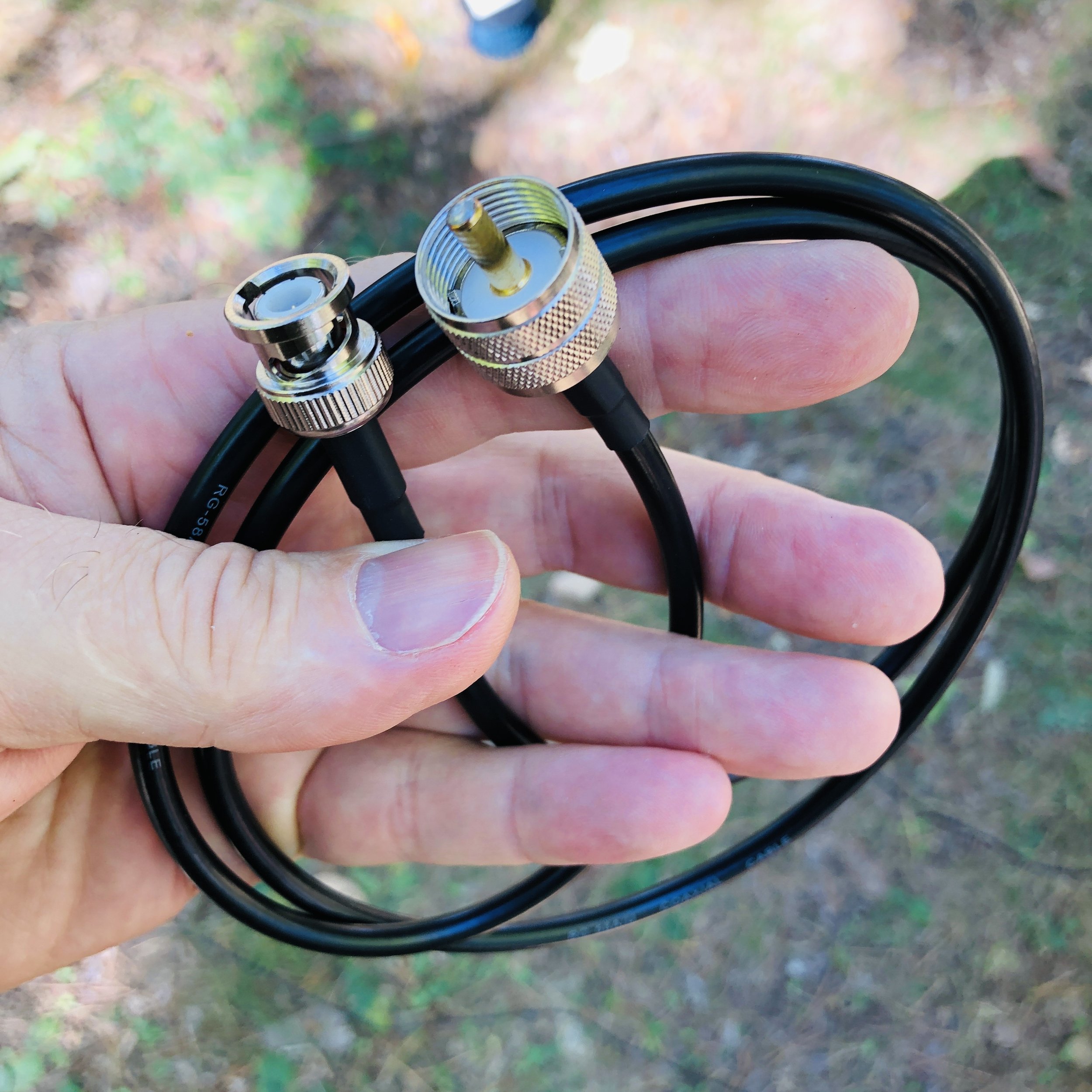
Amazon is a great place to find these sorts of oddball parts, several of the items in this blog today came from them.
Since everything is now BNC connected, I can quickly pull the cable from the radio, then connect it to the nanoVNA and see the tune on the tuner visually! I run a trace with the smith chart and a trace with a SWR line graph as well, with both of these running at once, it is pretty simple to get the SWR and the impedance really close to what the transmitter likes. Once I get the tuner adjusted to the band I want to use, I simply move the coax back over to the radio and off I go…

BNC is where it’s at with this system…

Here I am tuning for the 17m band, note that the VNA is showing the SWR of 1.541:1 and the impedance is 54.8 ohms and slightly inductive at 18.096mhz. I could dial some more of this out with the tuner, but it becomes a law of diminishing returns at some point with the tuning and this worked just fine. Note also that the SWR is fairly flat in the range I planned to work in also. (the yellow line represents SWR vs. Frequency)
Some things to note about the TR-35 that I noticed. The first one is that the headphone jack is wired from the factory for a mono plug, not the stereo plug that every set of headphone made in the last 30 years uses…why? So you go to Amazon once again and buy this little adapter to convert your normal headphones to a mono plug… You can go into the radio and change this on the circuit board, and the instructions even detail this mod, but you have to risk damage to the radio and it is a lengthy tear down and assembly process to get the board out of the case. Lot’s of chances to break something important if you asked me…so the adapter it is… Another thing I cant seem to master is the keyer programming. It is a simple operation to input the message into the keyer, but upon playback, it has odd spacing and sounds disjointed for some reason, I have tried slowing down the keyer speed to no avail, I will figure it out at some point, but for now, I don’t have that one working right. To put it plainly, it just sounds wrong on playback, like I was saying, it could be my sending is causing it, but I have not figured it out as of this writing. I have seen videos of it working as advertised so I am confident I can get it to work…eventually.

Amazon…they have literally everything at this point.
I powered it with my battery I use for my 705 activations, actually lots of the accessories I used came out of the 705 kit today for this activation. But I found this battery is way overkill for the TR-35, so I plan to get a smaller one for the travel battery to build the kit with. Probably something in the 4 or 5Ah range instead will be fine. I am also going to eliminate the voltmeter inline for the travel rig too, just a cable with power-poles on one end, the 2.1mm plug on the other and a fuse in line with the power. It pulls 5 watts wide open, does it really need 14 gauge wire??? Lol. I actually used the power cord for my IC-705 to power this radio today, the connector worked just fine. But I will make a cord just for this rig to go in the kit.

I am also still using the N6ARA tiny 3D printed paddle that I bought a while back(also from the 705 kit today) this is a device that although I like it, it has some problems that I have found. For one, it is really small and I didn’t take that into account when I bought it. It is available in a couple bigger sizes and I should have gotten one of those. This one is in my mind, one that should be a backup or a SOTA paddle or something like that as it’s main advantages are that it is light and small. What I have found from using it regularly is that is gets dirty contacts and you have to mess with it some and clean the contacts before it will send right once it gets some age on it. This is because it is plain copper/brass contacts (pc board with a brass arm on the “levers”) and they tarnish in a matter of days to the point it wont send properly till I clean them. I am looking into three solutions here, a nice travel key like the Begali travel paddle, make my own travel key, or buy a used small foot print paddle off the boards. I am actually leaning towards the Begali for now to give me time to design a key I can share with the world as well as for my personal use. Anyway, who doesn’t like a nice Begali key?

My N6ARA tiny paddle… I love this little key.
I have an alternative reason for working with this radio so much as well. I am going to be doing some traveling in the coming weeks and months and I want to take a radio that is not too large so it is easy to pack and carry around and such. This means smaller is better and the TR-35 is my physically smallest radio. This means it gets the nod based on size and now it also gets points for performance. Even if I cant figure out how to program the memory right. 😂
The kit will fit into one of several of my camera bags that I currently have so I don’t have to purchase a new bag to carry it in. I have found that camera bags work really well for QRP radios too, they just fit really well into old camera bags for some reason. By the way, I didn’t think of this idea either. I got this idea from my cohort KV9L who did this for his FT8 rig and I straight stole the idea from him. LOL.
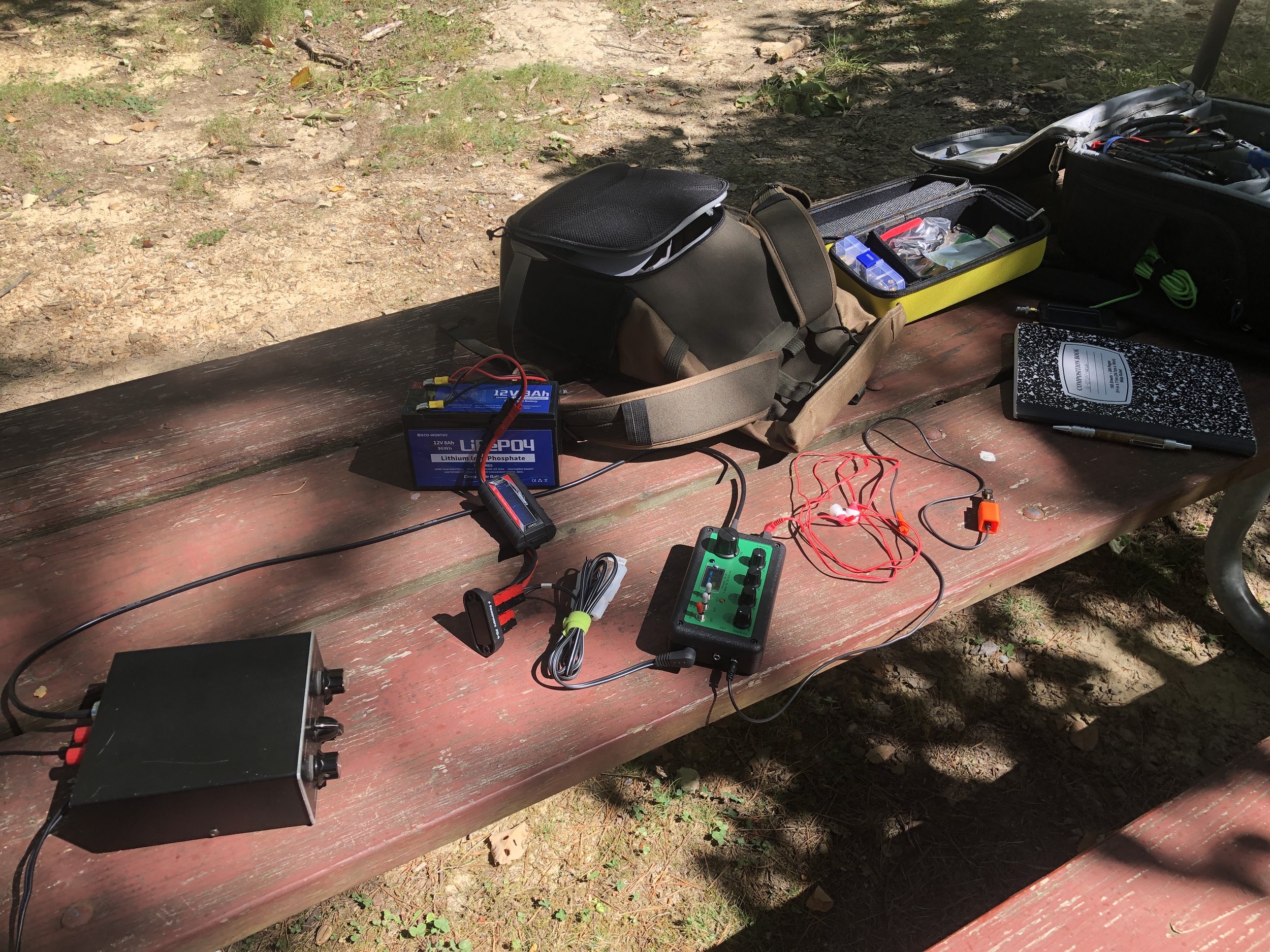
Parts everywhere today! I took the IC-705 bag to “rob” all the support gear from so it would be a simple deployment and I have not built out the TR-35 go bag kit as of yet either…

I really like the aesthetic of the TR-35 as it has everything you need and nothing you dont. It really is an incredible little radio. I didnt build mine from a kit, I bought mine factory built and aligned so I could get on the air sooner.

1 hour on the air netted two pages of QSOs! That is awesome for me!
Logbook looks good with a good spread of contacts today with several from Canada in the log for a change. I usually only get one or maybe two Canadians and today I think there are at least four! This was with only about an hour on the air too. That is really good for me since I run QRP power. The map below shows how far 5 watts into a wire vertical will reach with a little understanding of how to use it. All in all I really like the TR-35 from Penntek, it a great little QRP radio that fits into what I enjoy doing in amateur radio, low power CW operating…

So if you have not done it yet, please like this blog post and if you have a RSS feed, you can sign up there too. I really appreciate your reading along today and if you have not done it yet, get your gear out!!!
Thanks and 73
David - WK4DS
Wormsloe State Historic Area POTA AAR

This is still the driveway for the original family that still lives on the property. It is also the entrance to the historic site as well. I could live with this being the driveway to my house, how about you?

Today I had my first taste of a deliberate QRM attempt on my activation. At least that is what I thought it was when it happened. I was operating on 14.061Mhz and all at once there was a station sending endless dashes on top of my activation.
I was telling Teresa what had happened and she asked if I had considered that it could have been someone with a broken key that was not aware or had pushed their paddle up against something and didnt realise it. You know, we are so quick to judge, it did persist long enough though, that I moved up to 14.061.5 to get clear of it and resumed operations unimpeded.
This got me to thinking, we want to think it is some LID just holding down the key to be annoying, but it could have honestly been a legit mistake by a hunter who was on freq and might have had to goto the door for something and in their haste to get up, they slid the logbook over against the key and since they might have also been wearing headphones, they couldnt hear it sending non-stop dashes over the air. I mean, it could happen…maybe. It could also just as easily have been someone who has a sked on that freq every day at that time and they dont want to move for some reason. We have no real way of knowing unless they tell us.
With CW, this is much harder to decipher since you normally dont hear music or some other non-sense on frequency. It will be a “ditter”or something like that. I still made my activation today with 23 QSOs in the log before going QRT and doing some sight seeing with the wife.
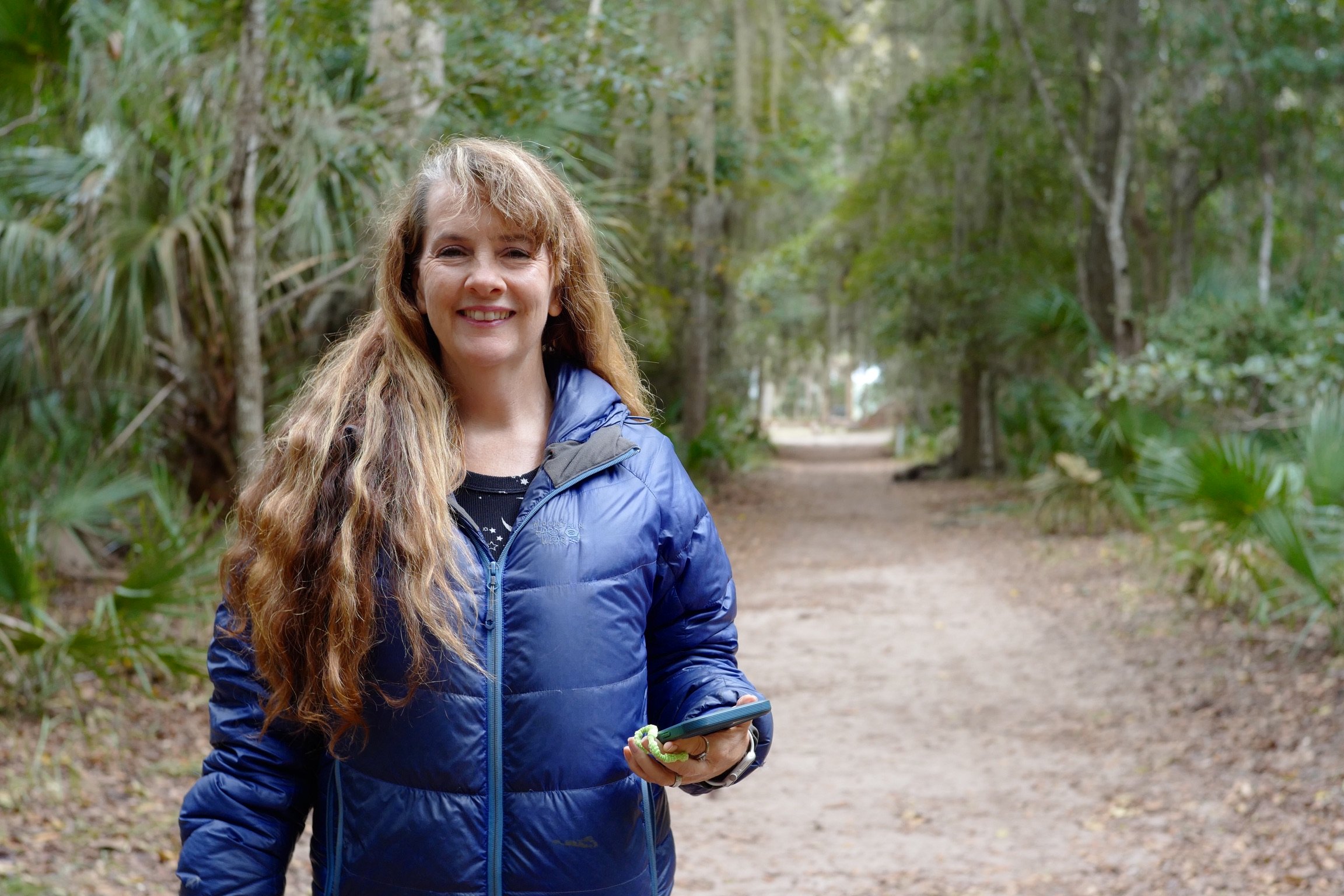
I am starting to enjoy activating different parks, it is interesting when you see different people and they ask what you are doing. I talked with a couple of different park employees and they were very positive when I showed them what I was doing and how my rig was basically a zero impact setup. One actually joked that I should take a look at THEIR radios and see why they cant talk across the park! LOL So word is starting to propagate about our POTA hobby and the response I have gotten so far has been positive. I didn’t think to get a photo with a park ranger for the blog…next time I will remember.

The park has some interesting ruins on site and we walked around and saw them while we was there. It is a really interesting location if you are in the Savannah area with s radio and some time on your hands, it is worth a look. It does have a day use fee though so be prepared for that if you are going into the area, you part to enter per person.
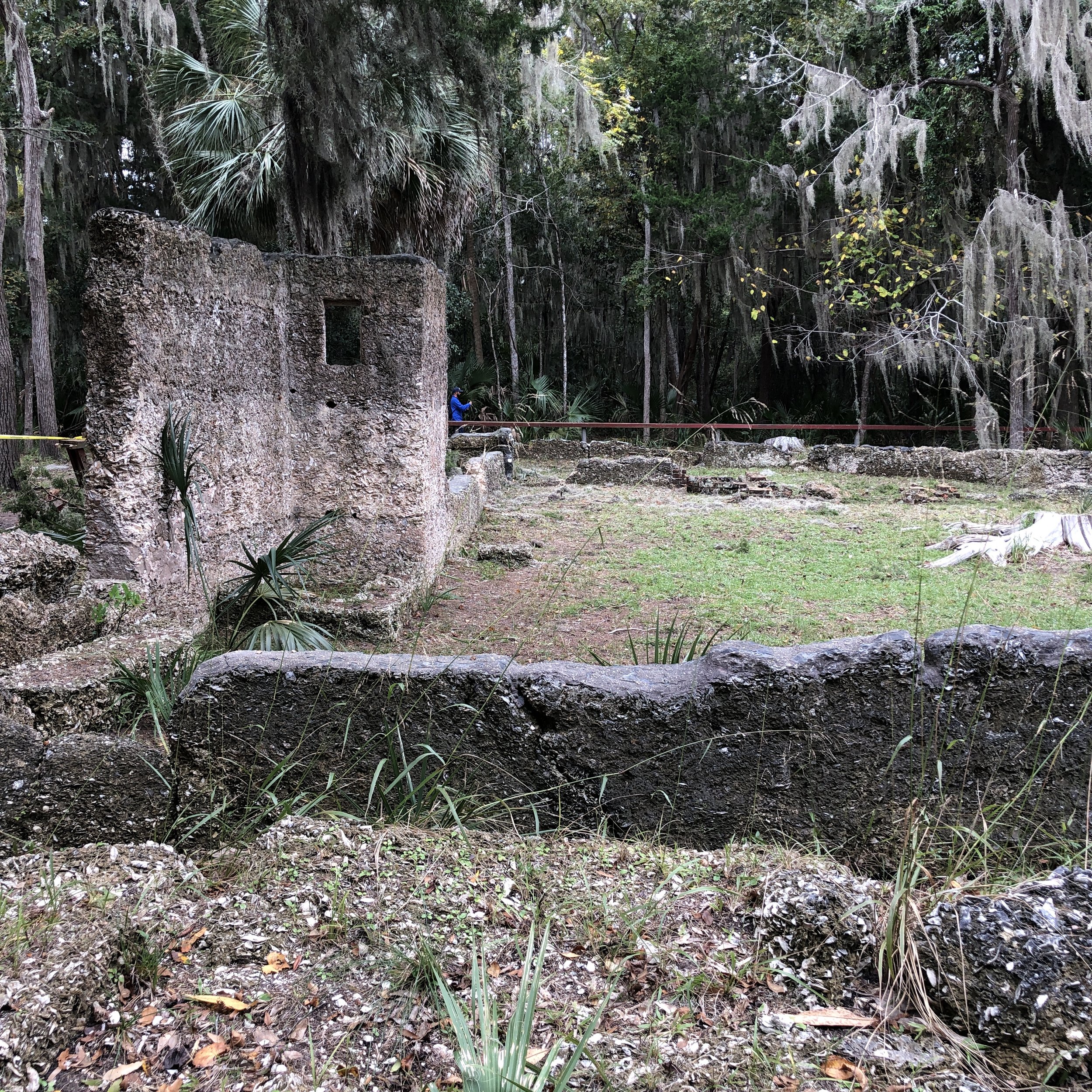

Anyhow, you can always tell if I am activating the park, just look at what way I am parked in the space. lol. I back into the space so I can use my hamstick with the radials run into the grass. I operated today on the truck rear lid as a table, it worked great. I used the IC-705 and weather worked with me too. I am looking forward to seeing what parks I find myself near in the not to distant future with my radio in the truck… I now find myself looking at the idea of rotting a coax into the cab along the chassis so I only need to deploy the antenna and get back in the truck where it OSS warm…LOL It is always something…

Like this post if you enjoyed it and let me know if you have ever had to work around a problem on the air.
72
WK4DS
David
"Trucktenna" for winter POTA outings with some AAR info about how it works.

The mount is made out of ordinary tube steel, but the top plate is 304 stainless steel as is the counter poise stud and associative hardware so it wont rust if it does get deployed in the rain. Also note that I have added a PL259 to Male BNC so I can use this small QRP Coax cable as well. The cable is from Amazon and is 25’ long. I like it as my QRP transceivers are BNC out put for the most part.
I finally built a mount for my “winter time” antenna setup and have done some testing with it to find out how well it performs.
What I wanted for my winter ops was something that would be pretty simple to deploy as well as worked fairly well, all the while allowing me to stay inside my vehicle where there is a heater. Pretty tall order since all summer I had used a 40m EFHW wire and it had been producing wonderful results for me. Well if you scroll down through the blog you will find a post about the Huntsville Hamfest and at this hamfest, I picked up a 20m HamStick antenna and stuck it in the corner when I got home for a future project… Today I used that antenna.


QSO map showing the region this antenna works with on the 20m band and 5 watts of transmitter power in 2022…
I used it on 20 OCT 2022 to activate Chickamauga National Military Park. The beauty of this setup is that I specifically designed it for use in such parks where you are not allowed to use the trees for antenna supports and in some cases, the park doesn’t even allow spikes/tent stakes to be driven into the ground. I wanted this antenna to be compatible with all those rules should I decide to venture into one of these parks.

The counter poise wires don’t have to be taught, but keeping them pulled out as close to original as possible makes it work really well.
I keep the ends of the counter poise in location with a couple of custom stainless steel weights that I made in my machine shop. They are kept on the wire by a simple 3 hole keeper that the wire is threaded through. This makes everything easy to deploy, I dont currently leave the base in the trailer hitch, but rather store it inside the cab of the truck when not deployed. So assembly goes like this: 1) Insert the yellow mount into the receiver. 2) Screw the hamstick together and then screw it into the mount. 3) unrolled both counter poise wires and put them both under the ground lug on the antenna mount, spread out both counter poise weights to get them taught. 4) install the BNC coax and run it through the window of the truck door and get in the truck. Done. I like this deployment time, especially with the TR-35, as 20meters is a good band for me to get a decent signal out using just 5 watts of power. I have done several other activations with this setup before this day and after and it always performs really well. I am certain that my weights are interacting capacitively with the counter poise wires, but I don’t care because I tuned the system with them in place.

27 OCT trip to K-2169 showing how this setup pulled in almost 40 QSOs in less than 45 minutes at 5 watts!

QSO map for 27 OCT 2022. I like these kinds of days!!!
As evidenced by both QSO maps, this antenna is deaf inside of 500 miles on 20 meters. That one contact in Calhoun GA was most likely ground wave as you can see there is literally no one inside of this circle except for that one QSO. This is why I think a 40m version would be nice, at least I was getting NVIS on my wire antennas on 40 meters, I hope this antenna will too.

The height of the mount it literally just a piece of tube I found in the shop. I didn’t cut it to a certain length, but rather I just wanted it to be above the top of the truck bed…because I liked that idea. I also figured it would help with the ground plane if the antenna was not bedside the metal of the truck body too…
Since I opted to add a counter poise, it required me to tune the antenna. Below you can see the null is on 14040khz and the SWR is fine for me considering the setup. I found that the length of the counter poise is critical to a good SWR null , I settled on 16’ 4 3/4” on one (1/4 wavelength at this frequency) and the other is a little shorter due to a blunder on my part with reading the tape measure wrong… (I saw 164.75” and my mind converted the numbers to be 16’ 4 3/4” and I happily lopped off the wire this long (13’ 8 3/4”) and threw the cut piece over next to the other and noticed it looked MUCH longer… Then I realized what I did. Never to worry much about details like this, I checked and just needed to trim the antenna to get it to frequency. To be honest here, I noticed that the closer that I got the counter poise to 1/2 wavelength the deeper the null got on the SWR plot. When I make the counter poise for the next band I will cut them the same length and see what that does for the plot… Also take a close look at the counter poise wires where I connected them to the base. I have crimped ring tongue connectors on the wires, but then I also added heat shrink tubing as well, this is to reduce the stress on the wire where it meets the crimp connector and prevent the wire from breaking there. These counter poise wires are made from simple speaker wire.

Something I noticed while tuning the antenna, I could move the null up the band by shortening the counter poise wires…for a while. At a certain point though, the SWR null went up drastically and was un-waivered by anything I attempted to do…except adding back the counter poise wires. The length of the counterpoise wires is very important… So once I got that sorted out and the antenna tuned like you see, I was happy to test it with an outing. First test on each outing was to sweep it with the VNA to make sure nothing had changed from tuning it to setting it up in the field. I am happy to report that it worked perfectly. This antenna works so well that I am going to make a counter poise for 40 meters and another one for either 17 or 15 so I can switch bands. For now, I will just add the other counter poise to the mount and see how the SWR null looks on 20 meter to make sure it isnt causing too much trouble. If not, then I will also look into making a plate to hold more than one hamstick at once and we will see if the non-resonant antennas will cause a problem for the one that is matched to the band. I swept this 20m hamstick across the whole HF band and it only has one null…20 meters, there is no harmonics like the EFHW has…at all. So I am thinking this idea will work and will not require an antenna tuner to switch bands.

I am thinking that the 40 meter kit will be just two more 20 meter counter poise wires to add up to 1/2 wavelngth total… these 16’ wires are already LONG…
The upper lot at K-2169 has plenty of room now and I no longer need a tree to hold up my antenna. This is awesome on so many levels. Another wonderful thing is, if it is threatening rain, my radio will stay dry. If it is windy, I can get out of the wind and if it is cold, I can turn on the heater!!! I hope you like and leave a comment on this post and possibly subscribe to the RSS feed as well so you will always know when the next post drops.
Thank you and 72
de WK4DS (David)
A good day in the field for QRP CW...
This after action report is brought to you by yours truly as I have no sponsors at this time. HiHi Anyway, I went to the local state park for an evening activation and didn’t know what I was in for.
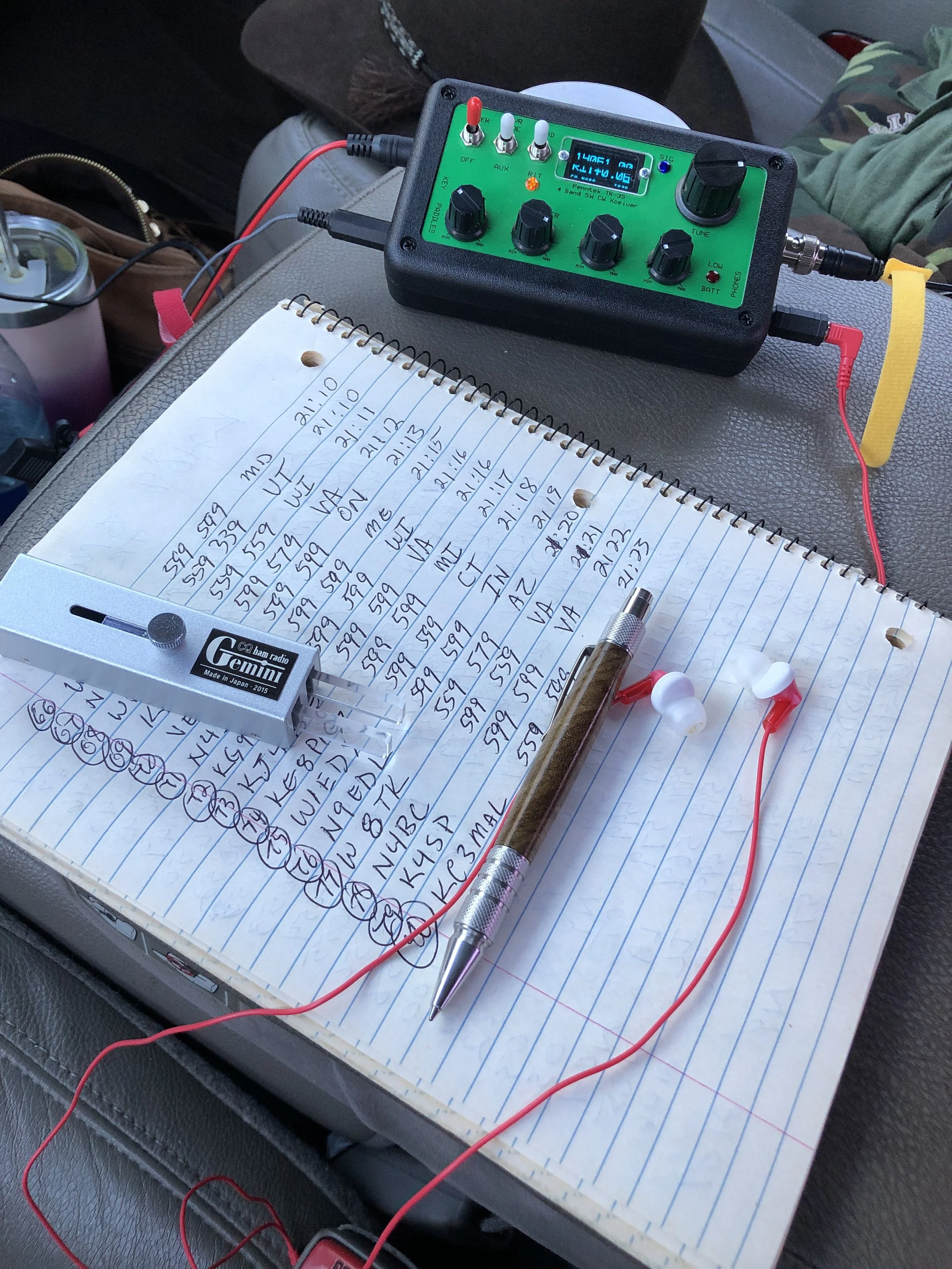
I setup the TR-35 with the “Trucktenna” (I think I will just start calling it that. LoL) and got on the air, but today I thought I would back the power down a little to about 4.5 watts to see if anyone would notice. That is a 10% reduction from my usual output power. Well the QSO speaks for itself.

Seems if the band is open, it really doesnt matter how little power you have, you will have a great time. I am about to build one of the little qrp power meter kits from here:
This way I can accurately set the output power prior to starting a activation and I will know how much it is for sure.


I made 80 QSOs and off I had more time, I think I could have made 100! The TR-35 is turning out to be a great little radio that I enjoy using. Even though it doesn’t do all the stuff that the other radios can do, it just works REALLY well. I can highly recommend it.


I also made up a power cord for my radios when inside the truck since they are all QRP and don’t pull much more than 1 amp max. The power port in my truck is rated for way more than that, so it is good to go. It would be interesting to know just how long those two huge lead acid batteries under the hood would last worth the TR-35…lol

Why do I want to buy so many ham radios???
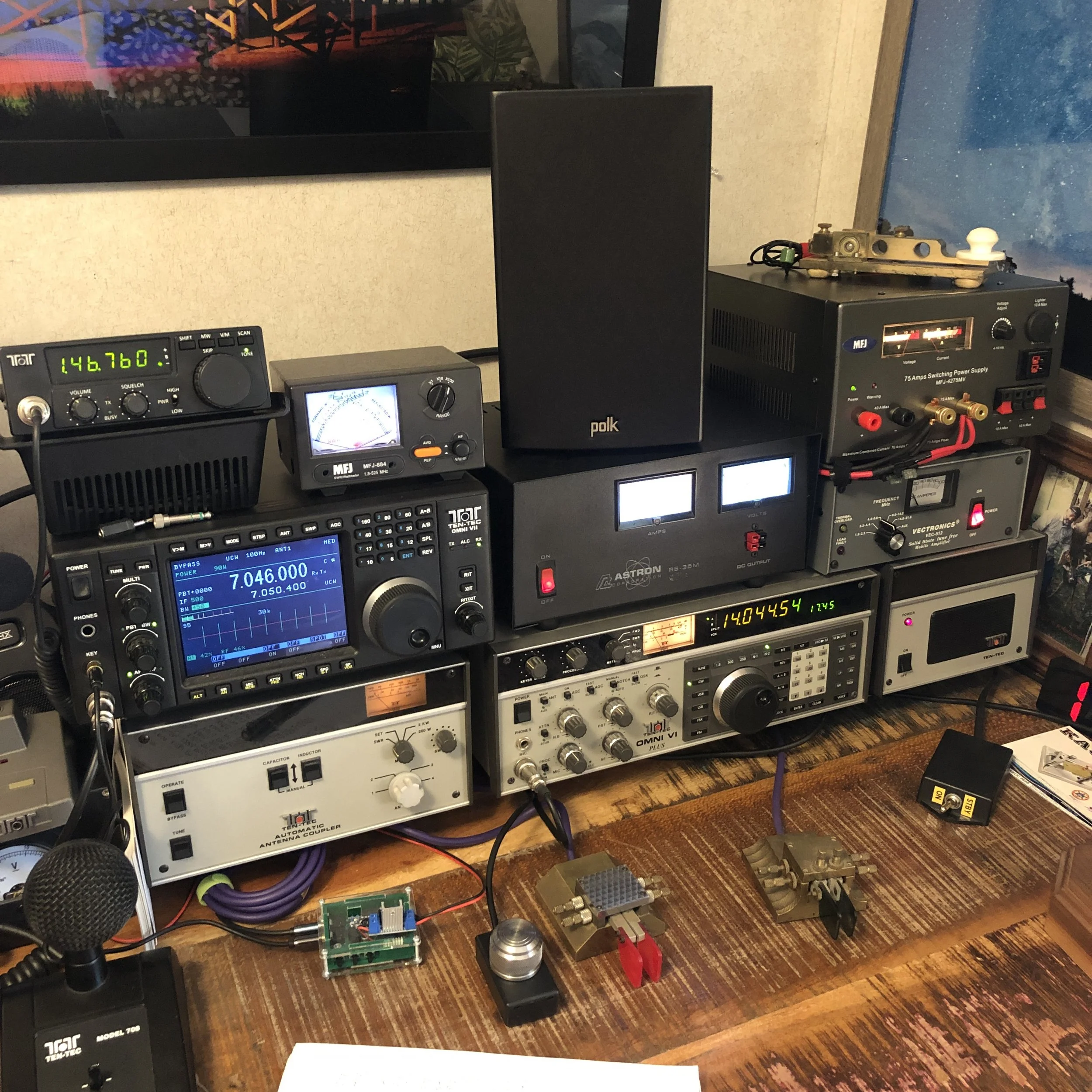
My main base station. The Omni 6+ is connected to the 500 watt amplifier and the Omni 7 is “barefoot”.
I find myself wanting every radio I see and with a short look through the bios of some ham operators on QRZ.com I am not alone in this.
What is it with this obsession wiht collecting radio gear that us hams must endure? I mean they literally all do the exact same thing…all of them. Yet we want multiples of these radios anyway.
Now, I understand having a base rig that stays at home and can be integrated into several things and it is not simple to break down for portable operations, and also having a radio that can do specific jobs like SOTA or POTA or ARRL Field Day.
This makes sense but why do we want to have two base rigs or three or five or 10 as well as three or four portable radios for POTA as well as mobile radios stacked to the ceiling and we can only use one at a time. LOL.
You see, I am that guy. I have a base station that has two complete radios in it that share an antenna and I also have FOUR, yes FOUR, POTA rigs currently! Four, really? A TenTec Argonaut 5, an ICOM IC-705, an Elecraft K1, and a Penntek TR-35 and I love them all… I just don’t understand the human brain sometimes, why do I want so many radios? I realized this yesterday when the Penntek TR-45L was launched, I REALLY like this new radio and found myself wanting one really bad, but then I stopped and let reason talk to me for a minute and realized that my current radios ALL DO THE EXACT SAME THING!!! To add to the problem, one of the radios is the Penntek TR-35 for crying out loud!!!! LOL!!! Compound that with the fact that I have yet to use it for a field activation and my wanting the new radio is just lunacy… So how do I combat this? Well, the first thing is to get out these radios and take a long hard look at them and decide if I really want to own these radios or the new one. I personally have also set a limit on the quantity of radios I will own as well…apparently there is an exemption for POTA rigs…but I digress. Another thing I have implemented as of late is a rule of balance. This is where I have to remove something if I want to add something. By doing this I keep the stack a little more reasonable and I can recoup some of the money needed for the new radio from the sale of the old one I am letting go to make room.

The POTA rigs are starting to pile up!
Some will say it is because each radio has a feel to it and some radios have character to them and to this I say they are right! I also understand that once you find the radio that you like the most, keep it and the second most favorite as well and then get rid of the rest of them! LOL. Are they really bringing you joy just sitting either on a shelf or worse…in a box under the bed!!!
You see having multiple radios like me doesn’t benefit the amateur operator in any way other than collecting. If you enjoy collecting radios then by all means, buy as many as you want, but remember if you are not collecting radios then what is the point of buying so many? Of course this is my opinion and this is not a rule in any way, shape, or form, but I do have reason in the thought process. What else could we buy with the money we spent on all of these radios had we not bought them?
I also dabble in the hobby of photography and that hobby is no different from Amateur Radio in that the most appealing or “sexy “part of the system is the central piece which is the radio here and in photography it is the camera body. These are universally wanted by the users of each hobby respectively. Photographers will have gear acquisition syndrome (G.A.S.) and make joking videos about it on YouTube because it is such a problem. It is a real thing as companies spend dumptruck loads of money on targeted marketing to tell you that you need to upgrade to the newest widget or risk falling behind in technology. That is how they get you!!! LOL!!! They prey on your GAS problem!!!
So how do we solve for this? I honesty don’t have the universal answer. For me it took about 40 years of buying too much stuff for a hobby and as you see above with the stack of POTA rigs, I am not there yet… I do know that I am starting to recognize it though and I am working towards scaling back the stack of cases so that I have room for other things in my shack. I hope this helps some of you out there to realize the same thing I realized and that you can do other things instead of buying the newest radio. Anyway, now that we have all did some self reflection, reach over and turn on that radio next to you and see who you can find on it.
73
David - WK4DS
Quickie activation of K-2175 (Fort McAllister State Historic Site)

I got an opportunity to activate a state park a long way from home. I went to Savannah GA on business and we stayed in an airBNB. Well, this BNB was just two short miles from a designated POTA site, how could I let THAT slip through my fingers?!?! Sometimes the best experience is the spontaneous one.
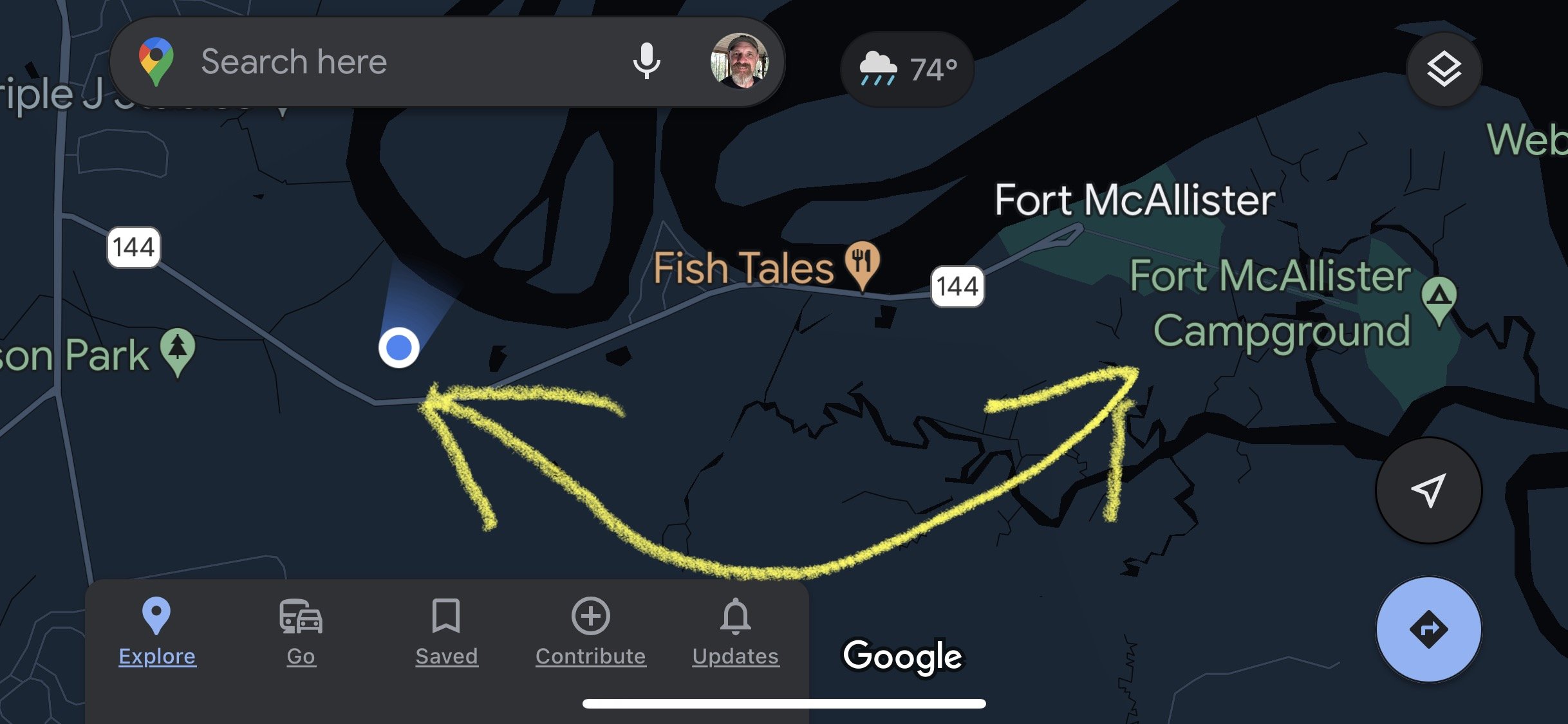

I had brought a couple of radios (TR-35 & IC-705) and antennas (40m EFHW kit and a 20m Hamstick) with me with the hopes of setting up on the beach one day for a little while, so I chose my IC-705 and the 20 meter hamstick antenna as these are the fastest to deploy. I only had an hour or so and wanted to maximize my time on the radio.
Fort McAllister is a tiny park and has a campground in a gated area. It is well kept and has a museum on site. The museum was closed by the time I got done playing on the radio so I can’t speak for it, but it was nice on the outside…
Did I mention that it was raining due to a tropical storm? Yeah, it was. Alot. So to keep the rain out of my BNC connections I fabricated a drip cover to keep the rain at bay for the time I was going to be activating the park.

What your looking at is a bag with both ends cut out from a pack of peanuts. Lol. I slid it over the connector and then taped it on with electrical tape for my temporary seal. It worked long enough to get the activation in without my SWR getting crazy so it must have done the job.
I also pretty much had the whole park to myself since it was raining. This was awesome as nobody was there to trip over my antenna and I could pick the best place to setup.
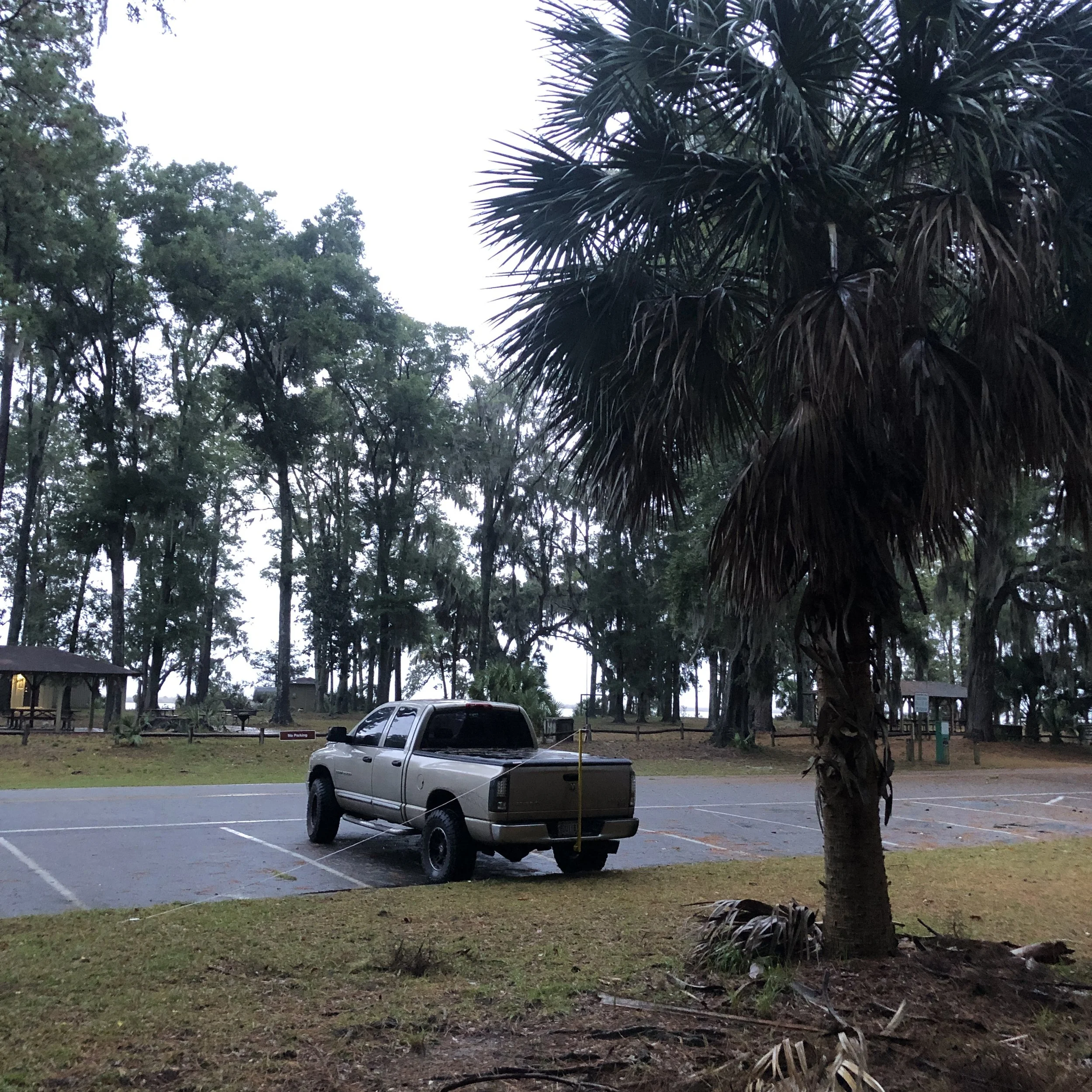

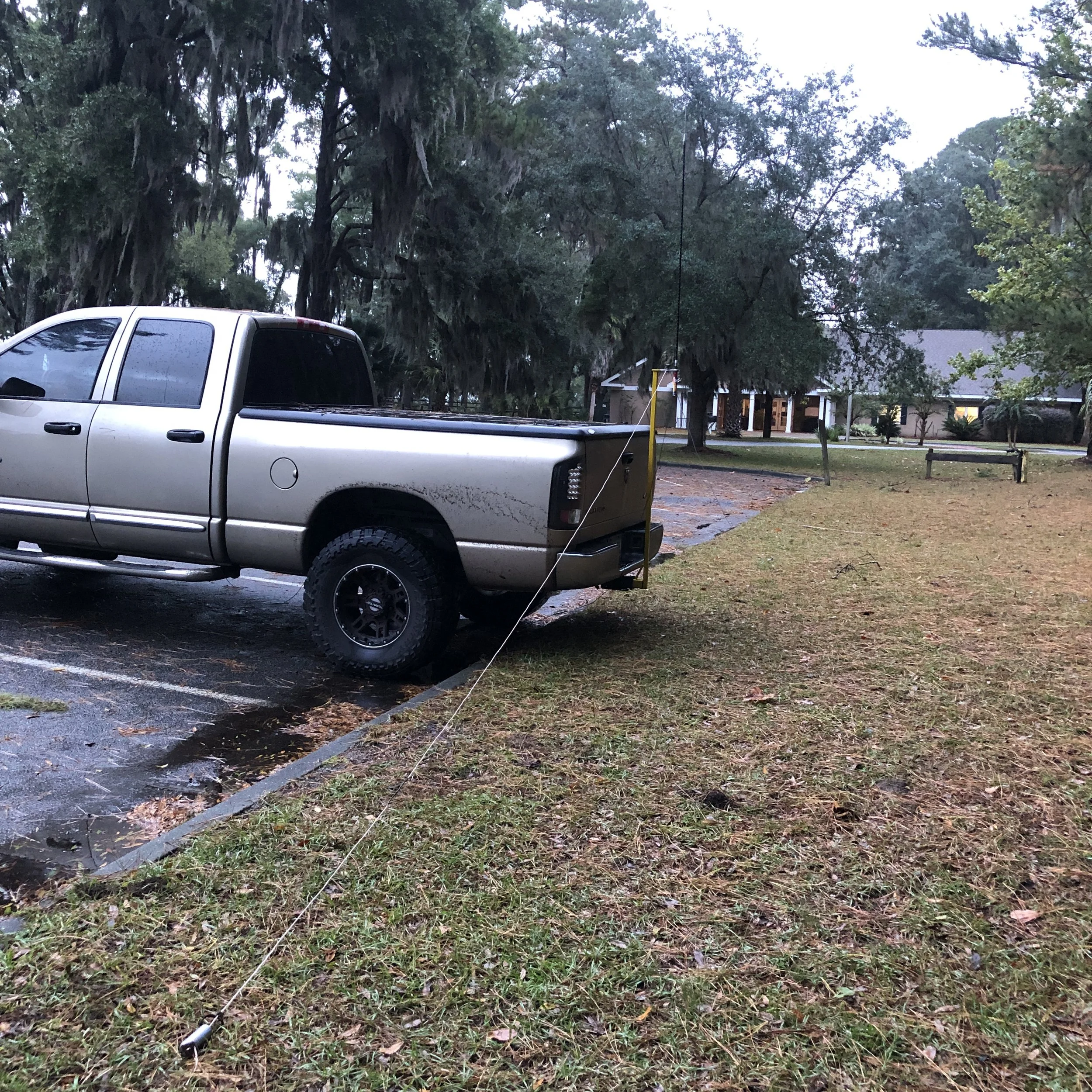
What you see is one of the two counter poise wires held in position by a stainless steel weight at the end. This worked way better than I thought it would to be quite honest. This rig goes up in just a couple of minutes and requires zero tools. Quite literally two minutes and the coax is at the radio. Propagation is good too, just look at the qso chart below. It is on 20 meters with 5watts so there nearest contact is about 425 mile to Nashville TN. If I ever get the 40 meter version put together, I should get some closer stuff, at least that is the idea. Lol.

Although not as compact as the TR-35 I have been using, the IC-705 has a mountain of features that the little TR-35 just doesn’t have. Things like 8 message memories, an SWR meter, a output power meter, and tons of modes the other little rig just can’t do. I also like it since it is super easy to just operate with. It will run on the rear mounted battery but I made up a cigarette lighter cord with Anderson Powerpoles on the other end. I just plug my radio into my truck when operating like this and I am off to the races.

It didn’t take long to get a bite either. I started the memory keyer calling cq while I went to enter a spot on the POTA page and immediately got a call back way even before I got the spot up on the site! That was when I knew it was gonna be a good day. I logged 37 QSOs in, right at, 40 minutes, which is awesome! I was basically at a good stopping point when I cleared all the calls and the rain let up and I had made an official activation so I went QRT and packed up to go eat supper.
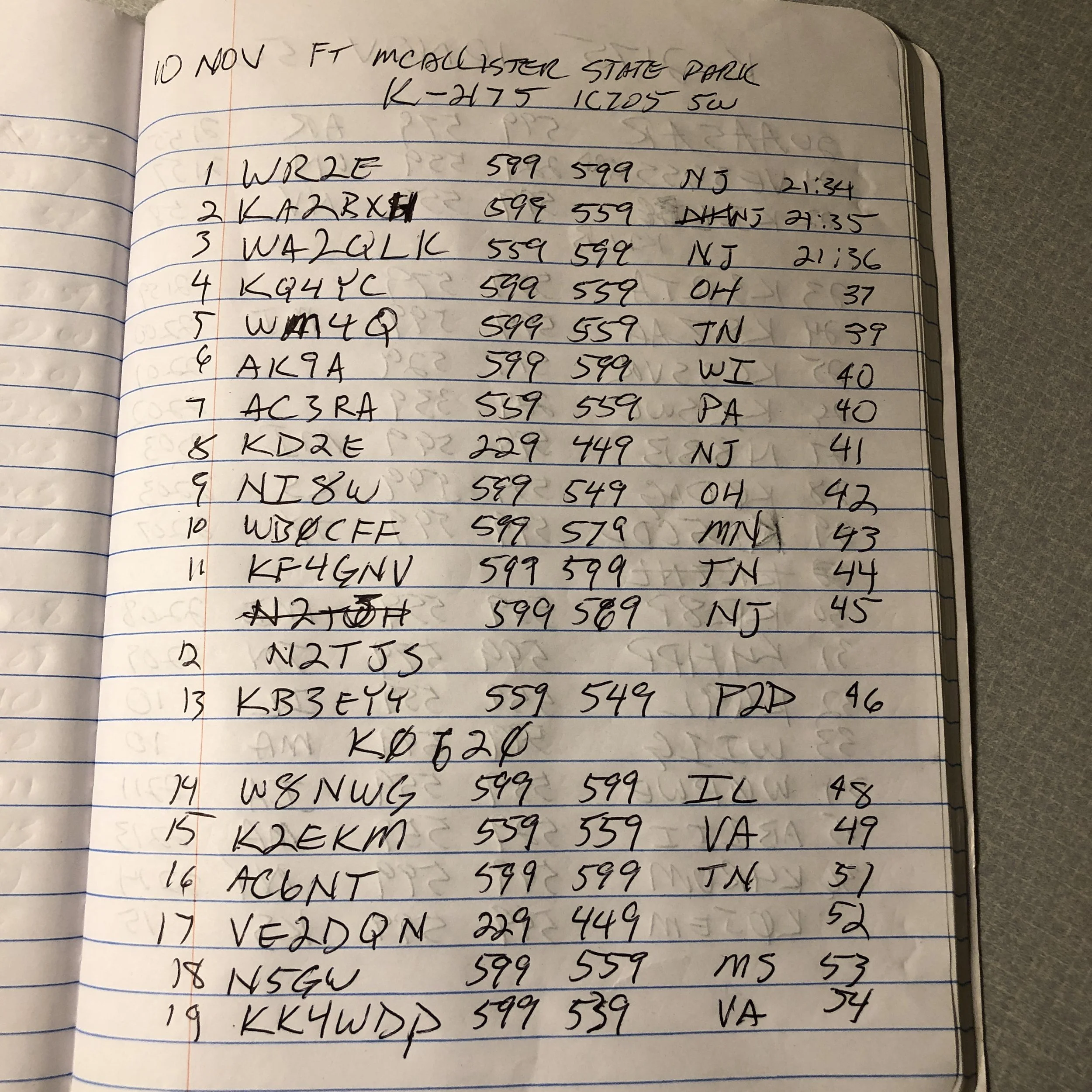

Two pages of QSOs is a good day for me. Thank you to all the hunters out there for listening for my CQ. It was a good outing because of you.
72
WK4DS
David
Simplifying antenna tuning with a manual tuner and a nano VNA on location.
Please note: This is not an instructional presentation on how to use the nanoVNA to tune your antenna, but rather a simple primer on how I deploy mine in the field and why. There are tons of videos on YouTube that will show you how to deploy the VNA in a tuning operation and at some point I will probably do that here, but I wanted to share the idea of USING the VNA to tune the antenna WITH the antenna tuner prior to hitting the transmit key and protecting your radio transmitter finals. With that out of the way, let’s dig in!
Something I have always hated doing is the whole tuning operation and transmitting while I did it. Just screams of poor operating practices to me for some reason. I know it is needed though, so I do it… Till now. You see, some radios don’t have an internal antenna tuner built into them, like my TenTec Argonaut 5. This radio is a joy to use but you either need resonant antennas or a tuner to match the radio to the radiator.
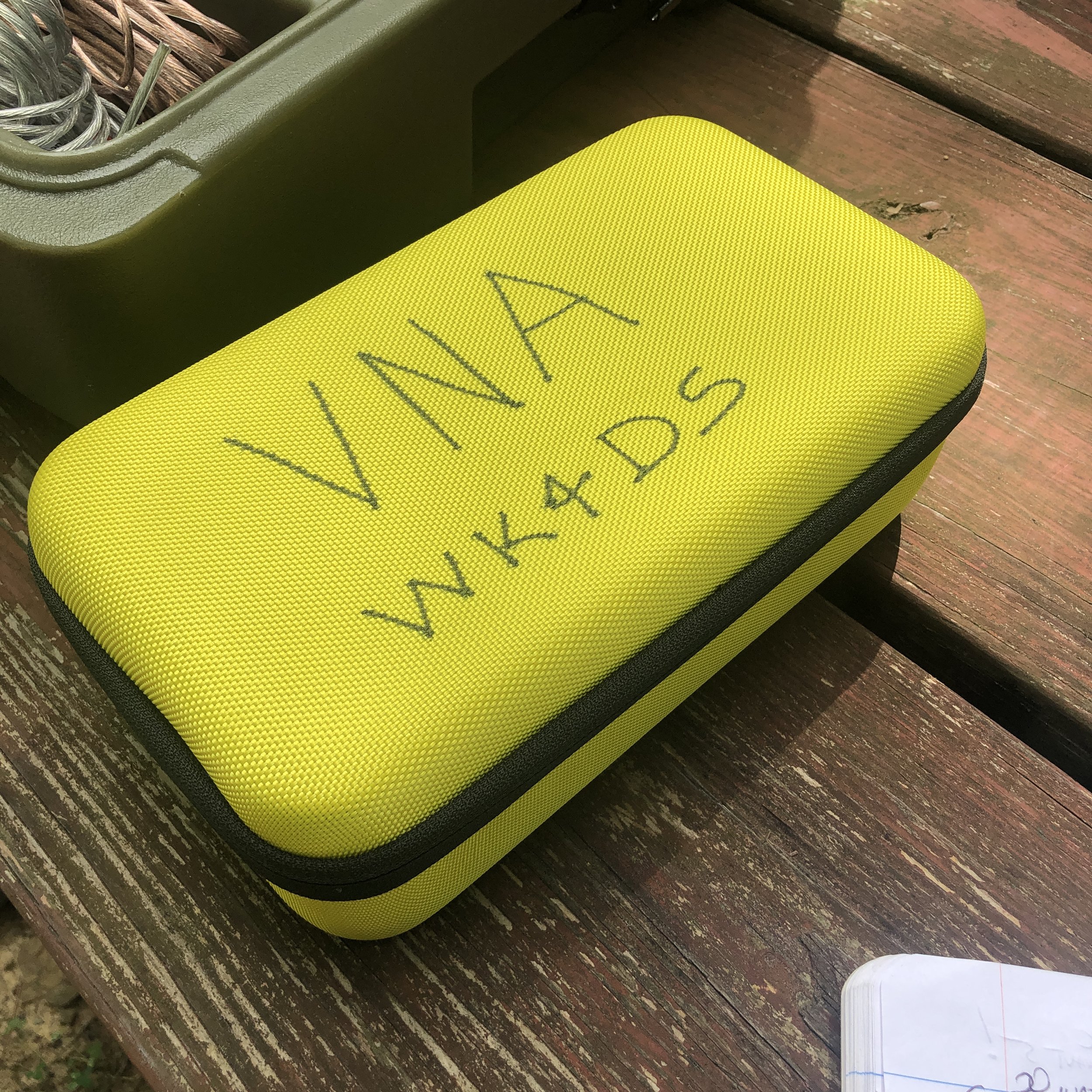
Enter the nano VNA (Vector Network Analyzer)… I found out about these little devices from my friends Aaron and Roger and finally got one for myself. Back in the day, about 15 years ago, these little pocketable widgets would set you back about 20,000$ and were the size of a suitcase! Now, technology has caught up and these things are very affordable (about 50$ US) and are even battery powered so you can take them to the field easily.
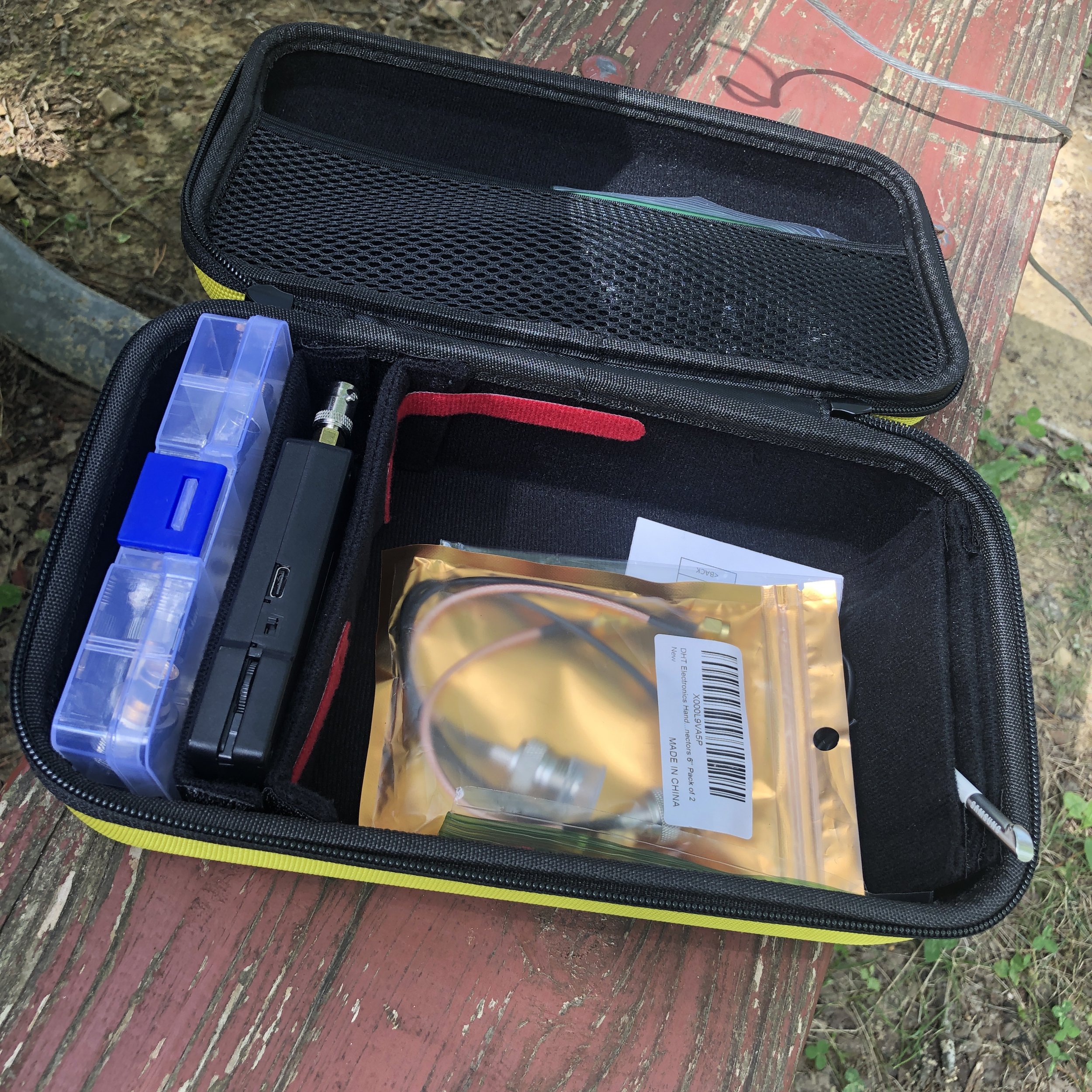
I built this kit for mine with a divider box of adapters (far left in picture), then the nanoVNA is the black device next to that, then the large bin is for cables and such and lastly I have a stylus as it is easier for me to use that than to use the guitar pick looking device that comes with it. This one is recovered from a old Samsung Galaxy Note. I got the case at the Huntsville Hamfest from GigaParts if you want one of them, they probably have them on their website, but I am not sure…
This thing can do all sorts of measurements, but the most often used by me is antenna tuning. If you want to know more about what it can be used for, just search YouTube for nanoVNA and you will get an idea.

In this photo you can see a lot of data being presented on the nanoVNA, such as the frequency range I am testing, two different measurements, one on a smith chart and one on a linear line chart of SWR versus frequency. What the smith chart shows me is a graphical representation of whether the load (antenna) is capacitive or inductive, and what the impendence is at the selected frequency as well. The line graph shows SWR plotted versus frequency and this allows me to maximize the tune for a particular frequency visually, all without risking damage to my radio amplifier section from mismatched impedances or high SWR. The nanoVNA does have a signal generator in it so it is technically transmitting, but it is VERY low energy.

Manual tuners in the past, such as this vintage MFJ 941 worked really well, but are slow and you only get information for the exact frequency you are tuning at (which usually is not the frequency that you are going to use as you dont want to tune up on top of the person calling CQ). This meant long periods of on air transmitting a carrier tone while adjusting the controls on the tuner to add capacitance or inductance to the the antenna to match as best you can so as not to damage the radio.

Radios like this old Ten Tec Argonaut 5 do not have automatic internal antenna tuners in them and even a lot of newer radios don’t have these tuners in them to be honest. These radios either need a tuned antenna that has been built for specific frequencies or a tuner to match the non-resonant antenna to the radio. The nanoVNA allows the operator to tune easily and this happens much faster than on air tuning. Tuning this way also protects the radio in the process. What I really like is that I can see if the bandwidth of good matching SWR to the radio so I know immediately that I can tune the VFO around and not have to retune the antenna while I am on one certain band. Some antennas and some bands don’t play well together and you can see this too… graphically. This allows you to know that on those particular bands, you will need to tune when you leave the safe zone of swr. It is so much more powerful to tune your antenna with this little device.

This is the setup I use to be able to easily connect the nanoVNA to the antenna while out on location. The radio comes equipped with SO239 connectors so the antenna has to be screwed on to the radio with a coax cable normally. The modification I made, to make this process super fast, is to add a PL 259 to male BNC adapter. Then I add a SMA to BNC to the nanoVNA and now I can simply and quickly remove the coax from the radio and connect it to the VNA for analysis.
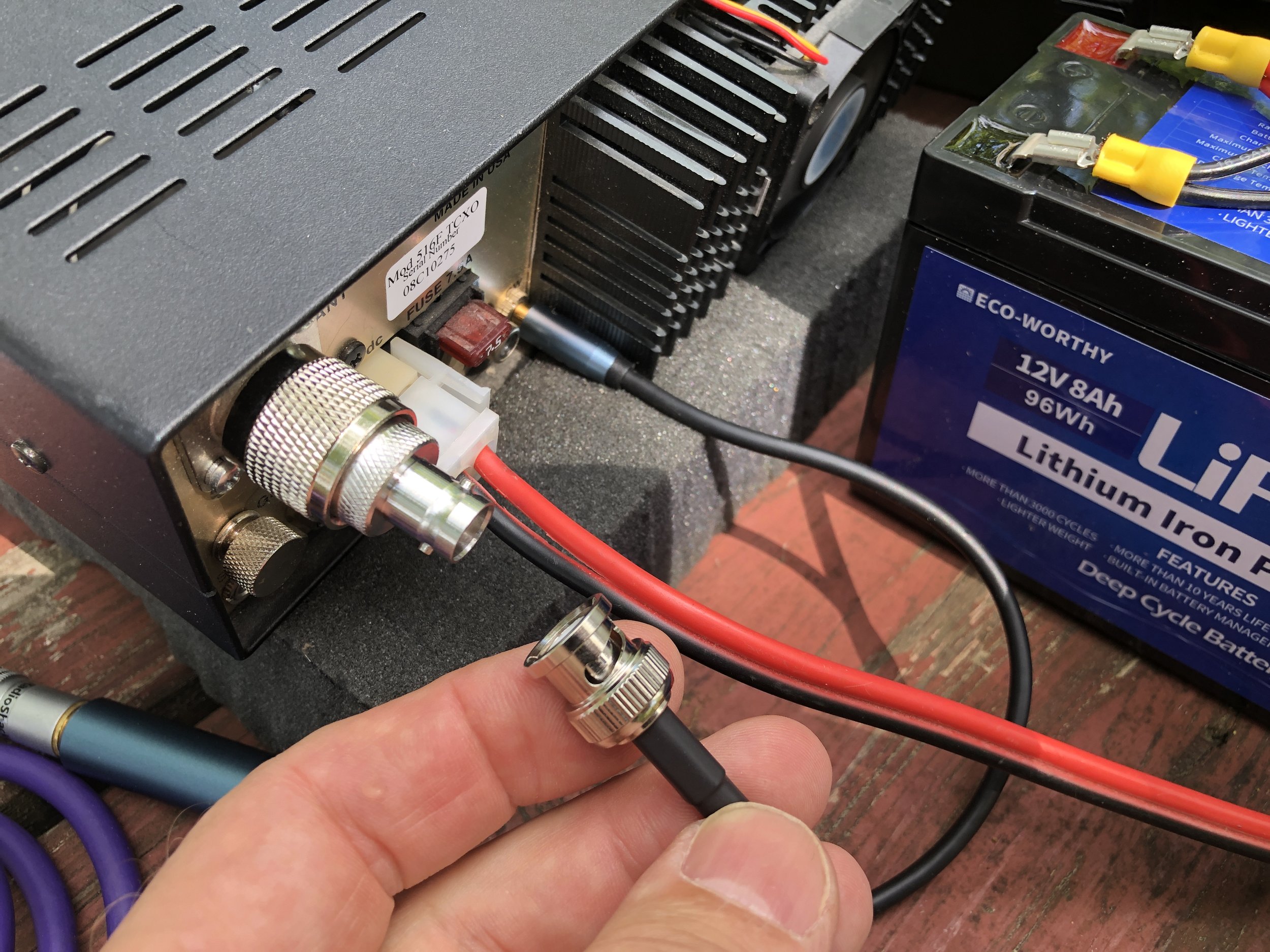
I also made a simple note page to get me close when i go from one band to the other. This way the time to get back to a tight tune is even faster. I also made some notes about how many radials and such. I keep these notes in the case with the radio and tuner.

This has been my biggest blog to date and I really liked writing this one for you. If you have any questions, just drop them in the comments below and we will try to get you an answer as soon as possible. If you think tuning your antenna like this is a good idea, you can find these on Amazon with a simple search. Also, they really are inexpensive. You can also get all of the adapters or accessories on amazon as well. It is all there, all the training you will need can easily be found on YouTube as well, plus some… Now go get on the air!
72
David
WK4DS