WK4DS Amateur Radio Blog
Search Posts

MTR3B V4 “Currahee!” Maiden Voyage for POTA
I decided to go QRP today as well as use several new things on my activation. I chose a new-to-me LNR Precision Mountain Topper MTR3B V4 “Currahee!” QRP radio that I have had for months now, but have not taken to a park yet. I also deployed a new table as well as used the new POTA map that I wrote about recently. That is a lot in just one sentence, but let me tell you about the activation!
I decided to go QRP today as well as use several new things on my activation. I chose a new-to-me LNR Precision Mountain Topper MTR3B V4 “Currahee!” QRP radio that I have had for months now, but have not taken to a park yet. I also deployed a new table as well as used the new POTA map that I wrote about recently. That is a lot in just one sentence, but let me tell you about the activation!
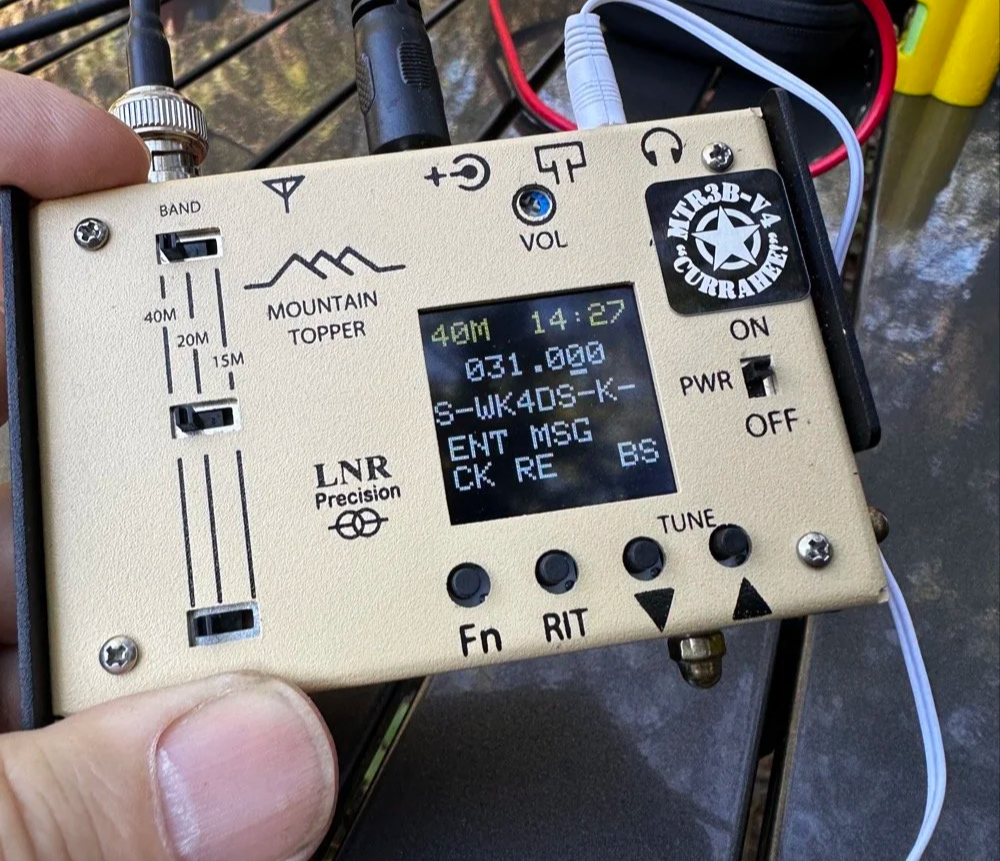
Recording the memory message is pretty straight forward and easy, just slow down the keyer to remove mistakes…
So I wanted to operate with a lightweight kit today. I had been trying to come up with a way to use this new little radio for a while and today was the day. The space weather was supposed to be good, the terrestrial weather was supposed to be better! So I start preparing for this little excursion by charging the batteries for this radio. It is a 10 cell AA battery pack and if you use AA rechargeable cells, it will produce a little over 13 volts when you start. This is not the same if you use alkaline cells, they are about 1.6volts each when new so if you used ten of those, you could easily destroy your little radio. The answer to this is simple. I have a 12 AA cell carrier and in it is 10 rechargeable batteries and two “pass through” dummy cells. This way I have a spare set of batteries (that is needed today) and if I need to pick up some alkaline batteries, then I can just drop in two of these dummy cells and the voltage is back to usable again.
Let me get into all the things that went wrong on this outing today!
First the battery connector on the battery pack popped off the hot glue, probably due to a bad choice of location. This prompted me to go to the shop and re glue it in a better spot which took some time. This worked really well though and I think it will last now too so I am happy with this repair. The next thing that went wrong was the throw line WOULD NOT LAND IN THE TREE TODAY!!! I bet I threw that line at least 15 times into that tree before I got it to land in the right spot! At least fifteen… I did end up with the wire up about 30 feet though so I had a decent elevation for the far end of the antenna. Seems my throw line I keep in this kit is a lot shorter than what I normally have with me. It was maybe 50 feet total. If you have not done the math yet, 30 feet up in a tree takes 60 feet of throw line to go up to the branch and back to the ground… I had to carefully get the antenna and tie it to the cord and then play fisherman a while to convince the weight to slide down low enough that I could grab it and pull the antenna up with. It finally relented and I was able to elevate the antenna.
It was so frustrating!!! Then I get out the radios and start setting them up on the new table. (The table is great BTW, I dont know why I didn’t get this sooner) Well, these two radios that I brought dont have a speaker and only work with headphones… You guessed it, no headphones in the kit. I must have taken them out for another radio at some point and never put them back. This could be a game stopper. I went through all my stuff and nothing. So I thought I will go check the truck just in case I put some in there. Luck favored me here. There was a set in the truck! Back in business. Then I start to setup the radio and the cable for my Begali Traveler CW key would not lock into the MTR3B for some reason. It would click in and then pop right back out. This was incredibly frustrating as I was looking forward to using this key today.
If you will look at the radio above, the Currahee version has a built in “paddle” keyer. Those two acorn nuts on the lower right corner are the dit and dah buttons for a capacitive keyer. So I gave it a shot. It takes some getting used to but it does work well enough. Seemed to work better if your fingers are moist a little. But it worked well enough to get me an activation on 40 meters. Thanks for everyone who suffered through my mistakes while I learned how to use this key today.
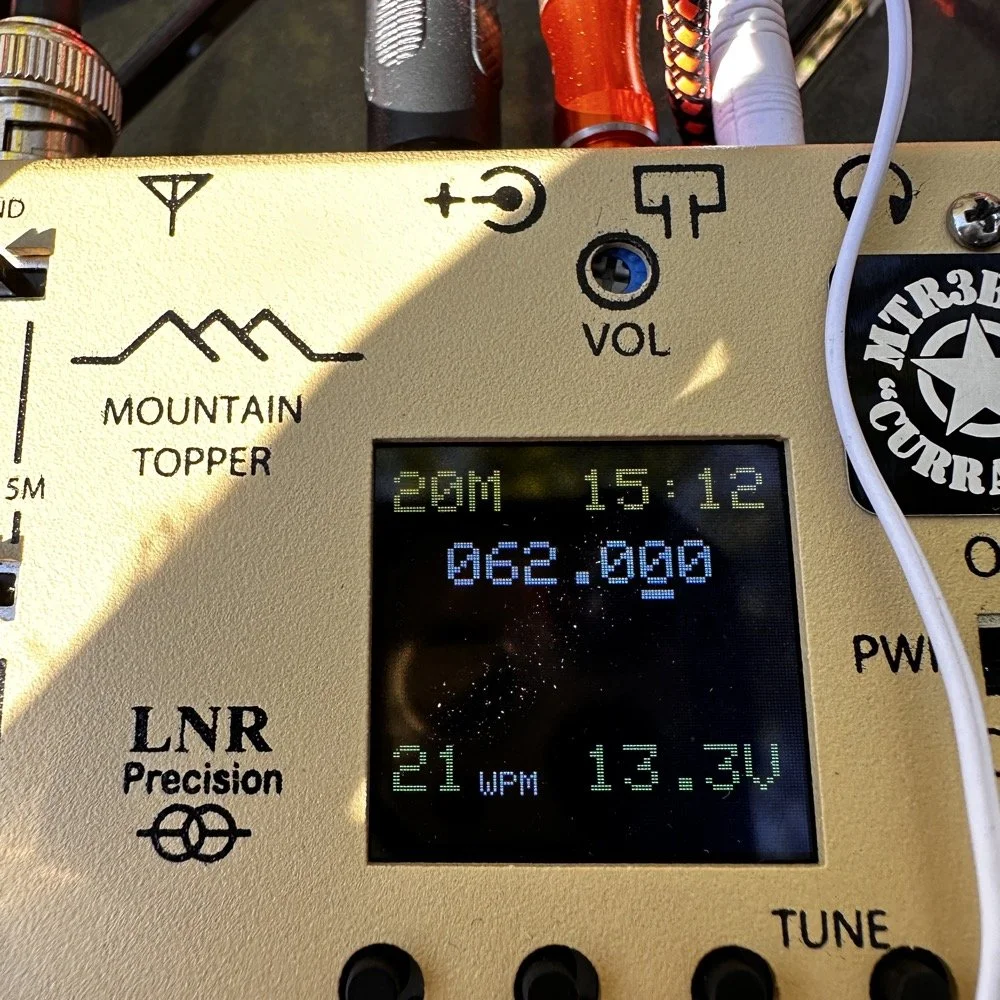
Then I noticed the voltmeter on the MTR3B was showing 5.5 volts and the numbers were red. I knew I had charged the batteries before I had left so that was not the problem. I figured the voltage detection circuit was bad in the MTR3b or something. I worked 11 contacts on 40 meters with a radio using these batteries too. Well, it turned out that the batteries were bad after all as when I changed bands to 20 meters, I also changed batteries and the other set shot up to over 13 volts! so you can make contacts with the MTR3B V4 even if you only have 5.5volts to use. This radio is pretty amazing. I got several 599 reports too. I even work Ontario and South Dakota with it!
Let me get back to the activation at the antenna phase. Once I finally got the antenna up in the tree, connected it to the coax and ran it to the table, I found there was nowhere to attach it to the table… I struck paydirt when I saw the little Velcro strap that I tie it up with when I put it away and used it to attach it to the leg of the table so it would not drag the tiny radio off the table.
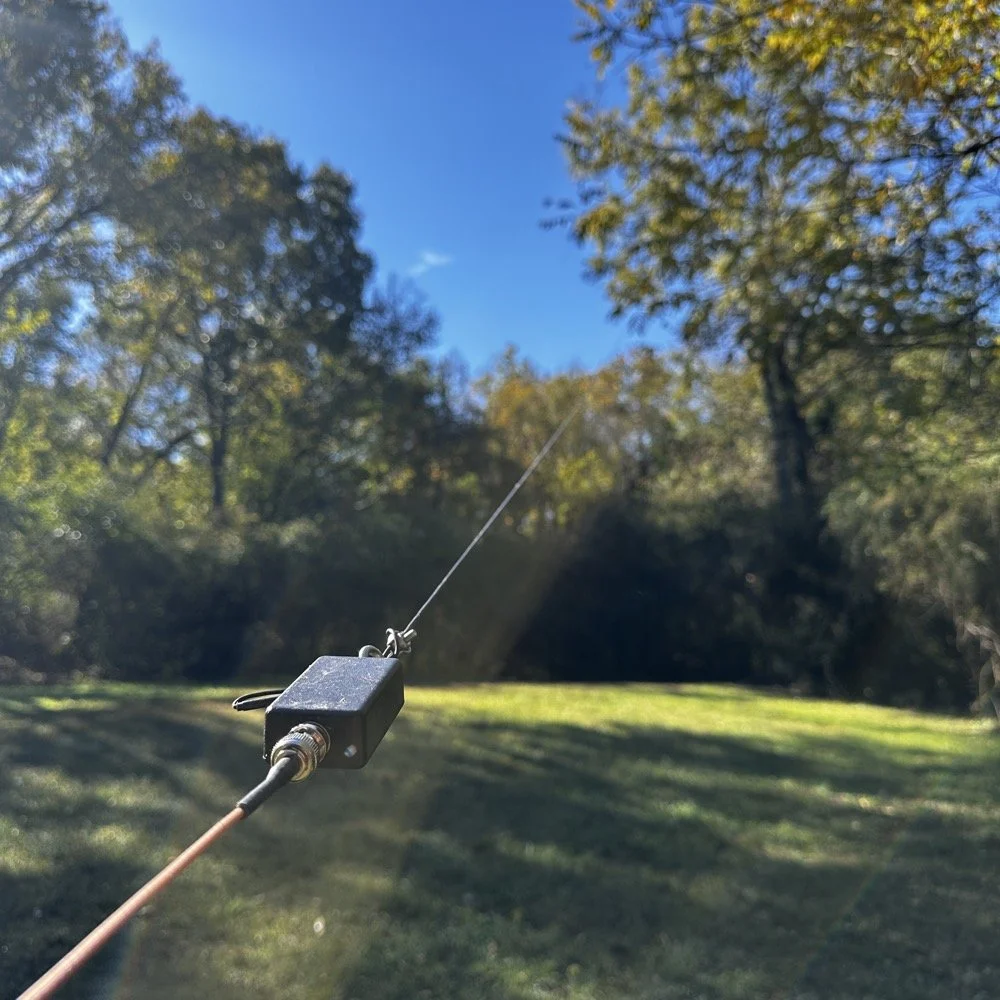
I didn’t bother with radials since it was a 40 meter EFHW and the coax shield serves as this part of the antenna. The coax I have is ABR Industries and has their common mode choke made from ferrite rings installed on one end. This works well to keep stray rf out of the little radios I use with it. I also looked at the cable for the Begali Traveler CW key when I changed bands and found the problem was just the shell of the connector had unscrewed a little which prevented the connector from seating fully. This allowed me to get back on the air with my good key when I went to 20 meters! Success!
I did like using the little built in keyer on the Currahee as this was the main reason for buying it to start with. I will also tell you that you have to essentially send perfect code for it to work right. You can not simply hammer out sloppy code and expect the keyer to clean it up for you. Your timing needs to be good and if you are recording messages into the memory, you will need to slow the keyer down so you can get good letters. It is nice that they added a backspace key to the recorder so you can erase mistakes as you will make a lot of them… haha. I know, I did.
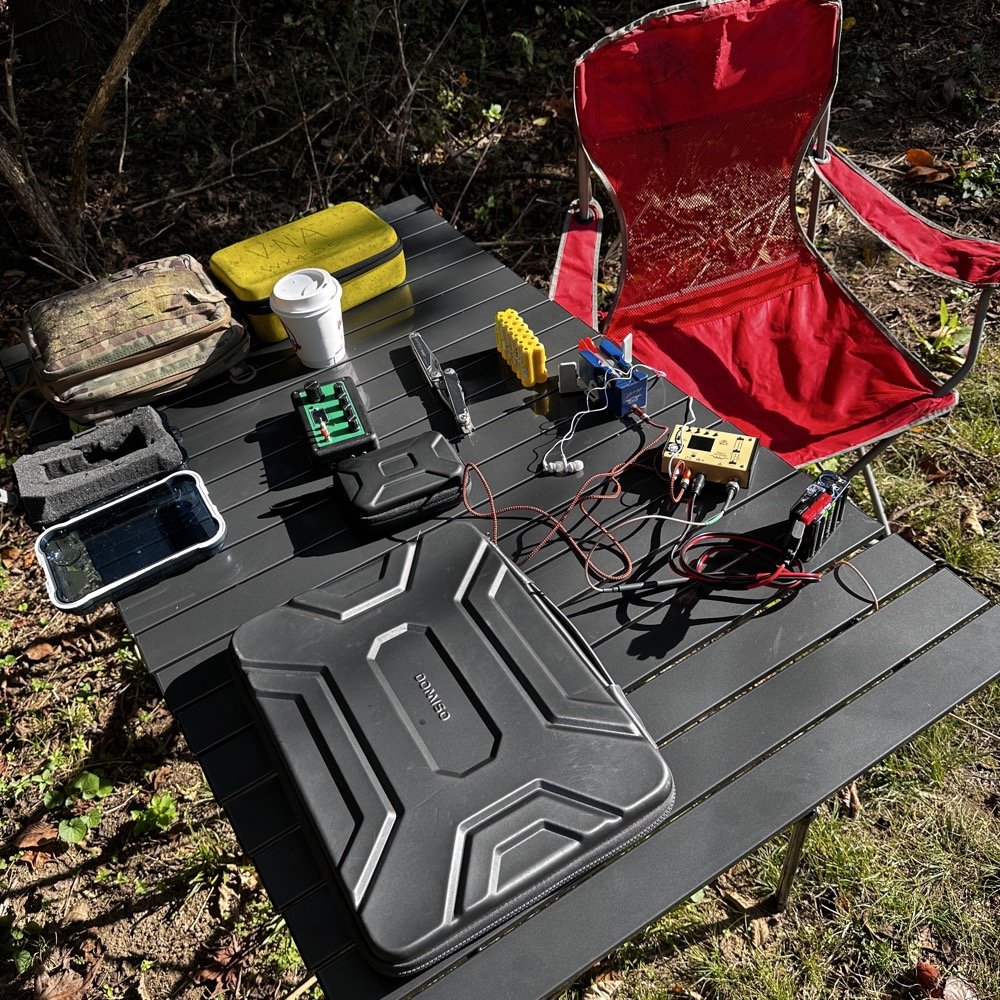
A simple POTA operation for CW only can be really small.
The weather could not have been better today. It was nice and cool and the sky was sunny. Basically perfect conditions. I recorded just one CW message into the keyer and got started. The reason was that I had already spent over an hour messing with all sorts of things this morning and was starting to run short on time. I used my computer for logging today and that made things go really well during the activation. I also worked a 2-fer today as it turns out. So I can simply duplicate the log and then change the park number and have a second log for the other park really easily.
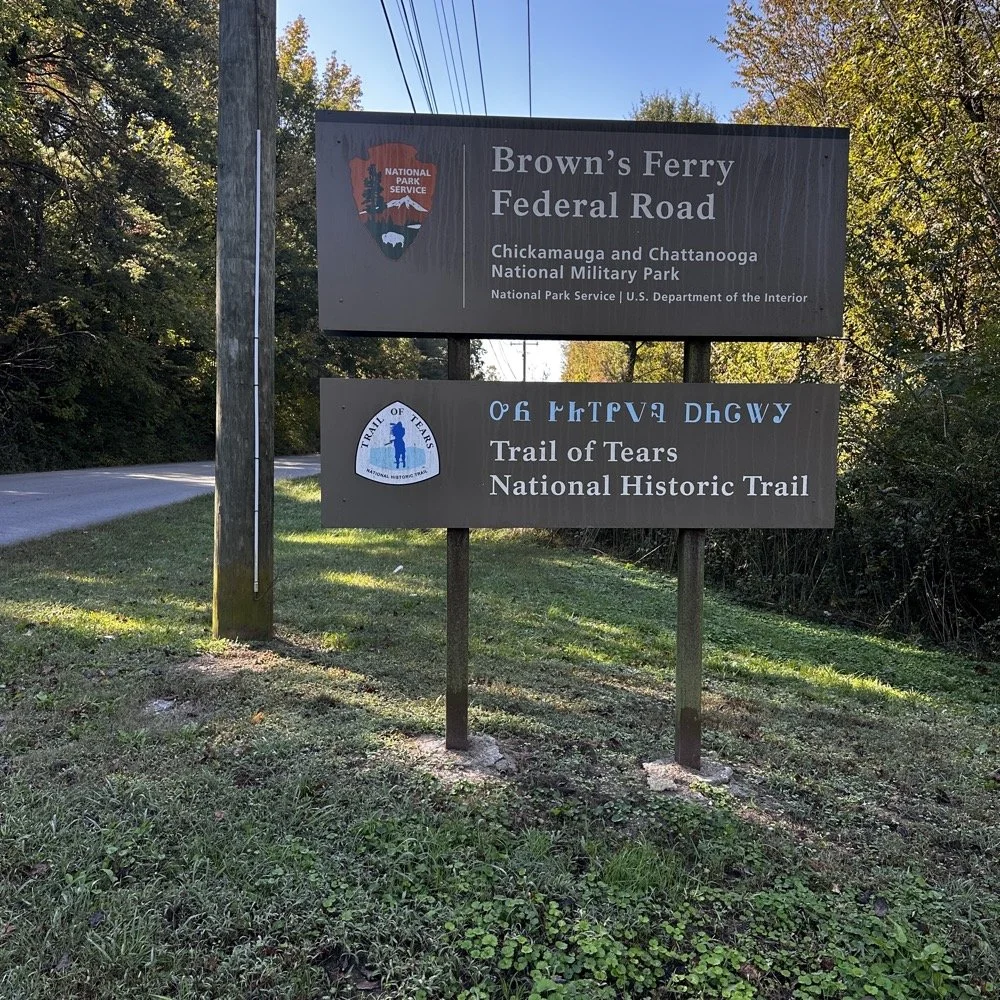
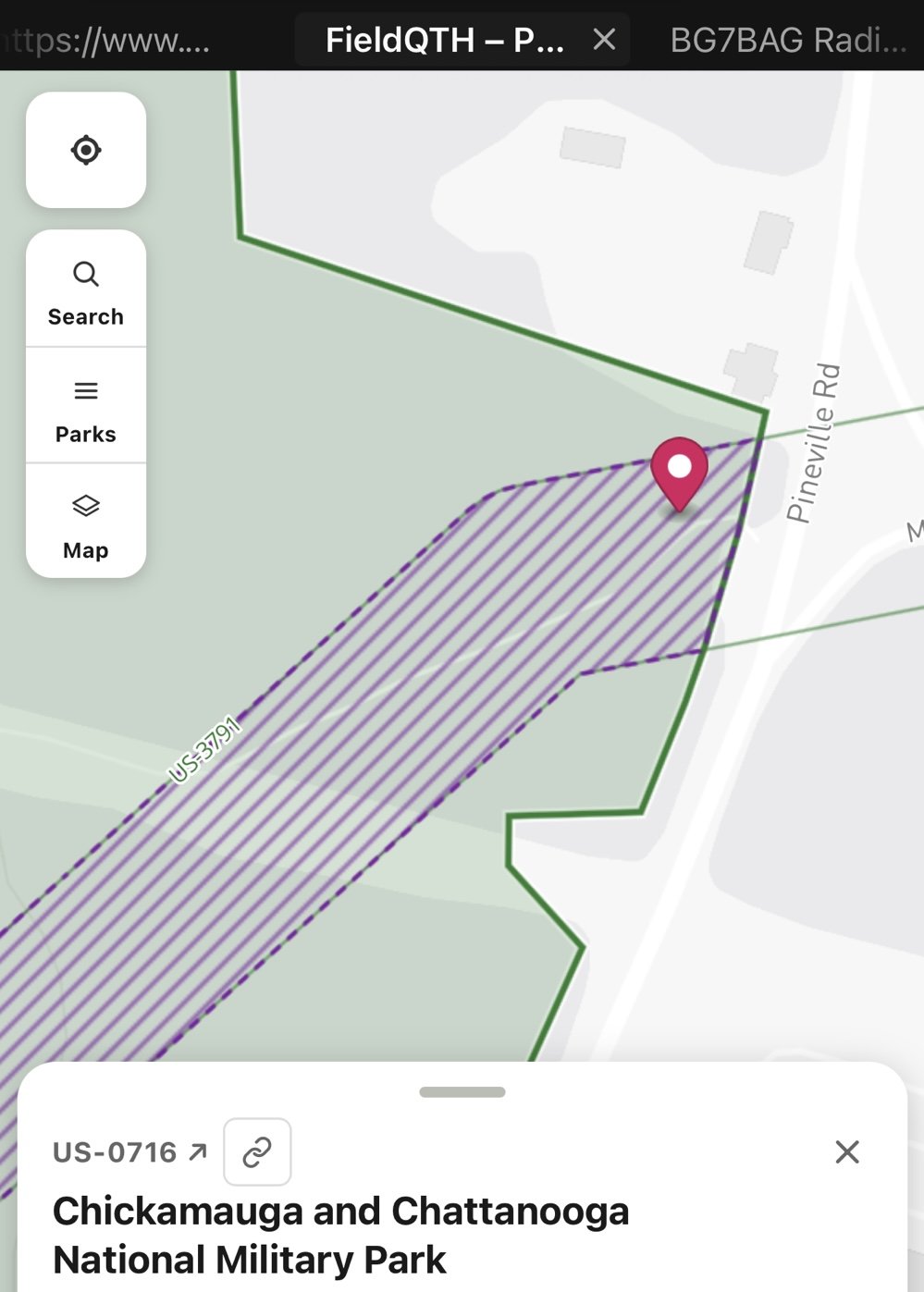
I used the new map that Miguel LX1MDA built and found that the Trail of Tears national trail and the Chickamauga Military Park share a spot in a couple of places. One is in Georgia that I have already activated. Another that I used today is on the north side of Moccasin bend at the old Federal Road site. As you can see above, the parking area is NOT in the park, but I could walk literally 50 feet to the west and was clearly in both parks! The map has a locator button that will drop the pin on your location when you click it. It is not dynamic so it doesn’t move with you, but you can simply hit it again and it will then move the pin to your current location again. This is why I wanted the table today. I didn’t want to have to sit on the ground to operate… haha. I couldn’t operate from the truck either since the parking lot was not in either park. This left me with setting up where you see the pin. As you can see it is also squarely in the Trail of Tears POTA park too, 2-fer secured! As it turns out, I have operated from a couple of 2-fers already. Most notably over in Alabama and Racoon Creek WMA. Where I set up there is also in the Trail of Tears too. If I get time, I will go back as do those logs too, but dont count on it… haha.
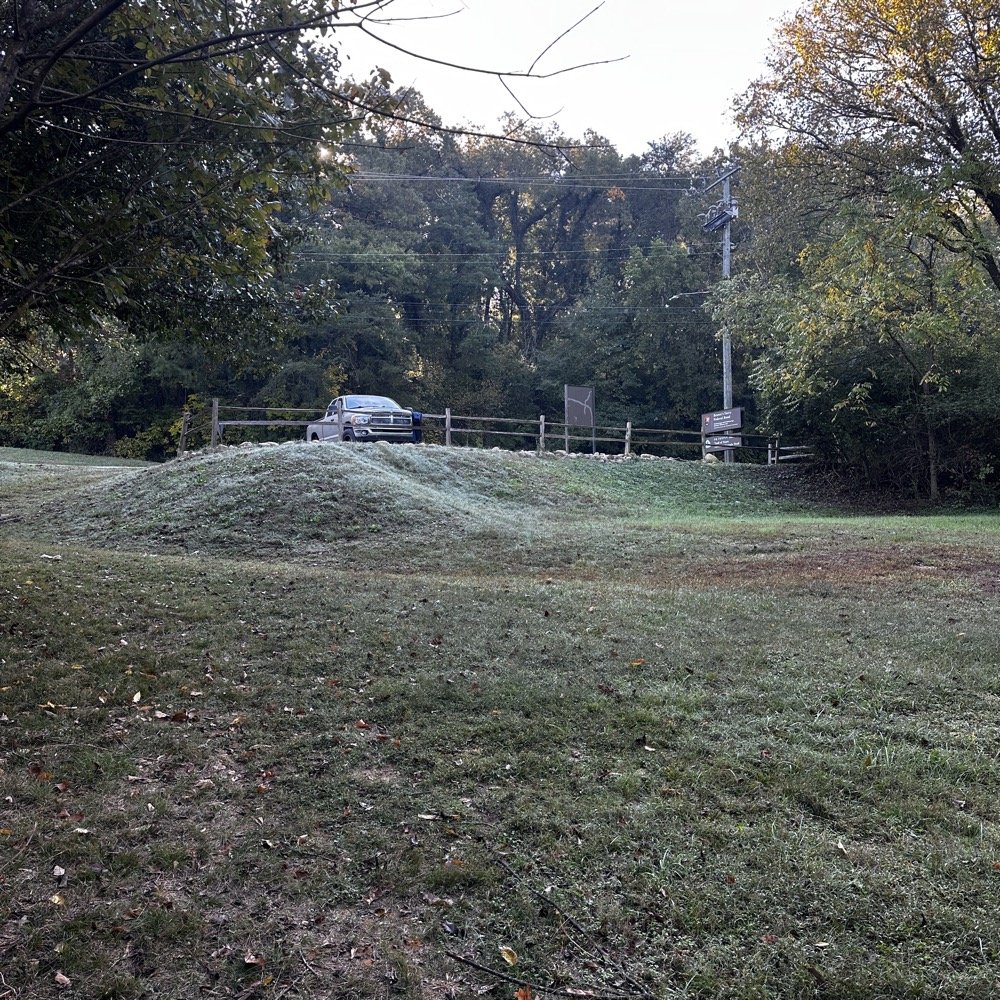
The truck is NOT parked in the official parks, but I am taking the photo from INSIDE both of them!
Once I struggled through the 11 contacts on 40 meters, which was wide open at that time. I wanted to switch bands so I could also change batteries and see if I could get the key cable to work. I also was running out of time and wanted to get another band in if possible… Sometimes you don’t have to go far to get into the park properly. As you can see I had the place to myself for most of the activation. I did have a few people come by towards the end but no one bothered me or even asked me what I was doing. Once on 20 meters, I noticed that the band was quieter, which meant it probably was not really open all that well yet like 40 meters was. I pushed on anyway and started calling CQ. It didn’t take long till I got a few calls in the log. This is when I heard a familiar call-sign come out of the ether! NA2B came ringing into my ears from central Florida! Chaz is a fellow I met while down in Tampa and we went out and setup a couple of activations together. If you scroll down in the blog a little ways, you will find the blog posts about these trips. It was good to hear him on the radio and to be able to put him in TWO logs today! He is also an avid reader of my blog, so thanks for calling me today Chaz, I really appreciate it!
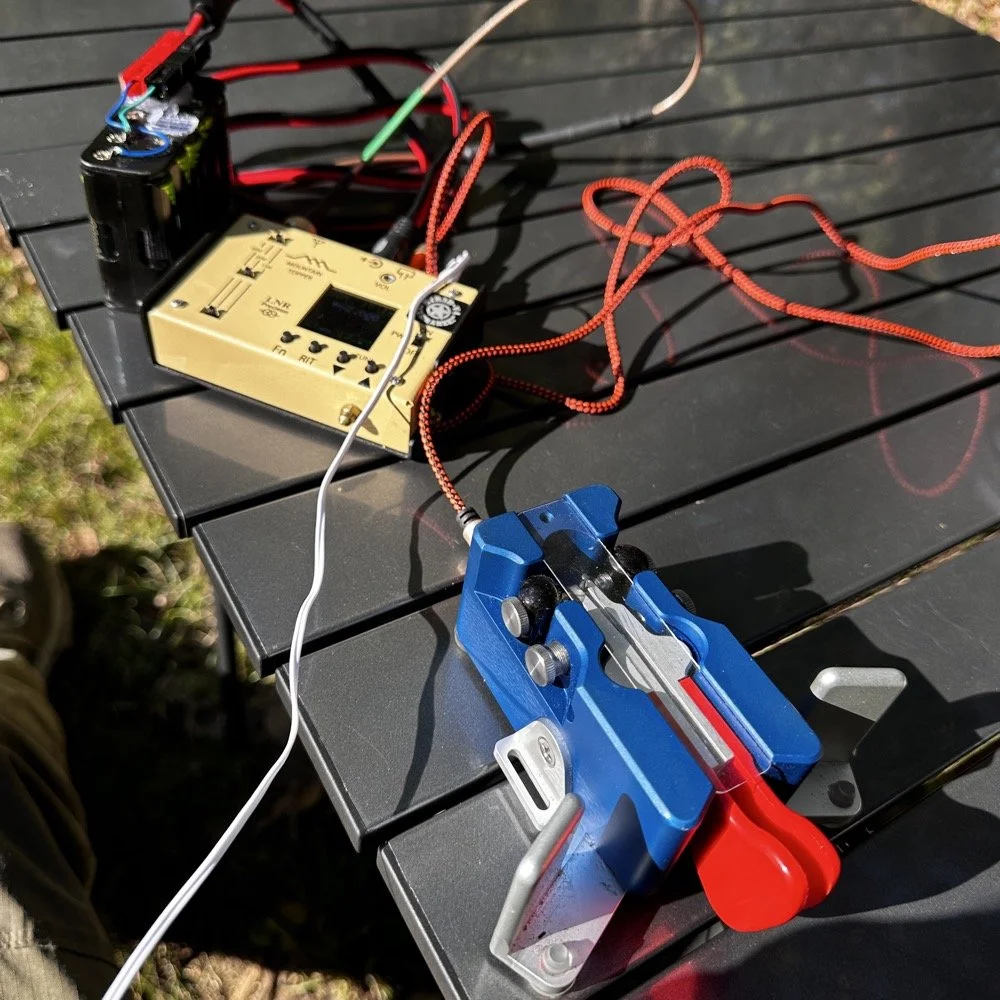
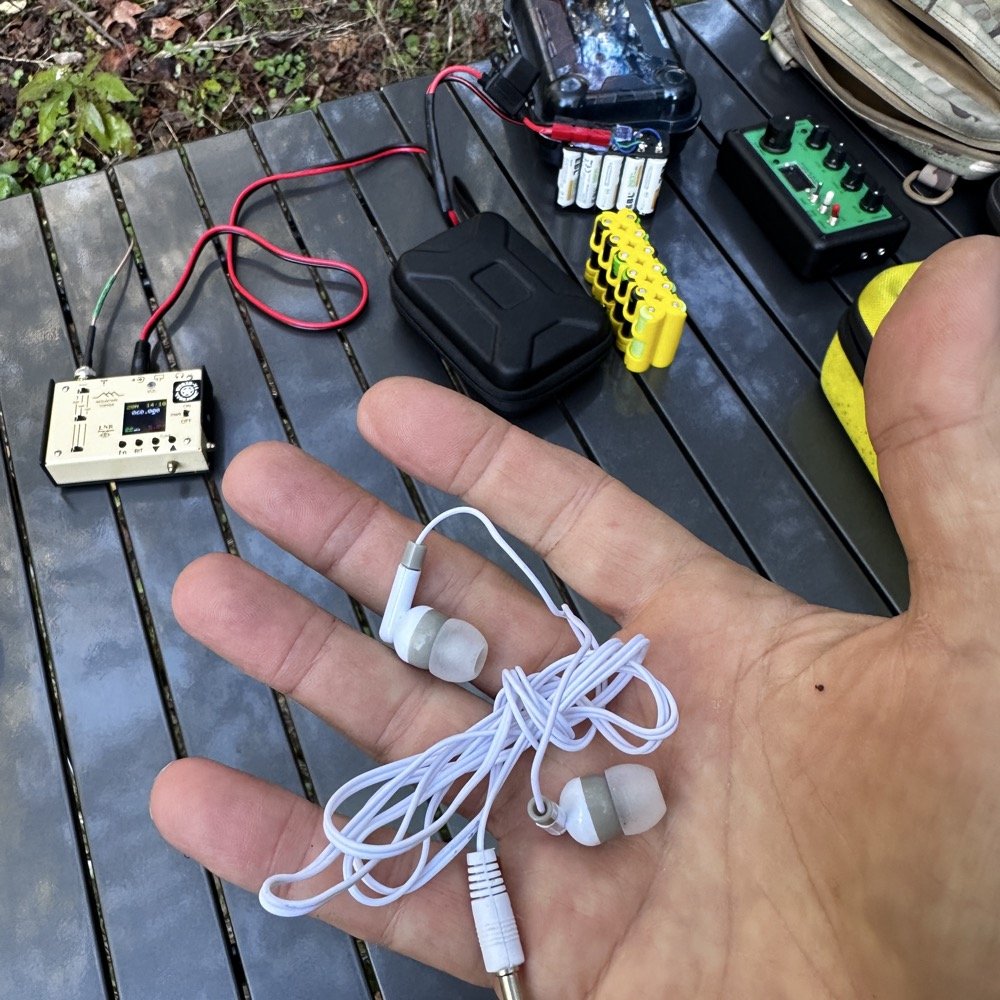
With 16 calls in the log, it was time to break down the kit and go home, I had work to do this afternoon so I had to pack it up. I finally got all the problems out of the way and was still able to secure the activations before I had to leave. A little tenacity goes a long way sometimes…that and I REALLY wanted to activate today… LOL. Yes, those headphones went into the kit this radio is operated out of so I will have them next time! I must admit, the MTR3B V4 Mountain Topper radio is a joy to use. It is feature rich and fairly easy to navigate the menus with. The operation is plain and easy to figure out too. Not to mention it is the size of a pack of cigarettes! It is SO small!
A note about this folding table, I really like it and it is easy to deploy. There is a concern with it though, the slats that form the top deck are held together with stretchy cord. This will not last long so this table will need to have this cord replaced somehow. Option B could be that I change the to to something less pack-able like plywood… The frame is a great design and I think it will outlive the top many times over… Until then though, I will just use it and be happy.
Thanks for following along today,
You can help support this channel by using these Amazon Affiliate Links as well:
QRP/Portable Radios:
Antennas & Tuning:
CW Equipment:
Power & Accessories:
Organization & Transport:
BONUS ITEMS (Optional 16-20):
David - WK4DS
72