WK4DS Amateur Radio Blog
Search Posts
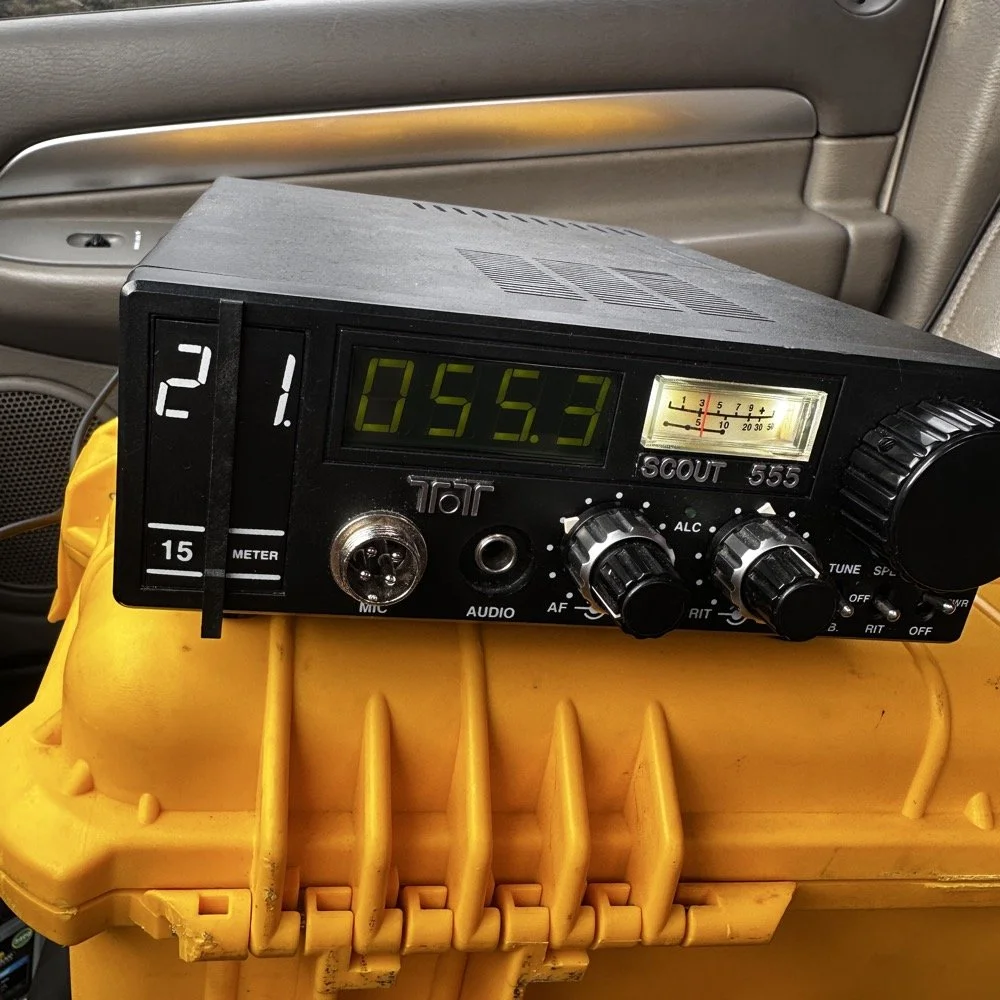
POTA problems with the TenTec Scout 555
After a solid hour, I got my 4th call. Now what you are not seeing here is the part where I went to 17 meters and called CQ there as well. That was also in that 30 minute block between the third and fourth contacts in the log. I actually thought I would make a few contacts on 17 meters as it usually is open if 20 meters is open.
This activation was very enlightening. I went to US-2169 since it is close to home AND diesel fuel is over $6.00 per gallon currently. I setup at my favorite place in the park, the Frisbee golf parking lot. This place is usually empty on Friday mornings and today did not disappoint. There was one other car that is not in the photo that a group of day hikers exited from and promptly entered the tree line. I never saw them again… I setup in the same spot I like to use, but to be fair, I think I like the spot on the other side of the lot better. This one it the first one I chose, but it really isnt that great for stringing an antenna. I almost have to use the telescoping vertical on the truck mount. The trees near the truck will hold a wire but relative to the truck (read that as to the radio as well) the wire is almost horizontal. This is not ideal for a wire that needs to be above the grade and I assume, the radio…
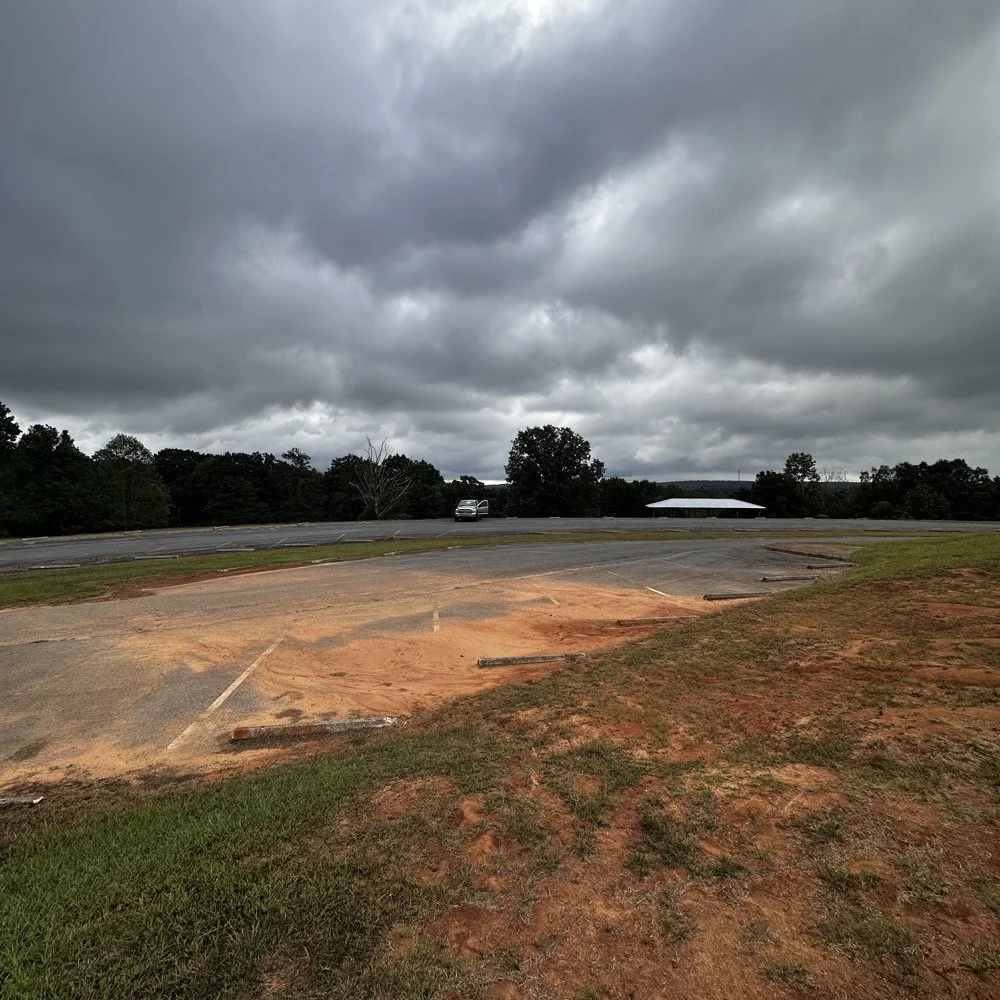
See what I mean about going on the “off” days? I had the place to myself for the most part. Without another soul in sight I was able to leave the doors open so a breeze blew through the truck and made for a pleasant activation. I setup the TenTec Scout 555 in the passenger seat like I usually do since I wanted to use “truck power” to run my radio. You see, I have a cable fed into the cab of the truck that is directly connected to the battery with a fuse and the other end has a power pole connector on it. This allows me to run my radios in the truck with having to hard wire all of the them. This is nice, but as I found out today, it is also a liability…
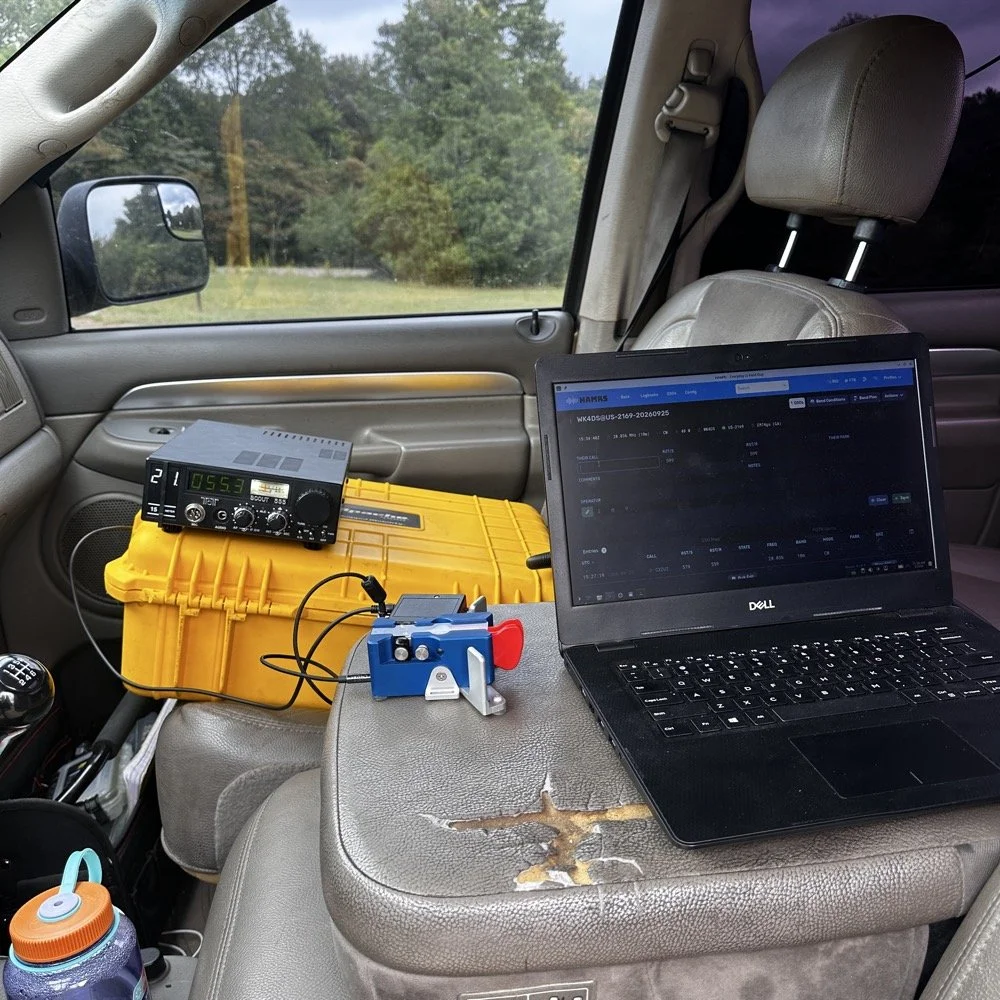
I have gotten very comfortable using this station location. As long as I operate by myself, this works almost perfectly for me. I do wish that the armrest could be longer so that I could more easily sit in the seat and log contacts. As it stands I now sit somewhat side ways a little so my arm can work the key with it at the front edge of the arm rest. I have thought about getting a sheet of plywood and covering the back half with cloth and letting it become the surface when I am operating, that would give me a table for the computer as well as the key and keyer. You can’t see the power cord in this photo as it is run under the yellow case, but it is there. At this point, I had already moved to 15 meters after calling CQ for over ten minutes on 10 meters without as much as a chirp coming back to me. I had high hopes too. You see, when I powered up the radio, I had planned on simply hoping on 20 meters and working on an activation since the signal report looked real bad for today, the K Index was a 4 and the bands only showed Fair from 30 through 15 meters and poor everywhere else.
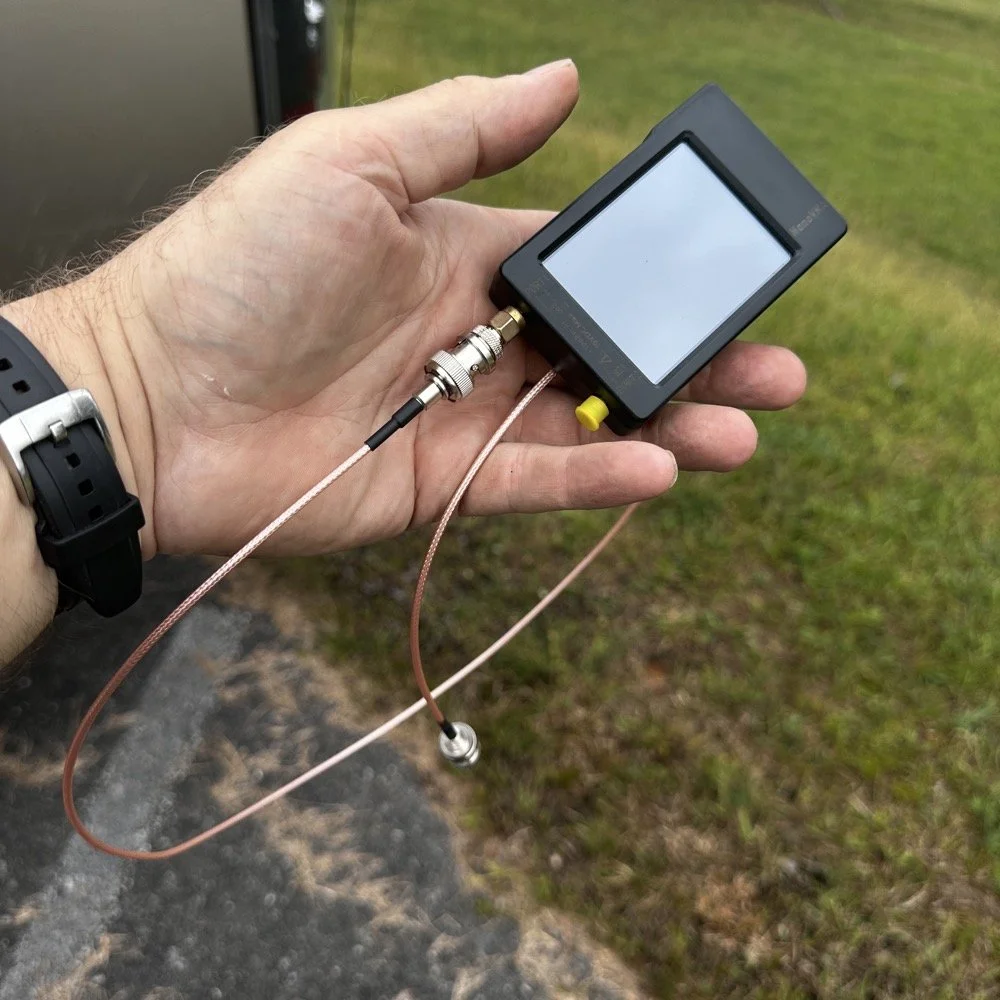
Finally picked up a shorter cable for the nanoVNA to tune the antenna with…
This did not inspire confidence to say the least… But I had the 10 meter band module in the radio so I just hooked it up as it so I could get the circuits warming sooner. The TenTec Scout 555 is a great radio but it had some analog stuff…well…a lot of analog electronics in it and they don’t work properly when they are cold, your frequency will drift while your using it and all sorts of shenanigans. So now, I setup the radio first, get it under power so the idle current can be warming it up and then work on the antenna. I built up the antenna and as soon as I connected the coax, I could hear a station calling CQ! When I looked at the radio, IT WAS ON TEN METERS!!! Ten meters was supposed to be closed right now! Well ,I had just tuned it to 20 meters so back out to the antenna I go with the nanoVNA and tune it up for 10 meters. I get back in the truck and he is still calling CQ! I start answering him and it takes him probably 6 tries to get all of my callsign as I am only running about 40 watts and the band is closed for Christ’s sake. First call in the log today is CX2UI from Uruguay! I am thinking this is about to be a really good day with a lot of calls in the log! Well, it wasn’t. As you can see below it was almost 30 minutes from the first call on 10 meters to the 2nd call on 15 meters… 15 meters was marginally more successful with me landing a whopping TWO calls on that band! Now understand, I dialed up the FT8 watering hole and there were a ton of ops there. If I had brought the sBitx V3 then I could have easily gotten the activation on that mode on ten meters. There was a ton of people there as well. I just wanted to work CW today so I didn’t bring the FT8 radio with me. Constraints like this will make you work harder as it is more of a challenge to get the activation if you dont have easy mode (FT8) available to fill in the gaps. The logbook is upside down as this is a screenshot of HAMRS and that program pushed the call log down and puts the most recent one on top as you go. After nabbing the two calls on 15 meters, it was like the band simply turned itself off to CW use. I tried for almost 30 more minutes to get another contact but nothing was there.
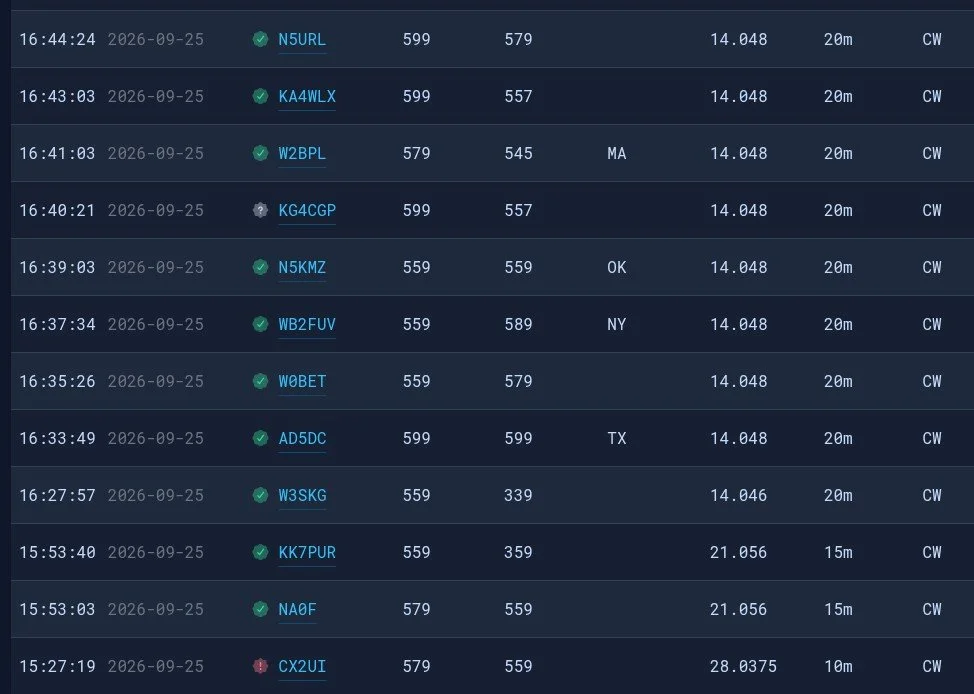
After a solid hour, I got my 4th call. Now what you are not seeing here is the part where I went to 17 meters and called CQ there as well. That was also in that 30 minute block between the third and fourth contacts in the log. I actually thought I would make a few contacts on 17 meters as it usually is open if 20 meters is open. Well, it turns out, 20 meters wasn’t doing great either with heavy QSB on pretty much the entire log today.
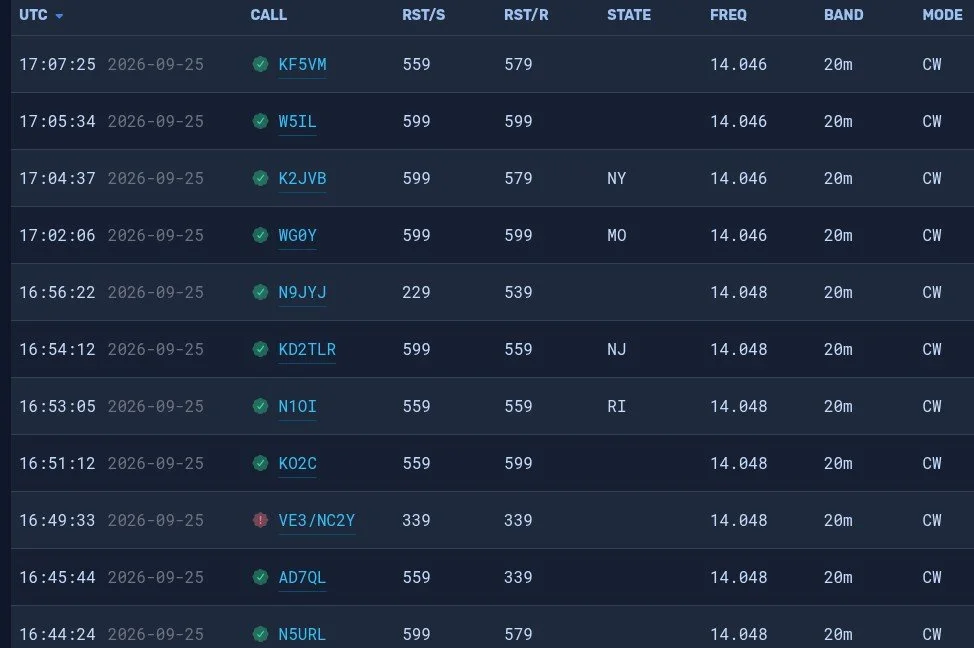
20 meters to the rescue… As you can see, the log is filled out with a lot of 20 meters QSOs. The remains calls only took 40 minutes to get in the logbook. The very last one was a ham that simply answered my call and we had a short ragchew. He also told me that my radio had a birdie or it was chirping when i was sending code. I had noticed that a few minutes into the 20 meter portion I started getting numbers in the 3rd position that were not good. You see, that third number will, pretty much by default, always be a 9. When it is not a 9 then your radio is not working right. I got several in a row with less that a 9 there. That threw me a curve ball as I don’t normally get those kinds of reports. Armed with this knowledge, I took the radio home and connected it to the antenna in my house.
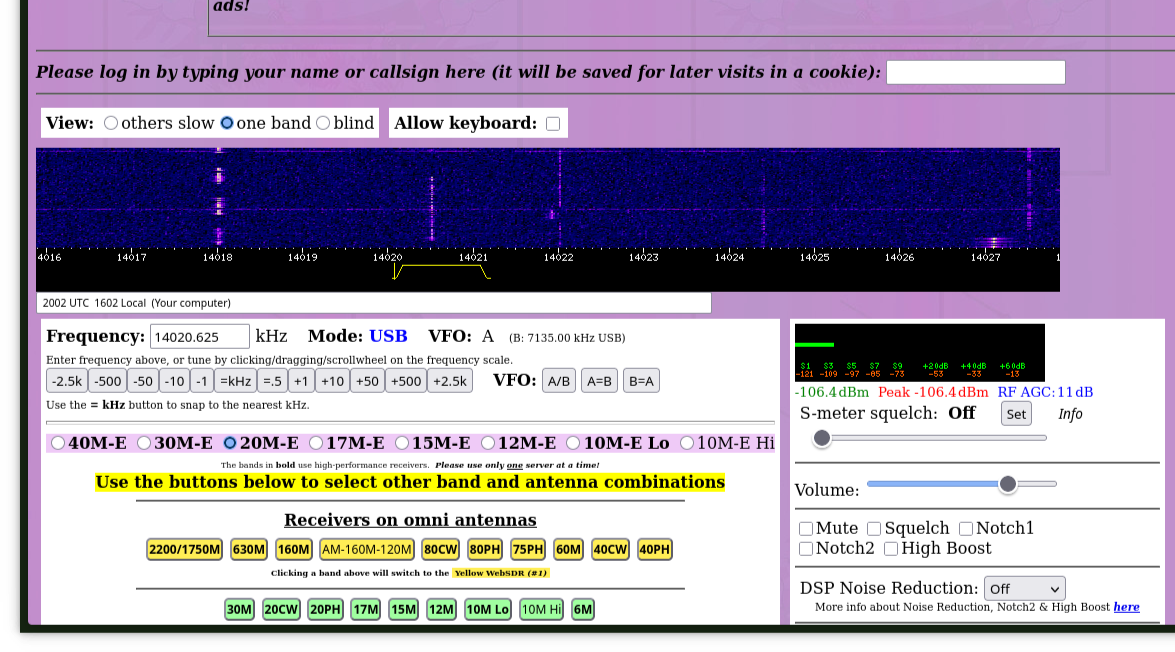
Something I learned from HamRadioCrashCourse on YouTube is that you can dial up these webSDR receivers and test your radio by listening to your signal as it is received by another radio. You are not getting the audio from inside the radio. This is the actual signal that is sent out of the radio, over the air, and heard by another radio. This is the truest test of what your signal will sound like. So I dialed up a portion of the band that had very little use as you can see in the waterfall. Once I found a spot, I adjusted the filter to cut out adjacent signals and then started sending. My signal is the one in the center of the little yellow filter area on the waterfall. The sound coming back to me was perfect too. I listened for a while and it is a little disorienting since there is a delay between you sending and you hearing it. The best way I can tell you to do it is to send your callsign and the word “testing” with the SDR volume turned down and then turn up the volume and sending whatever so you can hear the sound of the signal, and then when your finished, send de Your Callsign and then QRT. It is fine to send a test signal as long as you are not interfering with someone else and you ID your signal. I can not find it anywhere in the rules that this is not allowed as long as you do those two things…well and you know, stay in the allocated band space and don’t exceed the power limits and such as that but you get the point. It is kinda cool to be able to hear what your actual signal sounds like on the air by another radio almost 1500 miles away.
So what did I learn from this today? I learned that the radio isn’t always the problem even if the signal is terrible. Turns out that my cable has a bad connection in it going out to the battery and I was having voltage dips when I would key the radio. I could even see it with the meter lamp dimming on each character during transmit. So I plan to replace that cable with a much larger one on the order of either 10ga. or 8ga copper wire with soon. This and a new fuse holder should get me back up and running in fine order.
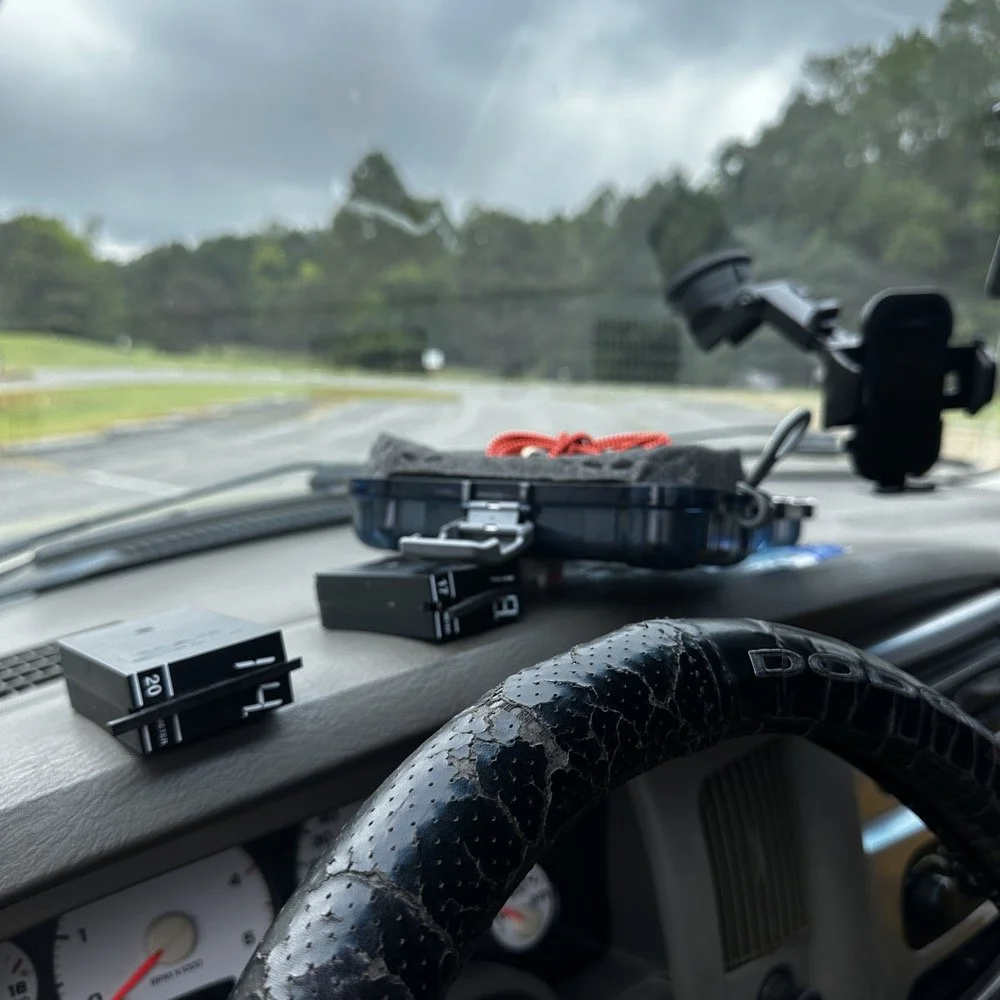
Towards the end of the activation, things were all out of sorts and I had to take my time to get it all cleaned up and put away properly. I will usually get out all the band modules I plan to use that day and just lay them on the dash like you see here. it makes it easy to change bands and I can see all of them as well so I don’t lose one in between the seats or something like that. The case for the Begali Traveler key is laying up there with them too, but that just happened to be the best place for it today. It normally ends back up in the carry tote but today it was on the other side of the truck and this was easier…haha. All in all the day went pretty well considering the Sun was mad and I had a radio that was sending trash for code. Moving forward, I plan to make several improvements to the system as a whole and see if the radio will work even better. Have you had a day when there was a comedy of errors to contend with? Today must have been my day as I have not been out since early August to a park at all and I had started to miss it.
73
WK4DS - David