WK4DS Amateur Radio Blog
Search Posts
My first POTA 2fer, with a QRP radio, and a Solar Storm!
Today I activated US-0716 (Chickamauga Battlefield) for my first-ever POTA 2fer! Between solar storms, parking challenges, battery failures, and meeting Dan (K2DTS), this activation had it all. Here's what happened when Murphy's Law met a QRP radio during less than ideal conditions!
Today saw the old red Chevrolet transporting my POTA gear over to Chickamauga Battlefield National Military Park which is park number US-0716. I have activated this park many times in the past, but unbeknownst to me was that the location I usually used to activate this park also allows for the activation of the Trail of Tears National Trail as well as it follows old HWY 27 right through the park! I have been activating a 2fer for years now and had no idea…live and learn.
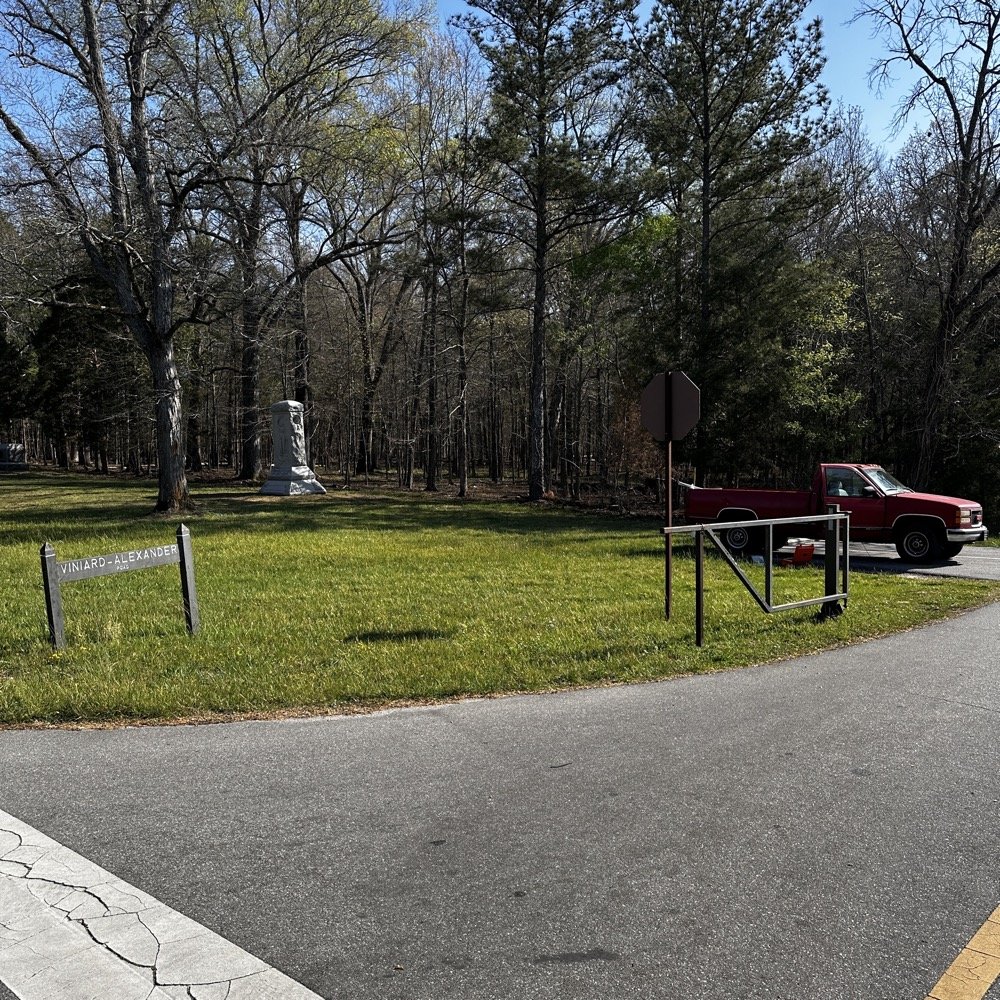
This “parking lot” has only 2 spaces in it, but it is close enough in proximity to the main road to allow for a 2fer when activating POTA
I arrived on station to find that only one spot was available and no one around the truck. This matters as Dan (K2DTS) had mentioned dropping by to see the CW setup and to observe a CW activation for a little while. Turns out the car in the other space was not him. He would arrive later, which was a much needed “shot in the arm” to lift my spirits. You see, today was one of those days when the sun was really angry while I was setup to activate. The solar K index was either 5 or 6 which isn’t good…especially for QRP… My QSO count today was not all that high, but I still had a relaxing and fun time at the park none the less.
This location works well with my truck mounted antenna setup that I built. I used my old reliable hamstick collection today to get on the air and true to form, they worked pretty well. I have also refined my tuning system as well. I will give you the quick rundown on how I do it now. This works especially well with hamsticks as you will soon see.
Hamsticks are a very viable antenna system for POTA activators. They are easy to setup and work reasonably well for their tiny size. They usually have good power handling so digital modes like FT8 and even good ole CW are not a problem for them. Of course SSB is always fine if they can handle CW…
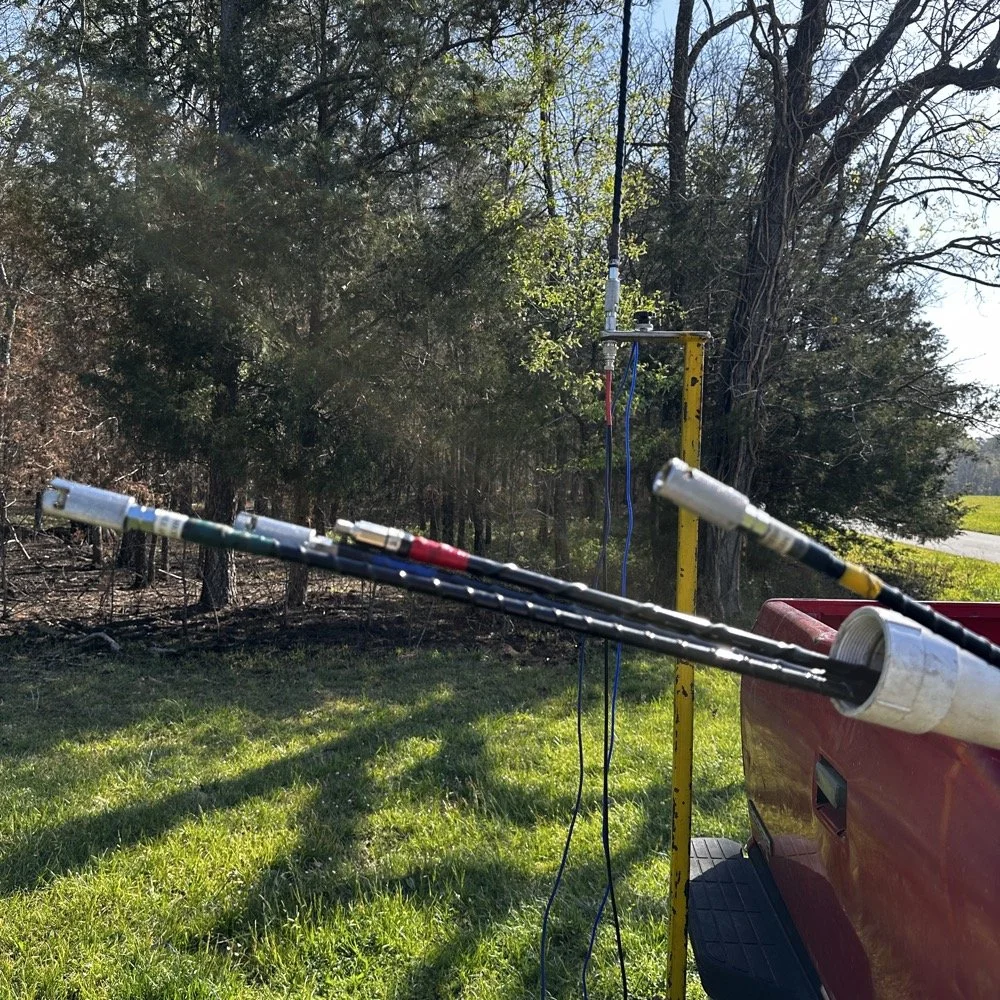
My Hamstick Antenna System and Color Coding Setup
Above is my modest hamstick collection to date. This is the 5 bands I use the most and I wished I also had the 10 meter version as well…but I digress. It is a good idea to do something to tell them apart. The labels are not very durable from what i have seen and so I chose to color code mine with various colors of electrical tape instead. Red - 40meters; Blue - 30 meters; Yellow - 20 meters; Brown - 17 meters; and Green - 15 meters. These are what I have been using for a long time now and they work well. These are made by three different companies too so the brand doesn’t really seem to matter. I have also converted mine over to the QD attachment design so that I can change bands fairly fast…well it is faster than threading them into the socket…haha. I have owned and used this exact setup for quite some time now as you can see from this blog post I wrote a good while back.
I also store them inside a PVC pipe I made into a storage tube. It is almost 8’ long so I can keep the “stingers” on all the base load coils which prevents me from mixing the wrong tip with the wrong load coil. I built this tube steel mount to fit inside the 2” receiver on a pick up truck, this allows for it to do two things at once. 1) It allows the antenna to be setup quickly and easily on any vehicle with a standard receiver mount. 2) I also built it so that it makes the base of the antenna at around 6’ above the ground. Getting the antenna higher does help with take off angle so I made the decision to make it taller than most. This also made it possible to string some radials at various angles so I can play with the impedance by adjusting the radials. If you look close in the lower photo, you can just see the radials connected to the base of the mount and running down out of the frame. These were tuned for 17 meters like this and they worked incredibly well in this configuration. When you only have a few watts like with the Penntek TR-35, you need all the help you can get…haha.
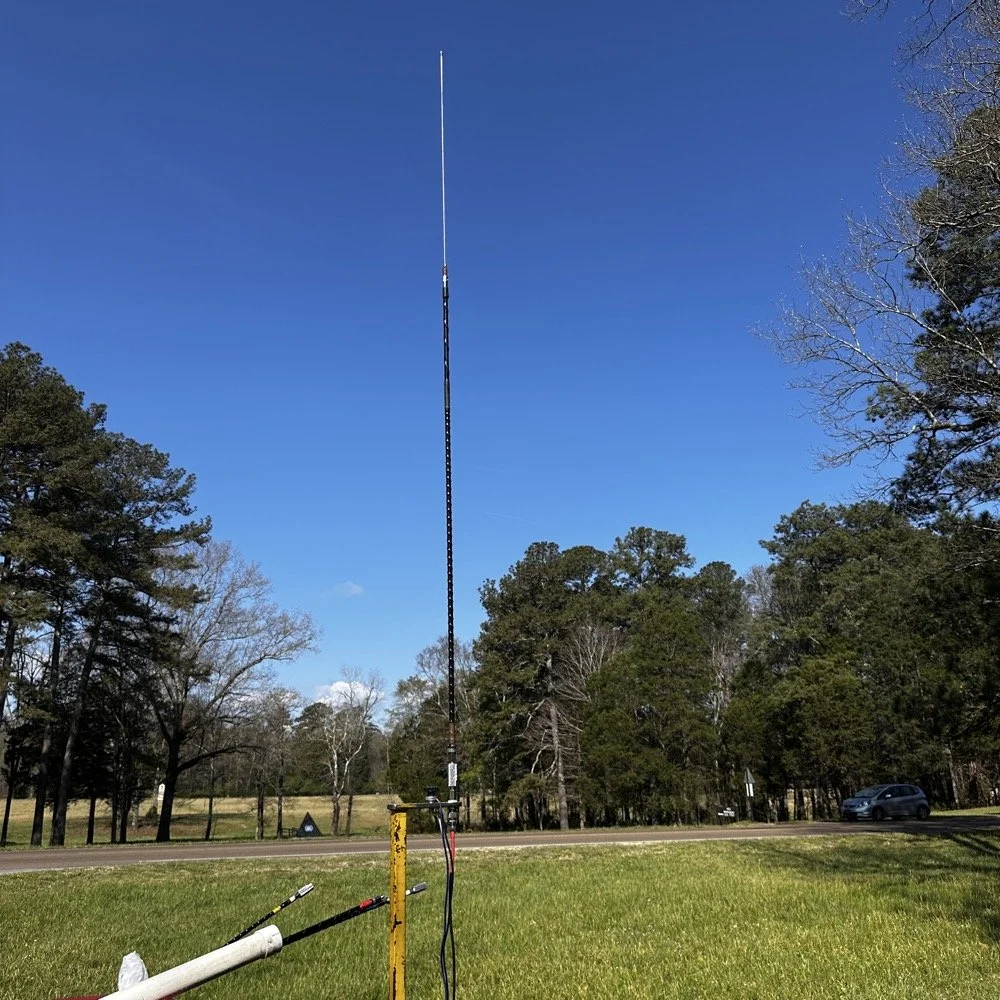
17 meter hamstick deployed during a POTA activation for CW and FT8 use. You can also see the highway in the background that is designated the Trail of Tears trail as well.
I setup in the passenger seat again, but to be honest, this was not ideal. I struggled to get all the stuff connected and stationary today. I also had a problem with the battery in the little power pack I had built…it was completely dead for some reason. I had used it recently but I didn’t think I had tanked it, anyway, not to be dissuaded I decided to get out the 8Ah battery and find a spot for it as well so I could power the station. You see, I needed the “power pack” so I would have a speaker. I figured that since Dan was going to drop by and hand out some, that I would make it to where he could hear the CW as well. This setup finally settled in and I was able to get on the air. This is when I figured out that the sun was angry…
I looked on the POTA spot page to look for a clear spot and there was only one other ham on the spot page, on 20 meters, in the middle of the day… Do you understand what this means? 20 meters is literally the honey pot of the HF bands when it comes to POTA. There is literally 2 dozen CW ops at times on this band and then there will be 2 on 17 meters. It will be that drastic and today there was me and one other guy in the Carolinas and that was it. Optimistic that I could at least get my ten in short order, I fired up the radio, dialed through the literal ghost town that was 20 meters and settled on a frequency around 14.063mhz and started calling CQ. It took about an hour to get my ten plus a few more, but I finally got them. In an attempt to get some stations I could hear in the noise, I even switch to headphones as you can hear MUCH weaker signals if you goto headphones over the external speaker that I am using. This trick didn’t work either as it turns out, that there has to be stations on the air for you to actually hear them… I had seemingly forgotten this minor detail on this day…lol.
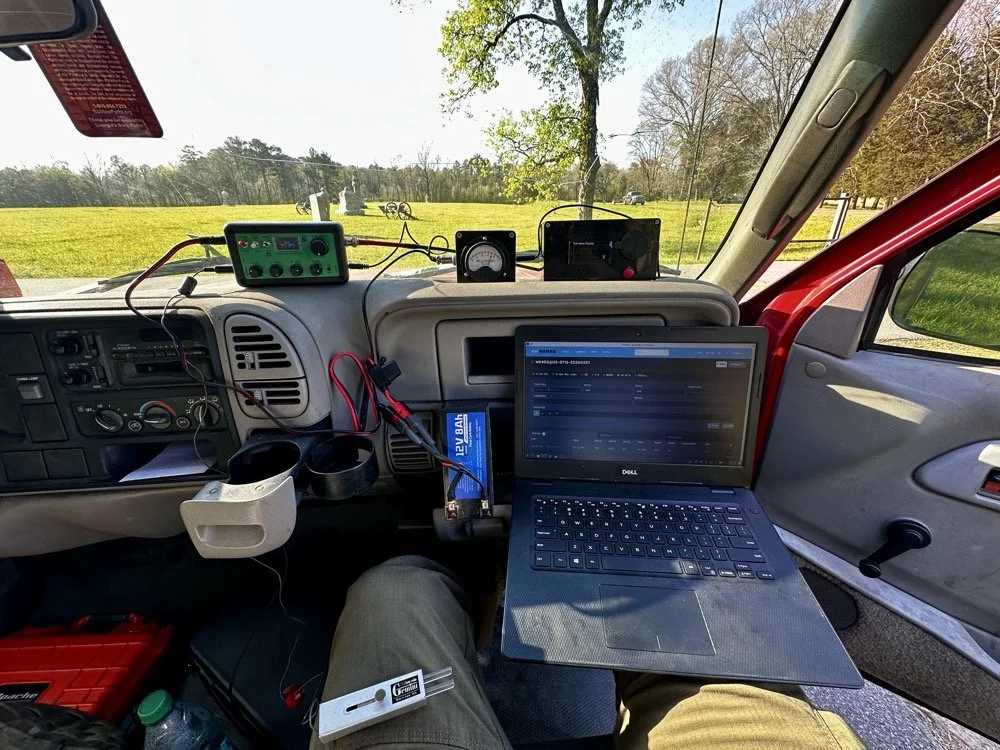
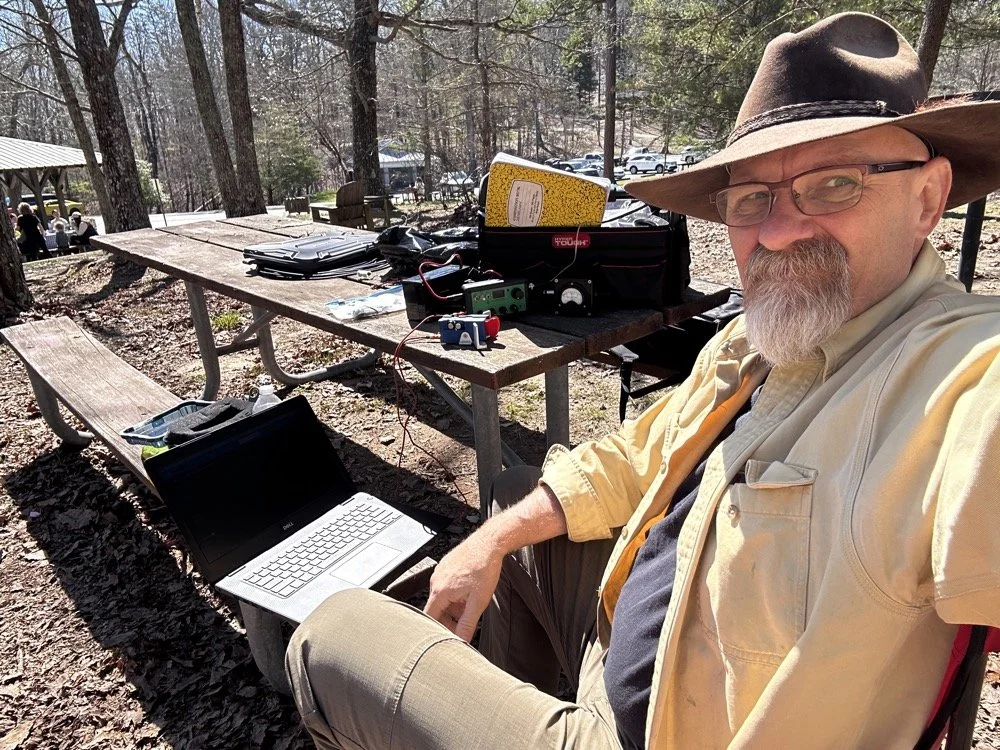
POTA CW station ready for use, including the Penntek TR-35, home brew S meter and battery pack/ speaker combo unit. Also the Gemini travel CW key and the Dell Inspiron computer with HAMRS for logging.
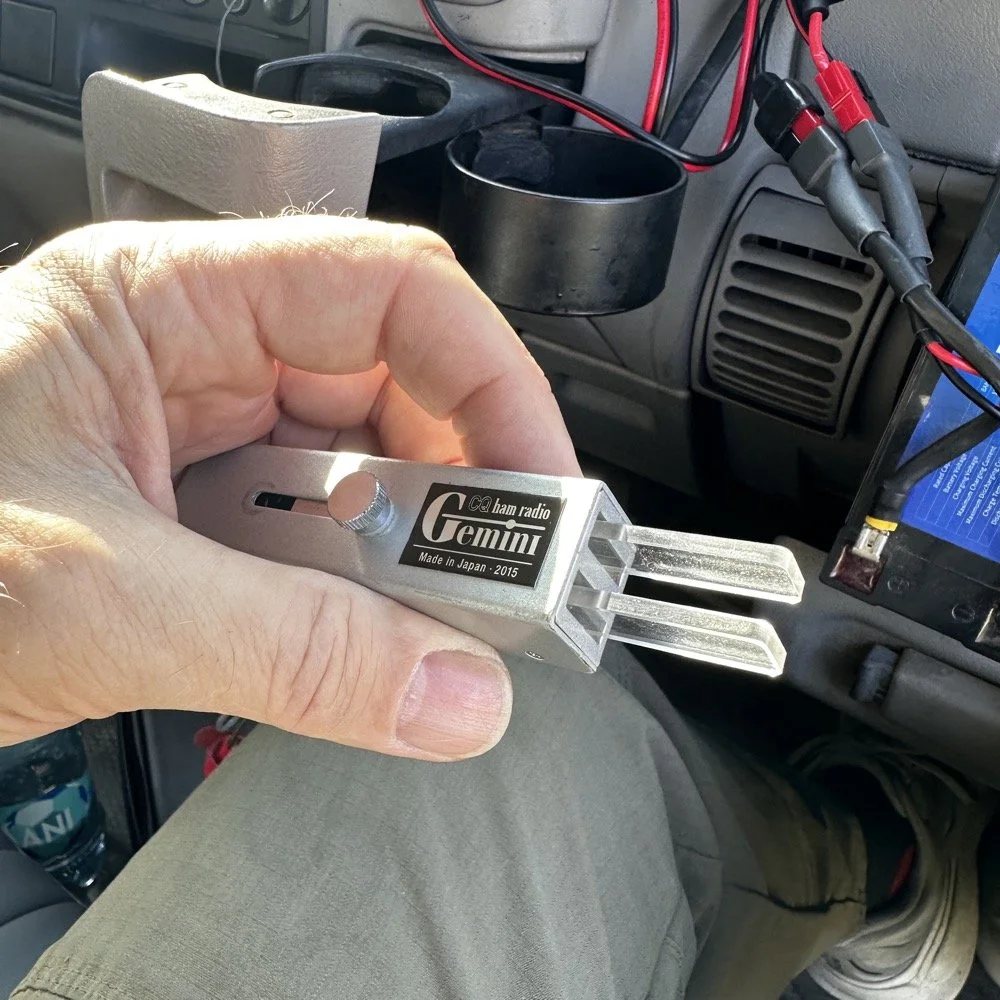
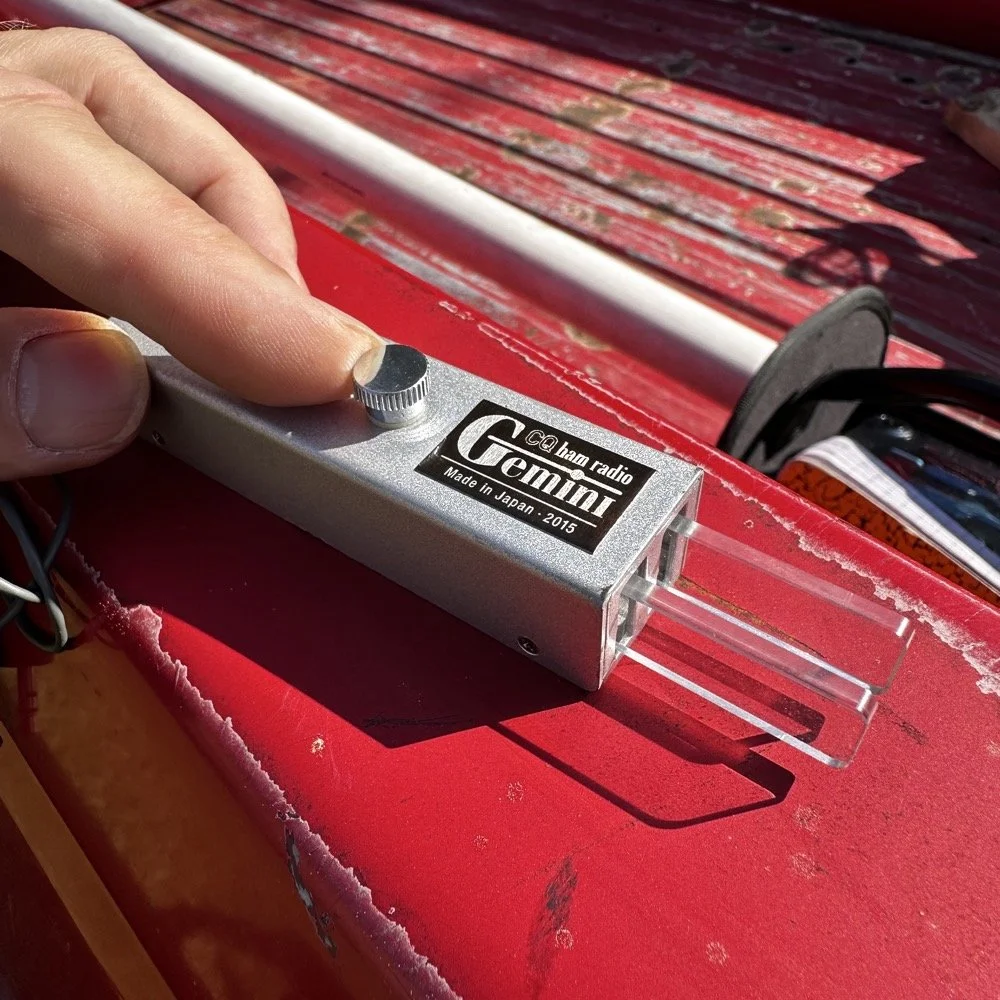
CQ Ham Radio - Gemini travel CW key is really well designed and cost effective. This is one of my favorite CW keys when I dont have a surface to set the Begali Traveler on.
The Gemini CW Key: A Collapsible Treasure from eBay
Let me introduce you to one of my favorite travel CW keys that I use for POTA operations. This is a key I bought off of eBay initially and as of this writing, it seems to be the only place to get one of these keys now. Maybe an opportunity for a creative solution here… lol. Anyway, these are darling little keys that work beautifully and I always enjoy getting this one out. As you can see below, the reason I like this key is how it stows the handles when not used. You simply loosen the screw on top a little, slide the screw to the rear and this collapses the paddles inside the housing which protects the from damage when stored in less than ideal conditions. This key also is dead simple, lacking any sort of adjustments at all, you just plug it into the radio and use it. I like that to be honest…
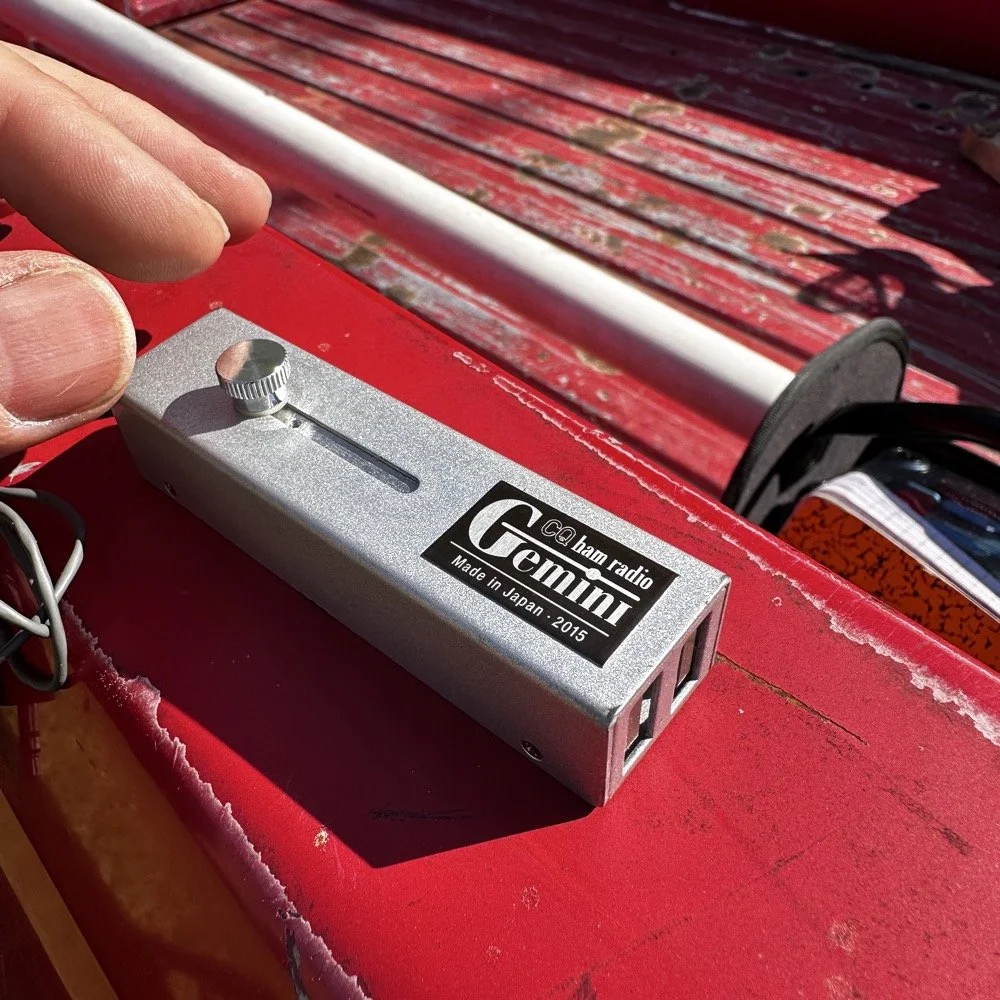
GHD CW Key for portable CW operations like POTA.
Operating QRP During a Solar Storm (And Why 20 Meters Was a Ghost Town!)
So after I struggled around for a little over an hour to put 15 calls in the log…well…14 since one was a dupe… (duplicate calls on the same band, park, day and mode dont count to your POTA score)…I decided to put up the headphones and get out the HF Signals sBitx and work some FT-8 on 17 meters. I had not seen Dan so I figured the honey-do list got him or something and put away the CW gear while FT-8 hummed along in the background.
A lot of times, I will run FT-8 while I do house keeping chores like putting up radio gear from a different mode that I had just finished using or talking to the wife on the phone about what she wants me to do next after I finish playing radio… you get the idea. I can do some other things while keeping an eye on the display and letting it run in auto mode for a while. Well, not today buckaroo, seems the band were so bad that I couldn’t get auto to work today very well. I called CQ for a while to no avail. I finally started hunting other stations can answering their CQ instead. Switching to this tactic netted me 5 more contacts before I closed out the log for the day. 18 valid QSOs will do just fine…actually, 36 since I activated the 2fer today!
If you will notice the waterfall in the photo below, you will see that there really were not that many stations on the FT-8 segment…which is usually choked pretty tight with stations. The bands were just that bad. Even with these terrible conditions, I was still able to get 5 calls in the log for today on FT-8!
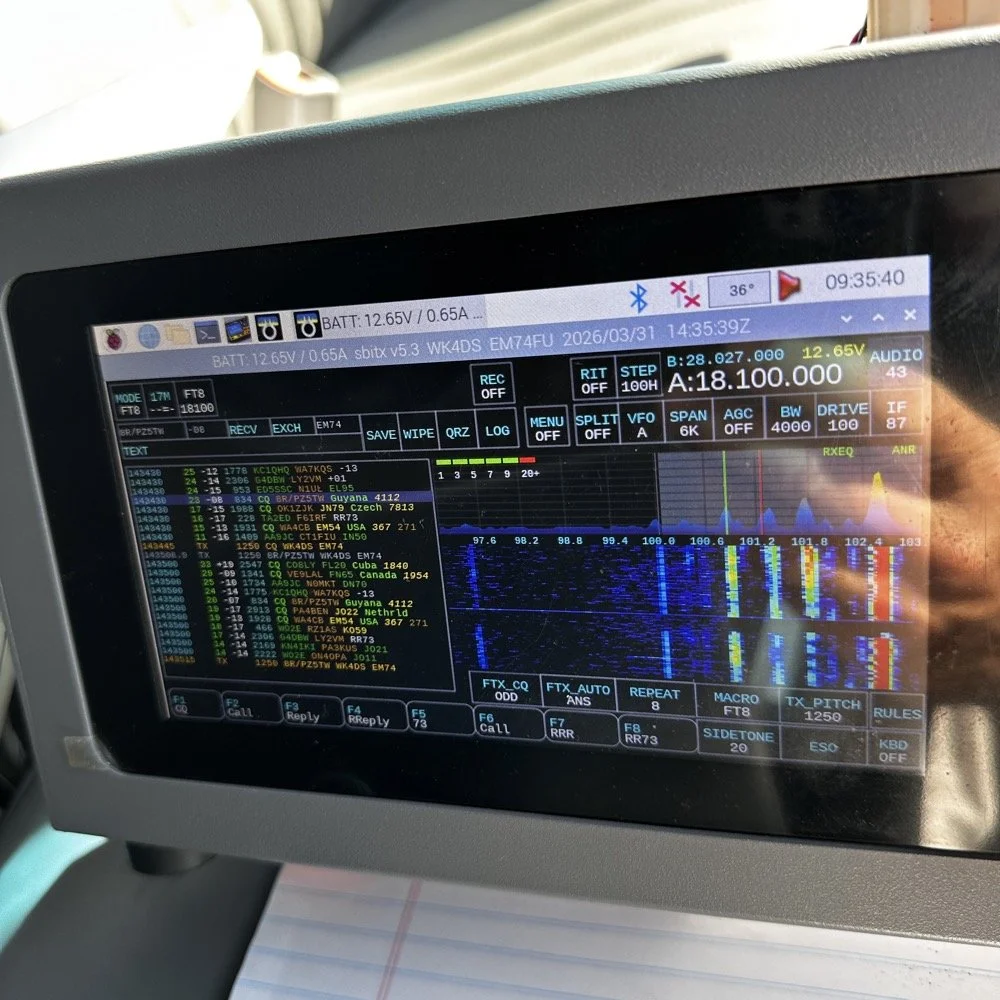
sBitx by HF Signals is a SDR powered by a Raspberry Pi 4 or Pi 5 SBC and does all sorts of things a regular radio can not do.
Meeting Dan (K2DTS) and the Ham Radio Community
While I was taking some of these photos and cleaning up the unneeded ham gear after switching to FT-8, look who stopped by to say hi and see the station! Dan (K2DTS)! He missed my CW portion of the activation and instead of setting it all back up, I did show -n- tell with him about all the gear I had brought to the activation. You have to understand that this is fairly substantial…haha. We talked for probably 20 minutes or maybe even a little longer about all sorts of things and had a great eye-ball QSO. I hope we can link up again at some point so I can get him on the air with CW so he can make some contacts too.
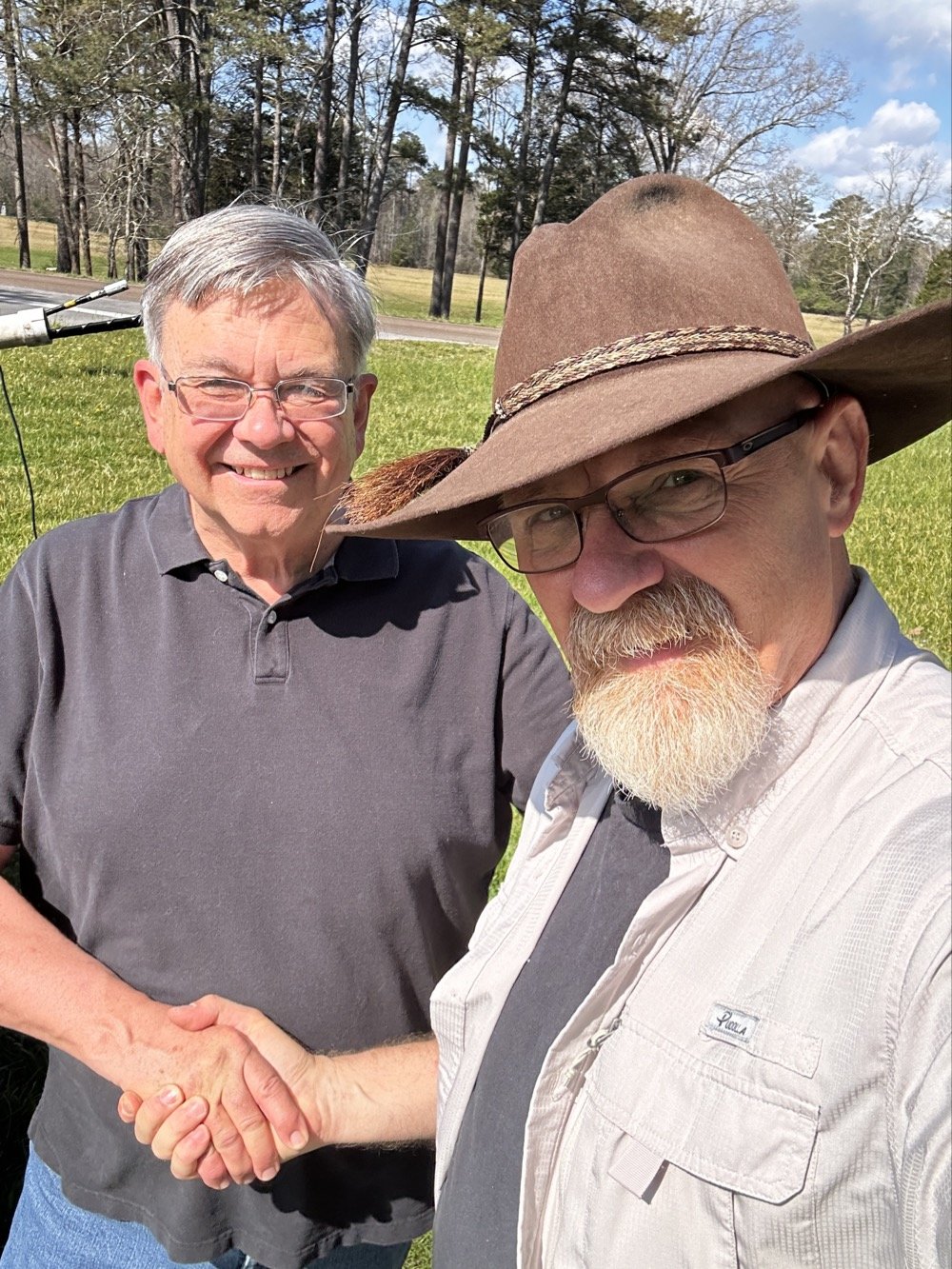
Ham radio is a wonderful community that has a large number of great people like Dan (K2DTS) who came out to the activation site today to see the setup.
Some days you don’t have to make a ton of contacts (although this never hurts…haha) to have a good time. Any day at a park with a radio is better than your best day at work. Knowing this I will always choose POTA over going to work… lol. Thanks for coming along today and I hope to work you on the air soon!
72
David - WK4DS
You can help support this website by using these Amazon Affiliate Links:
QRP/Portable Radios:
Antennas & Tuning:
CW Equipment:
Power & Accessories:
Organization & Transport:
BONUS ITEMS
Over 80 POTA QSOs in “less than ideal” conditions…
I activated US-2169 (Cloudland Canyon State Park) and made over 80 CW contacts despite lawnmowers, kids, and Murphy's Law doing its best to sabotage the activation. Here's what happened when "less than ideal" conditions tried to stop me!
Let’s talk about something that not a lot of people consider…what do you do when you get to a park and things are not like you imagined? Do you turn around and leave? Do you complain to park management? Do you setup and “get your ten” as fast as possible? What? Leave it in the comments what you do when you have problems like I did today?
POTA Park Conditions
Here is the setup, today I went to US-2169 (Cloudland Canyon State Park) to get on the air with my little Penntek TR-35 QRP radio and found some interesting things happening at the park today. As you can see below the weather was basically perfect for a POTA activation today. It is still early spring here so the top of the mountain is still not showing much signs, but the valley is getting ready…so to speak. Some trees are turning green and some of the dogwood trees are starting to bloom so we are getting started. The temperature was nice in the mid 60s today and it was sunny so it was really nice. I Did find the direct sun to be annoying to be honest as it kept causing a lot of glare on my computer which made it hard to see at times, but I powered through this first obstacle…
My POTA station for today consisting of the Penntek TR-35, the Begali Traveler CW Key and my Dell Inspiron computer for logging.
The next thing I ran into was the kids, there were so many kids in the park today, it must be some spring break or something as there were a lot of groups of children like you see in the photo above (in the background) and they were…well…being kids… This in itself isn’t a problem, but I failed to bring any sort of flagging tape to mark my coax with so I was constantly looking over my right shoulder to make sure no one was about to walk into it. Actually, I only had to do this for a little while as there was something else that happened a little later that basically ran the kids off for me… haha. The lawnmowers…
The POTA HF Radio System Setup - Reliance Antenna
Anyway, let’s look at the antenna setup today to see what made it work so well. I started with two throw lines today so I could elevate the whole antenna off the ground. You see, I was using the Reliance Antenna Bugout 40m EFHW again today and wanted to replicate what I had back in Florida.
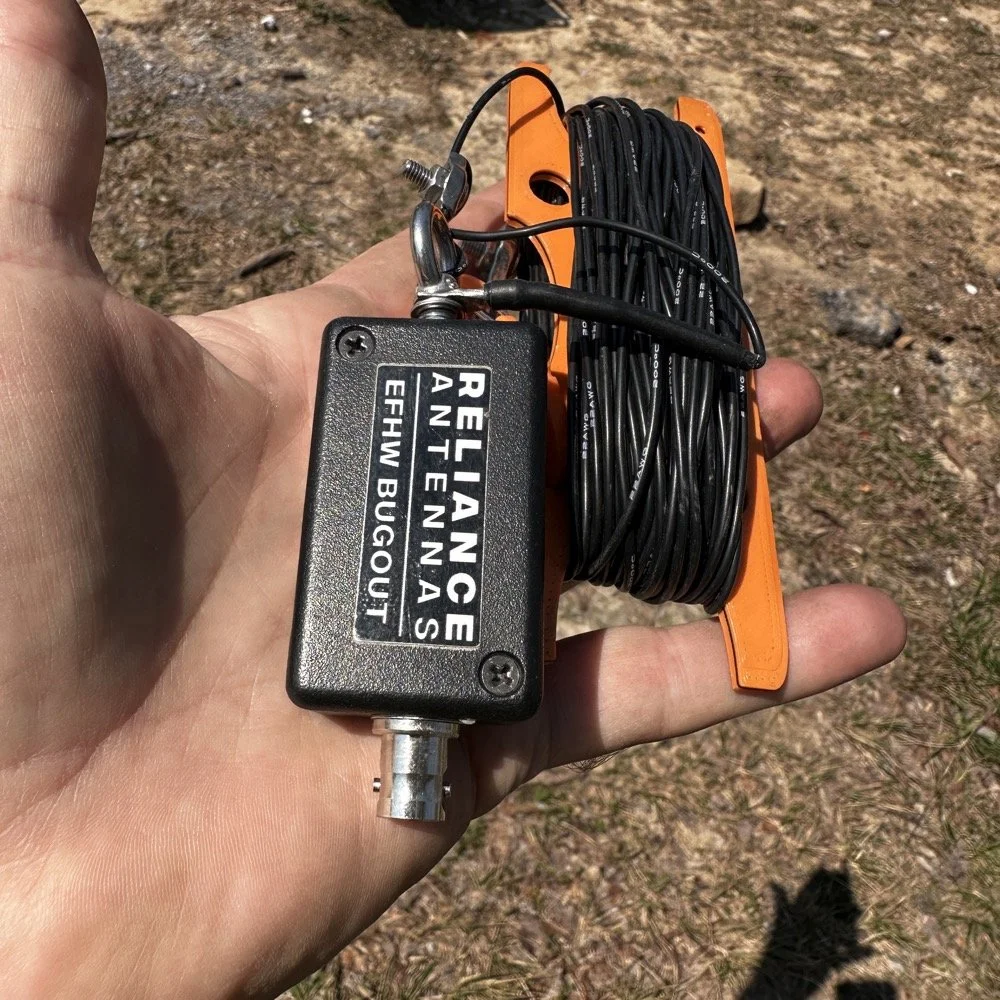
Today saw me use the Reliance Antenna Bugout 40m EFHW antenna to great effect even with all the problems.
I threw a line about 15 feet up over a large limb on the nearby tree to create the first point and this is where the coax went up to the transformer. I didn’t use a tuner today so I stayed on 20 meters the entire time today.
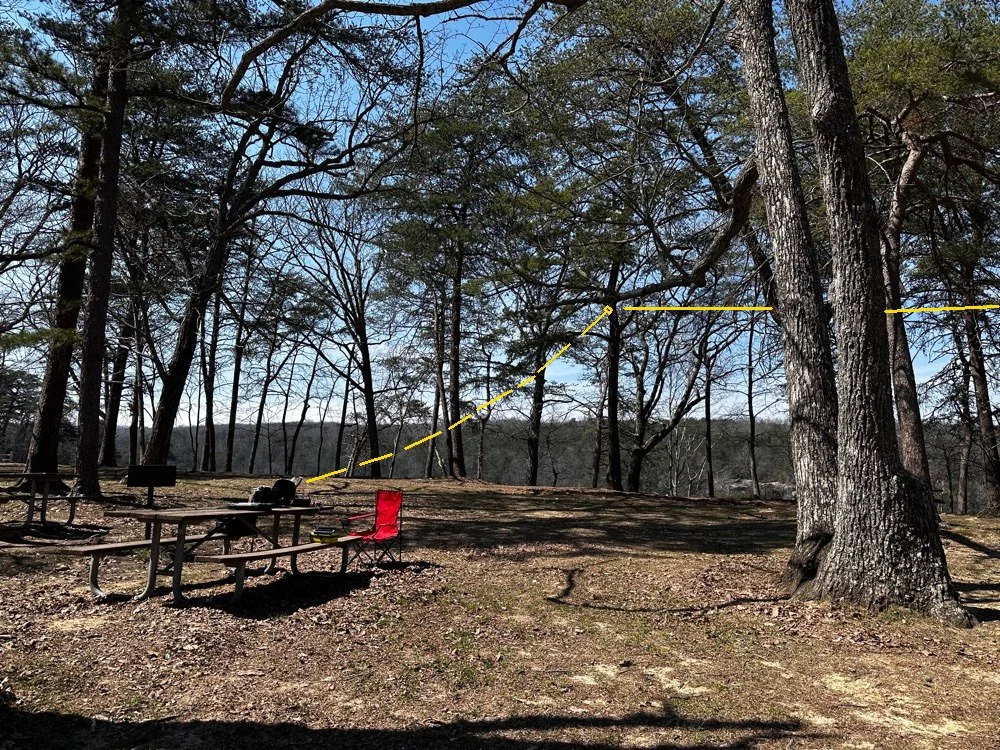
POTA antenna installation showing the 1st elevated point of the antenna transformer from the operating position.
I ended up tying the antenna lift rope (it is actually a small cord but you get the point) to the grill right behind the table to the left in the above photo. I used a Velcro tie to attach the end of the coax to the “possibles” bag on the table as it is heavy and the coax is really light and I figured it would hold it just fine…which it did. Next came the haul line to lift the antenna into the distal tree with the high end about 30 feet up. I use a stainless steel throw weight that I made in the machine shop so I can send this thing into the stratosphere if I want…haha. The wide angle photo below shows where the antenna was in the trees. You can also see another family at the picnic table in the background… more kids… haha. The good thing about using two haul lines in that the entirety of the antenna is WAY above where anyone could even get close to it. I was also using QRP power so there was no danger of RF issues here. The height is also beneficial for propagation and we will see a little later that it did in fact help.
Now, this antenna doesn’t have a counter poise of any kind so it uses the coax shield for the counter poise. To keep the stray RF out of the radio, I use a special coax from ABR Industries that has a ferrite common mode choke in one end. I simply put this end on the radio side and this allows the antenna to access the coax shield for counter poise use and also it keeps the common mode currents out of the radio… At least that is what I hope is happening, the strategy seems to work so I am running with it.
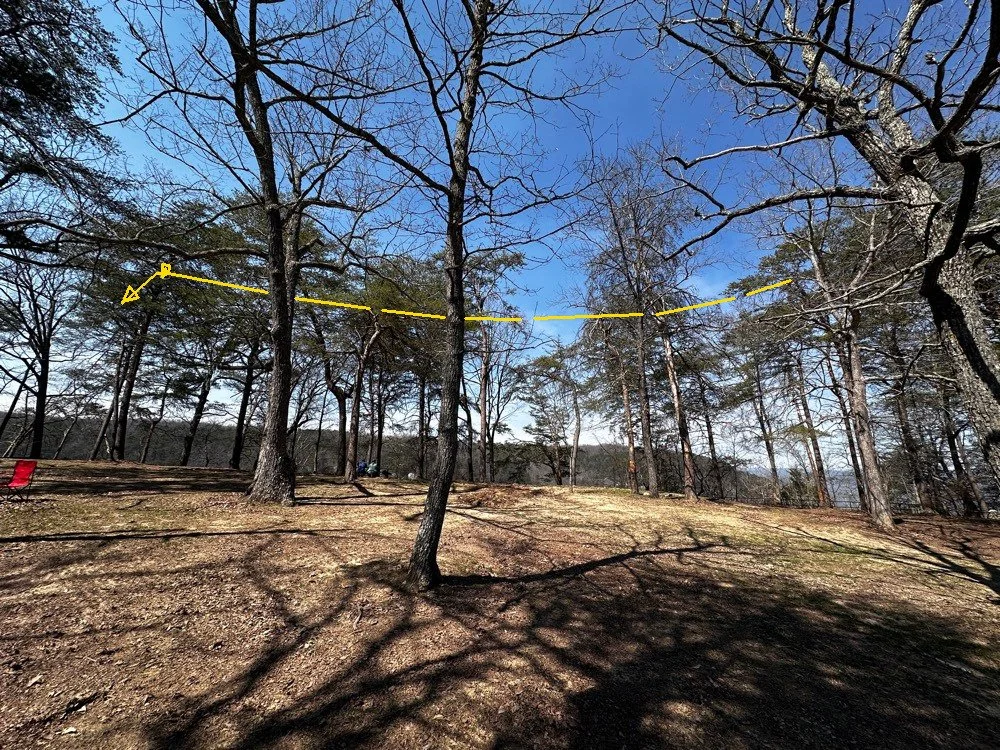
Position of the 40m EFHW antenna today for my POTA activation. Well above the ground!
POTA Activation Highlights
So once the radio was all put together and powered up on the table, I connected the speakers from my custom built project. This is a power pack with a 3aH Bioenno battery in a project box with a power-pole receptacle and a set of speakers so the Penntek TR-35 can be used like a regular radio since it has no internal speaker. I like running it like this if the ambient noise level is low enough as it allows the people around me to hear the CW as well. This sometime sparks interest and people will come over and ask me about what I am doing. A perfect5 opportunity to share with someone about amateur radio.
I started listening around a little and found 14.061mhz was clear after listening for a while. I have found that I will hunt me a clear frequency then get out the logging computer, boot it up and get the software running and ready to use, then I will spot myself on the POTA app all prior to sending that first CQ call. If you do any of this after sending that first call, you had better finish before the radio memory buffer does… that is all I have to say about that…lol. Just like clock work, I got an answer on the very first call too! I worked about 15 or 20 stations in pretty short order and then the QRM started. Someone decided that a QRP operator in the QRP portion of 20 meters activating a POTA park with a valid callsign was completely unacceptable for some reason. At first (read that as “for the first 5 full minutes” I actually thought they were just either missing me and sending their call twice or couldn’t hear me or something. You see, I was working stations the whole time! haha. So I finally stopped and listened and this person was sending real CW so it was someone who went to the trouble to actually learn it. But here is what they were doing, they would send a random letter, wait 3 to 4 seconds and send another random letter and then wait some more then do it again. All it really did to my normal QSO pattern was have me simply send everything twice as the spacing they were using allowed for this perfectly. Then I would send a CQ out of my keyer memory as the Penntek TR-35 has 2 keyer memories built into it. As soon as the CQ would start I could hear them in between my characters trying to jam me, so I would simply hit the keyer a second time and let it send the WHOLE message again and by then they either realized I was using a memory keyer or got tired of competing with a machine and would stop…till I would send a signal report. LOL. Remember what I just said about the cadence and my tactic to combat it? Well, I think they finally gave up at around QSO number 50 or so.
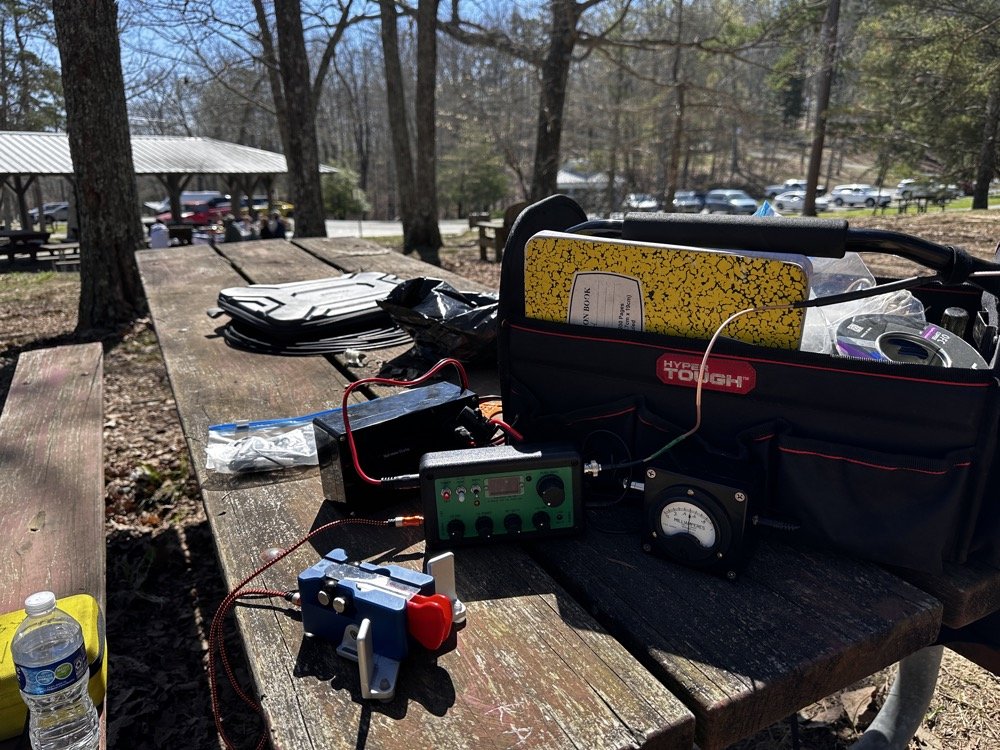
POTA station consisting of the Penntek TR-35, homebrew “S” meter, homebrew powerpack with speaker, Begali Traveler CW key and Relianca Antenna wtih ABR Industries Coax
Murphy’s Law at Work during a POTA Activation
That’s right, I made about 30 contacts while the QRMing op was actively trying to sabotage my activation. lol. So while this was going on, there was another “storm” brewing in the background… the lawnmowers had arrived…
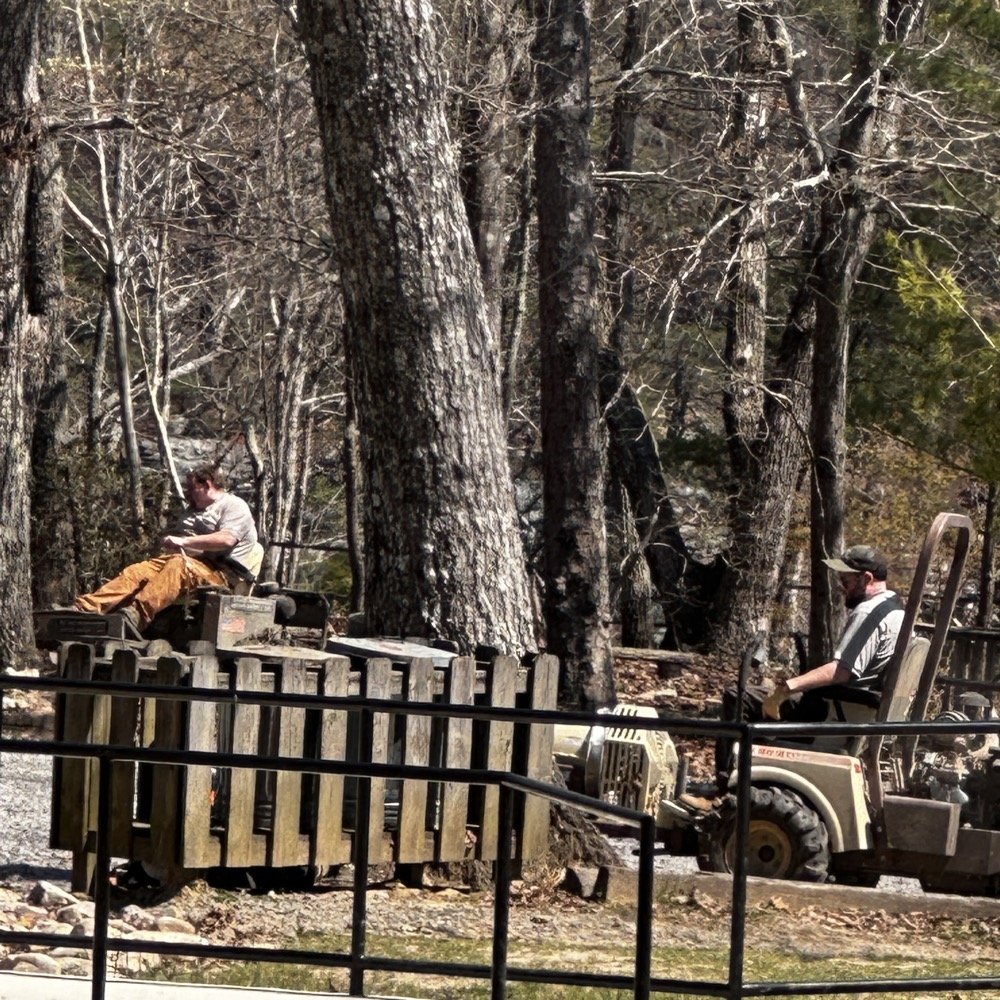
State park grounds keepers doing lawn maintenance.
They had been in the distance, but at this point they were starting to get closer and closer… At this point I am starting to think that these guys have been hired by the guy messing with me on the air! It was like they had been signaled or something. Just about the time the QRM vanishes, they show up!ll, to start with they were mowing over on the far side of the area so it was mildly annoying but not a real problem for my operating…but then…
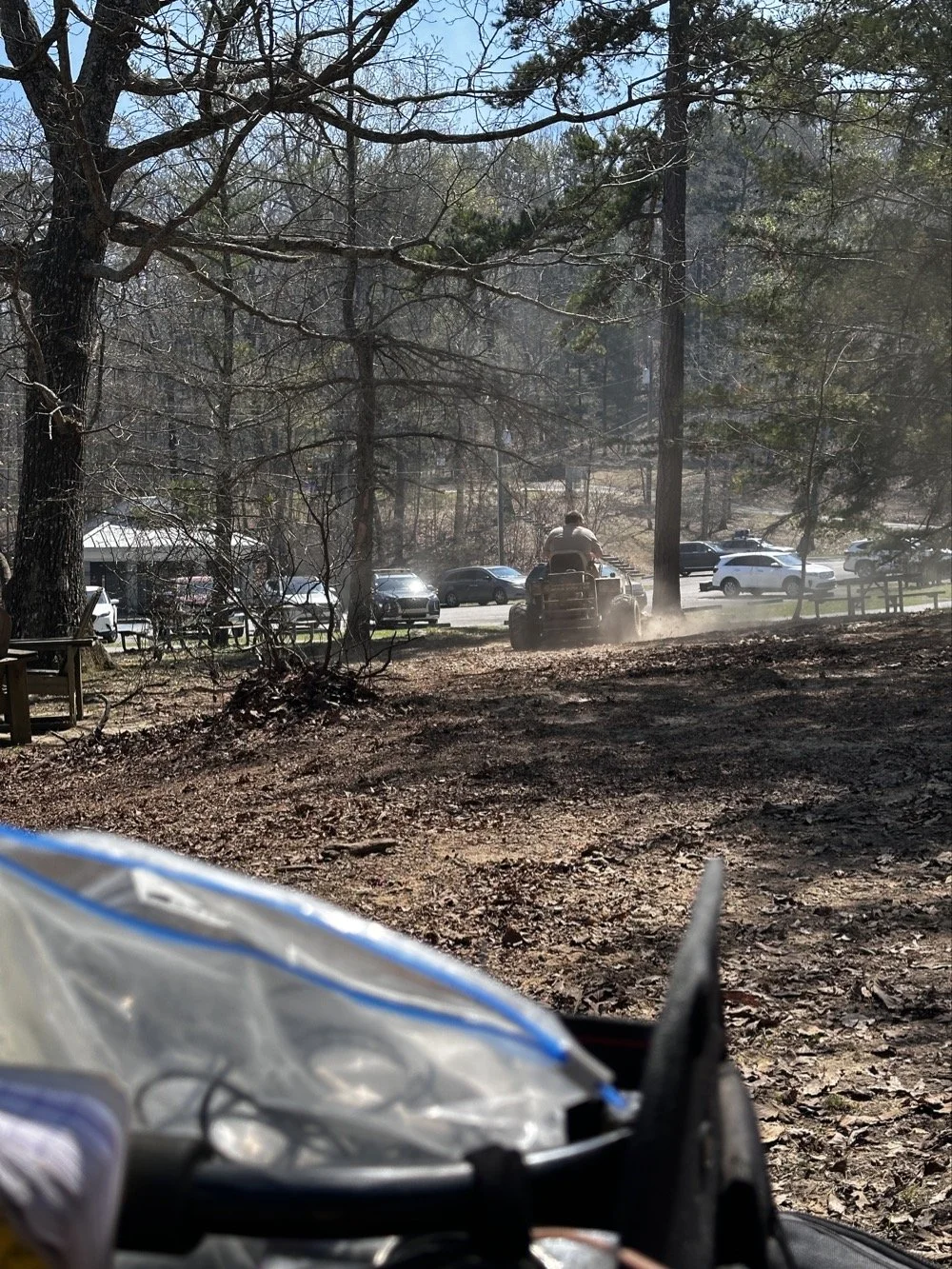
State park employee doing lawn maintenance while I activate POTA at US-2169 Cloudland Canyon State Park.
You guessed it, they felt it imperative to cut the dead leaves in the picnic area RIGHT BESIDE ME!!! Do you see any grass in that site?? I sure didn’t, but he sure was mowing it! Good grief, this is starting to get out of hand at this point and the sound of the engines was so loud that I had to resort to ear bud headphones to be able to hear. This did mitigate almost all of the noise from the mowers but it didn’t do anything for the dust cloud they were stirring up. Good grief.
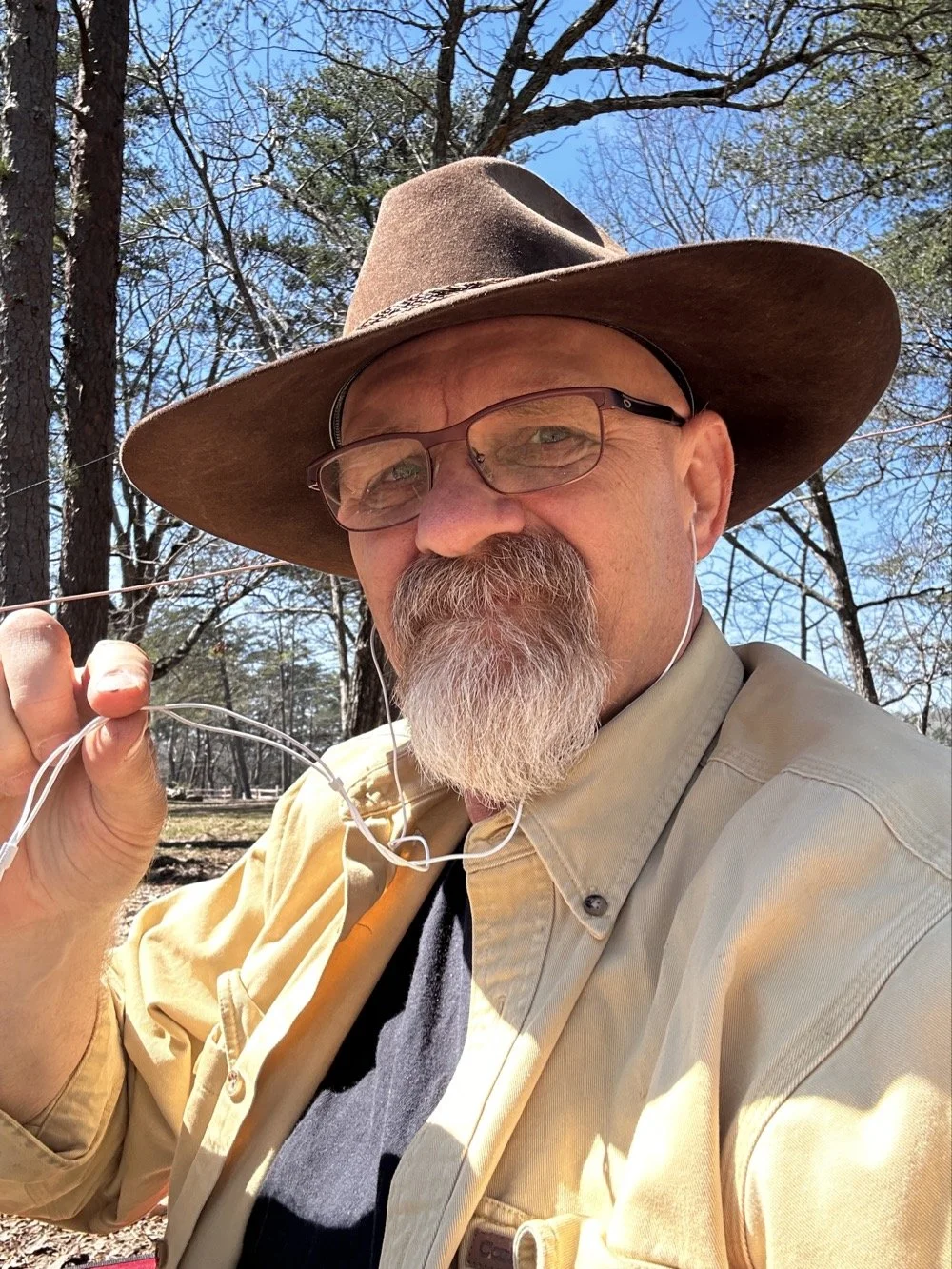
David - WK4DS resorting to headphones due to high noise in the local environment during POTA at Cloudland Canyon State Park
By this point I had almost 80 QSOs in the log so I set a goal of getting 80 counted QSOs to go towards my goal of 10,000 which meant accounting for the dupes in my log, of which there were many today. You see I had been there for several hours at this point and some stations had wandered by me a couple of times. I know I worked one station 3 times today, but so is life sometimes. I no longer tell people I have them in the log, I automatically assume one of two things have happened.
The first one is that I could have gotten someone else’s call wrong and therefore I now have the legitimate call on the hook at that moment. (very possible with my poor hearing at times) The second is that they simply don’t realize I have them in the log. So I work them again and log it again and simply let HAMRS record it as a dupe and move on with life. It doesn’t hurt anything to log them again, other than the time it takes, so I simply complete the QSO as if it was the first time. No harm, no foul.
CW and North America came in clutch for this POTA Activator today!
Today saw me work over 80 calls and of those exactly ZERO were outside of North America. I worked a couple of Canadians but other than that, the rest were US operators only. Not a single DX station at all. It could be one or more of several factors I guess. I did put over 80 calls in the log for today and that is a great day despite all the various things that attempted to stop me. haha. In the end, it was still a wonderful day and I had a great time with my tiny little Penntek TR-35, my Begali Traveler CW Paddle and the Reliance EFHW 40 meter antenna. What a great little setup! Portable, light weight and best of all, it works! What do the old timers say? “Five watts and a wire…” Yeah, it will absolutely work if you will go when the bands are open and just try…
You can help support this website by using these Amazon Affiliate Links:
QRP/Portable Radios:
Antennas & Tuning:
CW Equipment:
Power & Accessories:
Organization & Transport:
BONUS ITEMS
72 - WK4DS (David)